How to Implement a Pomodoro Technique Timetable in Your Home Office Routine
You should use the Pomodoro Technique in your home office because it aligns with your brain’s 25-minute focus span and fights distractions like phone checks or chores. Match work blocks to your energy-try 25/5 in the morning, 50/10 post-lunch-and use a physical timer with a silent chime to avoid screen temptation. Keep your desk clutter-free, track sessions honestly, and adjust intervals based on real fatigue, not ideals; results depend more on consistency than perfect timing, a fact many overlook when chasing productivity hacks.
Notable Insights
- Align Pomodoro intervals with your daily energy peaks, using 25-minute blocks in high-focus periods and longer cycles during dips.
- Choose a reliable, non-digital timer with customizable intervals to minimize distractions and support consistent timing.
- Design a clutter-free, ergonomic workspace that promotes focus and reduces physical strain during repeated sessions.
- Customize work and break lengths-like 50/10 for deep work-and personalize breaks with screen-free recovery activities.
- Track each session, noting distractions and energy levels, to refine your timetable for sustained productivity improvement.
Understand Why Pomodoro Works in a Home Office
While you might assume the Pomodoro Technique is just another productivity trend, it’s actually built on principles that align well with how attention and fatigue work in a home office setting. Your brain chemistry naturally cycles through periods of high and low alertness, and the 25-minute work intervals match your brain’s ideal focus window. This rhythm supports sustained task engagement without triggering mental burnout. Short breaks reset cognitive fatigue, preventing the drop in concentration that often comes after long, uninterrupted work. The structure also reduces distractions common at home, like checking your phone or starting chores. Still, it’s not magic-success depends on honest time tracking and discipline. You’ll need a reliable timer, not just a phone app prone to interruptions. Consistency matters more than gear, but a standalone kitchen timer with a non-distracting display can help. Results vary, especially if your tasks require long, deep focus.
Match Pomodoro to Your Home Office Energy
How much energy you have during the day really matters when fitting Pomodoro into your home office routine-because a rigid 25-minute cycle won’t work if it clashes with your natural rhythm. You’ll get better results by using energy mapping to align focused intervals with your peak alertness times. If you’re sharp in the morning, schedule demanding tasks then with tighter time alignment. Reserve longer breaks when your focus dips midday. This isn’t about forcing productivity-it’s about working with your body, not against it. Most people find their energy dips after lunch, so a 50-minute work block followed by a 20-minute break might suit them better than the standard. Flex the technique to fit your biology, not the other way around. Just don’t sacrifice consistency for comfort-routine matters as much as timing.
Pick the Right Pomodoro Timer
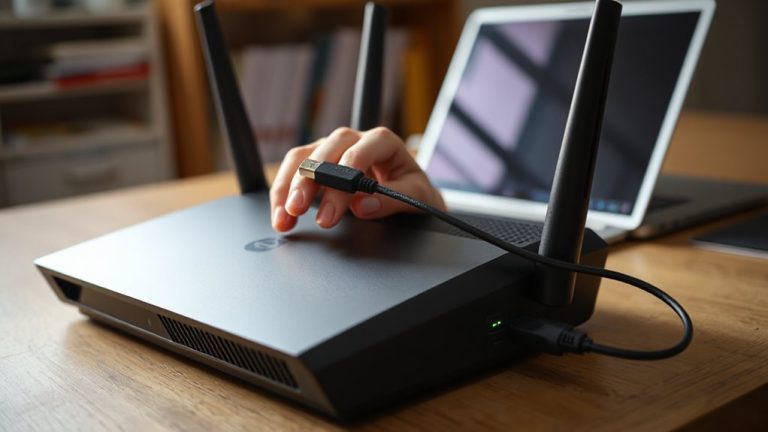
What makes one Pomodoro timer better than another-really? It comes down to how well its timer features align with your focus style and environment. You’ll want customizable intervals-some apps and devices let you adjust work and break lengths beyond the default 25/5. Physical timers with dials and buttons reduce digital distractions, while apps offer syncing across devices. Your sound preferences matter too: subtle chimes help maintain calm; sharp alarms can disrupt. Some timers lack volume control, which may annoy you in quiet home settings. Look for proven reliability-check reviews for battery life, app uptime, and build quality. A $25 mechanical timer might outlast pricier digital ones. Test a few options before committing. Not every highly rated tool works for every routine. Pick based on consistency, adjustability, and how its signals support-rather than interrupt-your flow.
Make Your Home Office a Focus Zone
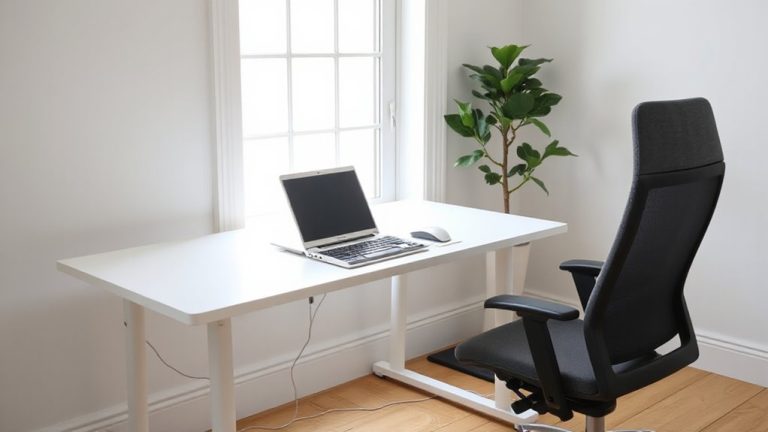
Since your environment shapes your focus, treat your home office like a productivity lab-design it to support deep work, not just house a desk. An ergonomic setup reduces fatigue and boosts endurance during Pomodoros, while distraction management guarantees uninterrupted flow. Position your monitor at eye level, use a chair with lumbar support, and keep surfaces clutter-free. Avoid multitasking by silencing non-essential notifications and setting boundary signals with household members. Choosing the right best home office desks can further enhance your ability to maintain focus and comfort throughout your work sessions.
Customize Your Pomodoro Timing
While the classic 25-minute work and 5-minute break cycle works for many, you’ll likely need to tweak the Pomodoro timing to match your energy levels, task complexity, and daily rhythm. You might find longer intervals, like 50 minutes of work followed by 10-minute breaks, help with deep-focus tasks, while shorter 15-5 splits suit quick admin work. This flexibility lets you adjust intervals based on what you’re doing and how alert you feel. Use a simple timer app to stay consistent-no special gear needed. Personalize breaks too: stretch, walk, or rest your eyes, but avoid screens if possible to reduce mental fatigue. Be cautious not to extend breaks too much-overdoing it can kill momentum. Test different timings for a few days and note which balances productivity and comfort. There’s no universal ideal, so focus on sustainable habits, not perfection. A physical desk timer can enhance focus by providing a visual and tactile cue to stay on track.
Track and Improve Your Focus
If you’re serious about boosting productivity, tracking your focus over time is one of the most effective ways to spot patterns and make meaningful improvements-though it’s easy to overcomplicate with apps that promise more than they deliver. Focus tracking doesn’t require fancy gear; a simple notebook or spreadsheet works just as well as premium tools. Record each Pomodoro session, noting distractions, energy levels, and task types. Over time, this data enables honest productivity analysis-revealing when you’re most alert or which tasks drain your focus. You might discover you’re sharper in the morning or that back-to-back meetings wreck your afternoon output. Use these insights to adjust your timetable, not chase perfection. Be honest about what the data shows, even if it contradicts your assumptions. The goal isn’t flawless focus but consistent improvement-small tweaks that add up. Avoid overtracking; more data isn’t always better if it distracts from actual work.
On a final note
You should try the Pomodoro technique in your home office-it boosts focus and reduces burnout. Use a simple timer app or a dedicated device like a Time Timer for clear visual feedback. Stick to 25-minute work blocks with 5-minute breaks, but adjust if needed. Make sure your workspace stays clutter-free and tech distractions are off. It won’t fix poor ergonomics or long-term stress, so pair it with regular movement and proper lighting for best results.