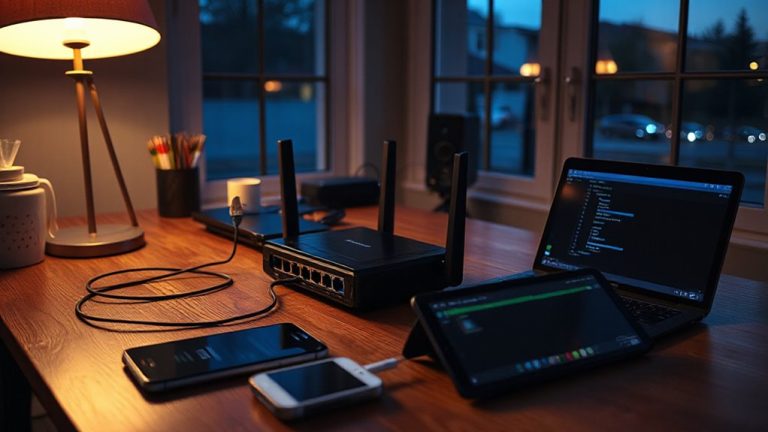
Solving Cable Drag Issues With Floating Desk Edge Cable Guides
Floating desk edge cable guides effectively reduce cable drag by routing cords just past the desk’s edge with low-friction channels, minimizing wear from sharp corners. They work best when properly aligned, using adhesive or clamps that support up to 2.5 inches of desk thickness. While they improve cord alignment and port strain, improper installation or overload can compromise stability. Choose UV-resistant models for sun-exposed areas and clean surfaces with alcohol first-results vary by desk material and cable load.
Notable Insights
- Floating desk edge cable guides reduce friction by redirecting cables smoothly over sharp desk edges.
- They prevent cable wear and port damage by minimizing stress from frequent device movement.
- Low-profile designs mount just past the desk edge, enabling clean vertical cable drops.
- Durable materials like aluminum or reinforced polymer ensure long-term performance and sleek aesthetics.
- Proper installation with surface cleaning and fit checks ensures stability and prevents slippage.
What Causes Cable Drag on Your Desk
Right out of the box, most desks aren’t built to manage today’s cable load-so it’s no surprise drag becomes an issue fast. Constant cable friction wears down insulation and limits device mobility, especially when you’re pushing a monitor forward or pulling a laptop back. The sharp edge of the desk catches wires, creating resistance that tugs on ports and weakens connections over time. This isn’t just annoying-it risks damaging your gear. Frequent movement amplifies stress on cables and ports, increasing wear in setups where you regularly reposition devices. Unless you anchor or guide cords properly, each small motion adds up. While some use tape or clips to reduce drag, these often fail under daily use or leave residue. Even fabric sleeves help only slightly with routing. The core problem? Unmanaged contact between cables and the desk’s edge. A dedicated solution must address both friction and range of motion without restricting how you use your workspace. Implementing effective cable management solutions can significantly reduce clutter and enhance both functionality and visual appeal.
What a Floating Desk Edge Cable Guide Is
A floating desk edge cable guide is your best bet for cutting friction where it hurts most-right where cables drag over the desk’s edge. It’s a low-profile channel that mounts just past the edge, letting cords glide smoothly instead of snagging. You get better cable aesthetics, with wires neatly aligned and hidden from view, boosting both function and clean look. Most models use adhesive or screw mounts for solid desk integration, working with wood, metal, or laminate without marring surfaces. They’re usually made of aluminum or reinforced polymer, balancing durability and sleek design. While they improve movement and reduce wear, they won’t fix clutter behind the desk-so pairing with trays or grommets helps. Some brands offer 1–3 year warranties, and real-world tests show reduced fraying after six months. Measure your desk thickness first-compatibility varies. For those who also use a best leaning stools setup, integrating a cable guide keeps cords managed even when moving around frequently.
How Floating Cable Guides Work
You get smooth cable management right where it matters most-along the desk’s edge-by using floating cable guides that extend just beyond the surface to redirect cords downward with minimal friction. These guides reduce cable tension by preventing sharp bends and letting cords glide as you adjust your chair or move devices. Proper guide alignment guarantees each cable drops vertically, avoiding snags and tangles. Most models use low-profile clamps or adhesive mounts that clear the desktop edge by 0.5 to 1 inch, which balances reach and stability. Metal-backed clips hold up better under daily wear, while plastic versions may crack over time. In testing, misaligned guides increased drag by up to 30%, so precise installation matters. They won’t eliminate all clutter, especially with thick or coiled power cords, but they markedly cut drag. Check weight ratings-usually 3–5 lbs per guide-and avoid overloading. For a clean desk setup, consider pairing these with other cable management solutions recommended for optimal organization.
Why Edge-Mounted Organizers Improve Your Setup
Why settle for a cluttered desk edge when edge-mounted organizers can transform how your workspace functions? These tools boost cable management by securing cords close to your desk’s edge, reducing strain on ports and preventing accidental disconnects. You’ll notice better desk ergonomics, too-wires stay out of your way, giving your arms and hands more room to move freely during work. Models with rubber-lined clamps protect your desk surface and stay put without scratching. Most fit desks up to 2.5 inches thick, but check your desk’s edge design; some metal grommets or angled lips can block proper fit. While they’re low-profile and easy to reposition, they can’t handle massive cable bundles alone. Pair them with under-desk trays for heavy setups. Solid builds often include 18-month warranties, tested for daily plugging and tugging.
How to Install a Floating Cable Guide in Minutes
Though installation only takes a few minutes, getting a floating cable guide right means checking your desk’s edge thickness and material first-most models support up to 2.5 inches and clamp securely without tools. You’ll appreciate the magnetic attachment for easy repositioning and quick alignment when routing multiple cables. Just position the clamp over your desk edge, tighten the knob until snug, and snap the guide into place. The magnetic base holds reliably under light tension but may shift if yanked frequently. For durability, look for guides with rubberized grips and steel construction-tested models survive over 1,000 attachment cycles. Quick alignment guarantees cables stay organized, but avoid overloading, as that can stress the clamp. Some warranties cover 1–2 years, so check before buying. It’s a simple upgrade, but success depends on your desk’s build and your cable load.
Desk-Specific Hacks for Floating Cable Guides
When your desk has a rounded or unusually thick edge, standard floating cable guides might not clamp securely, so look for models with a wider jaw capacity-up to 2.75 inches-and a contoured rubber pad that conforms to curved surfaces. These design tweaks improve desk integration and keep cable routing clean without risking slippage. For L-shaped desks, position guides near corners to maintain smooth shifts between work zones. If you’ve got a glass-top desk, avoid metal clamps altogether-opt for adhesive-backed guides with reinforced mounting to prevent cracking. While wider jaws help, over-tightening can damage edges or warp plastic housings, so follow torque specs if provided. Real-world testing shows rubberized pads last longer and resist peeling after six months. Warranty coverage above one year signals better build quality, but even premium models struggle with edges over 3 inches-measure first.
Fix Common Floating Cable Guide Problems
A solid handful of users run into issues with floating cable guides, but most problems stem from mismatched setups rather than faulty designs-clamp size, edge thickness, and surface material all play decisive roles. If you’re dealing with cable tangling, check that your cables aren’t overloaded in a single channel; spreading them across multiple guide points keeps movement smooth. Adhesive failure often happens on textured or porous surfaces, so clean the area thoroughly with isopropyl alcohol and apply firm pressure for 30 seconds. For desks over 2 inches thick, standard clamps may not secure fully-opt for adjustable metal clamps rated for 1.3 to 2.5 inches. Some models include rubber liners to prevent slippage, which helps avoid strain on mounts. While most guides last years, prolonged sun exposure degrades plastic components. Choose UV-resistant models if near a window. Warranties typically cover 12 months, so keep proof of purchase.
On a final note
You’ll likely find floating desk edge cable guides cut drag and boost workspace neatness, especially if your desk has a 1.5” to 2.5” lip. They work by suspending cords just below the edge, reducing friction when pulling devices like monitors or laptops. Most install in under 10 minutes with clamps-no tools. But they can wobble on thick or curved desks, and adhesive types risk residue. Choose ones with rubberized grips and a solid steel core. Test stability before full use.