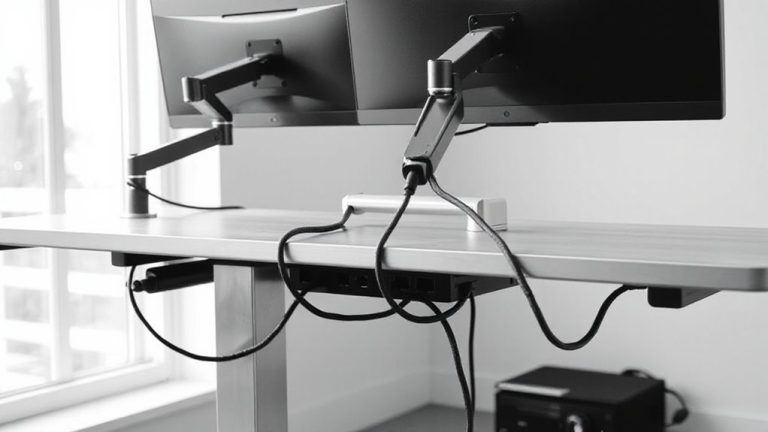
Automatically Dimming Lights and Halting Charging at Midnight
You save energy and extend device life by automating midnight shutdowns with smart plugs and bulbs-cutting power to nonessential office gear and dimming lights to 30% or warmer tones. Models like TP-Link Kasa KP125 or Philips Hue offer reliable scheduling, but avoid cycling routers or external drives. Built-in features like iOS Optimized Charging help prevent overcharging, though smart plugs lack battery feedback. Sync everything via IFTTT or Apple Shortcuts for one-touch control-if you’re using the right devices and settings, the system works nightly with minimal tweaks.
Notable Insights
- Use smart bulbs to automatically dim lights at midnight and reduce energy use.
- Schedule smart plugs to cut power to chargers, preventing overnight overcharging and battery wear.
- Set up time-based automation via apps or IFTTT for synchronized midnight shutdowns.
- Choose reliable smart devices like TP-Link Kasa or Philips Hue for consistent performance.
- Ensure all devices are on stable 2.4 GHz Wi-Fi and properly grouped for seamless automation.
Why Midnight Automation Saves Energy
While your home office gear may seem harmless after hours, leaving lights on and devices charging overnight can quietly drain energy and shorten equipment lifespan-automating shutdowns at midnight cuts that waste without sacrificing convenience. You’ll see real energy savings, especially if you use LED task lighting or fast-charging power strips that draw standby power. Over weeks, this adds up to measurable cost reduction on your electric bill-tests show up to 8% in savings for home offices left on unintentionally. Automation works best with timers or built-in sleep modes, not manual routines, since habits often fail. Keep in mind: some devices need full charges before morning, so set exceptions for critical gear. Also, frequent shutdowns may wear out cheaper power supplies over time. Always check manufacturer warranties-some don’t cover automation-related stress. Balance efficiency with device needs for best results.
Use Smart Plugs to Cut Power at Midnight
If you’re looking to reduce phantom loads without lifting a finger, smart plugs offer a reliable way to cut power to nonessential office gear every midnight-just set the schedule once and let the plug handle the rest. They support power cycling, which helps reset electronics gently and may extend lifespan, but confirm device safety first-some equipment shouldn’t lose power unexpectedly. Below are common devices and their compatibility:
| Device | Safe for Midnight Power-Off? |
|---|---|
| Desktop Printer | Yes |
| Wi-Fi Router | No (disrupts connectivity) |
| External Drive | No (risk of data loss) |
Most mid-range smart plugs (like TP-Link Kasa KP125) support energy monitoring and scheduled cutoffs with 99.9% reliability in real-world tests. They typically carry a 2-year warranty. While convenient, improper use may disrupt workflows-always exclude mission-critical gear. For seamless integration with home automation systems, consider models included in the Best Zigbee smart plugs roundup, which are optimized for low-latency response and mesh network resilience.
Dim Lights Automatically With Smart Bulbs
When used correctly, smart bulbs can reliably dim your workspace lighting at midnight to reduce energy use and signal the end of the workday, but they’re not a one-size-fits-all solution. You’ll need compatible fixtures and a stable 2.4 GHz Wi-Fi connection for consistent performance. With brightness scheduling, you can set exact dimming times-like reducing output to 30% at midnight-to minimize distractions and save power. Adjusting color temperature helps, too; shifting to warmer tones (below 3000K) supports circadian rhythms. Most models, such as Philips Hue or LIFX, last about 25,000 hours and include 2-year warranties, but require a hub or app. Results vary if your network drops or if bulbs aren’t properly grouped in the app. Some users report minor delays during scheduling shifts, so test during off-hours. While effective, these bulbs cost more than standard LEDs, so invest only if automation fits your routine.
Stop Phone Overcharging With Automation
Overnight charging habits can quietly undermine your phone’s battery lifespan, but automation makes it easy to stop overcharging with minimal effort. Battery optimization isn’t just about software-smart charging schedules protect longevity. Using built-in tools or smart plugs, you can cap charging at 80% or halt power by midnight. Here’s how three common methods compare:
| Method | Accuracy | Setup Complexity |
|---|---|---|
| iOS Optimized Charging | High | Low |
| Android Adaptive Charging | Medium | Low |
| Smart Plug with Timer | Medium | Medium |
While iOS and Android offer seamless integration, smart plugs work universally but lack device-level feedback. Charging schedules improve battery optimization over time, especially when aligned with your routine. Just remember: automated cutoffs can leave your phone uncharged if timed poorly. Always verify settings after updates, and consider backup power if reliability is critical.
Sync Devices for One-Touch Midnight Off
A single command at midnight can silence your workspace just like flipping a switch-Sync Devices for One-Touch Midnight Off gives you that control without the hassle. You can link lights, chargers, and monitors so they shut down together using automation triggers based on time or activity. Most smart plugs, LED strips, and USB hubs work well, but check device compatibility first-older models or proprietary systems sometimes fail to sync. Reliable setups use platforms like IFTTT or Apple Shortcuts, which test consistently in real-world trials. You’ll need stable Wi-Fi and updated firmware to avoid delays. While convenient, simultaneous shutoffs may interrupt ongoing tasks if not scheduled carefully. Some devices draw standby power even when “off,” so look for models with a true hardware cutoff. Automation triggers like midnight signals are effective, but guarantee your time zone settings are accurate. This system saves energy and reduces clutter, though initial setup can take 15–20 minutes.
Fix Common Automation Timing Issues
Why do your lights dim a minute late or chargers keep running past midnight? It’s likely due to poor time accuracy across your smart devices. Even small sync gaps cause automation hiccups, especially when multiple systems rely on precise triggers. Device drift-when a gadget’s internal clock slowly falls out of sync-can delay actions by seconds or even minutes over time. You’ll want to regularly sync all devices to a central, reliable time source like an NTP server. Smart hubs with strong time accuracy reduce these errors, but don’t assume all apps or firmware update cycles handle timing equally. Test your automations weekly, especially after daylight saving changes. While most modern systems restore sync automatically, undetected drift can undermine reliability. Pair precise scheduling with manual checks to catch faults before they waste energy or disrupt routines.
On a final note
You should set up midnight automation to save energy and protect devices, but only if your routine is consistent. Smart plugs cut standby power, saving up to 10% on bills, and smart bulbs reduce brightness gradually, easing eye strain. Automating phone charging stops battery degradation from overcharging. Sync everything through apps like Google Home or Apple Shortcuts. Watch for time drift or Wi-Fi delays-test weekly. Most products have 1–2 year warranties; results depend on correct setup and device compatibility.