Integrating Smart Plugs Into Your Home Office Power Distribution System
You should integrate smart plugs into your home office power setup-they cut phantom loads from monitors and printers, saving 5–10% on energy bills. Pick models with UL 1449 surge protection, 3-year warranties, and 15-amp ratings for safety. They work over Wi-Fi or Zigbee, letting you schedule, monitor usage, or control devices via voice. Avoid daisy-chaining or high-draw heaters. Stick to lamps, chargers, and low-wattage gear. Placement near your router guarantees reliable signals. There’s more to get right.
Notable Insights
- Match smart plug voltage ratings to your region, such as 120V for North America, to ensure safe integration.
- Use smart plugs with surge protection and a 3-year warranty to safeguard office electronics from power spikes.
- Connect devices like monitors and lamps to smart plugs to automate power and reduce phantom energy use.
- Avoid overloading by staying under 15 amps or 1800 watts per plug to prevent overheating and maintain safety.
- Place smart plugs near your Wi-Fi router for reliable connectivity and optimal remote control performance.
Why Your Home Office Needs a Smart Plug
Ever wonder how to cut energy costs without sacrificing convenience in your home office? A smart plug delivers real cost efficiency by letting you power down devices remotely or on a schedule, so you’re not paying for idle electronics. You’ll save roughly 5–10% on your monthly bill by eliminating phantom loads from monitors, printers, and chargers. Beyond savings, smart plugs enhance device safety-many include surge protection and overcurrent cutoffs tested to UL 1449 standards. Some even offer real-time energy monitoring, so you can spot risky power draws before they become problems. Just make certain your model fits your region’s voltage (120V in North America) and has a minimum 3-year warranty. While they work well with most desktop setups, avoid using them with high-wattage equipment like space heaters unless rated for 15A loads.
How Smart Plugs Work in a Home Office
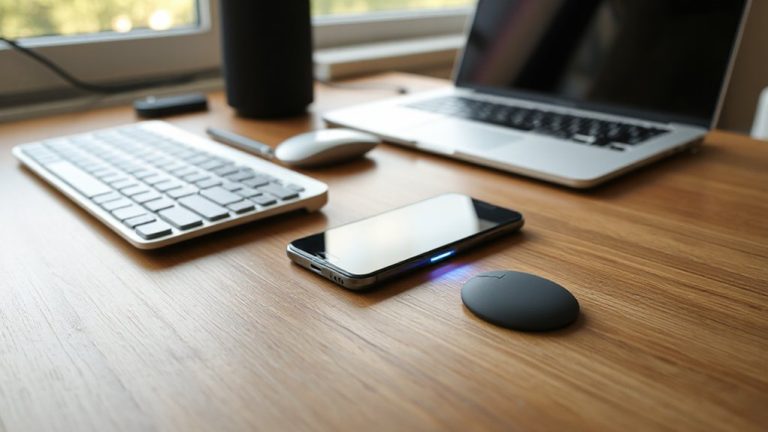
A smart plug gives you direct control over your home office devices without rewiring or replacing existing equipment. You plug it into any standard outlet, then connect your lamp, monitor, or printer into the smart plug. Using wireless connectivity-typically Wi-Fi or Zigbee-it links to your home network, letting you manage power through a smartphone app or voice assistant. Built-in power sensing detects when a device is drawing energy, so you can identify vampire loads and cut waste. Most models work with 2.4 GHz networks, but some may struggle with weak signals, so placement near your router helps. They handle up to 15 amps, enough for typical office gear, but check load limits before plugging in high-draw devices. While setup is simple, firmware updates and app stability vary by brand-some lack long-term support.
Key Features: Remote Control, Scheduling & Energy Tracking
While you can’t control every office device remotely, a smart plug gives you reliable command over lamps, monitors, and printers using your phone or voice assistant-just don’t expect flawless performance in every scenario. Key features like remote access, scheduling, and energy tracking boost productivity and energy efficiency. Device syncing across platforms (like Alexa, Google Home, or Apple HomeKit) is generally solid, though delays up to 10 seconds can occur during peak Wi-Fi use. Choosing the right model is crucial, and checking the best Zigbee smart plugs can help ensure compatibility and reliable performance.
| Feature | Benefit |
|---|---|
| Remote Control | Turn devices on/off from anywhere |
| Scheduling | Automate power during work hours |
| Energy Tracking | Monitor wattage in real time |
| Voice Support | Hands-free operation with assistants |
| App Integration | Sync with calendars for routine automation |
Always verify compatibility and account for minor latency. These features add convenience and modest energy savings, but depend heavily on stable Wi-Fi and app reliability.
Best Office Devices to Automate With Smart Plugs
Smart plugs work best when paired with devices you use daily but don’t need constant power. You should automate lamps, printers, and monitors-they’re perfect for scheduling and energy tracking. These gadgets draw standby power, so cutting juice after hours saves energy and reduces heat. Consider device compatibility: most office gear works, but avoid high-wattage machines like space heaters. Power stability matters-cheap plugs can flicker, disrupting sensitive electronics. Stick to brands with surge protection and at least a 3-year warranty. Smart plugs can’t handle frequent restarts from devices like NAS drives, so skip those. Test your setup over a week to catch glitches. While automation cuts bills, it’s no substitute for smart work habits. Weigh convenience against risk-don’t automate mission-critical tools. For optimal cable management, pair your smart plugs with a desktop charging station that keeps all cords organized and within reach.
Set Up Smart Plugs in 5 Minutes
If you’re looking to boost efficiency without a complex setup, getting smart plugs running in under five minutes is totally doable-most models pair with your Wi-Fi and app in under 120 seconds, especially if you stick to major ecosystems like Amazon Alexa, Google Home, or Apple HomeKit. Just plug in, open the app, and follow the prompts. Device compatibility matters-check voltage ratings and app requirements, especially for energy monitoring or scheduling features. Some brands don’t support 240V devices or high-wattage office equipment, so verify specs first. Plug placement affects both signal strength and accessibility; avoid burying the plug behind furniture or in overloaded power strips. Position it where it gets strong Wi-Fi and allows airflow to prevent overheating. While setup is quick, performance can vary with router distance or network congestion. Always test the connection with your key devices before relying on automation.
Avoid These 7 Smart Plug Mistakes
Getting your smart plug set up fast doesn’t mean you’re in the clear-common mistakes can still undermine performance, safety, and convenience. Overloading a smart plug by plugging in high-wattage devices like space heaters invites overheating risks, which can damage both the plug and your equipment. Always check the plug’s maximum load-typically 15A or 1800W-and stay under it. Compatibility issues arise when using smart plugs with motor-driven or inductive loads like laser printers or air compressors; they can cause erratic behavior or premature failure. Don’t assume all smart plugs work with every voice assistant or hub-verify integration before buying. Using outdoor-rated models indoors is safe, but not vice versa. Place plugs where airflow prevents heat buildup. Finally, skip daisy-chaining power strips; it increases fire hazards and voids warranties. Smart plugs help, but only when used within their design limits.
Automate Your Workday With Schedules & Voice Commands
What if your home office could start up the moment you woke up? With smart plugs, you can automate device power using schedules and voice commands-perfect for time blocking and task syncing. Set your monitor, lamp, and router to turn on at 8 AM, then use voice assistants to shut everything down after work. This reduces manual switching and supports consistent routines. But remember: smart plugs don’t replace dedicated surge protectors, and delays can occur with Wi-Fi dips.
| Time Block | Device | Action |
|---|---|---|
| 8:00 AM | Desk lamp | Turn on |
| 1:00 PM | Fan | Turn on (voice) |
| 6:00 PM | All devices | Turn off (schedule) |
Task syncing works best when paired with calendar alerts. However, guarantee your network is stable-automation fails if the hub lags. Most brands offer 1- to 2-year warranties, but test responsiveness weekly.
On a final note
You should add smart plugs to your home office-they let you control devices remotely, cut phantom power, and automate routines with app or voice commands. Models with energy monitoring help track real-time usage, and scheduling can boost productivity. But confirm compatibility with your gear’s wattage, avoid overloaded outlets, and remember: they’re not foolproof during outages. Setup’s fast, but always test devices post-install.