Troubleshooting Intermittent LAN Drops Caused by Damaged Patch Cords
Swap your current Ethernet cable with a known working Cat 6 or Cat 6a patch cord to quickly test for intermittent LAN drops. Check for frayed insulation, bent connectors, or corroded RJ45 ends, especially in humid areas. Even tiny internal breaks or crushed sections can disrupt signal integrity under load. Damaged shielding raises interference risks. Splicing rarely holds, so replace rather than repair-quality cables cost under $10 and often include 10-year warranties. You’ll keep learning how to spot hidden cable faults and protect your setup from future issues.
Notable Insights
- Swap the current Ethernet cable with a known working one to test for intermittent LAN drops.
- Inspect patch cords for visible damage like fraying, crushing, or bent and corroded RJ45 connectors.
- Internal cable damage can disrupt signal integrity even if no external harm is visible.
- Replace damaged cables with shielded Cat 6 or Cat 6a models for reliable gigabit performance.
- Use cable protectors or raceways in high-traffic areas to prevent physical damage and signal loss.
Test Your Network With a Working Ethernet Cable
A reliable connection starts with eliminating guesswork, so the first thing you should do is swap out your current Ethernet cable with a known working one to see if that resolves the LAN drops. This quick test checks both cable continuity and signal integrity without needing tools. If the new cable stops the drops, the original likely has internal breaks or degraded shielding. Solid construction matters-look for shielded Cat 6 or Cat 6a cables with twisted pairs and gold-plated connectors to maintain signal integrity under stress. While most failures point to physical damage, some issues only appear under load or over time. Note that even short cables can fail mid-run, so don’t assume length protects performance. This method won’t catch every fault, especially intermittent ones, but it’s a baseline check. You’re ruling out the simplest cause before diving deeper. For reliable replacements, consider the best long Ethernet cables at Best Buy, which are tested for performance and durability.
Inspect Patch Cords for Visible Damage
Damage is often hiding in plain sight-check every inch of your patch cord for crushed sections, frayed insulation, or bent connectors that could be disrupting your connection. Cable fraying near the ends or along the length compromises signal integrity and often precedes total failure. You’ll want to unplug the cord and inspect RJ45 connectors closely; even minor connector corrosion, especially in humid environments, can hinder conductivity. Shine a light on the metal contacts-if they’re dull or greenish, that’s likely the culprit. While most patch cords lack shielding against wear, higher-quality ones use braided jackets to resist damage longer. But don’t assume price guarantees durability; some budget cables last longer than premium brands under real-world stress. Replacement is cheap, so if you spot cable fraying or corrosion, swap it out. Still, remember: visible damage isn’t always present, so a clean inspection doesn’t rule out internal faults. Consider upgrading to one of the best Cat 6 cables for more reliable high-speed connections and improved durability.
How Cable Damage Causes Intermittent LAN Drops
You just replaced a frayed patch cord only to see the same intermittent drop a few hours later-here’s why internal cable damage often isn’t visible but still breaks your connection. Tiny breaks or compression in the copper wires inside the jacket cause signal degradation, especially under usage load or when the cable shifts slightly. This weakens data transmission, leading to timeouts or reconnections. Damaged shielding also increases vulnerability to electrical interference from nearby power cables or devices, further disrupting the signal. Even cables rated for Cat6 or higher can fail this way if bent too often or crushed under furniture. While higher-grade cables often use better insulation and shielding, no cable is immune to physical stress. Testing with a network cable tester can confirm internal faults, but in practice, consistent drops after visible replacement usually point to unseen internal compromise. Prevention includes proper cable management and avoiding tight bends near endpoints. Upgrading to durable, high-quality Ethernet cables ensures better resistance to wear and environmental stress.
Should You Repair or Replace a Damaged Cable?
When it comes to patch cord longevity, replacement beats repair every time-splicing or soldering frayed Ethernet cables might seem like a quick fix, but it rarely holds up under real-world network demands. You’re better off swapping in a new Cat 6 or Cat 6a cable, which guarantees consistent performance and maintains gigabit speeds without signal loss. Repairs weaken insulation and crosstalk shielding, degrading reliability. From a cost analysis standpoint, new cables cost little-often under $10-and come with 5–10 year warranties, far outlasting a makeshift fix. While replacing every damaged cable adds up over time, the labor and downtime outweigh minor savings from repairs. Prioritize cable longevity by choosing braided, snag-resistant jackets and verify performance with a basic cable tester. Even so, if a cable fails twice in six months, reconsider routing or stress points-but still replace, don’t repair.
Protect Cables in High-Traffic Areas
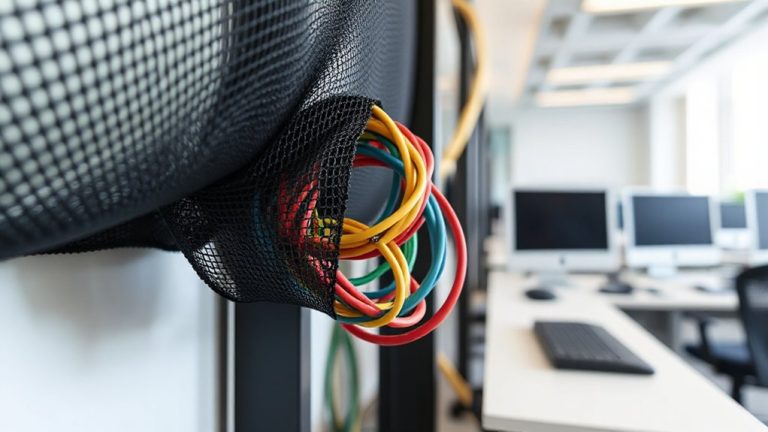
A cable’s durability hinges on its environment, and high-traffic areas demand serious protection-because even top-tier Cat 6a cords won’t last long if they’re constantly stepped on or pinched under rolling chairs. You need proper cable management: use flat, low-profile raceways or adhesive cord covers that keep wires flat against the floor. These options provide reliable floor protection without creating a tripping hazard. Rubber or polyurethane covers rated for office traffic handle chair wheels and foot traffic better than PVC. Test them first-some brands dent over time. Secure loose ends with clips or under-desk trays to prevent snagging. While metal conduit offers maximum durability, it’s overkill for most offices and harder to install. Raceways are cheaper and easier to adjust as layouts change. Good cable management isn’t just about neatness-it’s about preventing signal loss and physical damage before it starts. Do it right, and you’ll cut down on LAN drops for good.
On a final note
Replace damaged patch cords-they’re likely causing your drops. Solid Cat 6 cables handle gigabit speeds and last longer than older types. You can try repairing with plugs or couplers, but it’s risky and often short-lived. New cables under $15 from brands like Cable Matters or UGreen offer 3–5-year warranties and tested reliability. Keep them clear of doors and chairs using sleeves or clips. Duct tape or splicing cuts performance-just swap them out.