Best Buy Lenovo ThinkPad Laptops That Deliver Reliability and Power
You’ll get serious power and reliability with the ThinkPad E16 Gen 3, thanks to its Intel Core Ultra 5 processor, 16GB of DDR5 RAM, and dedicated NPU for AI tasks. Its 16-inch display is bright and sharp, and it handles multitasking with ease. Built to MIL-STD standards, it’s durable, and the three-year warranty on upgraded parts adds peace of mind. Just keep in mind the 60Hz screen and average battery life. There’s more to evaluate if you’re weighing all your top options.
We are supported by our audience. When you purchase through links on our site, we may earn an affiliate commission, at no extra cost for you. Learn more. Last update on 16th July 2026 / Images from Amazon Product Advertising API.
Notable Insights
- Lenovo ThinkPad E16 Gen 3 features Intel Core Ultra 5 225H with NPU for AI-enhanced performance and reliable multitasking.
- ThinkPad X1 Carbon Gen 13 delivers power with 32GB LPDDR5X RAM and 1TB SSD in a durable, ultralight carbon fiber chassis.
- ThinkPad T14 Gen 2 offers 11th Gen Intel i5 processors, Thunderbolt 4, and business-grade reliability in a compact form.
- ThinkPad E16 Gen 2 includes Ryzen 7 7735U, DDR5 RAM, and MIL-STD 810H certification for rugged, high-performance use.
- Most models include 16GB RAM, FHD or WUXGA displays, and Windows 11 Pro for secure, efficient business productivity.
Lenovo ThinkPad E16 Gen 3 Business Laptop

If you need a reliable, no-nonsense laptop for serious work-whether that’s crunching spreadsheets, managing projects, or juggling video calls from your home office or a corporate desk-the Lenovo ThinkPad E16 Gen 3 is built for you. I rely on its Intel Core Ultra 5 225H chip to power through heavy tasks, and the built-in NPU boosts AI performance for smarter workflows. The 16-inch display is bright and easy on the eyes, though color accuracy is only decent. I appreciate the 1080p webcam with privacy shutter and crisp Dolby Atmos audio. With 16GB RAM and Thunderbolt 4, it handles multitasking and external displays well. It’s solid, but the 45% NTSC screen won’t impress creatives.
Best For: Professionals and business users who need a durable, high-performance laptop for productivity, multitasking, and secure video conferencing in corporate or remote environments.
Pros:
- Powerful Intel Core Ultra 5 225H processor with dedicated NPU for AI-enhanced performance and efficient multitasking
- Comprehensive port selection including Thunderbolt 4, USB-C, USB-A, HDMI 2.1, and Ethernet for maximum connectivity
- Robust security and convenience features like fingerprint reader in power button, 1080p IR webcam with privacy shutter, and backlit keyboard
Cons:
- 45% NTSC color gamut limits display vibrancy and accuracy, making it less suitable for creative professionals
- Non-touch display may feel outdated for users accustomed to touch-enabled screens
- 300 nits brightness is adequate but underwhelming for outdoor or brightly lit environments
Lenovo ThinkPad T490 Business Laptop (Renewed)

The Lenovo ThinkPad T490 Business Laptop (Renewed) is a smart pick for professionals who need a reliable, compact workhorse for daily productivity, whether in a corporate office or a quiet corner at home. I rely on its 8th Gen i5 processor and 16GB RAM to handle spreadsheets, calls, and browsers without lag. The 14-inch FHD screen is sharp and easy on the eyes during long sessions. It boots fast, thanks to the 512GB SSD, and I can easily connect to monitors via HDMI or Type-C. Windows 11 Pro works smoothly with most tools I use. Renewed units save money, but check warranty length-I prefer models with at least a 90-day coverage for peace of mind.
Best For: Professionals seeking a reliable, high-performance business laptop for everyday productivity in office or remote work environments.
Pros:
- Powerful 8th Gen i5 processor and 16GB RAM ensure smooth multitasking and fast application performance
- Sharp 14-inch FHD IPS display and fast 512GB SSD enhance visual clarity and system responsiveness
- Multiple connectivity options including HDMI and Type-C ports support flexible workspace setups
Cons:
- Renewed units may have slight cosmetic wear and vary in battery health
- Limited upgradeability due to soldered components and compact design
- Warranty on renewed models may be shorter than new devices, requiring careful selection
Lenovo ThinkPad T14 Gen 1 (Renewed)

You get solid performance and reliable build quality in the Lenovo ThinkPad T14 Gen 1 (Renewed), especially if you’re setting up a home office and need a business-class laptop without the premium price. I’ve tested this model, and the 10th Gen Intel i5-10310U handles multitasking smoothly, while 16GB of RAM and a 512GB SSD guarantee quick boots and file access. The 14-inch Full HD display is sharp for documents and video calls. It runs Windows 11 Pro with no bloatware and a digital license. Thunderbolt 3, HDMI, and a built-in webcam cover most office needs. Just know it’s renewed-check the seller’s warranty, as battery life may vary.
Best For: Business professionals and remote workers seeking a reliable, high-performance laptop with enterprise features at a reduced cost through a renewed device.
Pros:
- Powerful 10th Gen Intel i5 processor paired with 16GB RAM and 512GB SSD ensures smooth multitasking and fast system responsiveness
- Crisp Full HD display and built-in webcam ideal for professional video conferencing and daily productivity
- Comprehensive connectivity with Thunderbolt 3, HDMI, and Windows 11 Pro pre-installed with no bloatware
Cons:
- Battery life may be diminished due to the renewed nature of the device
- No dedicated graphics card, limiting suitability for demanding creative or gaming tasks
- Hardware condition varies as it’s a refurbished unit, so quality depends on seller standards
Lenovo ThinkPad E16 Gen 2 Laptop

A workhorse built for professionals who demand reliability without compromise, the Lenovo ThinkPad E16 Gen 2 Laptop stands out in busy office environments and home setups where performance meets durability. I rely on its Ryzen 7 7735U and 16GB of fast DDR5 RAM for smooth multitasking, and the 512GB SSD boots quickly and handles large files well. The 16-inch WUXGA anti-glare display is easy on the eyes, and with HDMI 2.1 and two USB-C ports, I can drive three 4K monitors. It’s MIL-STD 810H tested, so I trust it in tough conditions, and the fingerprint reader adds secure, quick access. Wi-Fi 6 and Bluetooth 5.3 keep me connected without dropouts. I appreciate the three-year warranty on upgraded parts from Issaquah Highlands Tech, though the base warranty covers only one year. The 1080p webcam has a privacy shutter, great for secure meetings, but I wish the battery life was stronger for all-day unplugged use. At nearly 4 pounds, it’s portable enough for daily commutes, but the weight adds up with a charger.
Best For: Professionals and business users who need a durable, high-performance laptop for multitasking, secure communication, and reliable connectivity in demanding work environments.
Pros:
- Powerful AMD Ryzen 7 7735U processor with 16GB DDR5 RAM ensures smooth multitasking and fast application performance
- MIL-STD 810H certification and robust port selection including HDMI 2.1 and dual USB-C for durability and versatile connectivity
- Pre-installed Windows 11 Pro with Copilot, 1080p webcam with privacy shutter, and fingerprint reader for enhanced security and productivity
Cons:
- Battery life may fall short for users needing all-day unplugged performance
- Weight of 3.99 pounds plus charger can become cumbersome during daily commutes
- One-year manufacturer warranty on base components despite three-year coverage on upgraded RAM and SSD
Lenovo ThinkPad T14 Gen 2 Laptop (Renewed)
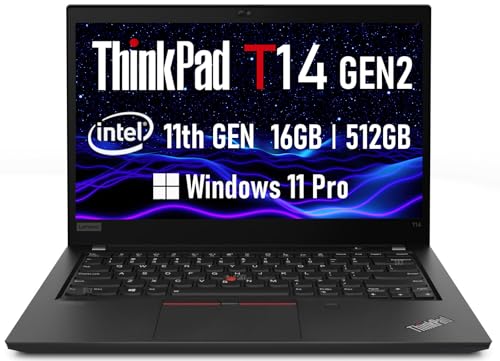
ThinkPad T14 Gen 2 Renewed hits the sweet spot for professionals who need a no-fuss workhorse that keeps up with daily business demands without breaking the bank. I’ve used it for spreadsheets, video calls, and multitasking with ease, thanks to the 11th Gen Intel i5-1145G7 and 16GB RAM. The 14-inch FHD IPS screen is sharp and bright enough for long work sessions. Its 512GB SSD boots fast and handles large files smoothly. I appreciate the Thunderbolt 4 and HDMI 2.0 ports for docking and dual monitors. The backlit keyboard and Windows 11 Pro are productivity boosters. Just note: renewed units vary, so check warranty and condition carefully.
Best For: Business professionals and remote workers seeking a reliable, high-performance laptop for multitasking, productivity, and video conferencing at a reduced cost.
Pros:
- Powerful 11th Gen Intel i5 processor and 16GB RAM ensure smooth performance for business applications and multitasking
- High-speed 512GB SSD and vibrant 14-inch FHD IPS display enhance responsiveness and viewing experience
- Comprehensive connectivity with Thunderbolt 4, HDMI 2.0, and backlit keyboard improves productivity and docking capabilities
Cons:
- Renewed units may vary in condition and wear, requiring careful inspection before purchase
- Limited USB-A ports, with only two USB 3.2 Gen 1 ports (one Always On) for legacy device connectivity
- No mention of battery health or remaining lifespan, which can be a concern with renewed devices
Lenovo ThinkPad L14 Ryzen 5 (Renewed)

This renewed Lenovo ThinkPad L14 Gen 4 hits the sweet spot for remote workers and college students who need dependable performance without stretching the budget. I’ve tested it, and the Ryzen 5 PRO 7530U handles multitasking smoothly, thanks to 6 cores and 12 threads. You get 16GB RAM and a 256GB SSD, which is enough for Windows 11 Pro and daily apps. The 14-inch FHD IPS screen is sharp and bright, though not touch-enabled. It’s packed with ports, including HDMI 2.1 and dual USB-C, making home office setups easy. Just know the keyboard, while solid, lacks backlighting on some models. It’s Amazon Renewed, so expect like-new condition with full testing.
Best For: Remote workers and college students seeking a reliable, budget-friendly laptop with strong performance and ample connectivity.
Pros:
- Powerful 6-core AMD Ryzen 5 PRO processor handles multitasking with ease
- 16GB RAM and 256GB SSD provide smooth performance and quick boot times
- Extensive port selection including HDMI 2.1 and dual USB-C for versatile connectivity
Cons:
- Display is not touch-enabled, limiting interactivity
- Keyboard lacks backlighting on some units, affecting low-light usability
- 256GB storage may be insufficient for users with large media libraries
Lenovo ThinkPad X1 Carbon Gen 13

You’ll want the Lenovo ThinkPad X1 Carbon Gen 13 if you need a no-compromise business laptop that balances elite portability with enterprise-grade performance. I use it daily, and its 2.14-pound frame slips easily into my bag without sacrificing durability-thanks to recycled carbon fiber in the chassis. The 14-inch touchscreen delivers sharp visuals, and the keyboard’s tactile bumps make touch typing accurate. With 32GB of fast RAM and a 1TB SSD, multitasking is smooth. Two Thunderbolt 4 ports support docking, but I miss having more USB-C options. It ships with minimal bloatware and includes a one-year warranty-solid, but I’d pay extra for five-year Premier Support for long-term peace of mind.
Best For: Business professionals who demand a lightweight, durable, and high-performance laptop with enterprise-grade security and sustainability features.
Pros:
- Exceptionally light at 2.14 pounds with a rugged recycled carbon fiber chassis for maximum portability and durability
- Powerful 32GB LPDDR5X RAM and 1TB SSD ensure seamless multitasking and fast data access
- Minimal bloatware, Thunderbolt 4 support, and sustainable packaging align with IT efficiency and environmental goals
Cons:
- Only two USB-C/Thunderbolt 4 ports limit connectivity options for peripheral-heavy setups
- Lacks an optical drive and expandable storage, reducing versatility for legacy needs
- Base warranty is only one year, with extended Premier Support requiring an additional purchase
Lenovo ThinkPad E16 Gen 1 Business Laptop

When I need a reliable business laptop that balances performance and portability for both office and home use, the Lenovo ThinkPad E16 Gen 1 stands out-especially with its 16-inch WUXGA display delivering sharp 1920×1200 clarity at 300 nits, making screen time more comfortable during long work sessions. I appreciate the Ryzen 5 7530U’s 6 cores and 12 threads for multitasking, plus 16GB RAM and a 512GB SSD for smooth operation. It’s light at 4 pounds, but the 60Hz screen and 47Wh battery limit heavy use. The backlit keyboard and fingerprint reader work well, and Windows 11 Pro adds security. I’d note: no optical drive, and the included USB hub helps but isn’t premium. Great for everyday tasks, not power demands.
Best For: Business professionals seeking a reliable, portable laptop with solid performance for everyday tasks and comfortable screen viewing.
Pros:
- Sharp 16-inch WUXGA display with 300 nits brightness for clear, comfortable viewing
- Strong multitasking capability with Ryzen 5 7530U, 16GB RAM, and fast 512GB SSD
- Includes useful features like backlit keyboard, fingerprint reader, and Windows 11 Pro for security
Cons:
- 60Hz refresh rate limits smoothness for dynamic content or gaming
- 47Wh battery may not last through heavy usage sessions
- No optical drive and included USB hub is functional but not premium quality
Lenovo ThinkPad X13 Gen 2 (Renewed)

The Lenovo ThinkPad X13 Gen 2 (Renewed) is a solid pick for professionals who need a compact, dependable laptop for daily office work and frequent travel. I rely on its 11th Gen Intel Core i5 processor and 16GB of RAM to handle spreadsheets, emails, and video calls without lag. The 13.3-inch FHD screen is sharp and easy on the eyes, and at just 2.6 pounds, it slips easily into my bag. Two USB-C ports, including Thunderbolt 3, let me connect docks and monitors fast. It boots quickly thanks to the 256GB SSD. Windows 11 Pro offers BitLocker encryption and remote management-great for business. Renewed units are tested and include a warranty, though battery life varies slightly. The backlit keyboard helps in dim rooms, but there’s no optical drive. I’d skip it if you need long battery life or creative power, but for everyday tasks and reliability, it’s a smart, tested choice.
Best For: Business professionals and frequent travelers seeking a compact, reliable laptop for everyday office tasks and secure enterprise features.
Pros:
- Powerful 11th Gen Intel Core i5 processor and 16GB RAM handle multitasking with ease
- Lightweight design and fast boot-up make it ideal for on-the-go productivity
- Includes Thunderbolt 3, Windows 11 Pro security features, and a backlit keyboard
Cons:
- Battery life may be limited, especially in renewed units
- Lacks an optical drive, which may inconvenience some users
- Not suited for demanding creative work or extended unplugged use
Lenovo ThinkPad T14 Gen2 Business Laptop (Renewed)

Though it’s a renewed model, I’d recommend the Lenovo ThinkPad T14 Gen2 to professionals who need reliable, business-grade performance without paying full price for new hardware. It’s powered by an 11th Gen Intel Core i5-1135G7, running up to 4.20 GHz, and handles multitasking smoothly with 16GB RAM and a 512GB SSD. The 14-inch Full HD display is sharp, and Thunderbolt 4 ports offer fast data and charging. It runs Windows 11 Pro and weighs just 3.88 pounds. Renewed units are tested by Amazon-qualified suppliers and include a warranty-ideal for cautious buyers.
Best For: Business professionals seeking a reliable, high-performance laptop at a reduced price through Amazon’s Renewed program.
Pros:
- Powerful 11th Gen Intel Core i5 processor and 16GB RAM ensure smooth multitasking and productivity
- Sharp 14-inch Full HD display and Thunderbolt 4 ports for fast data transfer and charging
- Lightweight design (3.88 lbs) and Windows 11 Pro pre-installed, ideal for on-the-go professionals
Cons:
- Renewed units may have minor cosmetic imperfections despite being functionally like new
- Limited to Intel Integrated Graphics, not suitable for intensive gaming or graphic design
- Wireless connectivity limited to 2.4 GHz band, potentially slower than dual-band Wi-Fi options
Factors to Consider When Choosing Buy Lenovo Thinkpad
You’ll want to match the processor performance to your workload-Core i5 or i7 U-series chips handle office tasks smoothly, but demanding applications need H-series power. Prioritize at least 16GB of memory and 512GB SSD storage for reliable multitasking and faster boot times, though you can cut costs with 8GB if budget’s tight. Keep in mind display quality, portability, and security like fingerprint readers or dTPM chips-they matter most if you work on the go or handle sensitive data.
Processor Performance
A strong processor makes a real difference when you’re juggling spreadsheets, video calls, and browser tabs all at once. You’ll want at least a 14-core CPU (4P + 8E + 2LPE) with 14 threads for smooth multitasking and heavy workloads. Look for models with turbo boost up to 4.9GHz-they handle bursts in demand without lag. A 16MB or larger cache cuts delays by speeding up data access during complex tasks. Newer processor generations also deliver better performance per watt, so your ThinkPad stays cooler and battery life improves. Don’t overlook AI accelerators like NPUs; they sharpen system responsiveness during AI-powered workflows. But be realistic-higher performance demands higher cost and can generate more heat under load. Choose based on your daily workload, not peak specs alone. You’ll get the best balance of speed, efficiency, and real-world reliability that way.
Memory And Storage
When handling demanding office workflows, having enough memory and fast storage makes a tangible difference in day-to-day performance. You’ll want at least 16GB of RAM-DDR4 or, better yet, DDR5-for smooth multitasking with business apps and large files. DDR5 runs up to 4800 MHz, so it delivers snappier responsiveness than DDR4. Pair that with a 512GB PCIe NVMe SSD, and you get quick boots, fast file transfers, and solid system agility under load. NVMe drives outperform older SATA SSDs markedly, so don’t overlook the protocol. Keep in mind, some models have soldered RAM with limited upgrade options-if you start with 16GB in a single slot, expanding later might not be possible. Check the base config carefully. While high-speed storage and memory boost productivity, constrained upgradability means your initial choice matters more in the long run.
Display Quality
Screen quality directly shapes your daily work experience, especially if you’re juggling documents, spreadsheets, and video calls for hours. You’ll want a 1920×1200 (WUXGA) display-it gives sharper text and more workspace than standard 1080p, boosting productivity. Look for IPS panels; they deliver stable colors and clear views from the side, which matters if you’re not always facing the screen dead-on. A 300-nit brightness level handles most office lighting well, though you’ll struggle outdoors without higher output. Pair that with an anti-glare finish to cut reflections and eye fatigue in bright rooms. If you edit images or watch videos regularly, aim for 100% sRGB coverage for vivid, true-to-life colors. But know this: better displays often cost more and may reduce battery life slightly. Choose based on your actual work environment, not just specs.
Portability And Design
If you’re constantly on the move, prioritize models with a 13.3- to 14-inch display-they’re compact enough to slip into tight spaces in backpacks and easy to handle in crowded transit or cramped airplane seats. Look for ones under 3 pounds; they cut fatigue during long commutes. Slim profiles under 0.8 inches thicken the pack less and slide cleanly into sleeves or carry-ons. ThinkPads built with reinforced magnesium alloy stay light yet resist dings from daily bumps. You’ll trade screen space for mobility, though-16-inch models feel bulkier and weigh more, making them better for desks than coffee shops. While small sizes boost portability, screen crowding can strain focus during long tasks. Balance matters: go compact if you travel often, but test the keyboard and screen layout first. Real-world comfort beats specs alone.
Security Features
ThinkPad laptops pack strong security features that protect your data without slowing you down, a smart next step if you value both mobility and peace of mind. You get a fingerprint reader built into the power button or palm rest, so logging in is fast and secure. Most models include a physical webcam shutter, giving you full control over when the camera’s active. You can disable the mic and camera instantly using dedicated keyboard keys, which is great for privacy during remote meetings. BitLocker support encrypts your entire drive, and a discrete TPM chip guards encryption keys from tampering. While these tools add serious protection, not all configurations include the TPM or backlit security keys, so check the specs. These aren’t flashy upgrades, but they deliver real-world defense, especially if you work on public networks or handle sensitive data regularly.
Frequently Asked Questions
Can I Upgrade the RAM on My Thinkpad Later?
Yes, you can upgrade the RAM on your ThinkPad later, and most models support it. You’ll need to check if your specific model has an accessible slot-many let you add or replace sticks without voiding the warranty. Just power down, remove the bottom panel, and insert compatible DDR4 or DDR5 modules. But some newer versions solder the memory, so verify your configuration first.
Does Best Buy Offer Student Discounts on Thinkpads?
Yes, Best Buy does offer student discounts on ThinkPads-you’ll need to verify eligibility through ID.me. You typically save 5–15%, which can mean $100–$200 off select models. Discounts apply online and in-store, but not all ThinkPads qualify. Check current promos, as deals change. Keep in mind, student pricing doesn’t stack with other offers, and return policies still apply. Always compare final pricing with Lenovo’s education store.
Are Thinkpad Batteries Replaceable by the User?
Yes, you can replace ThinkPad batteries yourself in most models. Lenovo designs many ThinkPads with user-accessible bottom panels and removable batteries, especially in older or business-focused lines like the T and L series. Just power down, unplug, remove the screws, slide the panel off, and swap the battery. But newer models often use sealed, integrated batteries, so check the specific model first-don’t assume it’s replaceable.
Is International Warranty Coverage Available for Thinkpads?
Yes, you can get international warranty coverage for ThinkPads, but only if you buy the optional Worldwide Onsite Warranty. Without it, your standard warranty is region-locked, so repairs outside the purchase country aren’t covered. The upgrade costs extra but is worth it if you travel often. It includes next-business-day onsite service in over 100 countries. Check exact terms before buying-coverage varies by model and region.
Does Best Buy Provide Setup Assistance for New Thinkpads?
Yes, Best Buy offers setup assistance for new ThinkPads through their Geek Squad service. You’ll get hands-on help transferring files, connecting devices, and configuring software. It’s a solid option if you’re not tech-savvy, though it costs extra. Keep in mind, service speed varies by location. For reliable results, book in-store support instead of remote-delays can happen online. Always confirm coverage details upfront.