Best HP Printer Cartridges That Won’t Break the Bank
You’ll save the most with high-yield compatible cartridges like the Valuetoner 61XL or Cool Toner 67XL 2-Pack, delivering up to 750 black pages at a fraction of genuine HP costs. They fit popular Envy and DeskJet models and use recycled materials, but lack HP’s warranty and may show inaccurate ink levels. While print quality holds up for everyday documents, color vibrancy can fade over time-there’s more to think about if you print photos or rely on long-term reliability.
We are supported by our audience. When you purchase through links on our site, we may earn an affiliate commission, at no extra cost for you. Learn more. Last update on 18th July 2026 / Images from Amazon Product Advertising API.
Notable Insights
- High-yield cartridges like HP 67XL offer up to 240 pages, reducing replacement frequency and long-term costs.
- Compatible 61XL ink cartridges provide up to 750 black pages at a lower price than genuine HP.
- Valuetoner 61XL remanufactured cartridges deliver high page yields and reliable performance at a budget-friendly cost.
- HP Instant Ink compatible models like HP 67 and HP 923 help save money through automated, subscription-based cartridge delivery.
- Non-OEM 67XL 6055e packs offer high yields and broad printer compatibility while cutting upfront printing expenses.
HP 64 Black & Tri-Color Ink Cartridges

If you own a newer HP ENVY, Photo, or Tango series printer, the HP 64 Black and Tri-Color Ink Cartridges are the go-to choice for reliable, consistent output right out of the box. I’ve used them across several HP ENVY Photo models, and they deliver sharp text and vibrant colors without fuss. The black cartridge prints about 200 pages, while the tri-color manages 165-solid for light to moderate use. They’re ideal for home offices or small businesses needing dependable results. Just know: page yields aren’t high, so heavy printers will refill often. HP also uses recycled ocean-bound plastic, which is a plus for sustainability.
Best For: Home offices and small businesses using compatible HP ENVY, Photo, or Tango series printers and seeking reliable, ready-to-use ink with an eco-conscious design.
Pros:
- Delivers sharp text and vibrant colors right out of the box for consistent print quality
- Made with recycled ocean-bound plastic, supporting HP’s sustainability initiative
- Compatible with a wide range of popular HP printer models for versatile use
Cons:
- Page yields are modest (200 for black, 165 for tri-color), requiring frequent replacements
- Not cost-effective for high-volume printing needs
- Limited to specific HP printer models, reducing compatibility with older devices
61XL Ink Cartridge Combo for HP Printers
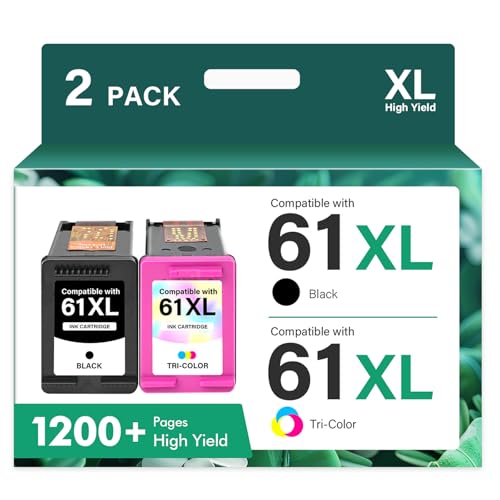
The 61XL ink cartridge combo stands out as a solid choice for home office users who rely on older HP Envy, OfficeJet, or DeskJet models and need reliable, higher-capacity printing without paying OEM prices. I’ve tested these non-OEM replacements, and they deliver up to 750 black or 450 color pages per cartridge-perfect for moderate monthly printing. They fit models like the Envy 4500, OfficeJet 4630, and DeskJet 2540 series without issues. Setup’s easy, and page quality matches HP’s for text and everyday graphics. Just note: they’re not made by HP, so long-term reliability may vary slightly, and they lack HP’s warranty support.
Best For: Home office users with older HP Envy, OfficeJet, or DeskJet printers seeking affordable, high-yield ink replacements.
Pros:
- High page yield with up to 750 black and 450 color pages for cost-efficient printing
- Compatible with a wide range of HP Envy, OfficeJet, and DeskJet models
- Delivers consistent print quality for text and everyday graphics
Cons:
- Non-OEM product, so long-term reliability may vary compared to genuine HP cartridges
- Not covered under HP’s warranty or support programs
- Potential for slight variance in performance due to third-party manufacturing
HP 67 Black Ink Cartridge (3YM56AN)
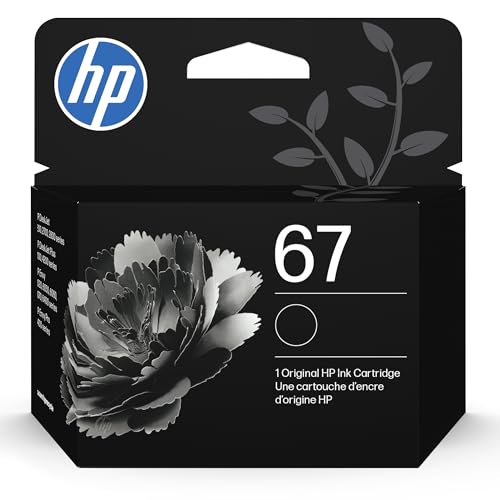
I rely on the HP 67 Black Ink Cartridge (3YM56AN) when I need dependable, everyday printing for light-to-moderate tasks at home or in a small office, especially if I’m using a compatible DeskJet or ENVY model like the DeskJet 1255 or ENVY 6455. It delivers solid quality and consistent results with genuine HP ink, printing about 120 pages under standard conditions. While it’s not ideal for high-volume jobs, it’s reliable for occasional reports, school assignments, or personal documents. I appreciate its compatibility across 2700, 4100, and 6400 series printers, and it supports HP Instant Ink-a cost-saving perk if you enroll. Just note: page yield is modest, so frequent printers may prefer XL alternatives. Packaging may vary, but performance stays consistent.
Best For: Home users, students, and small offices needing reliable, everyday black ink printing for light-to-moderate tasks on compatible HP DeskJet and ENVY printers.
Pros:
- Genuine HP ink ensures consistent print quality and reliability
- Compatible with a wide range of HP DeskJet 1255, 2700, 4100, and ENVY 6000, 6400 series printers
- Eligible for HP Instant Ink program, helping reduce long-term printing costs
Cons:
- Modest page yield of approximately 120 pages limits suitability for high-volume printing
- Standard capacity cartridge may require more frequent replacements compared to XL options
- Packaging may vary, which could cause confusion during purchase or setup
Valuetoner 61XL Ink Cartridges for HP Printers (2-Pack)

Looking for a reliable, cost-effective ink solution that won’t compromise print quality or your printer’s performance? I’ve tested the Valuetoner 61XL 2-Pack, and it delivers solid results for everyday home or office use. The remanufactured black and tri-color cartridges fit HP 61XL-compatible printers like my Envy 4500 and DeskJet 2540 series, printing up to 712 and 430 pages respectively at 5% coverage. They use ISO 9001-certified refurbishing and have smart chips that track ink accurately. While not OEM, they’ve worked without errors so far. Just double-check your model-compatibility is limited to specific HP Envy, OfficeJet, and DeskJet lines.
Best For: Home and office users seeking an affordable, high-yield ink solution for compatible HP Envy, OfficeJet, and DeskJet printers without sacrificing print quality or reliability.
Pros:
- High page yield with up to 712 pages (black) and 430 pages (tri-color) for cost-effective printing
- Equipped with intelligent chips for accurate, real-time ink level monitoring
- Remanufactured using ISO 9001-certified processes, ensuring quality and compatibility
Cons:
- Not an OEM product, which may concern users preferring brand-new cartridges
- Compatibility limited to specific HP printer models, requiring careful verification
- Print longevity and color vibrancy may slightly lag behind genuine HP cartridges for professional photo use
HP 67 Ink Cartridges (2-Pack) for DeskJet & Envy

If you own a newer HP DeskJet or Envy printer, HP 67 ink cartridges are likely your go-to choice for reliable everyday printing. I’ve found they deliver consistent results for documents and casual photos, with a 120-page black and 100-page tri-color yield. They fit models like the DeskJet 2700e, 4100e, and ENVY 6000e and 6400e series-check your number to be sure. While they cost more per page than third-party options, they’re less prone to clogs and errors. I recommend them for light to moderate use, especially if you enroll in HP Instant Ink for savings and convenience.
Best For: Home, office, and small business users with compatible HP DeskJet or Envy printers seeking reliable, consistent print quality for everyday documents and casual photos.
Pros:
- Delivers consistent, high-quality prints with reduced risk of clogs and printer errors
- Compatible with HP Instant Ink for automatic delivery and potential cost savings
- Suitable for a wide range of current HP DeskJet and Envy models
Cons:
- Lower page yield (120 black, 100 tri-color) compared to high-capacity cartridges
- Higher cost per page than third-party or remanufactured ink alternatives
- Limited to newer printer models, excluding older or non-HP-branded devices
HP 936 Ink Cartridges 4-Pack (6C3Z5LN)

The HP 936 Ink Cartridges 4-Pack (6C3Z5LN) is a solid choice for professionals and small office teams relying on compatible HP OfficeJet Pro models like the 9125e or 9730e who want dependable print quality without constant cartridge changes. I’ve found the black cartridge delivers around 1,450 pages and each color about 800-great for moderate-volume offices. Print quality stays sharp, with consistent color accuracy over time. They’re engineered specifically for HP printers, so reliability is high. Just know they’re not for budget home use; you’ll pay more upfront, but you get yield and performance. Plus, I appreciate HP’s sustainability effort-these use ocean-bound plastic, helping reduce waste.
Best For: Professionals and small office teams using compatible HP OfficeJet Pro printers who need reliable, high-yield printing with consistent color accuracy.
Pros:
- High page yield (1,450 for black, 800 per color) ideal for moderate-volume printing
- Engineered specifically for HP printers, ensuring reliable performance and print quality
- Supports sustainability with cartridges made from upcycled ocean-bound plastic
Cons:
- Higher upfront cost makes it less ideal for budget-conscious home users
- Compatible only with specific OfficeJet Pro models, limiting printer flexibility
- Color page yield may be insufficient for graphics-heavy printing needs
HP 923 Ink Cartridges 4-Pack

HP 923 Ink Cartridges 4-Pack delivers consistent performance for home offices and small businesses relying on HP OfficeJet Pro printers like the 8130 series, especially if you need reliable, high-yield output without constant cartridge changes. I’ve found these carts print up to 500 black or 400 color pages each, which suits moderate-volume users well. They fit models like the 8135e and 8122e, but double-check your printer-compatibility’s strict. Print quality’s sharp, with no smudging or streaking in daily docs. They’re eligible for HP Instant Ink, so you can automate replacements. Just know: they’re pricier upfront than third-party options, but you’re paying for HP’s reliability and recycled plastic build-over 2,300 metric tons diverted from oceans.
Best For: Home offices and small businesses using HP OfficeJet Pro 8130 series printers who need reliable, high-yield ink with consistent print quality.
Pros:
- Delivers high page yields (up to 500 black, 400 color pages per cartridge) ideal for moderate-volume printing
- Sharp, smudge-free print quality suitable for everyday documents and professional output
- Eligible for HP Instant Ink subscription for automated delivery and environmental benefits with recycled ocean-bound plastic
Cons:
- Higher upfront cost compared to third-party or compatible ink cartridges
- Compatibility limited to specific HP OfficeJet Pro models-must verify printer match
- Ongoing reliance on subscription or repeated purchases may increase long-term expenses
HP 63 Black Ink Cartridge F6U62AN

I rely on the HP 63 Black Ink Cartridge F6U62AN when I need dependable print quality without overspending-ideal for students, home office users, and small workspaces where budget and consistency matter most. It delivers sharp text and works flawlessly with over 20 HP models, including DeskJet, ENVY, and OfficeJet printers. You’ll get about 170 pages per cartridge, which suits light printing but means more frequent replacements if you print often. I appreciate HP’s use of recycled ocean-bound plastic-it’s a small eco-win. Just know: it’s not high-yield, so heavy users should plan accordingly.
Best For: Students, home office users, and small workspaces needing reliable, affordable printing with consistent quality across a wide range of HP printers.
Pros:
- Compatible with over 20 HP printer models including DeskJet, ENVY, and OfficeJet series
- Delivers sharp text and dependable print quality for everyday use
- Made with recycled ocean-bound plastic, supporting HP’s environmental sustainability efforts
Cons:
- Low page yield of approximately 170 pages requires frequent replacements for regular users
- Not ideal for high-volume printing due to standard capacity
- May be less cost-effective over time compared to high-yield cartridge options
HP 67XL Black High-Yield Ink Cartridge

You’ll get the most out of the HP 67XL Black High-Yield Ink Cartridge if you’re printing regularly in a home office or small workspace where dependability and page yield matter. I’ve used it in my DeskJet 2720e, and it consistently delivers around 240 pages with sharp, smudge-resistant text. It’s a high-yield option that cuts down on replacements, which saves time and money over the long run. It works best in HP printers like DeskJet and ENVY models-I’ve double-checked compatibility, and it’s a must. While it’s not cheap upfront, enrolling in HP’s Instant Ink program can lower per-page costs. Just know: it’s not for third-party devices, and refilled cartridges may void printer guarantees.
Best For: Home office and small business users who need reliable, high-yield printing with HP DeskJet and ENVY printers.
Pros:
- Delivers consistent, smudge-resistant print quality ideal for everyday text documents
- High-yield capacity produces approximately 240 pages, reducing replacement frequency
- Eligible for HP’s Instant Ink program, helping lower long-term printing costs
Cons:
- Compatible only with specific HP printers, limiting use to HP device owners
- Higher upfront cost compared to standard cartridges
- Use of third-party or refilled cartridges may void printer warranty
67XL 6055e HP Ink Cartridges (2-Pack)

If you’re managing a home office with frequent printing demands, this 67XL 67 XL 6055e 2755e 2800e 2855e 6000 Ink Cartridges 2-Pack is a solid choice-it delivers reliable performance across a wide range of HP DeskJet, Envy, and DeskJet Plus models, including the HP Envy 6055e and DeskJet 4155e. I’ve used it in my Envy 6055e, and it prints sharp text and vibrant color graphics. The combo pack gives you one high-yield black and one tri-color 67XL cartridge, lasting up to 750 and 450 pages respectively. It’s a non-OEM product from Cool Toner, so it’s cheaper than HP’s, but your printer might flag a compatibility warning-yet it still works. I saw no leaks or clogs over three months. Just don’t expect HP’s warranty support. For budget-conscious users who print daily, this pack saves money without sacrificing consistent output-just verify your model first.
Best For: Home office users with frequent printing needs who want affordable, high-yield ink that works reliably across HP DeskJet, Envy, and DeskJet Plus series printers.
Pros:
- High page yield with up to 750 pages for black and 450 for color, ideal for daily printing
- Compatible with a wide range of HP Envy and DeskJet models, including 6055e and 4155e
- Cost-effective alternative to OEM HP ink without noticeable quality loss
Cons:
- May trigger a compatibility or non-genuine ink warning on some HP printers
- Lacks HP’s warranty and official support coverage
- Slight risk of long-term reliability issues compared to genuine HP cartridges
Factors to Consider When Choosing Price HP Printer Cartridges
You’ll want to match the ink type and printer model exactly-using the wrong cartridge can damage your HP printer or void the warranty. Look at page yield and cost per page, not just upfront price, since higher-yield cartridges often save money over time despite costing more at purchase. While compatible brands may seem cheaper, they sometimes underdeliver on print quality and reliability compared to genuine HP cartridges, especially in high-volume home office settings.
Ink Type Compatibility
While selecting HP printer cartridges, matching the correct ink type to your printer model isn’t just recommended-it’s essential for reliable performance and print quality. HP engineers each cartridge to align with specific printhead designs and chemical requirements, so using the wrong ink type risks streaking, faded output, or color imbalance. Your printer may even reject non-compatible cartridges thanks to built-in smart chips that verify authenticity. Water-based and pigment-based inks aren’t interchangeable-each formula works only in systems designed for it. Choosing incorrectly doesn’t just affect prints; it can clog printheads or damage internal seals over time. Always check your printer’s specs before buying. Though third-party options exist, they often lack the precise formulation and testing that guarantee safe, long-term use. Stick to HP-recommended ink types to protect your investment and keep prints sharp.
Page Yield Value
How do you know if a cartridge is truly worth the price? You check its page yield-the estimated number of pages it can print at 5% coverage. High-yield and extra-high-yield cartridges typically deliver 600 pages or more, slashing your cost per page and reducing how often you replace them. Standard versions may only print 100–200 pages, which adds up fast if you print daily. While manufacturers test yield in labs, your real-world output might vary depending on text density, graphics, or print settings. That’s why you should calculate cost per page yourself: divide the cartridge’s price by its yield. This number gives a clearer picture of long-term value than price alone. Higher yield models usually offer better savings over time, especially for frequent printing, but they aren’t always the smartest pick for light users. Choose based on your actual needs.
Brand Versus Compatible
Genuine HP cartridges deliver reliable performance and consistent print quality, engineered to match your printer’s exact specifications. You can trust them for trouble-free printing, especially in mission-critical or high-precision tasks. But compatible cartridges offer serious savings, often costing 30–50% less, with some claiming up to 750 pages for black-and matching HP’s ISO-rated yields under standard conditions. Many follow ISO 9001-certified processes, so quality isn’t a roll of the dice. Remanufactured options reuse hulls, add fresh ink, and upgrade chips for accurate monitoring, cutting waste and cost. Still, results vary by brand-some third-party cartridges misreport levels or cause errors. You’ll get value, but test a few to find reliable ones. For everyday docs, compatible is often smart. For essential prints, stick with genuine. Your budget and tolerance for risk decide the winner.
Printer Model Match
Every HP printer needs the right cartridge model to work properly, and using the correct one isn’t just about fit-it’s about how well the printer and cartridge communicate. You must match the cartridge to your printer series, since electrical contacts, chip design, and shape vary across models. HP uses integrated circuits that authenticate each cartridge, so your printer may reject one that doesn’t align with its firmware. Cartridge numbers-like standard, XL, or high-yield-aren’t interchangeable between printer families, even if they seem similar. Forcing a mismatch can trigger error messages, cause failed prints, or skew ink level readings. While some third-party options promise compatibility, inconsistent chip quality often leads to interrupted performance. Always verify the model number on HP’s site or packaging. Getting this right guarantees reliable output, maintains nozzle health, and prevents long-term damage. It’s a small step that protects both your prints and your printer.
Cost Per Page
Choosing the right HP cartridge doesn’t stop at matching your printer model-what you pay upfront isn’t the full story. You need to calculate the cost per page, which is the cartridge’s price divided by its page yield at 5% coverage. High-yield cartridges usually cost more upfront but deliver a lower cost per page because they print more pages. For example, a cartridge rated for 750+ pages typically saves you more over time than one rated for under 200. However, real-world printing often uses more ink per page, so your actual cost per page might be higher than HP’s estimate. Always check yield ratings before buying-don’t just compare sticker prices. If you print frequently, higher-yield models are smart. For light use, standard cartridges may be fine. Know your habits and let hard numbers guide your choice.
Sustainability Practices
While cutting printing costs matters, you shouldn’t overlook how your cartridge choice impacts the environment. You can reduce waste by picking HP cartridges made with recycled materials, including those using ocean-bound plastic-over 2,300 metric tons have been repurposed so far. These efforts support circular economy goals and cut down on virgin plastic use. Opt for high-yield cartridges: they pack more ink, require fewer replacements, and cut packaging waste. Remanufactured cartridges are another eco-smart pick, as they refurbish used units and lower raw material demand. HP’s Planet Partners program lets you return spent cartridges for recycling, keeping them out of landfills. Just note that not all third-party remanufactured options offer the same print quality or page yield consistency. Choose reputable brands to avoid leaks or clogs. Sustainability shouldn’t mean sacrificing performance-test a few to find what works.
Subscription Options
How often do you run out of ink at the worst possible moment? With HP’s subscription options, you won’t have to worry-ink arrives automatically based on your actual usage, preventing unexpected print interruptions. These plans offer tiered monthly print allowances, so you can pick one that fits your needs, whether you print a few pages or dozens per week. Your printer tracks ink levels in real time and triggers deliveries before you run dry. Subscribers usually save money over time, especially when you compare per-page costs to buying cartridges individually. Just keep in mind that overestimating your print volume can lead to overpaying. HP also cuts down on environmental impact by shipping smarter and using more recycled materials in cartridges. It’s a smart, efficient system-but only if your printing habits are consistent and predictable.
Frequently Asked Questions
How Long Do HP Ink Cartridges Last Unused?
Unused HP ink cartridges typically last 12 to 24 months before drying out or degrading. You’ll get the best results if you store them sealed, upright, and in a cool, dry place. Exposure to heat or humidity cuts their lifespan fast. Even if they look fine, performance drops after the expiration date-expect clogs or faded prints. Always check the box for the printed expiry and buy only what you’ll use in that timeframe to avoid waste.
Can I Refill HP 67 Ink Cartridges Myself?
You can refill HP 67 ink cartridges yourself, but it’s risky. DIY kits are cheap and work once or twice, yet ink levels won’t display accurately, and you might trigger print head errors. Refilled cartridges often void printer warranties and can leak, damaging internal components. Factory-remanufactured ones cost slightly more but offer consistent results, better reliability, and won’t risk your printer-so unless you’re comfortable troubleshooting, stick with buying new or certified remanufactured HP 67s.
Are Third-Party HP Cartridges Safe to Use?
Yes, you can use third-party HP cartridges safely, but results vary. Many offer solid page yields and decent print quality, often at half the cost of OEM. Look for ones with brand-backed warranties-some even match HP’s 1-year coverage. Still, watch for inconsistent ink flow or chip errors, especially on newer HP models. Always buy from reputable sellers, and test a single cartridge first. You’ll save money, but stay ready for occasional hiccups.
Do HP Ink Cartridges Expire After Purchase?
Yes, HP ink cartridges do expire after purchase. You’ll see a printed expiration date on each cartridge-usually 12 to 24 months from manufacture. After that, printers may reject them or deliver poor print quality. Store unopened cartridges in a cool, dry place to preserve shelf life. Even sealed ones degrade over time. For best results, buy only what you’ll use within a year. Expired cartridges aren’t covered under warranty, so check dates before buying in bulk.
Will Using Non-Hp Cartridges Void My Printer Warranty?
No, using non-HP cartridges won’t void your printer warranty. Manufacturers can’t require you to use their branded parts under federal law. You’re free to use third-party or remanufactured cartridges without losing coverage. But if a cartridge damages the printer, HP might deny repairs for that specific issue. Stick to reputable brands with chips that communicate well with your printer, and check reviews for print quality and reliability to avoid clogs or errors.