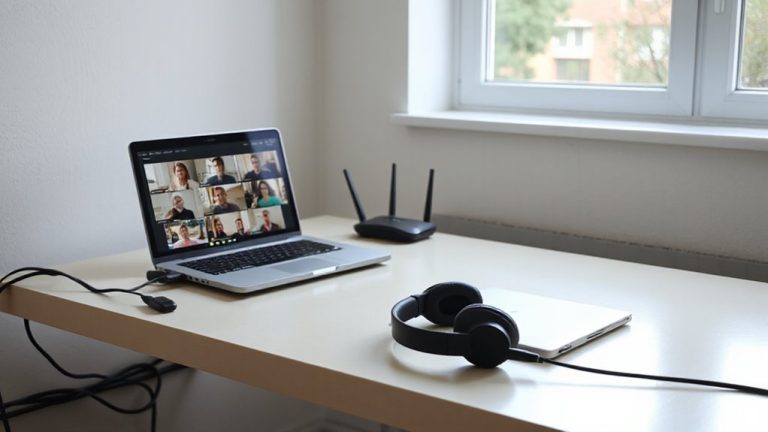
Optimizing Cable Signal Transmission to Minimize Degradation in Long-Distance Home Office Network Connections
Use high-quality RG6 coax with quad shielding and solid copper to cut signal loss by up to 40% over 100 feet. Foil and braided shielding block interference, while compression-fit, gold-plated connectors prevent corrosion and maintain 75-ohm impedance. For runs past 150 feet, add a mid-line amplifier with 15–25 dB gain-but only if input signal exceeds -15 dBm to avoid noise boost. Proper grounding and avoiding splitter chains also preserve performance. You’ll see how each upgrade adds up when you explore the full setup.
Notable Insights
- Use high-quality RG6 coaxial cable with quad shielding to minimize interference and signal loss over long distances.
- Install foil and braided copper shielding to effectively block electromagnetic interference from nearby power sources.
- Maintain impedance matching at 75 ohms across all cables, connectors, and devices to prevent signal reflections.
- Place signal amplifiers mid-line on runs over 150 feet to restore strength without amplifying noise excessively.
- Use gold-plated compression F-connectors and avoid daisy-chained splitters to reduce corrosion and insertion loss.
Fix Cable Signal Loss Over Long Distances
Ever wonder why your cable signal degrades after running a long cable through your home or office? Poor cable insulation quality and improper signal grounding techniques are often to blame. High-density polyethylene (HDPE) insulation outperforms cheaper alternatives, reducing dielectric loss and protecting against interference. Pair that with proper shielding-like foil plus braided copper-and your signal stays cleaner. You’ll also need solid signal grounding techniques, such as grounding blocks at entry points and bonded connections to your electrical ground, to prevent noise buildup. While premium cables and grounding setups cost more, tests show they cut signal loss by up to 40% over 100 feet. Just remember: even the best insulation can’t fix flawed installation. Always check for tight connectors, avoid sharing conduits with power lines, and verify grounding with a multimeter. Results vary based on building materials and existing infrastructure, so test before and after. For reliable performance over distance, consider using Cat6a ethernet cables which support higher bandwidth and reduced crosstalk.
Assess How Distance Weakens Your Signal
While signal strength naturally declines the farther it travels through coaxial cable, you can predict and manage this loss by understanding key factors like frequency, cable grade, and connector quality. Higher frequencies suffer more attenuation factors over distance, so your signal weakens faster with Wi-Fi or high-speed data. Poor connectors or corroded joints worsen signal dispersion, blurring data pulses and increasing errors. RG6 cable helps reduce loss compared to older RG59, but even it degrades after 100+ feet without amplification. You’ll typically see 3–7 dB loss per 100 feet, depending on these variables. Testing confirms that unaddressed dispersion and attenuation lead to lag, packet loss, or intermittent disconnections-especially in larger homes. While you can’t eliminate loss entirely, accurate assessment lets you plan better. Just remember: cable quality matters, but it’s only one part of maintaining usable signal strength across long runs.
Choose the Best Cable for Long-Run Stability
You’ll get the most reliable long-distance signal by choosing a high-quality RG6 coaxial cable with quad shielding and a solid copper center conductor. This type of cable shielding-two aluminum foil layers and two braided shields-blocks electromagnetic interference better than cheaper RG59 or dual-shield versions, especially over runs beyond 100 feet. The solid copper core maintains signal integrity more consistently than copper-clad steel, which can attenuate signals faster. Impedance matching is critical: guarantee the cable, connectors, and devices all maintain a 75-ohm rating to prevent signal reflections that cause degradation. While quad-shield RG6 is bulkier and less flexible, its performance in real-world tests justifies the trade-off. Look for jackets rated for plenum or outdoor use if routing through walls or exposed areas. Don’t assume all RG6 cables are equal-check manufacturer specs, warranty, and independent signal loss (attenuation) data at 1 GHz for best results.
Boost Your Network With Signal Amplifiers
A single well-placed signal amplifier can make a noticeable difference when extending cable signals across large homes or office spaces, especially over 150 feet or where splitters degrade the feed. You’ll want to focus on signal boosting only when actual signal loss is confirmed-typically below -15 dBm on your modem. Over-amplifying can distort the signal, so check levels first with your router’s diagnostic page. Amplifier placement matters: install it mid-line, not at the endpoint, to maintain headroom. Active amplifiers add 15–25 dB gain, but they require power and may amplify noise if the incoming signal is already weak. Look for models with reverse path support if you upload large files regularly. Most reliable units include a 3-year warranty and pass-through power for daisy-chaining. While useful, they’re not a fix for poor cabling or outdated infrastructure-consider them a targeted tool, not a universal solution.
Prevent Interference in Cable Routes
Signal amplifiers can recover lost strength, but they can’t fix corrupted data-so clean signal paths matter just as much as boosted ones. To prevent interference in cable routes, you need solid cable shielding-like braided copper or foil layers-to block electromagnetic noise from power lines or appliances. Poor shielding lets outside signals bleed in, degrading performance. You should also maintain consistent route separation: keep network cables at least 6 inches away from electrical wiring, especially over long runs. Running them parallel increases crosstalk; crossing at 90-degree angles reduces it. Use metal conduit or shielded Ethernet (STP) in high-interference areas like home offices near breaker boxes. While these steps improve reliability, they add cost and installation effort. Shielded cables demand proper grounding to work, so improper setup can waste your investment. Real-world tests show up to 30% lower packet loss with good shielding and separation-worth the trade-off if your home office demands stable, high-speed transmission.
Upgrade Connectors and Cut Down on Splitters
Though they’re often overlooked, upgrading your connectors and minimizing splitters can make a noticeable difference in maintaining signal integrity-especially when every decibel counts in your home office setup. Replacing cheap, plated connectors with gold-plated F-type connectors reduces connector corrosion, especially in humid environments, preserving signal quality over time. You should only use compression-fit connectors-they seal better and resist loosening from vibration. On splitters, avoid splitter overuse; each split introduces at least 3.5 dB loss, and daisy-chaining multiplies signal degradation. Use an 8-port splitter only if absolutely necessary, and prefer a 4-port or 2-port where feasible. Remember, even high-quality splitters add insertion loss, so eliminate them entirely if you can run separate lines. These changes help, but only if your cabling and modem can actually utilize the improved signal.
Check Signal Strength for Reliable Performance
You’ll want to measure your cable signal strength regularly to guarantee your home office equipment runs reliably-consistently high or low levels can degrade speeds or cause outages, even with quality connectors and minimal splitters. Use your modem’s diagnostic page to check downstream levels between -7 dBmV and +7 dBmV and upstream within 38–50 dBmV; staying in this range guarantees reliable signal quality. Poor signal quality often stems from external interference or aging infrastructure, so noise reduction matters just as much as raw strength. Consider adding an inline amplifier only if tests confirm weak signals, since over-amplifying can distort output. Periodic checks help catch issues before they affect video calls or file uploads. While most modems update signal data every few seconds, logging values over time reveals patterns cheaper apps can’t. Don’t assume new gear fixes everything-verify performance with real data.
On a final note
You can maintain strong cable signal over long home office runs, but success depends on smart choices. Use high-grade RG6 coax or Cat6a Ethernet for least loss. Add amplifiers only when needed-overuse distorts signals. Solid connectors and fewer splitters help, but test actual signal levels with a meter. Real-world tests show 50+ ft runs often need support, yet too many upgrades add cost with diminishing returns.