How to Optimize Cable Management for a Desk That Changes Height Frequently
Use spring-loaded cable clips mounted on the desk frame to let wires move smoothly with height changes, and pair them with nylon braided sleeves rated for over 10,000 flex cycles to prevent fraying. Route cables along protected frame paths, avoiding pinch points near motors or joints, and secure power strips underneath with low-profile, right-angle plugs to reduce strain. Always test full range of motion, checking for tension at both highest and lowest positions-excess slack managed with Velcro keeps connections safe without restricting movement. There’s a smarter way to handle every pivot and extension.
Notable Insights
- Use spring-loaded or metal-hinged cable clips to accommodate frequent height changes without cracking.
- Protect cables with flexible, braided nylon sleeves rated for over 10,000 flex cycles.
- Route cables along desk frame supports to avoid moving parts and reduce snag risks.
- Secure power strips under the desk or near the frame using screw-mounted or adhesive brackets.
- Test cable movement by cycling the desk through its full height range to prevent strain and tangling.
Choose Cable Clips That Move With Your Desk
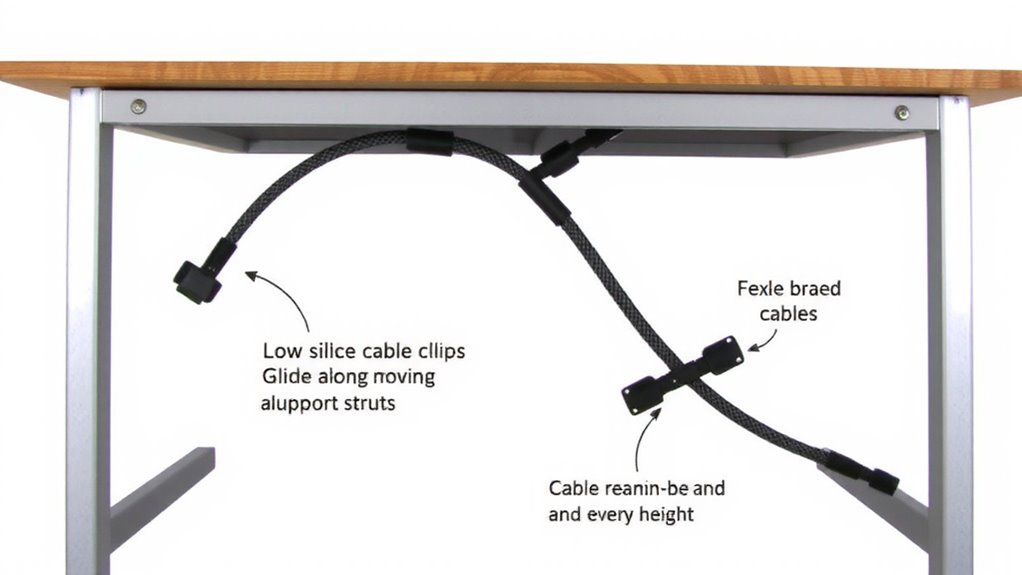
You’ll want cable clips that move with your desk, not fight against it-static mounts just won’t cut it when your setup shifts height multiple times a day. Look for clips designed with cable flexibility in mind, so wires bend smoothly without stress at connection points. Your best bet is spring-loaded or articulated clips that pivot as the desk moves, maintaining tension without pinching. Clip durability matters-opt for reinforced nylon or metal hinges over brittle plastic that cracks under repeated motion. Units tested over 5,000 height cycles show minimal wear, while cheaper versions fail within weeks. Mount them near the desk’s grommet or rear rail, where cables begin their vertical run. Avoid adhesive-only bases; they peel over time. Instead, choose models with screw mounts or secure clamps. Even the best clips can’t fix poor cable routing, so pair them with slack management-too tight and you strain ports, too loose and tangles return. For a seamless look, consider cable hiding options that integrate with dynamic desk systems.
Use Expandable Sleeves to Protect Moving Wires
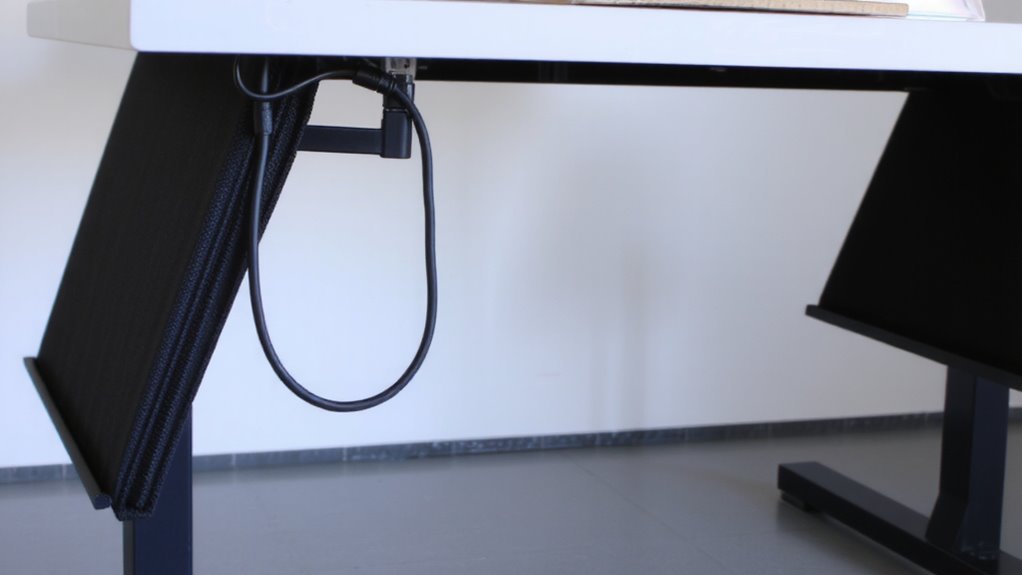
Expandable sleeves keep wires safe as they travel up and down with your height-adjustable desk, building on the protection cable clips start. They reduce cable friction during movement, which prevents fraying and extends the life of your cords. For best results, choose a sleeve with high sleeve durability-look for nylon-based braided designs tested for over 10,000 flex cycles. These sleeves stretch as your desk rises and lowers, maintaining constant coverage without constraining motion. A well-organized workspace often relies on effective cable management solutions, which include combining expandable sleeves with other tools like clips and ties. While expandable sleeves greatly improve wire protection, they can loosen over time if over-stretched. Guarantee a snug but not tight fit to balance movement and security. They’re not a standalone fix-pair them with clips for full support.
Route Cables Along the Frame to Prevent Snagging
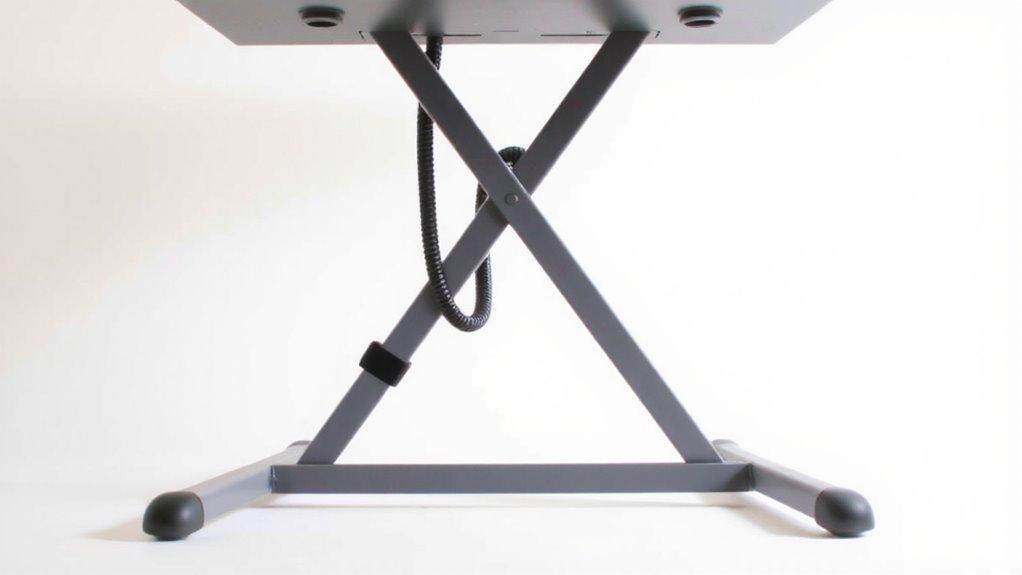
Along the frame is where cables belong if you want to avoid snags and maintain smooth desk adjustments. Routing them along the vertical and horizontal supports keeps wires clear of moving parts, reducing cable friction that can wear insulation over time. Proper frame alignment guarantees cables stay in place as the desk rises and lowers-use zip ties or adhesive clips to secure lines snugly, but not so tight that they restrict movement. This method works best on desks with enclosed channels or grooves. If your frame lacks built-in guides, aftermarket cable trays or low-profile brackets help maintain alignment. Just avoid overloading one side, which can unbalance the mechanism. While routing along the frame improves reliability, it demands precise placement; misaligned bundles might catch on joints or mounting hardware. Regular checks are needed to spot strain or abrasion, especially at pivot points where metal edges can nick wires during frequent height changes. For optimal results, consider using a Top Cable Management Solutions designed specifically for dynamic workspaces.
Mount Power Strips to Avoid Cord Tension
A securely mounted power strip can make a noticeable difference in both safety and convenience when used with a height-adjustable desk. Mounting it to the underside of your desktop or near the frame reduces cable strain on plugs and devices. Without proper mounting stability, frequent height changes can loosen connections or damage cords over time. Use adhesive-backed brackets or screw-mounted trays designed for power strips to keep them steady. This setup keeps cords aligned and limits tugging during movement. Choose low-profile power strips with right-angle plugs to save space and improve fit. Avoid heavy-duty models if they add too much weight, which may compromise mounting stability. Always leave a slight cord slack to absorb motion, but not so much that it risks tangling. Proper placement minimizes wear and guarantees consistent performance through thousands of adjustments.
Check Cables at Full Up and Down Positions
You’ve secured your power strip, so now it’s time to test how your cables handle the full range of motion. Start with a height inspection: raise and lower your desk completely, watching how each cord moves. You need enough cable slack so cords aren’t tugged at the highest setting, but not so much that they tangle or snag at the lowest. Check connections at both extremes-some cables pull loose if stretched too far, especially USB or AC adapters with stiff connectors. Use velcro straps to manage excess slack, but don’t bind them too tight. Real-world testing shows that even well-mounted setups can bind near the motor housing or leg joints. If a cord brushes metal parts, it could wear down over time. Adjust routing or add clips to guide cables safely. This step isn’t optional-it’s what keeps your setup reliable.
Skip These Common Adjustable Desk Cable Mistakes
Most people overlook at least one critical cable flaw when setting up their height-adjustable desk, and that oversight often leads to frayed wires, failed connections, or even motor interference down the line. You can avoid cable tangles and uneven wear by skipping these common mistakes.
| Mistake | Result |
|---|---|
| Clipping cables too tightly | Restricts movement, causes uneven wear |
| Routing power and data together | Increases interference risk |
| Ignoring slack at lowest height | Leads to tension and cable tangles |
| Using rigid cable sleeves | Limits flex, stresses connection points |
Give your wires room to move-allow at least 6 inches of slack when the desk is fully lowered. Use flexible sleeves or braided wraps instead of hard conduits. Separate power from USB or Ethernet lines to reduce signal noise. And always test full-range motion after setup. Small errors now can mean bigger issues later, especially with daily height changes.
On a final note
You can keep cables tidy on a height-adjustable desk, but only if you plan for movement. Use flexible spiral wrap sleeves and low-profile clips that stay put without restricting travel. Mount the power strip to the desk frame, not the floor, to reduce strain. Always test cable slack at both the highest and lowest positions-tight lines cause wear. Avoid zip ties; they crack under repeated bending.