Avoiding Shoulder Surfing Risks by Positioning Monitors Away From Windows
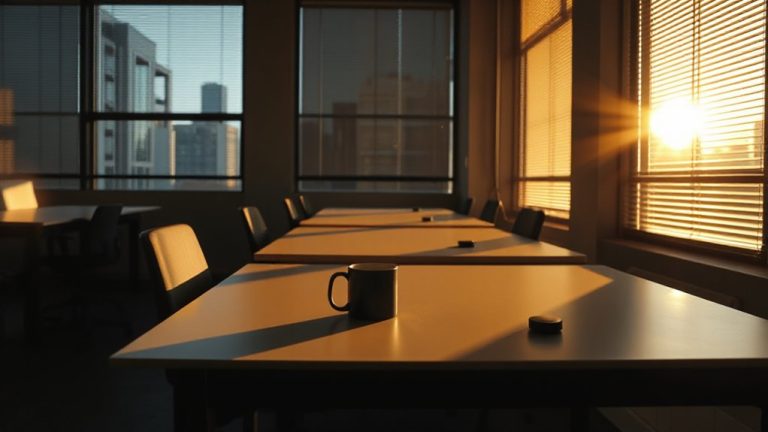
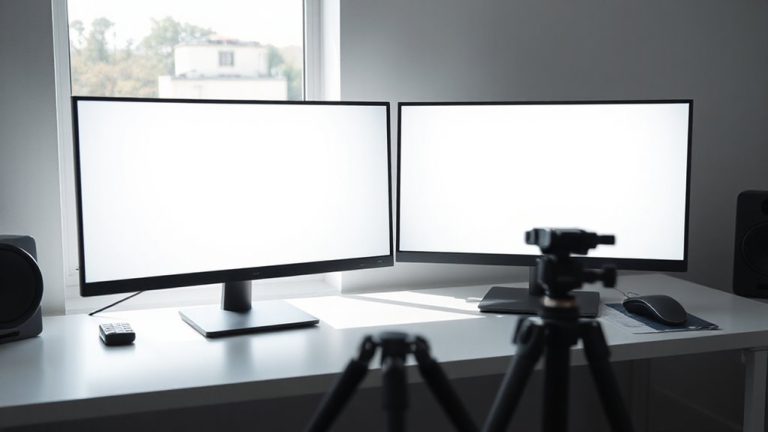
Position your monitor to face away from windows-this cuts shoulder surfing risks by blocking line-of-sight from outside. Even tinted glass won’t stop determined onlookers from reading login details or messages. If you must face a window, angle the screen perpendicularly to reduce visibility. Test visibility yourself from street level during daylight to check. Privacy filters help, limiting viewing angles to 30 degrees, though they may dim the screen up to 30%.
Notable Insights
- Position monitors to face away from windows to minimize visibility from outside.
- Angle monitors perpendicular to windows if direct avoidance isn’t possible.
- Test screen visibility from outside during daylight to assess privacy risks.
- Use privacy filters to limit viewing angles and reduce external screen visibility.
- Rearrange workspace layout to block sightlines while maintaining ergonomic positioning.
What Is Shoulder Surfing (And Why Windows Make It Worse)?
Shoulder surfing isn’t just an annoyance-it’s a real privacy threat, especially if you’re working near windows. You’re at greater risk in public spaces where strangers have visual access to your screen. It only takes a few seconds for someone outside to see login details, personal messages, or sensitive files. This kind of data theft doesn’t require hacking skills-just line-of-sight and opportunity. When your monitor faces a window, anyone passing by might glimpse what you’re doing, turning your workspace into an open book. Even if your windows are tinted or high up, determined onlookers can still get close enough. You should assume that if someone can see your screen, they will. That’s why positioning matters so much. But moving your desk isn’t always simple-it might affect lighting, ergonomics, or room layout. There’s a real trade-off between visibility and comfort you’ll need to balance carefully.
Check If Your Monitor Is Visible From Outside
You can’t fix what you haven’t tested, so start by checking whether your screen is visible from outside. Walk outside your building during daylight and view your workspace from street level or nearby sidewalks. If your monitor’s screen is readable, sensitive data could be compromised. Poor glare reduction increases visibility from angles, so test under bright conditions when reflections are minimal. Consider how cable management affects setup-tangled cords may force awkward monitor placement, making it face windows. Position your monitor perpendicular to windows first, then recheck visibility. Note that privacy filters can help but often reduce screen clarity and brightness. Anti-reflective coatings offer modest glare reduction without sacrificing readability. This assessment isn’t one-time; retest after rearranging furniture or changing lighting. Effective security balances practicality and protection without assuming extreme risks or relying solely on gear fixes. For added protection, consider installing a desk privacy screen that blocks side views while maintaining ergonomic comfort.
Position Your Monitor to Block Outside Views
A well-placed monitor cuts shoulder surfing risks greatly, so position it so the screen faces away from windows and public sightlines. This minimizes window reflections and blocks easy viewing from an external vantage, like nearby buildings or sidewalks. If you can’t avoid a window-facing setup, angle the monitor perpendicular to the glass-this reduces glare and makes screen content hard to see from outside. Keep in mind that even indirect sunlight can create reflections that reveal sensitive data. Adjusting your seating position slightly can also help maintain privacy without sacrificing comfort. While repositioning isn’t always possible in tight workspaces, small changes often deliver strong security gains. Just remember: a poorly oriented monitor undermines even the most secure software. Prioritize layout over convenience, but acknowledge trade-offs in ergonomics or natural light access when making adjustments.
Install a Privacy Filter to Stop Snoopers
How often do you check your screen in a busy office or public café? Installing a privacy filter is a smart move to stop snoopers from seeing your data. These slim screen overlays limit viewing angles to about 30 degrees, so only you can see the display. Most models include an anti glare coating, which reduces reflections under bright lights-useful in sunlit offices or cafés. But be aware: screen dimming is common, often reducing brightness by up to 30%, which can make visuals harder to read without adjusting settings. Look for filters with 99% privacy efficiency and scratch-resistant surfaces, tested in real-world environments. They’re easy to attach with static cling or frame kits and usually come with a one-year warranty. While they improve security, they aren’t a fix-all-pair them with smart positioning and caution. You can find top-rated options like the Best Privacy Screen Protectors at Best Buy for reliable performance and compatibility with your device.
Rearrange Your Office for Better Screen Privacy
When positioning your workspace, turning your screen away from high-traffic areas can sharply reduce the risk of shoulder surfing, especially in open offices or cafes. Rearranging for screen privacy isn’t just about walls or angles-it’s about balancing visibility, ergonomics, and setup efficiency. Good cable management keeps cords tucked and orderly, reducing clutter that can obstruct ideal monitor placement. Prioritize ergonomic comfort by aligning your monitor at eye level and about 20–30 inches away, even after repositioning.
| Layout Choice | Privacy vs. Comfort Trade-off |
|---|---|
| L-shaped desk | High privacy, needs space |
| Corner setup | Good sightline control |
| Facing a wall | Max privacy, may limit interaction |
| Back to foot traffic | Balanced, requires cable management |
Some setups limit mobility or strain necks if not tested. Test positions for full-day use before finalizing.
Avoid Sensitive Tasks Near Windows
You’re already turning your desk to block prying eyes, but don’t forget what’s behind the monitor-glass surfaces like office windows can turn your screen into a visible target from outside, especially in daylight or at night when lights are on. Performing sensitive tasks near windows increases outdoor visibility, putting personal or confidential data at risk, particularly if your workspace faces public areas. Even slightly tinted glass won’t fully prevent someone from seeing your screen up close. Avoid reviewing passwords, financial records, or private messages in these spots. While natural light improves comfort, the trade-off in privacy isn’t worth it. Position your monitor deeper into the room, away from direct lines of sight through windows. If rearranging isn’t possible, consider using a privacy filter that limits viewing angles. These steps reduce exposure without requiring expensive gear, though they may slightly darken the screen or require precise seating alignment.
Lock Your Screen When Stepping Away
Always lock your screen the moment you step away from your desk, even for a quick break-this simple habit is one of the most effective ways to block unauthorized access to sensitive files or accounts. Screen locking isn’t just for cafés or shared offices; it’s essential in any workspace where others might walk by. Whether you’re using Windows (Win+L) or macOS (Control+Command+Q), built-in tools make it fast and reliable. Enabling automatic screen locking after one minute of inactivity boosts privacy awareness without slowing you down. Yes, it can feel disruptive if you’re constantly getting up, but pairing this with a quick password or biometric login keeps workflow smooth. Some might argue it’s overkill for trusted environments, but lapses in screen locking often lead to preventable breaches. Stay sharp-good habits compound, and this one costs nothing to maintain.
On a final note
Position your monitor away from windows to reduce shoulder surfing-it’s a simple fix that actually works. Privacy filters block side views, but they dim screens slightly, so test one before committing. Rearranging your desk might limit natural light, but the trade-off boosts security. Locking your screen when away adds protection, no gear needed. These steps aren’t perfect, but combined, they lower risk more than most expensive gadgets.