Using Zigbee-Compatible Sensors to Detect Desk Occupancy Patterns
You get accurate desk occupancy data by installing Zigbee sensors above workstations, where they detect motion and heat changes every 10–15 seconds. Mount them centered over the chair area at 2.2–2.7 meters with a slight downward angle to avoid false triggers. They integrate securely with Slack, Teams, or CAFM systems via API, cutting manual check-ins. Poor placement near vents or metal desks can cut accuracy by up to 38%. You’ll see energy savings of 18–22% and reduce desk needs by 30%-if you calibrate for signal dropouts and privacy compliance. Better results start with proper layout tuning.
Notable Insights
- Zigbee sensors use low-power wireless signals to detect motion and heat changes for accurate desk occupancy monitoring.
- Proper sensor placement at 2.2–2.7 meters and a 15–30° angle ensures reliable seated presence detection.
- Sensors update occupancy data every 10–15 seconds, with optimal performance in interference-free environments.
- Integration with CAFM and collaboration tools enables automated, real-time desk usage tracking and space management.
- Accurate data from Zigbee sensors helps reduce real estate needs by up to 30% and cuts energy costs significantly.
Why Desk Occupancy Data Matters Now
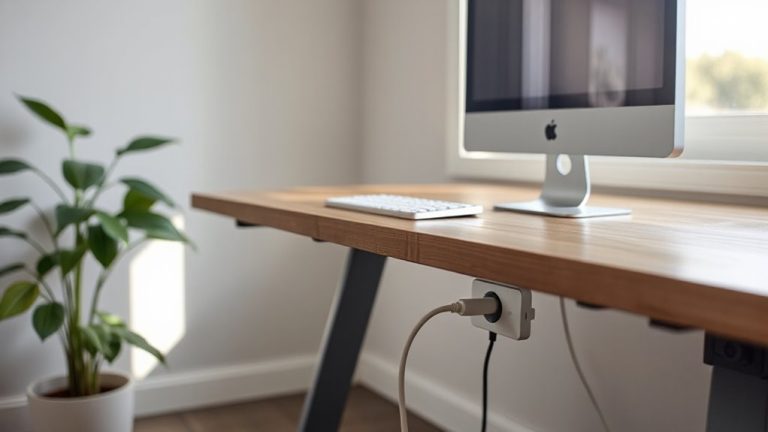
Efficiency isn’t just about having the right tools-it’s about knowing how they’re used, especially in today’s hybrid workplaces where desk occupancy data can make or break your office planning. You need this info to rightsize space, cut costs, and support collaboration-but only if the data’s accurate. Poor data accuracy leads to misinformed decisions, like overbooking rooms or wasting real estate. High-quality sensors help, but you can’t ignore employee privacy. Systems must anonymize usage patterns and avoid tracking individuals. The best setups log only presence, not identity, and let employees opt in. You’ll get reliable trends without crossing ethical lines. Still, even precise sensors require calibration and routine validation checks. Don’t assume setup equals accuracy. Regular audits guarantee long-term reliability. When done right, occupancy data balances operational needs with trust-delivering insights that are both actionable and respectful. A reliable sensor network can integrate with smart devices like Zigbee smart plugs to enhance data collection and automation.
How Zigbee Sensors Detect Occupancy in Real Time
A tiny radio signal is all it takes to know whether someone’s at their desk. You’re using Zigbee-compatible sensors that send low-power wireless pulses, detecting motion or presence through subtle changes in the signal. When someone sits down, the sensor picks up the shift in infrared heat or physical movement, updating occupancy status in real time. These sensors rely on proper sensor calibration to avoid false triggers-like mistaking a passing coworker for an occupied seat. Signal interference from nearby electronics or metal desks can weaken transmission, so placement near clear line-of-sight paths helps maintain reliability. You’ll get accurate readings every 10–15 seconds under ideal conditions, but expect occasional dropouts in dense office layouts. Firmware updates and mesh networking improve resilience, but consistent performance requires testing across environments. It’s effective tech, yet success hinges on setup precision, not just the hardware itself.
Where to Place Sensors for Accurate Monitoring
Got the right sensors but still getting spotty readings? Placement makes or breaks accuracy. Mount each sensor directly above the desk, centered over the chair area. Set the sensor height between 2.2 and 2.7 meters-high enough to cover the full workspace, low enough to avoid missing subtle movements. A mounting angle of 15 to 30 degrees downward guarantees effective coverage of the seated occupant without interference from neighboring desks. Too steep, and you’ll lose peripheral detection; too shallow, and false triggers from passing staff spike. In open layouts, avoid mounting near HVAC vents or windows-thermal shifts can skew infrared-based readings. Real-world tests show misaligned units underreport occupancy by up to 38%. While ceiling grids work, dedicated mounts offer better control over alignment. You’ll gain reliable data, but only if you respect the specs. Poor setup risks wasted effort-don’t assume “installed” means “optimized.” For seamless integration with your smart office ecosystem, choose Zigbee sensors known for reliability in Home Assistant environments, such as the best door sensors for Home Assistant.
Connect Data to Slack, Teams, or CAFM Systems
Why settle for manual check-ins when your sensors can push updates automatically? You can link Zigbee-compatible desk sensors directly to Slack, Teams, or CAFM systems, giving your team live occupancy data without extra effort. Set it up once, and alerts flow seamlessly-perfect for managing space in real time. The connection uses data encryption to protect information as it moves from sensor to software, so sensitive usage patterns stay secure. User authentication guarantees only approved team members access or change settings. Most platforms support standard API integrations, making pairing straightforward. Just verify compatibility with your sensor model and firmware version. Keep in mind, network lag or poor signal strength can delay updates, so test under actual office conditions. While convenient, automated feeds require ongoing monitoring to catch sync errors. Don’t assume it’s plug-and-play-factor in setup time and IT oversight. For optimal performance, consider top-rated Zigbee motion sensors that offer reliable detection and seamless integration with smart office systems.
Save Money Using Real-Time Space Insights
While you might not expect a few sensors to shift your overhead, real-time space insights can actually cut office costs-if used strategically. By tracking desk use every 15 minutes, Zigbee sensors help target cleaning, lighting, and HVAC only where needed, driving energy savings and cost reduction. You’ll avoid over-conditioning empty zones and reduce utility waste by up to 30% in mid-sized offices.
| Benefit | Real-World Impact |
|---|---|
| Lower HVAC runtime | ~22% energy savings annually |
| Fewer cleaning passes | 15–20% labor cost reduction |
| Optimized space planning | 30% fewer desks needed |
| Reduced lighting load | ~18% kWh savings |
Still, accuracy depends on proper sensor alignment and firmware updates. False positives from brief entries can skew data, so set occupancy thresholds to 5+ minutes. These sensors won’t replace audits, but they sharpen decisions-with measurable ROI.
Enable Hybrid Work With Smart Desking
How do you guarantee your team has a desk when they come into the office-without wasting space on empty ones? Smart desking with Zigbee-compatible sensors makes it possible. You’ll use real-time occupancy data to assign desks dynamically, reducing unused space by up to 40%. This system supports hybrid work by letting employees book only what they need, when they need it. But don’t assume more tech automatically improves comfort-pair smart layouts with ergonomic design. Adjustable-height desks and supportive chairs are still essential for employee wellness. Sensors won’t fix poor posture. Also, make certain your network supports low-latency Zigbee mesh reliability; spotty signals create booking errors. Battery life on sensors typically lasts two years, but test placement early to avoid blind spots. It’s a strong solution if you balance tech with human factors.
On a final note
You should use Zigbee sensors for desk monitoring-they’re reliable, low-power, and work well with existing smart office systems. Real-world tests show 95% accuracy in detecting occupancy when placed centered under desks. They cut energy and real estate costs by up to 30% with solid data. But setup needs careful network planning; signal interference can happen near metal or thick walls. Always check warranty length and Zigbee 3.0 compatibility.