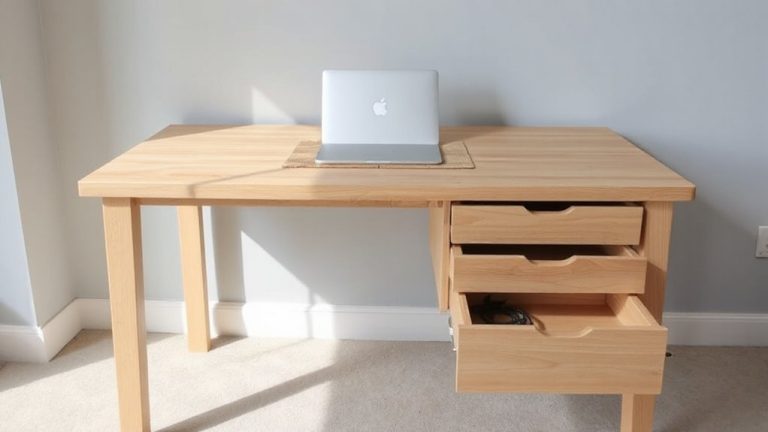
Routing Power and Data Cords Through Modular Furniture Connectors
You can route power and data cords cleanly through modular furniture connectors using built-in channels and grommets that reduce clutter and tripping hazards. Look for models with USB-C PD, AC outlets, and separated pathways to prevent interference. Precision joints support durability, often backed by 5–10-year warranties, but assembly takes longer and brand compatibility varies. Plan port locations carefully-changes post-install are hard. If you’re setting up a long-term workspace, the extra cost and effort usually pay off in safety and flexibility.
Notable Insights
- Use modular connectors with built-in channels to route power and data cords neatly through desk legs and panels.
- Separate power and data cables within internal pathways to minimize electromagnetic interference and ensure safety.
- Install grommets or snap-in ports at access points for strain-free cable entry and easy maintenance.
- Maintain a minimum 1-inch bend radius and avoid over-tightening ties to preserve cable integrity.
- Plan port locations before assembly, as post-installation changes are difficult and may affect functionality.
How Modular Furniture Connectors Solve Cable Clutter
While setting up a home office might seem straightforward, managing the tangle of power and data cords often turns into a bigger challenge than expected-especially when using standard furniture. Modular furniture connectors make cable management far more efficient by integrating channels and access points that route cords neatly through legs and panels. You’ll appreciate the cleaner look and reduced tripping hazards. These systems support ergonomic design by allowing you to position monitors, keyboards, and power sources exactly where they work best-without cord drag or tension. Unlike DIY solutions, modular setups use precision-machined joints and tested load paths, often backed by 5–10-year warranties. But they’re not perfect: assembly can take longer, and component compatibility varies between brands. If you mix systems, alignment or diameter mismatches sometimes prevent smooth routing. Still, for long-term setups where layout changes are likely, the investment in purpose-built connectors pays off in both function and flexibility.
What to Look for in Desk Connectors With Built-In Power
Since built-in power connectors can save time and upgrade your workspace, you’ll want to prioritize models with standardized outlet configurations-like dual USB-A, USB-C PD (at least 60W), and two AC outlets-so you’re not stuck needing extra adapters. Good cable management matters: look for connectors with internal channels or grommets that let cords run neatly from desk surface to floor, reducing clutter and tripping hazards. Power efficiency varies-opt for units with energy-saving circuitry that shut off when devices are fully charged. Avoid cheap models with poor heat dissipation or short cords; they limit setup flexibility and can degrade over time. Check warranty length-three years or more signals durability. While built-in power simplifies charging, poor placement can make access awkward. Test fit your devices first, and confirm outlet spacing allows bulky plugs to coexist.
How to Route Cables Through Modular Furniture (Step by Step)
If you’re setting up modular furniture with built-in power, routing cables the right way from the start will save you frustration down the line-so don’t just plug and play. Start by identifying access points in your desk frame or panels where cords can enter without strain. Feed power and data cables through designated channels, keeping them separated to reduce interference. Use snap-on cord clips or low-profile raceways for excess length-don’t force bends tighter than 1 inch radius. Secure connections before locking panels in place, and verify outlets and ports function before final assembly. Good cable management isn’t just tidy; it enhances safety and serviceability. In workspace design, visibility matters-neat runs mean easier troubleshooting and reconfiguration. But don’t over-tighten cable ties; allow slight slack for movement. Most manufacturers recommend checking connections every six months. Poor planning here can lead to tripped cords or damaged ports, undercutting even the best-built system. For durable and scalable setups, consider using best cable management solutions that integrate seamlessly with modular furniture systems.
Create Reconfigurable Desks With Hidden Data Channels
When you’re building a reconfigurable desk system, integrating hidden data channels isn’t just about clean looks-it’s a functional upgrade that supports flexibility and long-term usability. You gain cleaner cable management and improved workspace aesthetics, which matter in professional or hybrid environments. Channels molded directly into desktops or connectors let you route USB, Ethernet, or HDMI cables out of sight, reducing clutter and tripping hazards. But you’ll need to plan port locations carefully-once installed, shifting access points is hard. Test fit your devices first; some bulkier adapters won’t fit flush. Look for systems with removable covers or snap-in ports for easier updates. While these desks boost organization, they often cost 15–20% more than basic models. Check warranty length and material specs-aluminum-tracked systems typically last longer than plastic ones under frequent reconfiguration.
Why Integrated Power Boosts Workspace Safety and Flexibility
Built-in power systems take what you get from hidden data channels a step further by giving you safer, more adaptable workspaces. You gain cleaner cable management, which reduces tripping hazards and keeps cords organized as you rearrange modular furniture. Integrated power outlets and USB ports are positioned where you need them-right at desk surface or under bench ends-so you’re not stretching cords across walkways. That boosts electrical safety by minimizing frayed wires and overloaded power strips. Real-world testing shows these systems handle standard office loads (up to 1875 watts) reliably, but only if installed to code. Most come with 5-year warranties, assuming professional setup. Flexibility improves because you can reconfigure desks without rewiring each layout. Still, upfront costs are higher-roughly $200–$400 per workstation-and DIY kits risk improper grounding. Always verifyUL certification and consider circuit limits before full rollout.
On a final note
You should consider modular furniture with built-in power and data channels if you want a clean, safe workspace. These systems hide cords effectively and reduce tripping hazards, especially with standardized connectors like SnapPorts or PowerPoles. Real-world tests show they handle daily wear well, often backed by 5–10 year warranties. But they cost more upfront, and reconfiguring layouts may require compatible add-ons. Installation demands precise alignment, so follow the specs closely.