How to Choose Between Flat and Curved Monitors for Different Work Types
Choose flat monitors if you work with spreadsheets, code, or design-they give you accurate lines, no distortion, and perfect alignment on-screen, especially with 24–32″ IPS panels at eye level. Curved screens suit immersive tasks like gaming or video editing, but only if your desk is deep enough (over 24″) and you sit close. Just know curved displays can warp straight edges if you’re off-center. Picking the right fit depends on your workflow, space, and how much precision matters. There’s more to match once you factor in resolution and setup.
Notable Insights
- Choose flat monitors for precision tasks like coding and spreadsheets to ensure accurate lines and minimal distortion.
- Opt for curved monitors if you prioritize immersion, such as in video editing or gaming, for a wider field of view.
- Use flat screens in multi-monitor setups for consistent alignment and easier edge-to-edge continuity.
- Consider viewing distance-curved monitors work best within three feet, while larger flat 4K screens need over three feet.
- Prioritize desk space and budget-flat monitors fit smaller desks and are generally more affordable than curved models.
Which Monitor Fits Your Work?
If you spend most of your day working with spreadsheets, documents, or coding, a flat monitor is likely the better choice for precision and consistency. You’ll benefit from accurate lines and minimal distortion, especially with text and grids. For ergonomic alignment, flat screens let you position them squarely in front, reducing neck strain when properly centered and at eye level. While curved monitors offer more visual immersion-pulling your peripheral view into the screen-they’re less ideal if you multitask across multiple windows or rely on color accuracy. Flat panels typically provide uniform brightness and sharper detail at default settings. Remember, visual immersion doesn’t boost productivity for analytical tasks. Also, consider viewing distance: under three feet, curvature adds little. Warranty periods are similar, but flat monitors often come in sizes better suited for small desks. Choose based on workflow, not novelty.
Flat Monitors for Designers and Coders
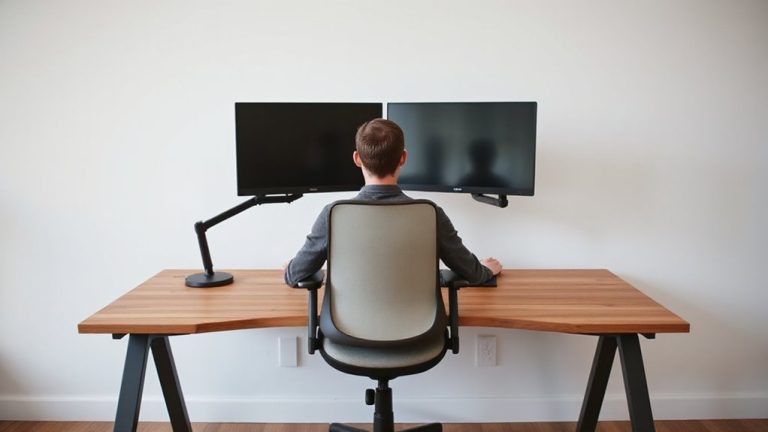
Flat monitors deliver reliable performance for designers and coders who need pixel-perfect accuracy and consistent image reproduction. You’ll benefit from superior color accuracy, especially with IPS panels that cover 100% sRGB and offer factory calibration for trustworthy results. Screen stability is another plus-there’s no distortion across the plane, making it easier to align code or judge fine design details. Unlike curved displays, flat screens work well in multi-monitor setups, with minimal bezel gaps and consistent viewing angles. Most come with adjustable stands and VESA compatibility for flexible mounting. Just note that larger sizes, like 32-inch 4K models, can cause eye strain if placed too close. Viewing distances over three feet are ideal. Warranty support typically spans three years, with some brands offering pixel defect replacements. While they lack immersive depth, flat monitors remain the practical choice when precision and reliability matter most.
Curved Screens for Gamers and Editors
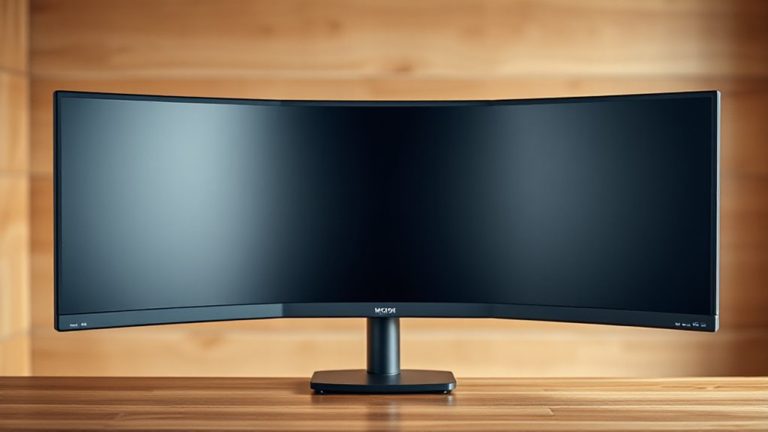
While flat screens excel in precision, curved monitors bring a distinct edge to gaming and content editing-especially when immersion and panoramic viewing matter. You’ll get a more immersive experience, with the screen wrapping slightly around your field of vision, enhancing visual depth and reducing edge distortion during fast-paced scenes or timeline scrubbing. Curvature, typically measured between 1800R and 3000R, should match your viewing distance-tighter curves suit closer setups.
| Feature | Benefit | Consideration |
|---|---|---|
| Curved panel | Enhances immersion | Less ideal for multi-monitor setups |
| Wider aspect ratio | Better visual depth | Needs centered seating |
| Reduced glare | Consistent viewing | Limited viewing angles |
| High refresh rate | Smooth gameplay | Overkill for casual use |
Position it correctly-too far, and the effect fades. Choose curvature wisely, not just for style.
How Shape Affects Creative Tasks
Why does screen shape matter when you’re editing photos or designing layouts? Because it directly impacts ergonomic alignment and visual immersion. A curved monitor wraps slightly toward your field of view, reducing eye strain during long creative sessions and boosting focus with deeper visual immersion. For photo or video work, this can enhance color and contrast perception across wide angles, especially on 21:9 ultrawide panels. Flat screens, however, offer more accurate edge-to-edge geometry-critical for pixel-perfect design tasks-without distortion. While curved displays feel more immersive, they can skew straight lines if you’re not centered. Choose curved for immersive editing across large spreads or timelines, but pick flat if precision and consistent viewing angles are non-negotiable. Both types work; your workflow determines the winner. Test viewing distance and backlight consistency before deciding.
Matching Monitors to Your Desk and Budget
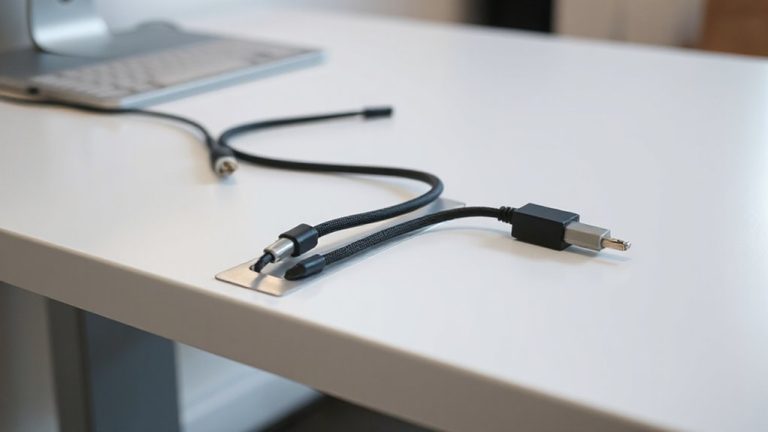
Your desk setup and budget play a decisive role in finding the right monitor, so start by measuring your space and setting a realistic price target. Flat monitors typically offer better value and easier ergonomic positioning, especially for smaller desks, while curved models demand more depth and precise alignment. Don’t overlook cable management-built-in channels keep setups tidy and reduce clutter that can interfere with workflow efficiency. A well-organized workspace begins with choosing the right home office desks to support both your monitor and workflow needs.
| Feature | Flat Monitor | Curved Monitor |
|---|---|---|
| Space Needed | Fits tight desks (16–24″ depth) | Needs depth (>24″) for comfort |
| Price Range | $100–$300 (good resolution, warranty) | $250–$600 (premium scaling) |
| Ergonomic Positioning | Flexible placement | Must center precisely |
| Cable Management | Common grommet support | Often requires add-ons |
Curved screens immerse, but only if your desk allows proper alignment and budget covers trade-offs.
On a final note
Pick a flat monitor if you need accurate colors and consistent viewing angles for coding or design-IPS panels deliver sharp detail and reliability. Choose curved screens if immersion matters, like in video editing or gaming, where a 1000R to 1800R curve can reduce eye strain. Just make sure your desk has depth, as curves need space. Check warranty length and pixel response times; 3-year coverage and under 5ms are ideal. Curved models cost more, so balance benefits against budget.