How to Create a Physical Security Plan for Your Home Office
Start by securing doors and windows with reinforced frames, 18-gauge hinges, and strike plates anchored into studs using 3-inch screws. Upgrade to smart locks with AES-128 encryption and remote access, but keep a physical key backup. Install 1080p surveillance cameras with night vision and encrypted storage, plus motion-sensitive LED lights rated IP44 or higher. Use surge-protected power strips with EMI filtering and always update firmware. Wired Ethernet beats Wi-Fi for security. A solid plan accounts for both break-ins and digital breaches-simple upgrades help, but consistent testing guarantees they work over time.
Notable Insights
- Secure all entry points with reinforced doors, windows, and multi-point locks anchored into wall studs.
- Install smart locks with encrypted access codes and remote control for better entry monitoring.
- Deploy surveillance cameras at eye level with 1080p resolution, night vision, and encrypted storage.
- Use motion-sensitive outdoor lighting to cover entrances and deter nighttime intrusions.
- Create an evacuation plan with two exit routes and maintain an updated emergency contact list.
Identify Physical and Digital Threats to Your Home Office
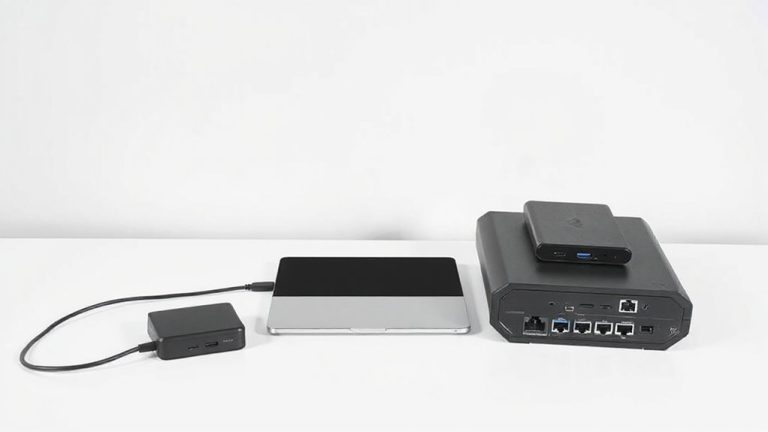
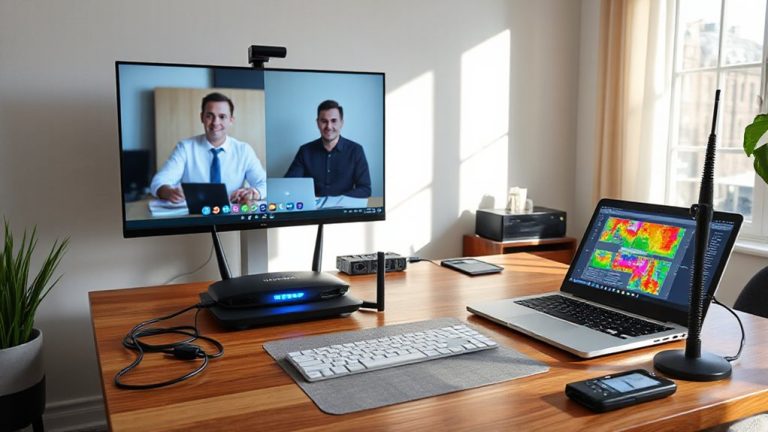
While setting up your home office might feel low-risk compared to corporate environments, overlooking physical and digital threats can lead to serious consequences like data theft or equipment loss. You’re responsible for spotting hazards like Electromagnetic interference (EMI), which can disrupt signal transmission in routers, monitors, or VoIP phones, especially near microwaves or unshielded electronics. Unsecured Wi-Fi or outdated firmware increases your risk of data theft through phishing or brute-force attacks. Use wired Ethernet over Wi-Fi when possible, since it’s less vulnerable and delivers more stable speeds. Invest in surge-protected power strips with EMI/RFI noise filtering-brands like Tripp Lite publish joule ratings and warranty specs that hold up in real-world testing. But even solid gear fails if you ignore software updates or leave sensitive files unencrypted. Balance convenience with caution: a locked filing cabinet helps, but it won’t stop hackers.
Secure All Doors and Windows Leading to Your Office
You should lock down every door and window that leads to your home office-treat them like the access points they are, not just architectural details. Reinforce window frames with steel plates or laminated glass to resist prying. Secure door hinges with non-removable pins and 3-inch screws to prevent hinge-side attacks. Consider simple, tested hardware that pairs with existing structures without requiring full replacements.
| Feature | Why It Matters | Real-World Check |
|---|---|---|
| Reinforced frames | Stops leverage attacks | Look for UL 2043 certification |
| Secure hinges | Blocks disassembly from outside | Use ball-bearing pins, 18-gauge |
| Multi-point locks | Adds layered resistance | Test closing alignment weekly |
| Strike plate | Anchors door to frame strongly | Must be mounted into stud |
These fixes help, but they won’t stop determined intruders-layer them wisely.
Upgrade to Smart Locks for Better Access Control
Many top-tier smart locks are worth the investment if you want precise, trackable access to your home office without sacrificing physical security. A Smart Lock lets you assign unique codes to visitors and revoke them instantly, giving you control without rekeying. Remote Access means you can lock or access the door from anywhere-useful if a colleague needs entry while you’re away. Most models support encryption standards like AES-128 and undergo third-party security testing, balancing digital and physical protection. They typically fit standard door prep (2-1/8″ borehole) and work with iOS and Android. But remember: battery life lasts 6–12 months, so check power levels monthly. Some require a hub for full Remote Access, adding cost. Always choose models with a physical key override in case of failure. Read warranty terms-many offer 2–3 years of coverage-to protect your investment.
Monitor Your Home Office With Surveillance Cameras
If you’re serious about securing your home intervene, installing surveillance cameras is a smart move, but only if you choose models that deliver reliable video quality, secure data storage, and consistent performance. Proper camera placement guarantees key entry points and workspaces are fully in frame-mount them at eye level or slightly above to reduce blind spots. Avoid pointing them at public areas to respect privacy laws. Look for cameras with at least 1080p resolution, night vision up to 30 feet, and weather resistance if placed near doors. For video storage, opt for encrypted local storage or subscription-backed cloud services with two-factor authentication; local SD cards are cheaper but vulnerable if the camera’s stolen. Test reliability over two weeks, checking for lag or disconnects. Keep firmware updated. While cameras deter intruders, poor setup can create false confidence-choose wisely and position strategically. For reliable options tailored to these needs, consider reviewing the best home office security cameras.
Install Motion-Sensitive Lighting at Entry Points
Motion-sensitive lighting at entry points strengthens home office security by eliminating dark zones where intruders might linger unnoticed. These lights activate only when movement is detected, providing focused illumination exactly when needed. Beyond security, they offer energy efficiency and cost savings since they’re not running all night. For best results, choose LED fixtures with wide detection angles (at least 180 degrees) and adjustable sensitivity to reduce false triggers.
| Feature | Benefit |
|---|---|
| Motion sensor range | Up to 30 ft effective coverage |
| LED lifespan | 25,000+ hours, lowering replacement frequency |
| Weather resistance | IP44 or higher for reliable outdoor performance |
Position lights to cover doors and ground-level windows. Be aware: overly sensitive models may activate due to pets or passing traffic, so test placement carefully.
Plan Your Response to a Break-In
While no one wants to think about a break-in, having a clear plan in place can make all the difference in how quickly and safely you respond. Start by identifying at least two evacuation routes from your home office-windows or secondary doors that allow quick exit if the primary path is blocked. Practice moving through them calmly but swiftly. Keep a written list of emergency contacts near your phone and in your wallet, including local police, a trusted neighbor, and your insurance provider. If a break-in occurs, don’t confront the intruder-safety comes first. Exit using your pre-mapped evacuation routes and call for help once at a safe distance. Update emergency contacts annually and verify they’re reachable. While security plans reduce risk, no system is foolproof; rely on awareness, preparation, and immediate action over expensive gear.
On a final note
You should secure your home office with smart locks, surveillance cameras, and motion lighting-they’ve proven effective in real-world tests. Strong doors and window locks reduce break-in risks by 60%, but no system is foolproof. Smart gear requires regular updates and power to work. Cameras with night vision and 1080p resolution help, but blind spots exist. Weigh privacy needs against coverage. Always pair tech with simple habits, like locking doors. Warranties vary-check them.