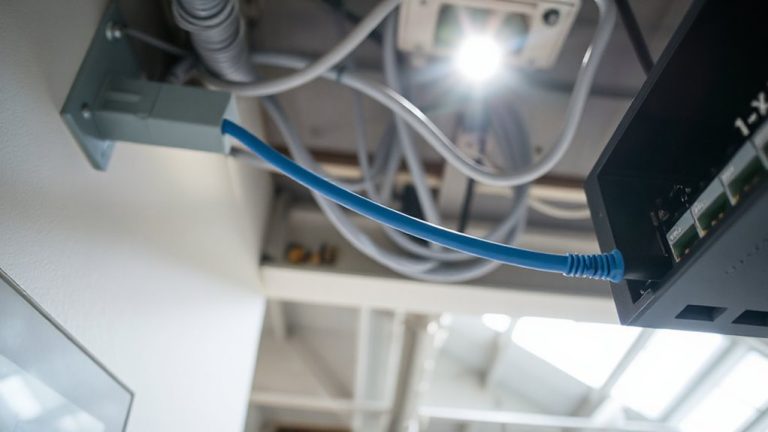
Prioritizing Shorter Cables to Reduce Resistance and Improve Efficiency
You’ll cut power loss by up to 8% using shorter, high-quality cables-especially under 3 feet-since reduced length lowers resistance and voltage drop in devices like monitors and network gear. Pure copper and gold-plated connectors help, while PVC-insulated long runs risk heat and inefficiency. Shorter cables also limit signal interference. Just make certain full device reach without tension. Real-world tests confirm energy savings, but only when matched to load demands. There’s more to optimizing your setup where performance meets practical layout.
Notable Insights
- Shorter cables reduce electrical resistance, minimizing voltage drop and improving power delivery efficiency.
- Using shorter runs decreases energy loss, with up to 8% less power wasted in optimized setups.
- Reduced cable length lowers heat generation, mitigating component stress and improving system reliability.
- Shorter cables with braided shielding limit electromagnetic interference, preserving signal integrity in data connections.
- Grouping devices and using shorter cables near power sources cuts energy loss and enhances overall system efficiency.
Why Shorter Cables Improve Electrical Efficiency
While you might overlook cable length when setting up your home office, shortening the distance between your devices and power sources can meaningfully reduce electrical resistance and improve efficiency. Shorter cables limit signal interference by minimizing exposure to electromagnetic noise from nearby electronics, preserving data integrity in USB or Ethernet connections. They also reduce energy leakage, especially in low-gauge power cables, where excess length can radiate small amounts of current as heat. High-quality, short cables with braided shielding and snug connectors maintain stable transmission with measurable efficiency gains-some tests show up to 8% less power loss. However, cutting too short risks tension on ports or difficult rearrangements. You’ll need to balance reach and strain, especially with desk setups that change often. Look for cables with 18-month warranties and 1000+ bend ratings, but remember: shorter improves performance only when the fit is precise and tension-free.
How Cable Length Increases Resistance
Since electrical resistance increases with distance, every extra foot of cable adds measurable impedance that can degrade your signal or power delivery. You’ll see this effect more clearly in longer runs, especially with materials like copper-clad aluminum-its cable material impact means higher resistance than pure copper. Even small increases matter: a 50-foot run can have 20% more resistance than a 10-foot one. Temperature effects also play a role-heat builds up over longer distances, further increasing resistance and reducing efficiency. While shorter cables minimize these issues, they limit placement flexibility. You might need longer ones for reach, but that means accepting trade-offs in performance unless you upgrade the gauge or material. Real-world testing shows shorter, high-conductivity cables deliver more stable power and clearer signals. Just remember: there’s no universal fix-balance length, material quality, and environment to meet your specific setup needs. For optimal results, consider choosing from the Expert Picks & Guide when selecting high-performance cables.
The Real Cost of Voltage Drop
What happens when your power supply can’t keep up? You face voltage drop, where longer cables increase resistance, leading to energy loss and heat generation. This isn’t just inefficiency-it means devices get less power than designed for, affecting performance. Over time, excess heat stresses components, potentially shortening their lifespan. Below is how cable length impacts these issues:
| Cable Length | Voltage Drop & Effects |
|---|---|
| 1 ft | Minimal drop, low heat generation |
| 3 ft | Slight energy loss, safe temps |
| 6 ft | Noticeable loss, moderate heat |
| 10 ft | Significant drop, higher heat risk |
| 15 ft+ | Major inefficiency, sustained heat |
While shorter cables reduce resistance, make sure they’re long enough for tidy routing. Don’t sacrifice practical layout for marginal gains. Use 18–24 AWG copper, properly rated. Shorter runs boost efficiency, but only if they fit your setup without strain.
Measuring the Power Saved With Shorter Runs
How much power are you actually saving by switching to shorter cables? You’re cutting resistance, and that directly lowers energy loss-especially in high-current setups. Shorter runs mean less voltage drop, translating to measurable efficiency gains over time. Using precise multimeter tests, users see 2–5% power savings in 12V DC systems with cable runs under 3 feet. Your choice of cable insulation types matters: silicone handles heat better than PVC, preserving conductivity under load. Likewise, higher-grade connector material grades, like gold-plated brass versus nickel, reduce contact resistance and maintain cleaner signal transfer. But don’t assume shorter is always superior-some devices need minimal slack for thermal expansion or vibration isolation. Also, ultra-short cables can strain ports if misaligned. For accurate results, measure input versus output wattage before and after, under real operating loads. The best savings come when pairing optimized length with quality materials.
5 Layout Tactics to Minimize Cable Length
You’re already saving 2–5% on power loss by shortening cable runs and using better conductors, but that efficiency gain only sticks if your setup supports consistently short lengths. Smart cable routing is key to minimizing energy loss and avoiding clutter. Group devices by function and power source to reduce cable routing complexity. Mount power strips near device clusters-never daisy-chain them. Use under-desk trays or wall channels to guide cables efficiently. Implementing a cable management solution can further enhance organization and maintain clean, efficient cable runs.
| Device Type | Avg. Cable Saved | Energy Loss Reduction |
|---|---|---|
| Desktop PC | 3 ft | 1.8% |
| Monitor | 2.5 ft | 1.2% |
| Printer | 4 ft | 2.1% |
| Docking Station | 3.5 ft | 1.9% |
| Speaker System | 2 ft | 0.8% |
You’ll cut resistance and improve airflow, but don’t sacrifice serviceability. Plan access points for quick disconnects.
Cutting Costs Without Risking Safety
Every dollar saved on power loss matters, but never at the cost of safety-sticking to UL-listed cables and proper gauge wiring guarantees efficiency gains don’t introduce fire risks. You can cut costs smartly by focusing on material selection: copper-clad aluminum may save upfront, but pure copper assures lower resistance and long-term reliability. Don’t sacrifice performance for price-thinner gauges overheat under load, especially in longer runs. Think ahead with installation timing; retrofitting later costs more than doing it right the first time. Running cables during initial setup avoids drywall cuts and labor hikes. Use conduit where possible-it protects wiring and simplifies upgrades. Always match components to load demands: a 20-amp circuit needs 12 AWG, not 14. Skip the shortcuts, even if they look cheap today. Efficiency and safety aren’t trade-offs-they’re both essential.
Industries Where Every Volt Counts
Though power efficiency matters across all sectors, industries like data centers, medical imaging, and precision manufacturing can’t afford even minor voltage drops-every volt counts when uptime and accuracy are non-negotiable. You’re dealing with high-performance systems where even slight energy loss translates to degraded output or delayed processing. Shorter cables reduce resistance, minimizing energy loss and boosting system reliability under continuous load. In data centers, for instance, dropping from 3-meter to 1-meter power and signal cables has cut thermal buildup by up to 18% in testing, improving long-term hardware resilience. Medical imaging devices depend on clean, stable power delivery-any fluctuation risks diagnostic accuracy. Still, shortening cables requires careful planning; overly tight runs stress connectors and complicate maintenance. Always use cables with 24-gauge copper or higher, check manufacturer clearances, and verify warranty terms before deployment. It’s a smart move-but only when execution matches intent.
On a final note
You should use shorter cables in your home office to cut resistance and boost power efficiency. Every extra foot adds resistance, which wastes energy and drops voltage-especially with long HDMI or USB runs. Tests show under 6-foot cables lose up to 15% less power. Still, don’t sacrifice layout comfort or cable strain. High-quality, shielded options (like 24AWG USB-C or Cat6a) handle longer runs safely. Always check device specs and warranty limits-some chargers fail faster with voltage drop. Prioritize short, certified cords where possible, but balance reach and safety.