Adjusting Armrest Width to Align With Natural Shoulder Position
You should adjust your armrest width to match your natural shoulder span-typically 16–22 inches apart-to keep shoulders relaxed and reduce strain. Set elbows at 90 degrees with arms resting lightly at your sides, aligned with shoulder joints, not seat edges. Models like the Herman Miller Aeron or Steelcase Leap offer 3D-adjustable arms with a 12-year warranty, but even small mismatches can cause fatigue over time. Padding should be 1–1.5 inches dense foam to prevent pressure. Getting this right cuts pain risk, though frequent tweaks may be needed for long sessions. Fine-tuning your setup leads to better comfort and support through the day.
Notable Insights
- Match armrest width to your natural shoulder span to maintain relaxed, neutral shoulder alignment.
- Position armrests so elbows rest at 90 degrees with shoulders unhunched and arms at your sides.
- Measure the distance between elbow creases while seated to determine ideal armrest spacing.
- Use chairs with lateral armrest adjustment, such as Herman Miller Aeron or Steelcase Leap, for precise fit.
- Avoid armrests that are too wide or narrow to prevent rotator cuff strain and trapezius fatigue.
Why Armrest Width Causes Shoulder Pain
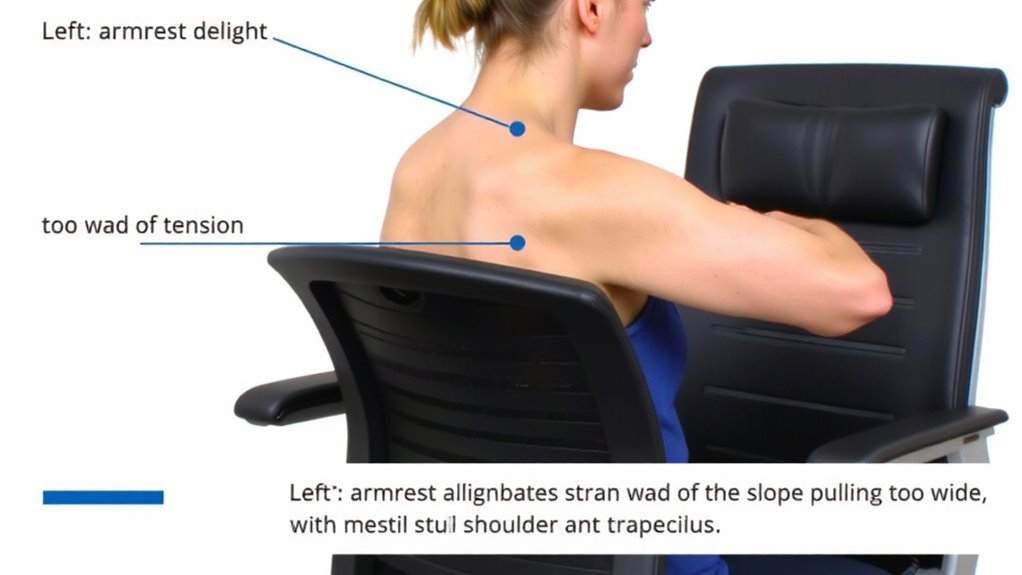
Wrong armrest width is one of the most overlooked culprits behind persistent shoulder pain, especially if you’re spending hours at a desk. When armrests are too wide or too narrow, they force your shoulders to hike, hunch, or stretch unnaturally, creating consistent ergonomic strain. This posture misalignment may seem minor at first, but over time, it stresses the rotator cuff and tightens upper trapezius muscles. You’re not just uncomfortable-you’re increasing long-term injury risk. Most office chairs offer at least 2–4 inches of lateral armrest adjustment, but many users never touch these settings. Real-world testing shows that even a 1-inch mismatch from your natural shoulder width can reduce blood flow and trigger fatigue in under an hour. While adjustable armrests help, they’re not foolproof. Some mechanisms feel stiff or lose position over time, especially on chairs under $300 with limited warranties. The fix? Measure your shoulder width while seated and adjust accordingly, but expect some trial and error before finding what truly supports you. For long-term comfort, consider investing in one of the best ergonomic office chairs, which often feature durable, fully adjustable armrests designed to maintain proper alignment.
How to Adjust Armrests for Your Shoulder Width
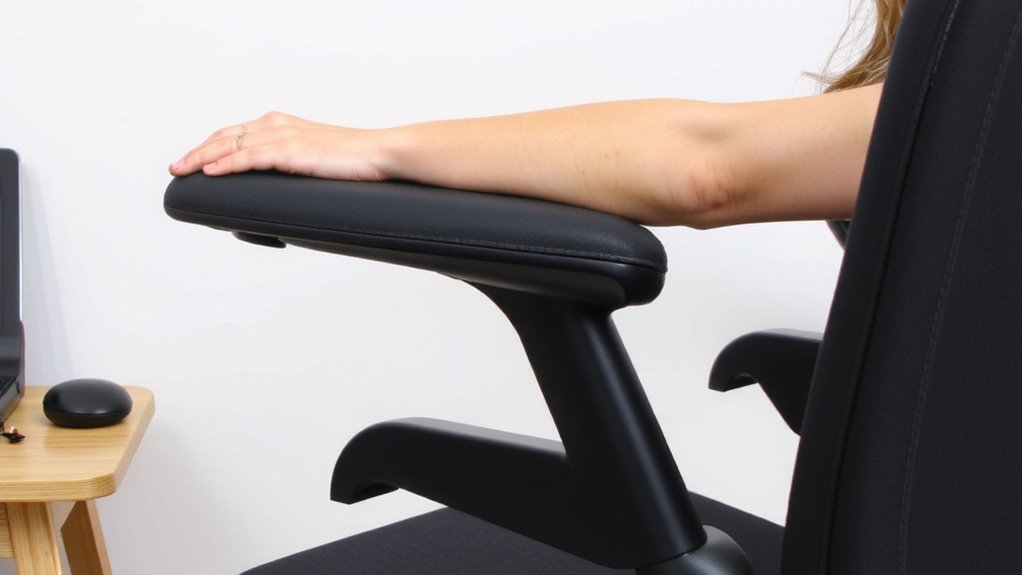
A well-adjusted armrest setup starts with matching the width to your natural shoulder span, and the right fit can make a real difference in comfort and posture over long workdays. You’ll achieve better ergonomic alignment when your arms rest lightly at your sides, elbows bent at 90 degrees, without pulling your shoulders forward or shrugging them up. Most adjustable chairs let you widen or narrow armrests using a lever, dial, or quick-release mechanism-check your model’s range, since some offer only limited width adjustment. For true comfort optimization, the armrests should align with your shoulder joints, not the edge of the seat. Keep in mind: overly wide armrests force you to reach, causing strain, while narrow ones restrict movement and compress your torso. Always test adjustments while seated normally, wearing typical work clothes. Results vary by chair design, so prioritize models with lateral and height adjustability. Tall users may benefit from chairs with extended armrest range to accommodate broader shoulder widths comfortably.
Measure Your Ideal Armrest Position
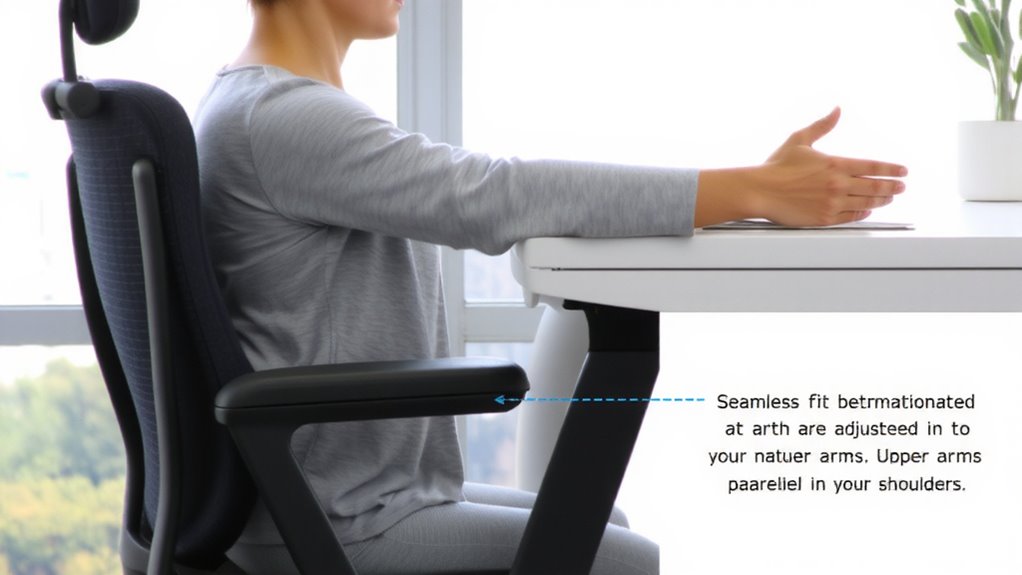
Where should your armrests actually sit for ideal comfort and support? Your ideal armrest position comes from a proper ergonomic assessment and posture analysis. Sit upright in your chair, shoulders relaxed. Your arms should rest at about 90 degrees, elbows near your torso. Measure the distance between your elbow creases-this is your target armrest width. Too narrow cramps your posture; too wide forces shoulder hiking. Here’s a quick guide:
| Body Type | Elbow Distance | Armrest Setting |
|---|---|---|
| Small | 12–16″ | Narrow |
| Medium | 16–20″ | Mid |
| Large | 20–24″ | Wide |
Adjustability matters-look for 4D arms with width control. Remember, even the best settings can’t fix a poor chair. Test adjustments over hours, not minutes. Comfort varies; don’t assume one size fits all.
Armrest Mistakes That Trigger Neck and Shoulder Pain
You’ve measured your ideal armrest width, but even perfect positioning can’t prevent pain if other setup mistakes are at play. If your armrest height is too high, it forces your shoulders up, causing tension; too low, and you’ll hunch, straining your neck. Your elbows should rest at 90 degrees with shoulders relaxed. Poor armrest padding also contributes-thin or hard cushions increase pressure on forearms, leading to fatigue over time. Adequate padding, around 1 to 1.5 inches of dense foam, supports without compression. Remember, even well-placed armrests fail if they’re too stiff or immobile. Test for adjustability: height, width, and pivot matter. Fixed armrests often compromise posture, especially during dynamic tasks. Look for durable materials that resist cracking. There’s no universal fix-your build and desk setup dictate what works. Trade-offs exist in every design, so prioritize adjustability and comfort over aesthetics. Choosing a chair with top-rated ergonomic features can significantly improve long-term comfort and support.
Top Chairs With Width-Adjustable Armrests
Finding the right fit in an office chair often hinges on subtle but critical adjustability features, and width-adjustable armrests are among the most impactful for long-term comfort. Models like the Herman Miller Aeron, Steelcase Leap, and Haworth Zeph come with armrests that slide laterally to match your shoulder width, supporting an ergonomic design that reduces strain. You’ll notice better user comfort during extended sitting if the arms align naturally with your desk and posture. These chairs typically offer 3D or 4D armrests-adjustable in width, height, depth, and angle-though full adjustability often raises the price. While the Aeron’s polymer arms are durable, some users find them less cushioned. The Leap’s padded arms feel better but require more frequent tightening. Most come with a 12-year warranty, backed by extensive real-world testing. Still, measure your shoulder width before buying-ideal armrest spacing usually falls between 16 to 22 inches.
On a final note
You should adjust your armrests to match your shoulder width-it reduces strain and boosts comfort. Set them so your shoulders stay relaxed and elbows bend at 90 degrees. Misaligned armrests can worsen posture and cause pain, even in high-end chairs. Look for 4D armrests with depth, height, pivot, and width adjustments. Test adjustments over hours, not minutes. No chair fixes poor habits, and long-term relief demands consistent, correct use.