Adjusting Chair Tilt Tension to Support Dynamic Sitting Movements
You should adjust your chair’s tilt tension to support smooth, controlled recline that matches your natural movement. Sit back fully, feet flat, and turn the knob under the seat-clockwise to tighten, counterclockwise to loosen-until recline feels responsive but stable. Proper tension keeps your spine aligned and hips supported, reducing fatigue during long sits. It’s especially critical if you’re over 200 lbs, as body weight affects resistance. Settings may shift over time or with clothing, so fine-tune as needed. This balance helps maintain focus and comfort-knowing how to tweak it makes all the difference.
Notable Insights
- Adjust tilt tension to allow smooth recline that matches natural posture shifts during work.
- Locate the tension knob under the seat front and turn clockwise to increase resistance.
- Sit with feet flat and back supported while testing recline to ensure proper hip support.
- Use gradual adjustments to find tension that enables movement without causing slouching or strain.
- Recline repeatedly during tasks to confirm consistent, controlled motion supporting dynamic sitting.
Why Chair Tilt Tension Matters for Healthy Sitting
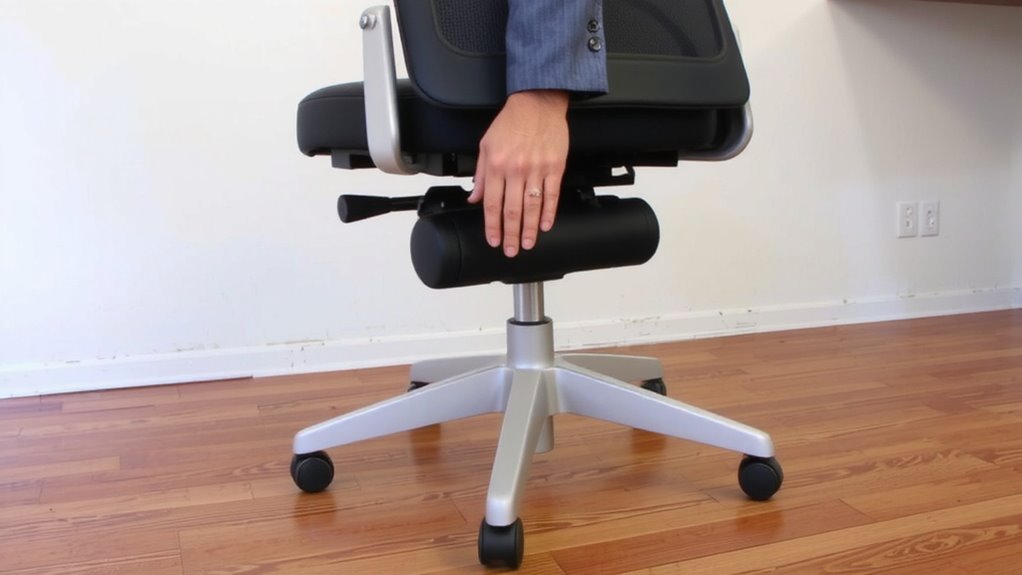
Posture is everything when you’re sitting for hours at a desk, and chair tilt tension plays a key role in supporting it. Proper tension helps maintain ergonomic posture by letting you recline smoothly while keeping your spine aligned. Without it, you’re likely to slouch, forcing your back and shoulders to work harder. This increases muscle fatigue, especially during long workdays. A well-adjusted tilt mechanism supports natural movement, encouraging subtle shifts that reduce strain. But don’t assume more recline is better-excessive tilt without resistance can destabilize your posture. You need balance: enough tension to control motion, but not so much that it feels rigid. Most mid-range and premium chairs offer adjustable tension, tested to support users up to 250–300 lbs. Always check warranty coverage-many brands offer 5- to 12-year protection on tilt mechanisms based on real-world durability testing.
Find Your Chair’s Tilt Tension Control
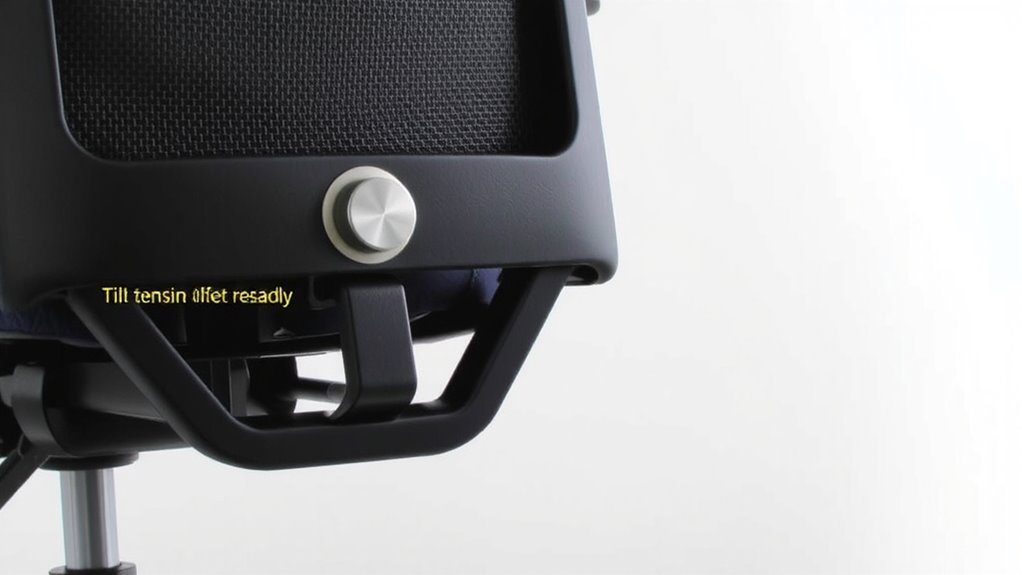
Look under the front edge of your seat pan-that’s where you’ll usually find the tilt tension control, a simple knob or lever that adjusts how hard you need to push to recline. Most ergonomic chairs use a control knob; turn it clockwise to increase resistance, counterclockwise to ease it. Some models place a lever on the right side-check your chair’s base if you don’t see a knob. The lever position can affect how smoothly the mechanism responds to your movements. Don’t assume all chairs place this control in the same spot-design varies by brand and model. Test the feel before finalizing any setting. While a well-placed control knob improves usability, awkward lever position may limit comfort for some users. Always adjust when seated, wearing normal work clothes, to account for realistic posture and movement.
Adjust Tilt Tension in 4 Steps
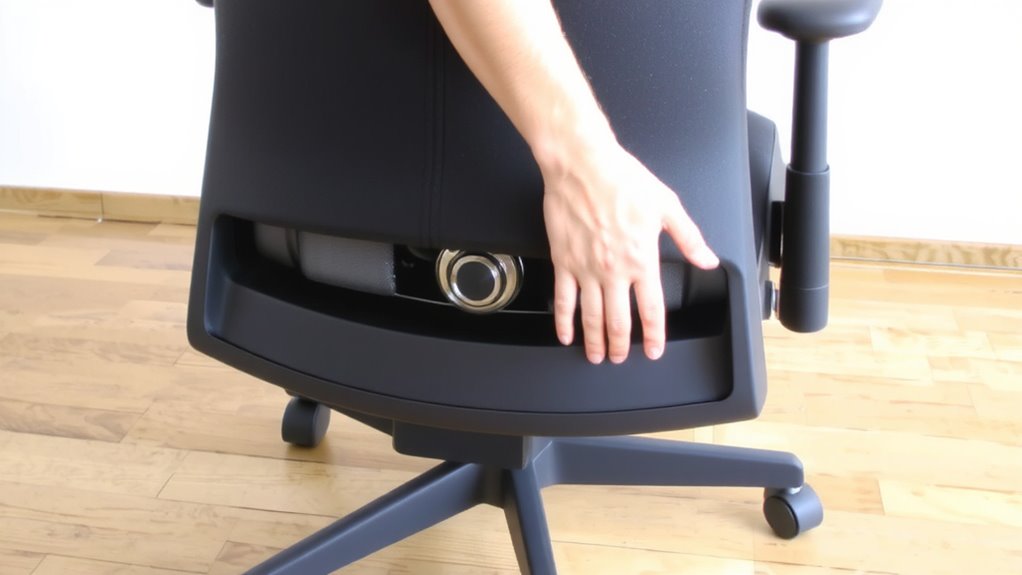
With your chair’s tilt tension control located under the front edge of the seat or on the side, you’re ready to fine-tune it in four straightforward steps. First, sit in your chair as you normally would-feet flat, back against the support. Second, loosen the tension knob counterclockwise if reclining feels too stiff, or tighten it clockwise if the lean is too easy. Third, aim for smooth, controlled movement that matches your posture shifts without locking you in place. Fourth, guarantee the adjustment supports dynamic sitting, where your body stays engaged without strain. Proper tension boosts both seating comfort and ergonomic design by aligning support with your natural motion. But don’t over-tighten-even with great mechanics, forcing resistance can lead to fatigue. Adjust gradually, and expect slight trial and error. The goal isn’t perfection, but better balance between movement and stability through thoughtful, deliberate tuning.
How to Test If Your Chair’s Tilt Feels Right
How does your chair respond when you lean back mid-task? It should move smoothly, offering enough movement resistance to feel controlled but not stiff. You want to maintain seat balance without straining-your hips shouldn’t slide forward or lose support. Sit upright, then recline casually; if the tilt requires too much effort or jerks unevenly, the tension’s off. A well-adjusted chair supports dynamic sitting: you shift, it follows, staying in sync without bouncing or locking unexpectedly. Test it over 5–10 reclines, varying your posture-leaning slightly, then deeper. You should feel stable, not fighting the mechanism or floating aimlessly. Ideal tension matches your weight and preferred angles, letting you pivot naturally. But remember, even perfect settings won’t fix poor ergonomics-your posture and desk setup still matter. Seat balance and movement resistance must work together, not compensate for bigger alignment issues.
Fix Too-Tight or Too-Loose Tilt Tension
Most office chairs let you adjust tilt tension, and getting it right makes a real difference in comfort and control. If leaning back feels too stiff, turn the tension knob counterclockwise-usually under the seat pan-to reduce resistance. This helps maintain ergonomic balance without locking you into one position. If the chair leans too easily, tighten the knob clockwise to improve posture stability, especially during focused work. The ideal setting lets you recline with light pressure while still supporting upright posture when needed. Test it repeatedly: slight adjustments matter, and user weight considerably impacts performance. Some chairs handle a wide range of body types; others struggle beyond their recommended limits. Always verify tilt mechanism durability-cheap springs or worn levers can compromise long-term function. A smooth, repeatable adjustment beats extreme tightness. Keep it functional, not perfect. Real-world use will reveal whether the fix lasts or if the chair’s design limits true adaptability. Choosing a chair with reliable adjustable tilt tension ensures better long-term support for dynamic sitting.
Match Tilt Tension to Your Sitting Style
You’ve got the basics of tilt tension down-loosen it if reclining feels like a workout, tighten it if you’re falling backward too easily-but now it’s time to match that setting to how you actually sit. If you lean back often during posture shifts-like shifting from typing to reading-you’ll want moderate tension that supports movement without locking you in place. Your ergonomic preferences matter: some favor a loose tilt for dynamic sitting, while others prefer firmer resistance to minimize sway and stay alert. But don’t assume looser is better; too little tension can strain your lower back over time. Aim for balance-smooth recline with enough pushback to feel supported. A quality tension knob lets you fine-tune this gradually, so test adjustments over full work sessions. Real-world use shows chairs with adjustable tilt controls outperform fixed mechanisms, especially for varied sitting styles-but only if you take the time to set them right.
When to Readjust Your Chair’s Tilt Tension
Why does your chair feel just right one day and awkward the next? Your body’s needs and daily tasks shift, making regular ergonomic adjustments key to consistent posture maintenance. You should readjust tilt tension when you notice slouching, strain, or excessive reclining. Changes in footwear, work rhythm, or seating duration also signal it’s time for a tweak. For those using a core-engaging chair, proper tilt tension enhances the benefits of active sitting by promoting subtle engagement of postural muscles.
| Trigger | Action |
|---|---|
| Starting a new project | Recheck tilt resistance |
| Sitting longer than 2 hours | Loosen slightly for movement |
| Feeling lower back pain | Increase tension for support |
| Switching to casual shoes | Reduce tension for lighter load |
| After chair cleaning or storage | Recalibrate to ideal setting |
Small changes improve comfort, but avoid over-tightening-this limits dynamic sitting. Effective ergonomic adjustments balance support and flexibility, supporting natural motion without compromising spinal alignment.
On a final note
You should adjust your chair’s tilt tension to match your body weight and sitting habits-it improves posture and reduces fatigue. Use the tension knob under the seat to set resistance so reclining feels smooth, not too stiff or loose. Test by leaning back; it should support movement without locking. Recheck tension if you change seating position or share the chair. Most ergonomic chairs offer this control, but not all adjust precisely-check warranty and build quality when buying.