Calculating Optimal Chair-to-Desk Clearance to Prevent Leg Fatigue
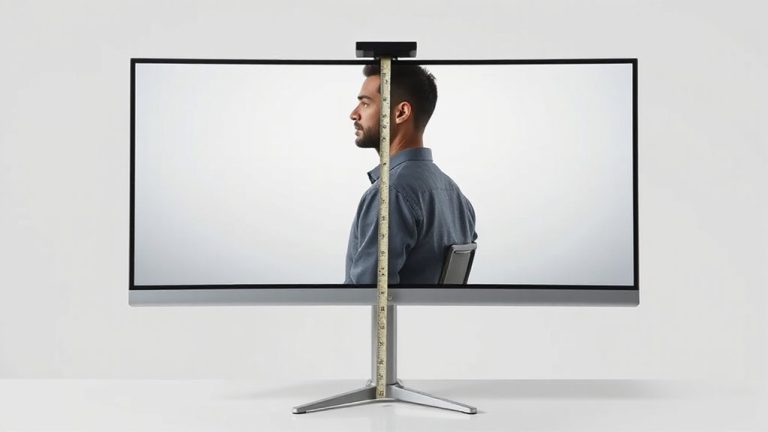
You need 27 to 30 inches of clearance between your chair and desk underside to prevent leg fatigue-this keeps knees bent at 90 degrees and avoids nerve compression behind the knees. Start by measuring from the floor to your seated glutes and guarantee your desk allows 2–3 inches of knee clearance. Adjust seat height so thighs slope slightly downward with feet flat. Avoid stacking risers; they wobble. An adjustable desk helps, but even budget models can work if stable. Getting this right boosts circulation and comfort, especially if you sit for hours-small tweaks here make a noticeable difference over time.
Notable Insights
- Measure from the floor to the seated glutes and ensure at least 27–30 inches to the desk underside for optimal leg clearance.
- Maintain 2–3 inches between knees and desk underside to prevent nerve compression and support proper posture.
- Set seat height between 16–21 inches so thighs slope slightly downward and knees bend at 90 degrees.
- Ensure feet rest flat on the floor or a footrest to promote circulation and reduce leg fatigue.
- Avoid excessive clearance or unstable risers, as they cause slouching and decrease long-term ergonomic stability.
Measure Your Desk-To-Chair Clearance
Most adults need at least 24 inches of vertical clearance between the underside of their desk and the top of their chair seat when seated, but your ideal measurement depends on your height and desk design. Proper clearance guarantees ergonomic alignment, letting your thighs slope slightly downward and knees bend at 90 degrees. This position supports natural posture and improves leg circulation, reducing numbness and swelling during long sitting periods. To measure, sit in your chair and use a tape measure from the floor to where your seated glutes meet the chair top-then compare that to the desk’s underside height. Adjustable desks and chairs offer easier customization, but even fixed models can work if matched correctly. Be mindful: too little space forces legs forward, straining hips; too much raises shoulders, risking arm fatigue. There’s no universal fit-test different setups with actual use, not just static checks, to assess comfort accurately over time. A well-chosen standing desk stool can enhance this ergonomic setup by offering dynamic seating that promotes movement and better posture throughout the day.
Adjust Your Chair for Healthy Legs
Why do your legs feel cramped or tingle by mid-afternoon? Poor chair adjustment can restrict blood circulation and break your ergonomic posture. You need clearance, but balance matters-too high or low causes strain. Adjust your seat to support movement and comfort. Choosing the right ergonomic office chair can make a significant difference in achieving proper alignment and long-term comfort.
| Seat Height | Thigh Angle | Clearance (inches) |
|---|---|---|
| 16–21″ | 90–110° | 3–4″ |
| Low setting | Near 90° | Minimal gap |
| Mid setting | 100° | Ideal 3″ |
| High setting | Over 110° | More than 4″ |
Aim for 3–4 inches under your desk. This range boosts blood circulation and maintains ergonomic posture during long sits. Don’t max out height-your feet must stay flat. Some chairs lack fine control, so test before buying. Even top models fail if poorly adjusted. Real comfort comes from fit, not features.
Fix These Common Clearance Mistakes
While you might assume more legroom under your desk is always better, going too high can disrupt your posture just as much as too little clearance. Proper knee clearance should allow about 2–3 inches between your knees and the desk underside when seated correctly. If the gap’s too large, your thighs won’t get enough support, forcing you to slouch or hover, which leads to fatigue. Adequate thigh support is essential-your chair should carry most of your leg weight, not your lower back. Avoid stacking thick mats or unstable risers; they shift over time and reduce stability. Desks set above 30 inches without adjustable chairs create imbalance, even if knee clearance seems sufficient. Always test the setup seated, feet flat, thighs parallel to the floor. Remember, ideal clearance isn’t maximum-it’s what keeps your posture neutral and supported throughout the day. Consider choosing from the best standing desks for optimal height adjustability and ergonomic design.
Make 5-Minute Comfort Upgrades
A well-placed lumbar roll can transform an ordinary office chair into genuine back support in under five minutes. Paired with smart tweaks like seat depth adjustment and proper footrest height, these upgrades boost comfort without overhauling your workspace.
| Upgrade | Time Required | Key Benefit |
|---|---|---|
| Lumbar roll placement | 2 min | Supports lower back curve |
| Seat depth adjustment | 3 min | Reduces thigh pressure |
| Footrest height setup | 3 min | Aligns hips and knees |
| Monitor tilt | 2 min | Cuts neck strain |
| Armrest leveling | 2 min | Promotes shoulder relaxation |
You’ll need a tape measure and maybe a folded towel if you lack a footrest. Make sure your feet rest flat, knees at 90°. While not all chairs allow deep seat adjustments, most let you shift position. These fixes help, but they’re no substitute for proper desk clearance. Still, in five minutes, you’ll sit noticeably better.
Why Clearance Prevents Leg Fatigue
If you’ve ever felt your legs grow heavy or tingle by midday, insufficient chair-to-desk clearance is likely the culprit. Proper clearance-typically 27 to 30 inches from floor to desk underside-supports ergonomic posture by letting your thighs slope downward and feet rest flat. This reduces pressure behind the knees, where nerves and blood vessels cluster. When your legs are cramped, blood circulation slows, contributing to swelling, numbness, and fatigue. Adequate space guarantees veins and arteries stay unimpeded, maintaining steady flow during long sessions. You’ll stay alert and physically comfortable, but only if the desk height aligns with your seated position. Adjustable desks help, though models under $300 often sacrifice stability. Even with ideal clearance, sitting too long still strains your body. Pair proper clearance with regular movement-no setup replaces the need to stand and stretch every 30 minutes.
On a final note
You should aim for 25–30 cm of clearance between your chair and desk to reduce leg fatigue. This range lets blood flow freely and supports comfort during long sits. Test it by sliding your hand behind your knees-it should fit snugly. Adjustable chairs and sit-stand desks help, but measure your setup first. Some models wobble at max height; check stability. Even the best gear fails if poorly adjusted.