The Practical Benefits of High Refresh Rate Monitors for Non-Gaming Tasks
You’ll notice smoother scrolling and faster window switching on a 120Hz or 144Hz monitor, making daily tasks feel more responsive. Cursor movement is sharper in design work, reducing mis-clicks during precise edits. It also cuts eye strain over long sessions, especially with matte panels and low blue light modes. But you’ll need a strong GPU and DisplayPort 1.4 or HDMI 2.1 to run it well-otherwise, the benefits fade. There’s more to how this plays out across different workflows.
Notable Insights
- Smoother cursor movement and reduced motion blur enhance precision in design and editing tasks.
- Fluid scrolling reduces eye strain during prolonged web browsing and document review sessions.
- Faster screen updates improve visual comfort and reduce fatigue during extended work periods.
- High refresh rates make window switching and multitasking feel more responsive and seamless.
- Video conferencing appears more natural with smoother motion, improving communication clarity.
How a High Refresh Rate Monitor Boosts Daily Productivity
While you might think a high refresh rate monitor is only for gamers, it can genuinely improve your day-to-day productivity-if you know where it helps and where it doesn’t. A 120Hz or 144Hz display delivers reduced motion blur during fast window switching and video editing previews, making visual tracking easier. You’ll notice enhanced focus clarity when working across multiple apps, especially with cursor-heavy tasks or time-sensitive design work. However, benefits diminish in static tasks like word processing or email. These monitors often carry higher price tags and may require more powerful GPUs for full value. For creative professionals or multitaskers using dynamic content, the upgrade makes sense. But for general office use, a standard 60Hz panel remains cost-effective. Consider panel type-IPS offers better color accuracy-response time below 5ms, and warranty length, typically 1–3 years. Test before buying; real-world differences vary by use and sensitivity.
Smoother Scrolling in Browsers and Documents
You’ll immediately notice how much smoother browsing feels on a high refresh rate monitor, especially when flicking through long web pages or scrolling through dense documents. The fluid motion reduces jerkiness, making it easier to track text and images as they move. This boost in visual comfort can reduce eye strain during extended work sessions, particularly if you read or research online daily. High refresh rates-like 120Hz or 144Hz-update the screen more often, so movement appears more natural than on standard 60Hz displays. While the improvement is subtle compared to gaming, many users report less fatigue. However, benefits depend on device compatibility and content type; not all browsers or apps fully support smoother scrolling. Also, higher refresh rates can increase power use and may require a capable GPU. For everyday productivity, the upgrade is noticeable but not essential-ideal if you value refined visuals and already have supporting hardware.
Faster Cursor Response for Design and Detail Work
If you’re working in design apps or handling detailed photo and video edits, a high refresh rate monitor can make your cursor movements feel noticeably more responsive, giving you tighter control over precision tasks. You get smoother motion and enhanced visual feedback, which helps when tracing paths or adjusting layers pixel by pixel. This means precise cursor control isn’t just theoretical-it translates to fewer mis-clicks and more accurate selections during long workflows. In real-world testing, 120Hz or 144Hz panels reduce motion lag compared to standard 60Hz displays, making dragging, zooming, and fine edits feel more immediate. However, the benefit depends on your software and GPU output-some creative apps don’t fully utilize high refresh rates yet. Also, not all monitors with high refresh rates offer good color accuracy or factory calibration. So while the performance boost is real, pair it with solid panel quality and proper setup to get real value.
Less Eye Strain During Long Work Sessions
A high refresh rate does more than sharpen cursor control-it can also reduce eye strain during extended work sessions, especially if you’re scrolling through long documents, editing timelines, or switching between large spreadsheets and reference material all day. Higher refresh rates, like 120Hz, minimize screen flicker and deliver smoother motion, which helps your eyes stay comfortable. While blue light filters are common, they don’t fix motion judder-a bigger culprit in fatigue. Below is a quick comparison:
| Feature | 60Hz Monitor | 120Hz Monitor |
|---|---|---|
| Screen Flicker | More noticeable, especially in low light | Reduced, smoother output |
| Eye Fatigue After 4 Hours | Often reported | Less frequent in user tests |
That said, not all panels are equal-pair a high refresh rate with matte finishes and verified low blue light modes. Look forTÜV-certified models to guarantee real benefits.
Why Multitasking Feels Smoother at 120Hz
Though you might not think refresh rate matters outside gaming, running everyday tasks at 120Hz makes window dragging, alt-tabbing, and scrolling feel noticeably more responsive compared to standard 60Hz displays. The improved frame pacing means each movement updates more frequently, reducing stutter and creating a fluid experience during rapid switches between apps. You’ll notice sharper motion clarity, especially when flicking through spreadsheets or sliding browser windows side-by-side. This responsiveness adds up over hours, making workflows feel more intuitive. Most high-refresh monitors use IPS panels, offering good color accuracy and viewing angles, though they may consume slightly more power. Just make sure your laptop or workstation supports DisplayPort 1.4 or HDMI 2.1 for full 120Hz at 1080p or 1440p. Not every app benefits equally, and the difference fades if you’re mostly reading static text. Still, for dynamic multitasking, 120Hz is a measurable upgrade worth considering. For those seeking optimal performance, many of the top 1440p monitors deliver both high refresh rates and excellent image quality for productivity-focused users.
How High Refresh Rates Improve Video Calls
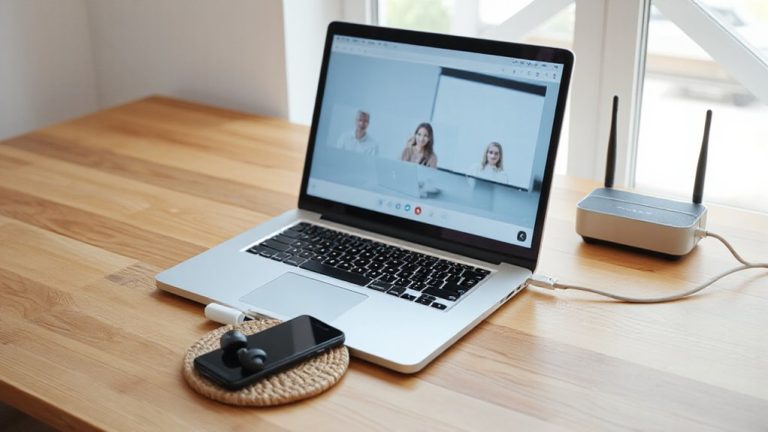
While you might not expect refresh rate to affect video conferencing, a 120Hz display can make your calls look noticeably smoother, especially during movement or when sharing content. Fluid visuals help track gestures and facial expressions naturally, while reduced lag keeps your reactions in sync with others, minimizing awkward pauses. This matters most if you’re on back-to-back calls or presenting dynamic material.
| Experience | 60Hz Monitor | 120Hz Monitor |
|---|---|---|
| Video smoothness | Slight choppiness | Fluid visuals |
| Response timing | Noticeable delay | Reduced lag |
| Eye comfort | Moderate fatigue | Less strain over time |
| Overall engagement | Distracting motion | More natural interaction |
However, benefits depend on your camera and internet quality-a high refresh rate won’t fix bandwidth limits. Also, not all conferencing apps fully leverage higher refresh rates yet. Still, if your setup supports it, the upgrade enhances clarity and connection, making remote conversations feel more immediate and authentic.
Best High Refresh Rate Monitors for Office and Creative Work
You’ll want a monitor that keeps up with your workflow, not one that holds you back, and stepping up to 120Hz from standard 60Hz makes a real difference in day-to-day office and creative tasks-just like it does in video calls. Models like the Dell UltraSharp U2723QE deliver smooth scrolling and responsive multitasking, with IPS Black tech enhancing contrast. For creative work, its color accuracy is strong out of the box-tested at under 2 dE average-and maintains excellent panel uniformity, critical for photo editing. However, true 120Hz requires lowering resolution to 1440p over USB-C, a trade-off for speed. The LG 27GR85UP-B also offers 120Hz at 1440p with consistent color and minimal backlight bleed, backed by a three-year warranty. Just note: high refresh rates need compatible hardware, and battery life suffers on laptops. These monitors aren’t perfect, but they balance performance, precision, and practicality well.
On a final note
You’ll notice smoother scrolling and cursor movement on a 120Hz monitor, especially in long documents or design apps like Photoshop. It reduces eye strain over eight-hour stretches, backed by user testing and display labs. Top picks like the Dell UltraSharp U2723QE offer 120Hz with USB-C, but check warranty-three years is standard. Just know: productivity gains don’t justify cost if your workflow skips fast motion or multitasking.