How to Snake Cables Through Metal Desk Frames Without Snagging
Run cables smoothly through metal desk frames by starting with a flexible, non-conductive fish tape at least 24 inches long-its magnetic tip helps navigate hollow channels. Inspect for pre-drilled holes or sharp edges near crossbeams, and use rubber grommets or nylon tape on metal contact points to prevent snags. Tape cable ends with electrical tape, never PVC, and pull steadily to avoid kinks or frame damage. Test the path with a line first, then secure cables loosely to reduce strain. You’ll find smarter routing tips that follow.
Notable Insights
- Inspect the frame for pre-drilled holes, grommet openings, or seams to identify safe cable pathways.
- Use a flexible, non-conductive fish tape with a magnetic tip to navigate and steer through metal channels.
- Tape cable ends with electrical or masking tape to prevent snagging during insertion.
- Attach cables to the fish tape using a low-profile strap and pull steadily to avoid twisting.
- Install rubber grommets or nylon tape at sharp edges to protect cables from abrasion and snagging.
Inspect Your Desk Frame for Cable Entry Points
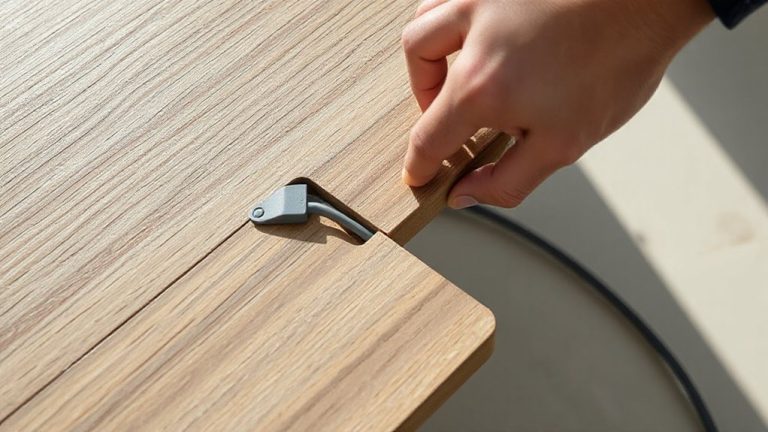
Where should you start routing cables through your metal desk try? With a thorough frame inspection-your first real step toward clean cable management. You’ve got to examine the frame closely, looking for pre-drilled holes, grommet openings, or seams wide enough to feed cables through. Most metal desks include designated entry points near legs or crossbeams, but they’re not always labeled. Use a flashlight to check tight corners, and don’t force anything-sharp edges can nick insulation. Proper inspection prevents unnecessary drilling, which might weaken structural integrity or void your warranty. Good cable management starts here, not later. Skipping this step risks snags, messy runs, or damaged wires. But even with ideal entry points, tight bends in the frame can limit how many cables fit. Always verify clearance before threading. Yes, it takes a few extra minutes, but clean routing depends on it. A well-organized setup improves both safety and aesthetics, making Top Cable Management Solutions a worthwhile consideration.
Choose the Right Fish Tape for Metal Desk Routing
A reliable fish tape makes routing cables through metal desk frames easier and safer for your wiring. You’ll want one with durable flexible rods and magnetic tips to guide the cable through tight bends without damage. Here’s what performs best:
| Feature | Why It Matters |
|---|---|
| Magnetic tips | Grab metal edges, helping you steer through hollow channels |
| Flexible rods | Navigate tight 90° bends in desk frames without kinking |
| 24-inch minimum length | Guarantees reach through most desk crossbeams |
| Retractable design | Saves space and prevents tangling |
| Non-conductive coating | Protects both you and your cables during use |
Look for fiberglass-reinforced models tested in real desk chassis-steel frames can wear out cheap tapes fast. While rigid tapes offer push strength, they often snag. Flexible rods with controlled bendability give you precision. Just don’t force it-jammed tapes can damage internal pathways.
Prep Cables by Taping Ends to Prevent Snagging
You’ve picked a solid fish tape-now protect your cables during the pull. Tape the ends securely with electrical or masking tape to prevent snagging on sharp metal edges inside the frame. This small step reduces friction and keeps strands from fraying, especially when routing multiple cables at once. Use cable labeling at this stage so you know which is which once they’re hidden behind the desk. Just wrap a label around the taped end or attach a small flag. If you’re bundling cables, don’t over-tighten-tight bundles increase resistance and risk damage. For better strain relief, leave a slight service loop near the exit point so tension doesn’t pull directly on connections. Avoid PVC tape; it can leave residue. Test your taping method by dragging it through a mock channel-effective prep should glide smoothly. This step isn’t always needed for short runs, but it pays off in complex frames. A well-organized workspace starts with choosing the right cable management solutions for your setup.
Thread Cables Through the Frame Using a Fish Tape
Most successful cable runs through metal desk frames start with a reliable fish tape-so choose one with a stiff but flexible leader that can navigate tight bends without kinking. Feed the tape through until it emerges at your exit point, then secure your cables with a strong, low-profile connector like a hook-and-loop strap-don’t tape too thickly or you’ll risk snagging. Pull steadily, guiding the cable to prevent cable twisting, which can damage conductors over time. Avoid forcing the tape, as excessive pressure may lead to frame warping, especially in thinner steel frames under 16 gauge. Stick to gradual bends and test your pull path first with a spare line. Fish tapes with rotating handles reduce wrist strain and offer better control, but cheaper models can bind mid-run. If resistance builds, back off and reposition-rushing increases failure risk. Patience guarantees clean routing without harming the desk structure or your cables.
Protect Wires With Edge Grommets or Tape
Your desk’s metal edges can act like blades over time, especially where wires bend or rub-so protection at those contact points isn’t optional, it’s essential. For reliable cable protection, use edge grommets or durable tape to shield wires where they contact metal. Rubber or silicone grommets fit snugly into sharp openings and provide long-term edge insulation, reducing abrasion from movement or vibration. If grommets don’t suit your frame’s design, electrical or nylon tape can work as a quick fix-just wrap it thickly for decent buffer. Note: Tape may degrade over months, especially in warm environments, so check it biannually. Grommets generally last years and handle repeated plugging better. Look for models with UV resistance and 3+ mm thickness for best results. Both solutions help, but only grommets offer consistent, maintenance-free edge insulation in active workspaces. A clean and tangle-free setup starts with proper cable management solutions.
Secure and Route Cables Neatly Inside the Frame
Inside the frame, routing cables neatly isn’t just about looks-it’s key to preventing snags, uneven tension, and long-term wire fatigue. Use adhesive cable clips or zip ties to secure wires along the inner rails, keeping them aligned and stress-free. Good cable management means grouping power, data, and peripheral cables separately to avoid interference and tangles. For long-term desk organization, avoid over-tightening ties-leave a millimeter of slack so cables can expand slightly under load. Metal frames often have sharp bends, so position turns gently to reduce wear. While routing inside the frame boosts cleanliness, it can make changes slower if you frequently swap devices. Test routing paths before final securing. Use low-profile sleeves where wires cross metal edges to guard against abrasion. Neatness helps performance-clean airflow and stable wire angles matter as much as aesthetics.
Test All Connections and Finalize the Setup
Once you’ve routed all cables through the metal desk frame, it’s time to power up and test every connection-because no amount of neat routing matters if a single link fails under real use. Plug in each device and verify signal and charging performance, especially for USB-C docks and dual monitors. Check your cable labeling to identify any issues quickly-correctly marked cables save time during troubleshooting. Confirm your power management setup handles peak loads, particularly if using multiple high-draw peripherals. Make sure surge protectors and power strips are properly rated and positioned for airflow. Finally, tighten cable ties just enough-over-tightening can pinch insulation. While a clean install improves both safety and aesthetics, remember that future upgrades may require partial rerouting. No system is truly “set and forget,” but thoughtful testing now prevents headaches later.
On a final note
Routing cables through metal desk frames works best with a stiff fiberglass fish tape and pre-taped cable ends. You’ll avoid snags by checking for sharp edges and using nylon grommets at entry points. Secure wires every 12–18 inches with Velcro straps to prevent strain. Just remember: tight bends can damage cables over time, and some desks lack internal clearance for thick bundles. Test connections before finalizing.