Integrating Task Lighting Into Desk Height Decisions for Glare-Free Viewing
Set your desk height so the top of your monitor sits at or slightly below eye level to minimize neck strain and screen glare. This alignment lets you position task lighting-aimed at a 30-degree angle from the side or rear-without shining on your screen. Use an adjustable-arm lamp with a swivel head and 4000K LED bulb to match screen brightness and reduce reflections. Test lighting after setting your chair and desk, and guarantee ambient light doesn’t exceed a 3:1 ratio with your desk lamp to prevent eye strain. A stable, clamp-mounted lamp with metal hinges and cable management helps maintain clarity and keeps your setup clean-especially if you’re using a narrow desk. For best results, choose models with at least a 2-year warranty and dimmable output. You’ll see how small adjustments add up when you optimize each element together.
Notable Insights
- Adjust desk height so the top of the screen sits at or slightly below eye level to minimize glare and neck strain.
- Position task lighting from the side or rear to prevent direct glare on the monitor surface.
- Set adjustable lamps at a 30-degree downward angle to illuminate the work area without creating screen reflections.
- Match lighting color temperature to screen glow, ideally using 4000K bulbs to reduce visual contrast and eye fatigue.
- Test lighting and screen setup together after finalizing chair and desk height to ensure balanced, glare-free viewing.
Why Desk Height Causes Screen Glare
Why does your screen glare worse when your desk is too high or too low? Because improper desk height forces your monitor into a poor screen angle, making reflections from lights or windows hit your eyes directly. When your desk forces the screen above or below eye level, you’re not looking straight at the display-you’re looking up or down, increasing glare and straining your neck. For ideal viewing, the top of your screen should be at or slightly below eye level when you’re seated normally. This minimizes reflections and keeps your posture neutral. Even a matte screen helps only so much if the angle is wrong. Adjustable desks make it easier to align monitor height properly, but fixed-height desks require careful chair or riser choices. Raising a monitor with books or stands works, but stability matters. Glare reduction isn’t just about lighting-it starts with alignment between your eyes and screen. Best Standing Desks offer height adjustability that simplifies achieving this optimal screen alignment.
How to Aim Task Lighting Based on Desk Height
Once your desk height is properly matched to your chair and posture, you’ll actually get the most out of your task lighting by aiming it forward and slightly downward at about a 30-degree angle across your work surface. This positioning directs the direct beam where you need it-over your paperwork or keyboard-without casting harsh highlights. Proper angle and height alignment improve shadow control, reducing hand and arm shadows that distract during writing or typing. If your desk is too low or high, the light’s path gets skewed, undermining both coverage and comfort. Adjustable-arm lamps offer the best flexibility for fine-tuning this balance. However, even high-quality fixtures can’t fully compensate for poor ergonomics. Always test lighting after setting your chair and desk, tweaking the arm or head tilt until brightness feels even and focused. Results vary by lamp design, so expect minor adjustments over daily use. For remote work setups, choosing one of the best desk lamps for remote work can significantly enhance both comfort and productivity.
Stop Monitor Glare With Proper Light Placement
While you might not notice it immediately, improper task lighting can create glare on your monitor that strains your eyes and reduces screen visibility over time. You can stop this by adjusting both light direction and bulb temperature. Aim lights so they fall on your work surface without hitting the screen-ideally from the side or rear. Avoid placing lamps directly in front or above your monitor. Use bulbs with a color temperature around 4000K; this neutral white minimizes harsh contrast with your screen’s glow. Cooler temperatures (5000K+) often increase glare, while warmer ones (3000K) may feel dim by comparison.
A well-chosen best desk lamp enhances both comfort and productivity by combining optimal brightness with glare-reducing design.
| Light Direction | Best For |
|---|---|
| Side/rear | Reduces glare |
| Front/overhead | Causes reflections |
You’ll need to test placements based on your desk height and monitor position-what works varies by setup.
Choose Adjustable Lamps That Fit Your Desk
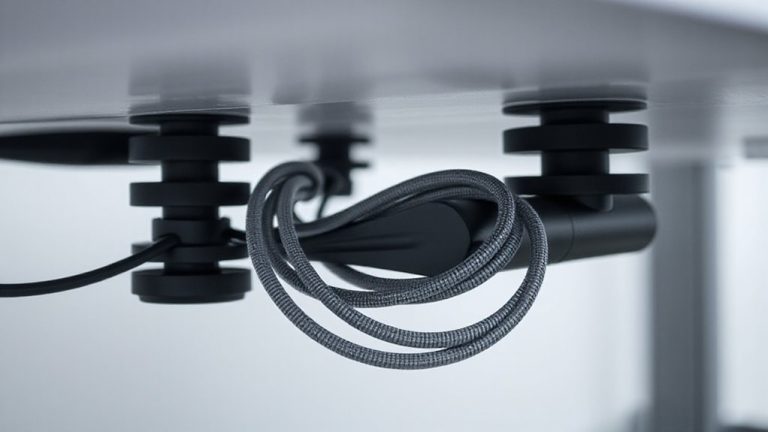
A well-placed lamp makes a real difference, especially after sorting out monitor glare with smart lighting angles and color temperatures. You need an adjustable lamp that moves with your workflow-articulating arms and swivel heads let you aim light precisely without lifting the base. Look for solid lamp stability; a weighted or clamp-on base prevents tipping when you adjust the arm, even on narrow desks. Wobble ruins focus, so check for metal hinges over plastic ones. Cable management matters too-choose models with routed cords or clips that keep wires tidy and reduce clutter. Desks with grommets or under-desk trays pair well with lamps that support clean routing. Avoid ultra-cheap models; they often lack durability and smooth motion. Test warranties-reputable brands offer at least 2 years. Balance flexibility and build quality, and you’ll have task lighting that lasts.
Balance Room and Desk Lighting to Reduce Eye Strain
If you want to minimize eye strain during long work sessions, balancing ambient room lighting with your desk lamp output is essential-you shouldn’t rely on a single bright task light in a dim room. High ambient contrast forces your eyes to constantly adjust, leading to fatigue. Aim for luminance balance: match your desk lamp’s brightness to the surrounding light, ideally keeping differences under a 3:1 ratio. Use dimmable LED bulbs (2700K–4000K) in both overhead fixtures and task lamps to fine-tune output. Floor or wall lamps with diffusers can boost ambient light without glare. Note: too much room lighting may cause washed-out screens. Test configurations during different times of day, as natural light shifts affect contrast. There’s no perfect setting-your ideal setup depends on room size, wall color, and monitor placement. Balance requires ongoing tweaks, but the payoff-reduced eye strain-is worth it.
Quick Glare Fixes Without Changing Your Desk
How often does screen glare turn your afternoon into a squinting marathon? You don’t need to raise or lower your desk to fix it-simple swaps help. Swapping to a screen with matte finishes cuts reflections substantially, especially in bright rooms, though they can make colors look slightly less vibrant. Adding monitor hoods is another proven fix; they block ambient light from the sides and top, boosting contrast. Most fit standard screens without tools, and models with collapsible designs save space when not in use. Just avoid hoods that obstruct airflow or your view. Repositioning your monitor so it’s perpendicular to windows also helps-if you can’t move the desk, pivot the screen. These tweaks deliver fast results, but test them over a full workday. Some matte coatings show fingerprints more, and hoods limit viewing angles. Still, they’re practical, low-cost fixes worth trying first.
On a final note
You’ll cut glare best by matching task lighting to your desk height-place lamps at 16–20 inches tall if using a 28–30-inch desk, angling light away from the screen. Choose adjustable-arm LED lamps with diffused shades to control spill. Balance with ambient room lighting around 300–500 lux. Even quality lights won’t fix poor desk setups, and dimmable models cost more but last longer, often with 3–5 year warranties. Test placements daily; real-world use varies.