Evaluating Chair Depth to Ensure Proper Thigh Support Without Pressure on Knees
You should aim for 1–3 inches between your knees and the seat edge to support your thighs without knee pressure. Sit back fully with feet flat; if the gap’s too small, you risk circulation issues, and if it’s too large, your legs won’t be properly supported. Look for chairs with adjustable depth (15–20 inches) and medium-density foam. Shorter users may need task chairs, while taller ones fit better in office or deep-seat gaming models-just watch for knee clearance. A small recline helps, but don’t sacrifice thigh support. Solutions like seat extenders or lumbar rolls can fine-tune fit, though replacements with proper adjustability often work best long-term. You’ll want to check exact measurements and test firmness based on your weight and leg length. There’s more to optimizing leg comfort than depth alone.
Notable Insights
- Ensure 1–3 inches of clearance between the front edge of the seat and the back of your knees when seated fully.
- Choose a seat depth that supports at least 1 inch of space behind the knees to prevent circulation restriction.
- Aim for thighs to rest fully on the seat with minimal pressure under the knees for optimal support.
- Use adjustable seat depth chairs (15–20 inches) to match your leg length and body proportions accurately.
- Add a seat extender or firmer cushion if the seat is too shallow or too deep for proper thigh alignment.
Measure Your Ideal Seat Depth
You’ll want to get this right-measuring your ideal seat depth is key to avoiding leg fatigue and guaranteeing solid thigh support. Start with a simple seat measurement: sit on the edge of your chair and check the space between the backrest and the back of your knees-about 2 to 4 inches is ideal. This gap guarantees proper thigh alignment, letting your thighs stay roughly parallel to the floor without pressure under the knees. Too little space risks cutting circulation; too much may mean insufficient support along the full length of your thighs. Most office chairs offer 15 to 20 inches of depth, but adjustability varies. Always test sit when possible-don’t rely solely on specs. Keep in mind that seat material and cushion density also affect comfort over time, even with perfect alignment. Measurement accuracy now prevents discomfort later.
Spot the Signs of a Seat That’s Too Deep or Shallow
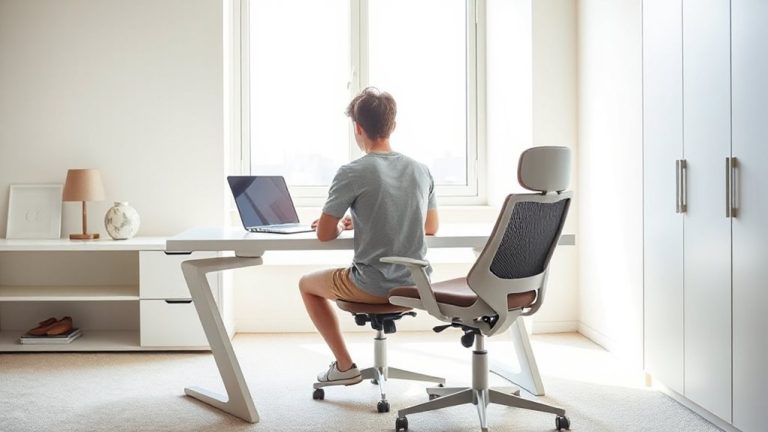
A seat that’s too deep or too shallow disrupts posture and leads to discomfort, no matter how premium the chair seems. If you’re sliding forward during work, you’re likely experiencing seat slippage, a clear sign the depth is too great for your thigh length. This forces you to lean forward, straining your lower back. At the same time, a seat pan pressing into the back of your knees can cause knee strain and reduce circulation. On the flip side, a shallow seat won’t support enough of your thighs, reducing stability and increasing pressure on your sit bones. You’ll feel perched, not seated. Most adults need 1–3 inches between the front edge and their knees. Adjustable seat depth in ergonomic chairs helps, but fixed designs must match your body. Test the fit before buying-comfort isn’t just cushioning, it’s precise fit. Pairing your chair with a well-sized home office desk ensures proper ergonomic alignment from seating to workspace.
Fix (or Replace) Your Chair for Better Leg Support
While some chair flaws can be worked around, a poorly fitting seat depth often demands real change-either by modifying what you have or investing in a better option. If your seat’s too deep, try adding a lumbar roll or firmer cushion to shift your hips forward, improving thigh support. Adjusting cushion firmness matters-too soft, and you’ll sink, risking knee pressure; too firm, and you lose comfort over time. For shallow seats, a seat extender pad can help, though it may limit leg elevation options. Consider reclining slightly to offload pressure, but avoid over-reclining, which reduces thigh support. If fixes don’t work, replacement is reasonable-look for adjustable seat depth (ideally 15–20 inches) and medium-density foam. Test chairs with your typical posture, and check return policies. Long-term comfort outweighs short-term fixes, but not every upgrade justifies the cost. A smooth rolling surface can enhance mobility and reduce strain, so consider pairing your chair with one of the best desk chair mats for a seamless experience.
Office vs. Gaming vs. Task: Seat Depth Compared
When choosing between office, gaming, and task chairs, seat depth plays a bigger role than most realize-especially since your thigh support depends on it. Office chairs typically offer adjustable seat depth, making them strong in ergonomic design for varying leg lengths. Most support 16 to 20 inches, ensuring proper clearance at the knee. Gaming chairs often sacrifice this flexibility; while they feature high-end material durability with thick leather and padding, their seats are usually fixed around 20+ inches-great for taller users but potentially pressing into the back of the knees if you’re shorter. Task chairs tend to run shallow (15–17 inches), ideal for compact spaces or shorter frames, yet may lack adjustability and long-term lumbar support. Don’t assume price equals fit-always check measurements, warranty length, and real-world reviews before deciding based on build or brand alone.
How to Test a Chair for Proper Thigh and Knee Fit
You can’t judge a chair’s comfort by looks alone-actual fit matters most, especially under your thighs and behind your knees. To test for proper thigh and knee fit, sit fully back in the chair with feet flat. There should be 1–3 inches between the seat edge and the back of your knees. Your leg length determines this gap-too short a seat depth leaves support lacking; too long causes pressure. Check cushion firmness: dense foam supports longer thighs without bottoming out, while softer cushions suit lighter users. Shorter individuals may benefit from models designed with shorter seat depths, such as those featured in guides for the best chairs for short people.
| Leg Length | Ideal Seat Depth | Cushion Firmness |
|---|---|---|
| Short | 15–16″ | Medium-Soft |
| Average | 16–18″ | Medium |
| Long | 18–20″ | Firm |
Stop Knee Pressure: Adjust or Modify Your Seat
Why does your chair leave your knees aching after an hour? It’s likely the seat pan is too deep, pressing into the back of your thighs and restricting circulation. To stop knee pressure, adjust or modify your seat now. If your chair has an adjustable depth, slide the seat forward or backward so 1–3 inches of space remain between the edge and your knees. You’ll improve both thigh support and leg elevation. Cushion firmness matters, too-softer foam may feel comfy at first but can compress too much, creating pressure; firmer foam sustains support longer. You might also use a firmer cushion to fine-tune firmness without replacing the chair. While modifying seat depth or adding under-knee padding helps, some chairs simply don’t offer enough adjustability. Always test changes over a full workday to gauge real-world comfort, and check warranty coverage before altering built-in parts.
On a final note
You’ll want a seat depth between 15 and 18 inches for proper thigh support without knee pressure. If you’re over 5’8″, a deeper seat usually works better; under 5’4″, go shorter. Look for chairs with adjustable depth or a waterfall edge to reduce leg strain. Test the fit by sitting back fully-two to four fingers should fit under your thighs at the front. Cheap models often cut corners on adjustability, so check return policies before buying.