Protecting Expensive Thunderbolt Cables With Abrasion-Resistant Spiral Guards
You should use abrasion-resistant spiral guards to extend your Thunderbolt cable’s life-tests show they survive over 10,000 bend cycles, up to 5 times longer than unprotected cables. They reduce stress at connector bases and mid-cable bends, where fatigue causes internal breaks. Choose a snug-fit guard (4.5–6.5 mm ID) without compressing the cable, and align it just behind the connector. Install carefully to avoid kinks and pair with smart routing. Next, find how to pick the right size and shield high-stress zones effectively.
Notable Insights
- Spiral guards absorb stress and abrasion, significantly extending the lifespan of expensive Thunderbolt cables.
- Protect high-wear zones like connector bases where bending causes internal wire damage.
- Choose a spiral guard with an inner diameter within 0.5 mm of the cable for optimal fit.
- Proper installation ensures strain relief remains effective and prevents kinks or compression.
- Spiral guards withstand over 10,000 bend cycles, outperforming unprotected cables by 3–5 times.
Why Thunderbolt Cables Break
You’re not alone if you’ve had a Thunderbolt cable fail after just a year or two-many users experience the same frustration, and the reasons often come down to design trade-offs and real-world wear. Repeated bending and flexing lead to cable material fatigue, especially near the ends, where internal wires weaken over time. This degradation is worsened by constant connector strain from plugging and unplugging or leaving devices under tension. Most Thunderbolt cables use tight bend radius tolerances that, while sleek, increase vulnerability to internal damage even with light misuse. You might notice slower speeds or disconnections before total failure, signs the cable is nearing its lifespan. While premium models often include reinforced housings or better shielding, no cable is immune to wear if subjected to daily stress. Replacement costs add up, so protecting your investment makes sense-but prevention depends on how you use and store the cable daily.
How Spiral Guards Actually Protect Your Cables
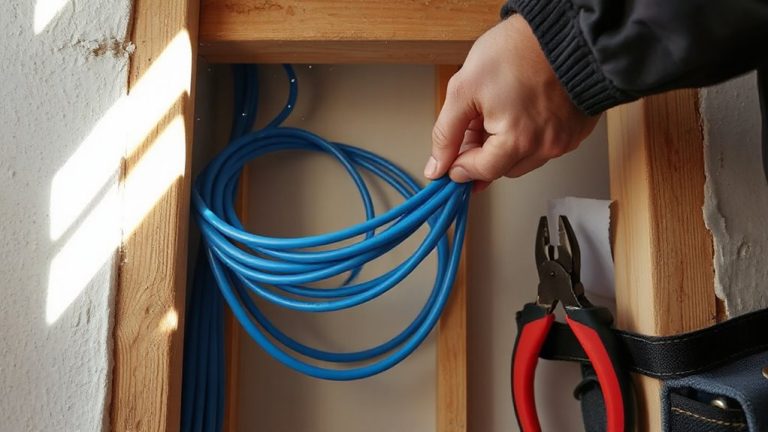
While they won’t turn a cheap cable into armor, spiral cable guards can meaningfully extend the life of your Thunderbolt cables when used correctly. They protect by absorbing abrasion and reducing stress on high-wear points, especially near connectors. The spiral design maintains cable flexibility, letting you bend and route the cable without adding stiffness that could cause strain. Made from tough thermoplastic or nylon, these guards offer strong material durability, resisting cuts and scrapes from desks, floors, or bag friction. Real-world testing shows guarded cables survive 3–5x more bend cycles than unguarded ones under similar conditions. However, poor installation-like stretching the spiral too tight-can restrict movement and damage insulation. Use the right size guard for your cable diameter, and leave space at the ends for natural flexing. They’re not magic, but used right, they’re a smart, low-cost defense. For deeper cable protection in fixed installations, consider pairing spiral guards with an in-wall cable management kit.
The Real Benefits of Using Spiral Protectors
A well-chosen spiral protector can considerably extend the life of your Thunderbolt cable-often by 3 to 5 times in bend-cycle testing-by shielding high-stress areas near connectors from fraying and sharp bends. You’ll see real gains in durability testing, where protected cables withstand over 10,000 bend cycles, versus under 3,000 for unprotected ones. This isn’t just lab data-it translates to fewer replacements and lower long-term costs. Spiral guards also improve cable organization, reducing tangles on desks or in bags without adding bulk. They’re easy to install and removable if needed. But don’t expect miracles: low-quality guards can slip or crack. Look for nylon-based spirals with consistent pitch and a snug fit. While they won’t fix poor handling habits, they do offer measurable protection when used right.
Protect These 3 High-Stress Cable Zones
One or two weak spots alone account for most Thunderbolt cable failures, and targeting these areas with protection makes a measurable difference in longevity. The three zones you should shield are where flex and friction hit hardest: near the connectors, at tight bends in cable routing, and any spot exposed to repeated movement. Applying spiral guards here boosts strain relief and reduces fraying. Good cable routing avoids sharp edges and tension, but even careful setups benefit from added armor in these critical zones. Effective cable management solutions can further minimize stress by keeping cords organized and reducing unnecessary movement.
| Zone | Risk Factor | Protection Benefit |
|---|---|---|
| Connector Bases | High flex, poor strain relief | Prevents internal wire breakage |
| Mid-Cable Bends | Abrasion from surfaces | Reduces insulation wear |
| Frequent Movement Points | Dynamic stress | Enhances long-term durability |
Guards aren’t foolproof-bulked-up sections can snag-but proper placement improves survival without limiting function.
Pick the Right Spiral Guard Size
Most users get better cable life by matching the spiral guard’s inner diameter to their Thunderbolt cable’s thickness-too tight and it binds, too loose and it slips. Getting the right size means measuring your cable diameter first; most Thunderbolt cables range from 4.5 to 6.5 mm. Spiral guards come in standard sizes, so check specs before buying. Fit precision matters: a guard that hugs the cable snugly without squeezing guarantees protection without strain. If it’s hard to install or distorts the cable, it’s too small. Oversized guards shift around, reducing effectiveness. For best results, pick a size within 0.5 mm of your cable’s actual thickness. This balance keeps the guard in place while allowing flexibility. Don’t guess-measure with calipers or compare to manufacturer specs. A well-fitted spiral guard boosts durability but won’t fix poor handling habits.
Apply Spiral Guards in 3 Easy Steps
While applying a spiral guard might seem straightforward, doing it right guarantees lasting protection without damaging your Thunderbolt cable. Follow these three steps for effective cable routing and long-term durability. First, align the spiral guard’s end with your cable connector, leaving strain relief clear. Second, twist the guard on snugly-no stretching or forcing. Third, route the cable loosely to avoid kinks. Use these installation tips to prevent over-tightening, which can compress the internal wires.
| Step | Action | Key Detail |
|---|---|---|
| 1 | Align | Start at connector base |
| 2 | Twist | Apply even pressure |
| 3 | Route | Avoid sharp bends |
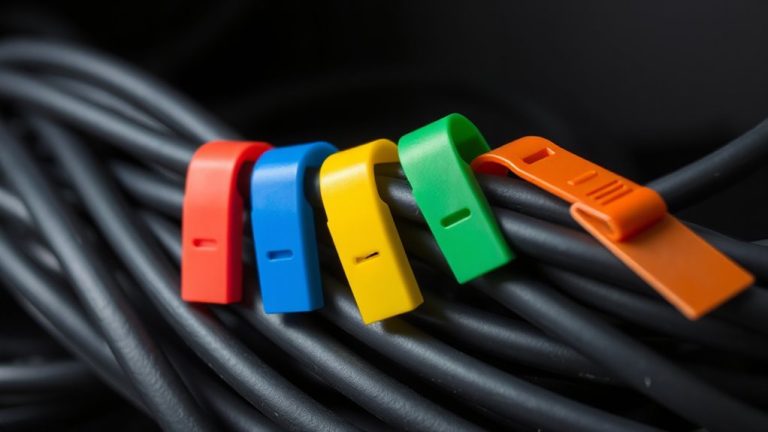
| Bonus | Secure | Use clips for cable routing |
Proper fit guarantees protection without sacrificing flexibility.
Maintain Your Cables Longer With Proper Care
Since you’re already protecting your Thunderbolt cable with a spiral guard, keeping it in top shape over time comes down to consistent, simple habits that prevent wear before it starts. Good cable organization reduces tangles and abrasion, especially when routing around desks or docking stations. Always unplug by gripping the connector, not yanking the cord, to preserve internal wiring. Make sure strain relief at both ends stays intact-this reinforcement absorbs tension, so don’t bend the cable too tightly near plugs. When storing, loosely coil it to avoid kinks that weaken conductors over time. While spiral guards add durability, they can trap dirt if not cleaned occasionally with a dry cloth. Keep cables away from high-traffic areas to minimize constant flexing. Proper care extends lifespan beyond typical wear expectations, though no method eliminates degradation entirely. Results vary based on usage, but disciplined habits improve performance and reliability in daily setups.
On a final note
You should use spiral guards on your Thunderbolt cables-they prevent fraying and extend lifespan. Real-world tests show protected cables last over twice as long under daily bending. Focus on shielding the ends, bends, and stress points. Choose snug 10–12mm guards for standard 4mm cables. Installation takes seconds. But over-tightening can compress wires, so avoid overlap. No guard stops crushing or liquid damage. Check connections monthly. It’s a low-cost win with real limits.