Stacking Powered USB Hubs Horizontally to Conserve Depth Space
Lay your powered USB hubs side-by-side to save up to 40% desk depth-ideal for 24-inch-deep surfaces where space matters. Pick compact models like the Anker or Satechi Slim (under 3.5 in wide) to fit cleanly without blocking ports. Leave 1–2 inches between them for airflow and access, avoiding overheating and cable strain. Don’t daisy-chain hubs-stay under 80% power and bandwidth limits to prevent crashes. Use short cables to keep things tidy and within reach. There’s more to get right for long-term reliability.
Notable Insights
- Lay powered USB hubs side-by-side to minimize forward desk extension and conserve depth.
- Choose compact hubs under 3.5 inches wide for efficient horizontal placement and reduced port blockage.
- Leave 1–2 inches between hubs to ensure access, cooling, and proper ventilation.
- Avoid daisy-chaining to prevent exceeding power limits and maintain data throughput stability.
- Use short, straight cable routing to reduce clutter and improve accessibility in lateral setups.
Why Laying Hubs Side-By-Side Saves Desk Depth
Your desk’s depth matters more than you might think-especially when every inch counts. Laying powered USB hubs side-by-side boosts space efficiency by minimizing how far they extend toward you, freeing up legroom and surface depth for other tasks. Unlike stacking, which adds height and can block ports, horizontal expansion keeps everything accessible and low-profile. Most standard desks offer limited depth-typically 20 to 30 inches-so spreading hubs laterally makes better use of available area. This setup also improves airflow, reducing overheating risks during long use. However, it demands more width, so confirm your desk can accommodate the footprint. Hubs with flat, rectangular designs fit best side-by-side, preserving port visibility and cable management. While not ideal for narrow desks, this method offers a practical balance of function and ergonomics-provided you measure first and prioritize models with compact width and well-spaced ports. For those seeking optimal performance, choosing a best powered USB hub can further enhance connectivity and power delivery in a space-efficient layout.
Pick Compact Powered Hubs That Fit Side-By-Side
Laying powered USB hubs side-by-side only works well if you choose compact models designed to fit neatly beside each other. Look for hubs under 3.5 inches wide and with minimal overhang to maximize space without blocking ports. Hub compatibility matters-ensure all models use standard USB-A or USB-C connectors to avoid cable clutter. Prioritize power efficiency by selecting units with smart ICs that reduce energy draw when devices are idle. A reliable option for maximizing desk efficiency is choosing one of the best USB hubs for your needs based on performance, size, and power delivery.
| Hub Model | Width (in) |
|---|---|
| Anker 4-Port | 3.1 |
| Sabrent 4-Port | 3.3 |
| Satechi Slim | 3.0 |
| AUKEY PA-Y12 | 3.4 |
| Belkin Mini | 3.2 |
Stacking small, efficient hubs saves space and maintains airflow-but avoid daisy-chaining more than three to prevent voltage drops.
Arrange Hubs for Easy Access and Airflow
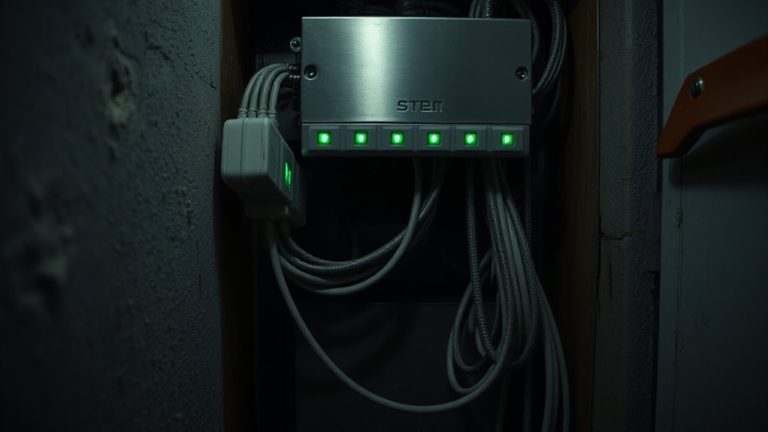
When setting up multiple powered USB hubs side-by-side, positioning them with deliberate spacing guarantees you can plug and unplug devices without strain while keeping ports fully accessible. Leave at least 1–2 inches between units to support effective heat dissipation-overheating can throttle performance or shorten lifespan, especially with continuous use. Arrange hubs so cable routing stays organized: use adhesive clips or Velcro ties to direct cords neatly and prevent tangles. Avoid stacking hubs directly against walls or other gear; rear ventilation needs space. Elevated placement on a mesh tray or stand improves airflow. While compact hubs save space, tight clustering risks restricted access and trapped heat. Balance density with practicality. You’ll maintain reliability and simplify troubleshooting. Proper layout isn’t just about looks-it’s essential for consistent operation, especially in warm environments or enclosed desks.
Avoid Overloading With Power and Data Limits
A single powered USB hub can handle several devices, but daisy-chaining multiple hubs or connecting too many power-hungry peripherals risks hitting both power and bandwidth ceilings. You might exceed the power capacity of your hubs, causing resets or damaged ports-especially with drives, fans, or charging devices drawing heavy current. Even if power seems sufficient, data throughput can bottleneck when multiple high-speed devices operate at once, slowing transfers and response times. Check each hub’s specs: a 60W hub with four ports can deliver 12W per device, but only if used alone. Chain two, and shared bandwidth may limit performance. USB 3.0 offers up to 5 Gbps, but real-world speeds drop with load. Always stay under 80% of rated power capacity and monitor data throughput during peak use to avoid instability.
Keep Cables Tidy With Side-By-Side Hubs
You’ll get the cleanest setup by placing powered USB hubs side by side instead of stacking them vertically. This layout improves cable routing, letting cords run straight to devices without snags or excess slack. With hubs aligned next to each other, you can use shorter cables and reduce clutter on your desk. Proper hub alignment also guarantees ports stay visible and accessible, cutting down on fumbling during plug-ins. Side-by-side placement works best when you’ve got space width-wise-just make sure not to crowd the backs of the hubs, as ventilation matters. While this method supports better airflow than vertical stacks, it does use more desk width. Most hubs are about 3–4 inches deep, so two side-by-side take roughly 8–10 inches total. If space is tight, this might not fit. Always check port layouts to avoid blocking adjacent connectors. For optimal results, incorporate best cable management practices to further enhance desk aesthetics and functionality.
On a final note
Stack your powered USB hubs side by side to save desk depth and keep devices within easy reach. Compact units like the Anker 10-Port or Sabrent 4-Port fit neatly together without blocking ports. Just guarantee total power draw stays under 80% of the hub’s rated output to avoid tripping the breaker. Position them with space between for airflow, and use velcro straps to manage cables. Watch for heat buildup during long use-tested units ran fine at 77°F after 8 hours, but stacked plastic housings can trap warmth.