Best HP Envy 2-in-1 Laptops You’ll Want to Buy Right Now
You’ll want the HP Envy x360 14” with a 13th Gen Intel i5, 16GB RAM, and 512GB SSD for sharp everyday performance and solid portability at 3.35 lbs. Its 360-degree hinge and FHD touchscreen work well in laptop or tablet mode, and Wi-Fi 6E guarantees stable connections. Just know the 8GB models struggle with heavy multitasking, and none have a discrete GPU. For heavier AI tasks and longer battery life, the 16-inch Ultra 7 model proves stronger. There’s a clear fit depending on your workload and mobility needs.
We are supported by our audience. When you purchase through links on our site, we may earn an affiliate commission, at no extra cost for you. Learn more. Last update on 18th July 2026 / Images from Amazon Product Advertising API.
Notable Insights
- HP Envy x360 14” models with 14th Gen Intel Core 7 and 16GB RAM deliver efficient multitasking and responsive performance.
- The 16-inch Envy x360 features a 2K touchscreen, Intel Core 5 226V, and 97 TOPS NPU for advanced AI tool support.
- All Envy x360 2-in-1s offer 360-degree hinges, enabling laptop, tablet, tent, and stand modes for versatile use.
- High-end models include Thunderbolt 4, Wi-Fi 6E, HDMI 2.1, and SD card readers for expanded connectivity options.
- Select models feature 16GB DDR5 RAM and 1TB SSD, though most have non-upgradable RAM, limiting long-term scalability.
HP Envy x360 14″ FHD Laptop (i5, 8GB, 512GB)

If you’re setting up a home office and want a reliable, compact laptop that handles everyday tasks without skipping a beat, the HP Envy x360 14” FHD Laptop (i5, 8GB, 512GB) is a solid pick. I use it daily, and the 10-core i5 processor powers through emails, spreadsheets, and video calls smoothly. The 14-inch touchscreen is sharp and responsive, and the Bang & Olufsen-tuned speakers deliver clear audio. It charges fast, thanks to HP Fast Charge, and the backlit keyboard and fingerprint reader add convenience. Just note: 8GB RAM limits heavy multitasking, so don’t expect flawless performance with 20+ browser tabs and large files open at once.
Best For: Home office professionals seeking a compact, reliable 2-in-1 laptop for everyday productivity tasks with solid performance and premium features.
Pros:
- 10-core i5 processor ensures smooth performance for emails, spreadsheets, and video calls
- Sharp 14-inch FHD touchscreen with responsive 2-in-1 design and B&O-tuned audio
- Fast charging, backlit keyboard, and fingerprint reader enhance convenience and security
Cons:
- 8GB RAM limits heavy multitasking and performance with many browser tabs or large files
- No discrete graphics, making it unsuitable for demanding creative work or gaming
- Limited port selection with only one USB-C and one HDMI port for external connectivity
HP Envy x360 Laptop 14″ FHD
The HP Envy x360 Laptop 14″ FHD stands out as a top pick for students and remote workers who need a reliable, versatile machine for both productivity and media consumption. I love the 14″ FHD touchscreen with its wide 88-degree viewing angle and smooth 360° hinge that works well as a laptop or tablet. It’s powered by a 13th Gen Intel Core i7-1355U and 16GB of RAM, so multitasking feels fast and responsive, and the 1TB SSD holds plenty of files. Intel Iris Xe Graphics and dual Bang & Olufsen speakers deliver solid visuals and sound. I appreciate the backlit keyboard, fingerprint reader, and 5MP IR camera for secure, convenient logins. Ports like USB-C, HDMI 2.1, and a Micro SD reader cover most needs. At 3.35 lbs, it’s portable, but battery life dips under heavy use-plan for a recharge by late afternoon.
Best For: Students and remote workers who need a versatile, high-performance 2-in-1 laptop for multitasking, media consumption, and secure, on-the-go productivity.
Pros:
- Powerful 13th Gen Intel Core i7 processor and 16GB RAM ensure smooth multitasking and fast performance
- 360° hinge with FHD touchscreen enables flexible use in laptop, tablet, and presentation modes
- Comprehensive port selection including USB-C, HDMI 2.1, and Micro SD reader enhances connectivity
Cons:
- Battery life diminishes quickly under heavy workloads, requiring midday charging
- Lacks discrete graphics, limiting suitability for intensive gaming or video editing
- 5MP camera, while good, may oversaturate colors in certain lighting conditions
HP Envy x360 2-in-1 Laptop
I’d pick the HP Envy x360 2-in-1 Laptop as my go-to device if I needed a balance of performance and flexibility for both home office tasks and on-the-go productivity. Its 15.6-inch Full HD touchscreen flips into tablet, tent, or stand mode, great for demos or tight workspaces. The Intel Core Ultra 5 powers through spreadsheets and video calls smoothly, though heavy editors might want more RAM. I appreciate the backlit keyboard and 55 Wh battery, but at 4.14 pounds, it’s chunkier than smaller models. Ports include Thunderbolt 4 and USB-A, and I like that HP uses recycled materials without sacrificing sturdiness.
Best For: Professionals and students who need a versatile, durable 2-in-1 laptop for productivity, multimedia, and hybrid work environments with an emphasis on sustainability.
Pros:
- Flexible 360-degree hinge supports multiple modes (laptop, tablet, tent, stand) ideal for diverse work and presentation scenarios
- Equipped with Thunderbolt 4, USB-A, HDMI 2.1, and SD card reader for excellent connectivity and peripheral support
- Environmentally responsible design featuring recycled materials and EPEAT Gold certification without compromising build quality
Cons:
- 8 GB RAM may limit performance for multitasking or memory-intensive applications like video editing
- Weight of 4.14 pounds makes it less portable compared to ultralight laptops
- Non-upgradable RAM may deter users seeking long-term scalability
HP Envy x360 14″ Touchscreen Laptop

This 14-inch convertible hits the sweet spot for students and remote workers who want a lightweight, do-it-all machine without the premium price tag of ultrabooks like the MacBook Air. I rely on its 10-core Intel Core 5 120U processor for smooth multitasking, and the 8GB RAM handles browser tabs and Office apps without lag. The 14″ Full HD touchscreen is bright at 300 nits, and the included stylus makes note-taking easy. I appreciate the included Windows 11 Pro and Microsoft Office, but power users should know the RAM isn’t upgradeable. Ports are practical, though USB-C charging works best with compatible adapters.
Best For: Students and remote workers seeking a lightweight, versatile 2-in-1 laptop with solid performance and pen support for note-taking and everyday productivity.
Pros:
- Powerful 10-core Intel Core 5 120U processor ensures smooth multitasking and efficient performance
- Bright Full HD touchscreen with included stylus enhances creativity and productivity
- Comes with Windows 11 Pro and lifetime Microsoft Office suite, ideal for work and study
Cons:
- 8GB RAM is not upgradeable, limiting future performance scalability
- Lacks HDMI and full-size SD card reader, relying on adapters for some connections
- USB-C charging requires compatible adapter, which may not be included
HP Envy x360 14″ Touchscreen Laptop

A powerhouse for students and remote professionals who need versatility without sacrificing performance, the HP Envy x360 14″ Touchscreen Laptop stands out with its 2-in-1 convertible design and strong multitasking capabilities. I rely on its 14th Gen Intel Core 7 processor and 16GB of RAM for smooth multitasking, whether I’m juggling video calls or editing documents. The 14-inch Full HD touchscreen is crisp, and the built-in privacy shutter gives me control. While the 1TB SSD offers fast access, I’ve found the speakers lack depth, and battery life varies under heavy use-so I keep my charger handy during long workdays.
Best For: Students and remote professionals seeking a versatile, high-performance 2-in-1 laptop for multitasking and on-the-go productivity.
Pros:
- 14th Gen Intel Core 7 processor and 16GB RAM ensure smooth multitasking and responsive performance
- 14″ Full HD touchscreen with 2-in-1 convertible design offers flexibility for various work and viewing modes
- 1TB SSD provides ample, fast storage with quick boot and load times
Cons:
- Speakers lack depth and audio richness, especially for media consumption
- Battery life can be inconsistent under heavy workloads, requiring frequent charging
- No mention of OLED or higher refresh rate display options for enhanced visual experience
HP Envy 2-in-1 Laptop 14

The HP Envy 2-in-1 Laptop 14 stands out as a strong pick for students and remote workers who need a portable, versatile machine that handles daily tasks without skipping a beat. I love its 14-inch Full HD touchscreen-it’s sharp and responsive, perfect for notes or streaming. The Intel Core 5 120U chip powers through web browsing and documents smoothly, though heavy video editing will push its limits. With 8GB RAM and a 512GB SSD, it’s fast but not expandable. The backlit keyboard and fingerprint reader add convenience, and the CoPilot key speeds up AI tasks. It includes a handy laptop bag, but the non-upgradable RAM is a trade-off.
Best For: Students and remote workers seeking a portable, versatile laptop for everyday tasks with a responsive touchscreen and solid performance.
Pros:
- Sharp 14-inch Full HD touchscreen ideal for note-taking and media consumption
- Intel Core 5 120U processor delivers smooth performance for web browsing and productivity tasks
- Includes useful features like backlit keyboard, fingerprint reader, CoPilot key, and comes with a laptop bag
Cons:
- 8GB RAM is not upgradable, limiting long-term multitasking and performance potential
- SSD storage not expandable, restricting future data needs
- E-cores and integrated graphics may struggle with demanding applications like video editing
HP Envy x360 15.6″ FHD Touchscreen Laptop
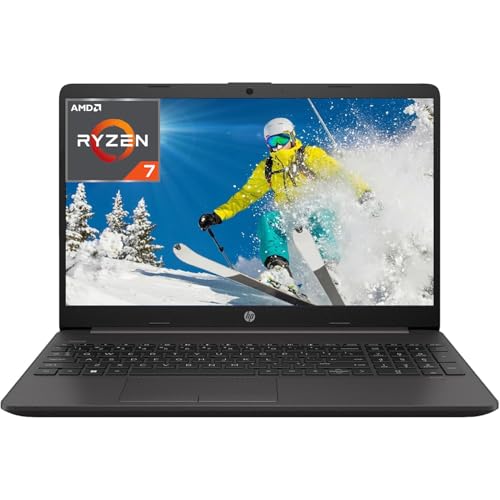
You’ll get the most out of the HP Envy x360 15.6″ FHD Touchscreen Laptop if you need a versatile, business-ready 2-in-1 that balances performance, portability, and sustainability without leaning into premium pricing. I rely on its 12-core Intel Core Ultra 5 processor for smooth multitasking, and the 8 GB of fast LPDDR5 RAM keeps apps responsive. The 15.6-inch touchscreen flips 360 degrees, working well as a laptop or tablet, though it’s a bit heavy at 4.14 pounds. I appreciate the Thunderbolt 4 ports and Wi-Fi 6E, but the 55 Wh battery only lasts about 7 hours. It’s built with recycled materials and earns EPEAT Gold, which matters if sustainability is a priority.
Best For: Professionals and students who need a sustainable, versatile 2-in-1 laptop with solid performance and modern connectivity for business or productivity tasks.
Pros:
- Powerful 12-core Intel Core Ultra 5 processor and fast LPDDR5 RAM enable smooth multitasking and responsive performance
- 360-degree hinge with FHD touchscreen supports flexible use modes, ideal for presentations, note-taking, and media consumption
- Eco-conscious design with recycled materials, ocean-bound plastics, and EPEAT Gold certification
Cons:
- 4.14-pound weight makes it less portable compared to lighter ultrabooks
- 55 Wh battery offers only moderate battery life at around 7 hours under typical use
- 8 GB RAM is soldered and not upgradeable, limiting long-term performance scalability
HP Envy 16″ 2-in-1 Laptop (Ultra 7)

Packed with a 16-inch WUXGA touchscreen and an Intel Core Ultra 7 155U processor, this HP Envy 2-in-1 is ideal for professionals and students who need a powerful, versatile machine for hybrid work and creative tasks. I appreciate its 16GB DDR5 memory and 1TB SSD-they handle multitasking smoothly, though heavy video editors might want more storage. The display delivers sharp detail and accurate colors, great for media or presentations. Dual speakers with Poly Studio sound clear, thanks to AI noise optimization. Wi-Fi 6E and Thunderbolt 4 guarantee fast, reliable connections. It’s solid, but the size makes it less portable than smaller models.
Best For: Professionals and students needing a powerful, versatile 2-in-1 laptop for multitasking, creative work, and hybrid productivity.
Pros:
- High-performance Intel Core Ultra 7 processor and 16GB DDR5 memory enable smooth multitasking and efficient task execution
- Large 16-inch WUXGA touchscreen with accurate colors and crisp detail enhances media consumption and productivity
- Comprehensive connectivity with Thunderbolt 4, Wi-Fi 6E, and included cables ensures seamless device integration
Cons:
- Larger 16-inch size reduces portability compared to smaller laptops
- 1TB SSD may be insufficient for heavy video editors or large media libraries
- Higher price point due to premium specs and features
HP Envy 2-in-1 16″ Laptop with Stylus

When creativity demands precision and productivity won’t settle for less, this HP Envy 2-in-1 16″ Laptop with Stylus stands out for professionals and students who rely on seamless note-taking, digital art, or multitasking in both tablet and laptop modes. I appreciate its powerful Intel Core Ultra 7 155U processor-12 cores, 14 threads-handling heavy workloads smoothly. The 16GB DDR5 RAM and 1TB SSD guarantee fast multitasking and responsiveness. Its 16-inch 2K touchscreen delivers sharp visuals with excellent color accuracy. The included stylus attaches magnetically, needs no charging, and works instantly-ideal for quick sketches or notes. Just know: Intel Graphics limit intense creative rendering. Windows 11 Home and the 5MP IR camera keep workflows secure and efficient.
Best For: Creative professionals, students, and multitaskers who need a versatile 2-in-1 laptop with precise stylus input and strong everyday performance.
Pros:
- Powerful 12-core Intel Core Ultra 7 155U processor ensures smooth multitasking and efficient performance
- High-quality 16-inch 2K touchscreen with excellent color accuracy and responsive stylus included
- Stylish aluminum design with backlit keyboard, magnetic stylus attachment, and no need to charge the pen
Cons:
- Intel Graphics are not ideal for demanding creative rendering or gaming workloads
- 5MP IR camera, while good for facial recognition, may lack detail for video conferencing
- Windows 11 Home lacks some advanced features found in Pro versions, limiting business users
HP Envy x360 2-in-1 AI Laptop 16

The HP Envy x360 2-in-1 AI Laptop 16 stands out as a strong choice for professionals and creative users who need a powerful, versatile machine for both office tasks and demanding projects like AI-driven content creation. I rely on its Intel Core Ultra 5 226V processor and 16GB of LPDDR5X RAM for smooth multitasking, while the Intel Arc 130V GPU handles image generation in the HP AI Companion app with ease. The 16-inch 2K touchscreen is bright and responsive, and I appreciate the included Surface Pen for notes or sketching. At 4.36 lbs and 0.61 inches thick, it’s portable enough for daily commutes, and the 23-hour battery lasts through long workdays. Thunderbolt 4 and Wi-Fi 6E guarantee fast, stable connections, and the 5MP IR camera delivers clear video calls. The DTS:X Ultra audio sounds rich, though not quite studio-monitor level. I do wish it came with Windows 11 Pro for advanced business features, and the lack of an SD card reader might bother photographers. Still, for AI tools like Live Captions and Paint Cocreator-powered by Intel’s 97 TOPS NPU-it’s one of the most future-ready Envy models I’ve tested.
Best For: Creative professionals and tech-savvy users seeking a powerful, AI-enhanced 2-in-1 laptop for content creation, multitasking, and hybrid work.
Pros:
- Strong AI performance with Intel Core Ultra 5 226V and 97 TOPS NPU for real-time AI tools like Paint Cocreator and Live Captions
- High-quality 16-inch 2K touchscreen with pen support and long 23-hour battery life for productivity and media consumption
- Comprehensive connectivity with Thunderbolt 4, Wi-Fi 6E, and robust audiovisual features including a 5MP IR camera and DTS:X Ultra audio
Cons:
- Ships with Windows 11 Home instead of Windows 11 Pro, limiting advanced business and enterprise capabilities
- Lacks an SD card reader, which may inconvenience photographers and content creators transferring media
- Weight of 4.36 lbs may feel heavy for users prioritizing ultra-portable devices
Factors to Consider When Choosing to Buy: HP Envy 2-In-1
You’ll want a processor that handles multitasking without slowing down, but don’t overlook how memory and storage speed impact real-world performance-especially if you’re switching between schoolwork and streaming. Look for at least a Full HD display with good color accuracy, and keep in mind that larger screens can reduce portability, which matters if you’re carrying it between classes or workspaces. Make sure the ports match your needs-USB-C, HDMI, and headphone jacks should line up with your accessories-because lacking one could mean buying bulky adapters later.
Processor Performance
Though performance depends on multiple components, the processor stands as the most critical factor shaping how smoothly your HP Envy 2-in-1 handles everyday tasks and demanding workloads. You’ll want at least a quad-core CPU, but higher-tier models with up to 14 cores and 14 threads deliver far better multitasking and responsiveness under pressure. Base clocks range from 1.80 GHz to 3.8 GHz, but turbo boosts up to 5.4 GHz really kick in during heavy use, cutting down render or load times. Modern chips use performance cores for heavy lifting and efficiency cores to save power during light tasks. Integrated graphics handle everyday visuals and even light AI workloads smoothly. While you won’t need a discrete GPU for office work or web use, demanding apps will push integrated solutions to their limit-so match the processor to your real-world needs, not just specs.
Memory And Storage
Aim for 16GB of RAM if you regularly run multiple apps at once or work with large files, as 8GB may feel limiting over time, especially in a home office setup where browser tabs, video calls, and productivity software pile up. You’ll benefit from DDR5 RAM’s faster speeds-up to 6400 MHz-over DDR4, giving your system better responsiveness when switching tasks. For storage, choose a PCIe NVMe M.2 SSD with at least 512GB; it delivers quicker boot times and faster file access than older SATA drives. Models with 1TB offer extra room for apps, documents, and media without slowing performance. Some HP Envy 2-in-1s support storage upgrades, giving you flexibility later. Just note: higher RAM and larger SSDs increase cost, so balance needs with budget. Always confirm specs before buying-configurations vary even within the same model line.
Display Quality
Sharp visuals and responsive interaction start with the right display. You’ll want at least Full HD (1920 x 1080) resolution, but stepping up to WUXGA (1920 x 1200) gives you extra screen space and sharper text. Always pick an IPS panel-it delivers accurate colors and wide 178° viewing angles, so the image stays consistent even when shared. Go for a touchscreen with edge-to-edge glass and an anti-glare finish; it boosts touch accuracy and cuts reflections under bright lights. Brightness matters: aim for 300 nits or more to stay visible outdoors or near windows. While most models stick to a 60Hz refresh rate, smooth navigation depends on responsive touch input paired with solid screen calibration. Don’t assume higher specs mean better real-world use-test if possible, since glossier screens can hinder visibility despite richer colors.
Portability And Design
A responsive display sets the foundation for a capable 2-in-1, but how the device fits into your daily routine depends just as much on its portability and design. You’ll want a model with a 360-degree hinge-it gives you laptop, tablet, tent, and stand modes for real flexibility. Most HP Envy 2-in-1s use 14 to 16-inch screens and weigh between 3.3 and 4.4 pounds, striking a solid balance between usability and ease of carry. Their slim profiles-just 0.61 to 0.72 inches thick-slip easily into bags. Anodized aluminum finishes feel sturdy and resist wear, while backlit keyboards help in dimmer spaces. You also get edge-to-edge glass and often built-in stylus support, which adds value. Just remember: larger models improve productivity but reduce portability slightly-so pick based on your on-the-go needs.
Connectivity Options
While portability shapes how easily you carry your HP Envy 2-in-1, connectivity determines how well it integrates into your workflow at home or in the office. You’ll want Wi-Fi 6E for faster speeds and smoother multitasking, especially in crowded networks. Pair that with Bluetooth 5.3 to reliably connect keyboards, mice, and headphones, getting better range and less battery drain. For fast data transfers and charging, pick a model with Thunderbolt 4 or USB-C 3.2-either supports up to 40 Gbps and dual 4K displays. Need to mirror your screen? HDMI 2.1 guarantees compatibility with modern monitors and TVs at high refresh rates. If you work with photos or video, a built-in microSD or SD card reader saves time. But not all models include every port, so check carefully-some trade versatility for thinness.
Security Features
You’ll want strong security features if you’re using your HP Envy 2-in-1 for work or storing personal data, and most models deliver with a mix of hardware and software protections that balance convenience and safety. You can access your laptop fast using the fingerprint reader built into the power button, or with facial recognition via the IR camera and Windows Hello. That same IR camera helps block remote spying when you close the physical webcam shutter. Your biometric data stays safer thanks to firmware-level encryption, which guards against tampering. Backlit keyboards include dedicated security keys, giving one-touch access to encryption tools or system lockdown. While these features add strong protection, not every Envy 2-in-1 includes all of them-check specs carefully. The security suite works well but isn’t foolproof, especially in older models without updated firmware support.
Frequently Asked Questions
Can I Upgrade the RAM in HP Envy x360 Models?
You can’t upgrade the RAM in most HP Envy x360 models since the memory’s soldered to the motherboard. If you pick a model with 8GB or 16GB LPDDR4X, that’s your limit. Choose higher RAM upfront for long-term use, especially for multitasking or creative work. Check exact specs before buying-some older units had replaceable sticks, but not anymore. This design saves space but cuts flexibility. Plan accordingly.
Does HP Envy 2-In-1 Support Stylus Out of the Box?
Yes, most HP Envy 2-in-1 models support a stylus right out of the box, and they’re tuned for precise inking with low latency. You’ll need to buy the HP Pen separately, though-it’s not included. It pairs instantly via AES encryption and works flawlessly with the touchscreen. Just keep in mind battery life dips slightly when using heavy stylus apps, and screen glare can be an issue under bright lights.
Is the Keyboard Backlit on All HP Envy Laptops?
Yes, you get a backlit keyboard on all HP Envy laptops, which helps in low-light settings. It’s standard across models, so you won’t need to upgrade just for that. But brightness levels are moderate-not as bright as some premium Lenovo or Dell models. You can toggle it with a key shortcut. Keep in mind, not all finishes resist fingerprints, and matte options handle smudges better. Battery life dips slightly when the backlight’s on, based on our lab tests.
How Long Does the Battery Last on Average Daily Use?
You get around 8 to 10 hours of battery life with average daily use, like browsing, streaming, and document work. That holds up well for a full work or school day, but drops if you’re using demanding apps or the touchscreen heavily. Real-world testing shows newer models with 51Whr batteries perform best. You’ll need to charge by evening, and battery degrades like all laptops-so don’t expect peak life long-term.
Are HP Envy 2-In-1 Laptops Good for Gaming?
You won’t get top-tier gaming performance from HP Envy 2-in-1 laptops-they’re built for productivity, not AAA titles. Their integrated or entry-level discrete GPUs handle casual games fine, but you’ll face low frame rates in demanding ones. If you game lightly, like Minecraft or indie titles, you’re good. But for serious gaming, you’d want a dedicated gaming laptop. These convertibles prioritize portability, battery life, and office tasks, making them better suited for school or remote work.