Best Low Profile Keyboards for a Sleek, Quiet Typing Experience
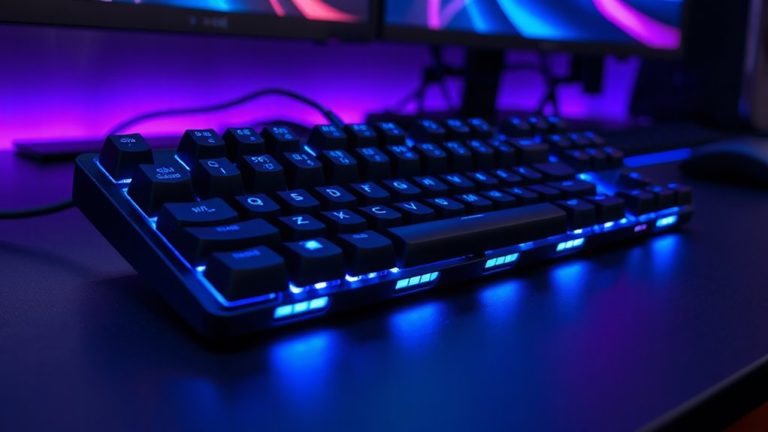
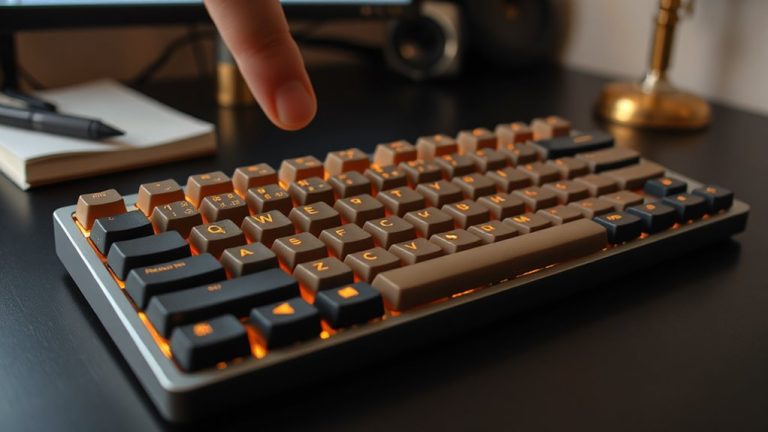
You’ll get a sleek, quiet typing experience with low-profile keyboards like the Logitech MX Keys S or Keychron K3 V2, featuring 1.5mm–3mm key travel, scissor or linear switches, and quiet keystrokes that reduce noise by up to 50%. These models offer stable builds, crisp backlighting, and up to 36 months of battery life. However, some lack macOS shortcuts or hot-swap support. Choose based on OS compatibility, switch type, and layout needs-your ideal pick balances performance, comfort, and real-world usability. There’s more to take into account for your specific setup and workflow.
We are supported by our audience. When you purchase through links on our site, we may earn an affiliate commission, at no extra cost for you. Learn more. Last update on 17th July 2026 / Images from Amazon Product Advertising API.
Notable Insights
- Low profile mechanical switches with 1.0mm to 1.5mm actuation enable fast, quiet typing with reduced finger strain.
- Spherically dished keycaps and 3°–6° tilt promote ergonomic hand alignment and comfortable, silent keystrokes.
- Gasket mounting and foam damping minimize noise and vibration for a smoother typing experience.
- Scissor switches with 2.5mm to 3.0mm travel offer stability, precision, and up to 50% quieter operation.
- Tri-mode wireless connectivity with Bluetooth 5.1 allows seamless switching while maintaining a sleek, clutter-free setup.
Logitech MX Keys S Wireless Keyboard

If you’re after a low-profile keyboard that balances typing comfort with smart productivity features, the Logitech MX Keys S is one of the best choices for daily professionals and hybrid workers who switch between devices. I find its spherically-dished keys and stable build deliver a quiet, responsive feel that’s easy on the hands over long typing sessions. The backlight wakes as my hands near, adjusting to room light, and I can program multi-step actions through Logi Options+-a real time-saver. It pairs with three devices via Bluetooth or USB receiver, works across operating systems, and charges via USB-C. My only caveat: the premium feel comes at a premium price.
Best For: Professionals and hybrid workers who need a comfortable, low-profile keyboard with smart productivity features and multi-device compatibility.
Pros:
- Spherically-dished keys and ergonomic design provide a comfortable, quiet, and responsive typing experience
- Smart Actions via Logi Options+ enable automation of complex tasks with single keystrokes
- Seamless multi-device switching across operating systems using Bluetooth or USB receiver, with USB-C charging
Cons:
- Premium price point may be a barrier for budget-conscious users
- Backlighting and smart features require Logi Options+ app, which some may find unnecessary or intrusive
- Design prioritizes minimalism, which may not appeal to users who prefer tactile or mechanical key feedback
Logitech MK470 Wireless Keyboard & Mouse Combo

I’ve found the Logitech MK470 Wireless Keyboard & Mouse Combo works best for people with limited desk space who still want a full-sized layout and reliable wireless performance. The slim design saves room, and the 2.4 GHz nano receiver gives me stable connectivity up to 33 feet. I appreciate the full keyboard with number pad and quiet, low-profile keys. The mouse tracks smoothly at 1000 DPI, though it’s basic-no side buttons. Battery life is impressive: up to 36 months for the keyboard, 18 for the mouse. It works with Windows 7 and up, Chrome OS, and Surface, but lacks macOS shortcuts. I keep the receiver stored under the mouse battery cover-I haven’t lost it yet.
Best For: Users with limited desk space who need a compact, full-sized keyboard with number pad and reliable wireless performance on Windows or Chrome OS devices.
Pros:
- Slim, space-saving design with a full keyboard layout including a number pad
- Long battery life with up to 36 months for the keyboard and 18 months for the mouse
- Stable 2.4 GHz wireless connection with a plug-and-play nano receiver
Cons:
- Mouse lacks side buttons and advanced customization options
- Basic 1000 DPI tracking limits precision for demanding tasks
- No macOS shortcut support, limiting functionality on Apple devices
Keychron K3 V2 Wireless Mechanical Keyboard

You’ll get the most out of the Keychron K3 V2 Wireless Mechanical Keyboard if you prioritize portability and a clean desktop setup without sacrificing mechanical switch performance. I use it daily and appreciate its slim 75% layout-it saves space but keeps arrow keys and navigation in reach. The low-profile Brown switches are tactile and fast, though not silent, so they’re better for quiet offices than shared spaces. It pairs easily with three devices via Bluetooth 5.1, and I switch between my Mac and Windows laptop without lag. Aluminum construction feels sturdy, and the white backlighting is crisp. I do wish it had hot-swap switches, but at this price, it’s a solid pick for productivity.
Best For: Those seeking a slim, portable mechanical keyboard with reliable multi-device connectivity and a compact 75% layout for efficient workspace use.
Pros:
- Slim 75% layout saves desk space while retaining essential navigation keys
- Stable Bluetooth 5.1 connectivity with seamless switching across three devices
- Durable aluminum construction with tactile low-profile switches for a responsive typing experience
Cons:
- Not silent-tactile switches may disturb others in shared environments
- Lacks hot-swap switch support, limiting customization options
- White backlighting only, with no RGB or color customization
Logitech Signature Slim Wireless Keyboard (K950)

The Logitech Signature Slim Wireless Keyboard (K950) is best for professionals who need a sleek, reliable keyboard that works across multiple devices without sacrificing typing comfort. I’ve used it daily, and the quiet, responsive scissor switches make typing smooth and distraction-free. It pairs easily with three devices via Bluetooth or the included Logi Bolt USB receiver-perfect for switching between a work laptop, tablet, and personal PC. The recycled plastic build feels sturdy and looks clean on any desk. Custom keys, managed through the Logi Options+ app, boost productivity, though the app’s setup takes a few minutes. It’s not mechanical, so if you love that tactile click, look elsewhere.
Best For: Professionals who need a sleek, reliable multi-device keyboard for seamless switching across laptops, tablets, and PCs with quiet, comfortable typing.
Pros:
- Seamlessly connects to three devices via Bluetooth or Logi Bolt USB receiver
- Quiet scissor-switch keys provide a comfortable, distraction-free typing experience
- Made with at least 48% post-consumer recycled plastic for sustainable design
Cons:
- Requires Logi Options+ app for full customization, which may take time to set up
- Not ideal for users who prefer mechanical keyboard feedback
- App functionality limited to Windows and macOS, reducing features on other platforms
Redragon K618 PRO Wireless RGB Mechanical Keyboard
A low-profile keyboard like the Redragon K618 PRO Wireless RGB Mechanical Keyboard suits mobile professionals and minimalist desktop users who want a compact, feature-rich layout without sacrificing typing speed or stability. I use it daily, and its 3-mode connectivity-wired, 2.4GHz, and Bluetooth-works reliably across my laptop, tablet, and phone. The low-profile Red switches feel crisp with 40g actuation, though they’re not silent, so office noise matters. Its 60% layout saves space but drops the number pad. Macro keys and media controls boost efficiency, and RGB is customizable via software. It’s durable, but the battery dips faster with RGB on.
Best For: Mobile professionals and minimalist desktop users who want a compact, feature-rich keyboard with reliable multi-device connectivity and responsive low-profile mechanical switches.
Pros:
- 3-mode connectivity (wired, 2.4GHz, Bluetooth) enables seamless switching across multiple devices
- Compact 60% layout with dedicated macro and media keys maximizes efficiency in a small footprint
- Low-profile Red switches offer crisp tactile feedback with short actuation for fast typing and gaming
Cons:
- Not silent; 40g switches produce audible click, which may disturb quiet office environments
- Lacks a number pad due to 60% compact design, limiting use for number-heavy tasks
- RGB lighting significantly reduces battery life when enabled
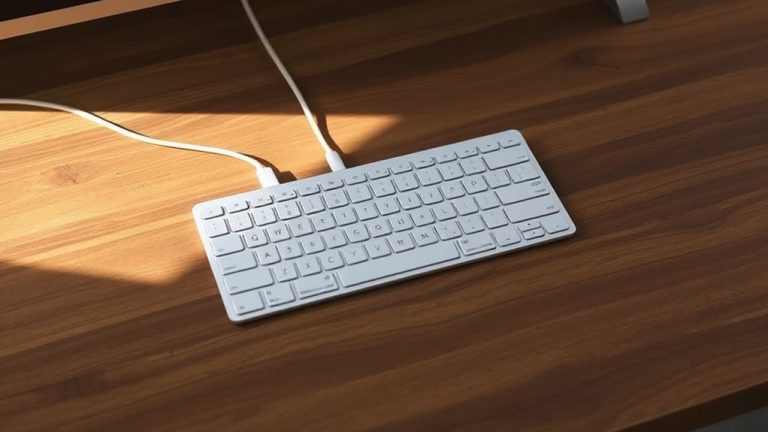
Wired Quiet USB Keyboard with Full Size

If you work in a shared or quiet environment and need a reliable full-size keyboard without the clatter, this wired USB model makes sense-its noise reduction cuts keypress sound by half, which helps maintain focus during late-night sessions or in open offices. I’ve used it daily, and the quiet, low-profile keys deliver smooth, responsive typing with minimal fatigue. The full layout includes a number pad and 13 shortcut keys that actually speed up tasks like volume control or browsing. It’s plug-and-play-no drivers, just solid USB stability across Windows and Mac. Spill resistance adds peace of mind, though the build, while durable, feels more functional than premium. No backlighting, and the sleep key can be overly sensitive, but you can disable it in settings. I’ve had no connectivity issues, and VIP support responds quickly if needed. For steady, silent performance without distractions, it’s a smart pick-just don’t expect flashy design or mechanical feedback.
Best For: Professionals and students who need a quiet, reliable full-size keyboard for shared or late-night work environments.
Pros:
- Quiet, low-profile keys reduce typing noise by 50%, ideal for offices and nighttime use
- Full layout with number pad and 13 dedicated shortcut keys boosts productivity
- Plug-and-play USB connectivity with broad OS compatibility and spill-resistant design
Cons:
- No backlighting, limiting use in low-light conditions
- Build feels functional rather than premium
- Sleep key can be overly sensitive, though it’s disablement in settings
Arteck Wireless Keyboard with Numeric Keypad
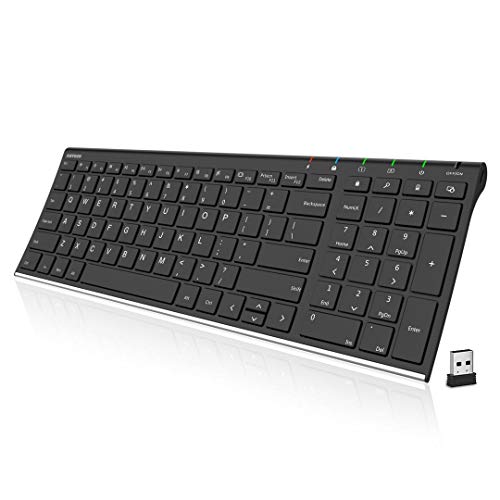
You’ll want this keyboard if you need a reliable, slim wireless model with a full numeric keypad and long battery life for daily work on Windows devices. I use the Arteck Wireless Keyboard, and its stainless steel build feels durable while staying light at just 12.7 oz. The ultra-thin design-only 0.16 inches tall-saves desk space, and the low-profile keys offer quiet, comfortable typing. The 2.4G nano receiver plugs in and works instantly, no drivers needed. A single charge lasts up to six months with moderate use, and the included USB cable makes recharging easy. It comes with a 24-month warranty, which shows confidence in quality. Just note: the layout may feel narrow if you’re used to full desktop boards.
Best For: Professionals and frequent typists seeking a durable, slim wireless keyboard with a numeric keypad and long battery life for Windows-based work.
Pros:
- Durable stainless steel build with a sleek, ultra-thin design that saves desk space
- Includes a full numeric keypad and shortcut keys for enhanced productivity
- Rechargeable battery lasts up to 6 months on a single charge with included USB cable
Cons:
- Narrow layout may feel cramped for users accustomed to full-sized desktop keyboards
- 2.4G wireless requires a USB port, which may be limiting on port-limited laptops
- Not compatible with Mac or other non-Windows operating systems without additional configuration
Razer Ornata V3 Gaming Keyboard

Since comfort during long typing or gaming sessions matters most for remote workers and hybrid office users, the Razer Ornata V3 stands out with its ultra-slim profile and magnetic soft-touch wrist rest that reduce wrist strain without sacrificing tactile feedback. I’ve found its mecha-membrane switches deliver a satisfying, clicky response-great for fast typing and gaming-though they aren’t fully mechanical, which some may notice. The UV-coated keycaps resist shine and fading, and 10-zone RGB lighting adds visual flexibility. It’s spill-resistant and includes handy media controls, but it’s wired only and Windows-focused. At 3.1 pounds, it’s sturdy but not portable. Razer Synapse enables full customization, though there’s a learning curve. I’d recommend it for desk-bound users who want durability and responsiveness without bulk, just note the PC-only support and lack of wireless options.
Best For: Desk-bound remote workers and hybrid office users who prioritize comfort, durability, and responsive typing performance during long sessions without needing wireless connectivity.
Pros:
- Ultra-slim design with a magnetic soft-touch wrist rest for reduced wrist strain and enhanced comfort
- Durable UV-coated keycaps and spill-resistant construction ensure longevity
- 10-zone Razer Chroma RGB lighting and dedicated media keys offer customization and convenience
Cons:
- Wired-only connection with no wireless option, limiting mobility
- Windows-only support through Razer Synapse, reducing cross-platform compatibility
- Mecha-membrane switches lack the full feel of true mechanical switches, which may disappoint enthusiasts
Flow Lite 100 Keys Wireless Mechanical Keyboard
The Flow Lite 100 Keys Wireless Mechanical Keyboard is my top pick for remote workers and students who want a low-profile design that doesn’t sacrifice typing comfort or performance. Its gasket-mounted build and 40gf Specter Full POM Linear switches reduce finger strain, while PBT double-shot keycaps resist shine and keep labels crisp. I appreciate the 3000mAh battery-100 hours between charges is solid-but wired use charges it fast via USB-C. It switches cleanly across Bluetooth, 2.4G, and USB-C, and the 1000Hz polling rate keeps input lag low. The ABS body feels less rigid than aluminum, but it’s lighter and still durable. Customization is strong through Lofree Configurator, though switch swapping takes some technical confidence.
Best For: Remote workers and students seeking a lightweight, low-profile mechanical keyboard with reliable performance and long battery life.
Pros:
- Offers excellent typing comfort with gasket-mounted design and low 40gf linear switches ideal for prolonged use
- Features versatile 3-mode connectivity (Bluetooth, 2.4G, USB-C) with a high 1000Hz polling rate for minimal lag
- Includes customizable controls via Lofree Configurator and swappable switches for personalized feel
Cons:
- ABS body feels less premium and rigid compared to aluminum construction
- Switch swapping requires technical know-how and may not suit beginners
- Backlighting limited to key labels only, reducing aesthetic impact in low light
ASUS ROG Falchion RX Wireless Keyboard
A sleek and responsive tool for gamers and fast typists who value speed and compact design, the ASUS ROG Falchion RX Wireless shines in tight setups where desk space matters. I use its 65% layout in a 60% frame daily-it keeps my mouse close and cuts clutter without losing key functions. Tri-mode connectivity works flawlessly across my PC and MacBook, and the pre-lubed ROG RX red switches deliver smooth, quiet keystrokes with quick actuation. The touch panel’s handy for volume, but the lack of dedicated function keys might slow some. Its foam padding reduces noise well, though the premium price reflects its niche appeal. Worth it if you prioritize speed and clean design.
Best For: Gamers and fast typists who value a compact, responsive keyboard with seamless multi-device connectivity and smooth, low-profile switches in space-conscious setups.
Pros:
- Compact 65% layout in a 60% frame maximizes desk space while retaining essential keys
- Tri-mode connectivity with reliable ROG SpeedNova 2.4 GHz, Bluetooth (3 devices), and wired USB support
- Pre-lubed ROG RX red optical switches offer fast, smooth, and quiet linear keystrokes with quick actuation
Cons:
- Lack of dedicated function keys may hinder users reliant on F-row shortcuts
- Premium price point may not suit budget-conscious buyers
- Touch panel, while intuitive, can be less precise than physical media keys
Factors to Consider When Choosing a Low Profile Keyboard
You’ll want to pick a low profile keyboard that balances typing comfort and ergonomics with your daily use needs-some slimmer designs save space but may strain your wrists over time. Look closely at switch type and actuation force, since low profile mechanical switches vary wildly in feel and performance, and don’t assume wireless connectivity means clutter-free; check Bluetooth stability, multi-device pairing, and battery life for real-world reliability. Build quality, programmable keys, and software support matter too, but remember: more features often mean higher prices and steeper learning curves, not always better typing.
Typing Comfort And Ergonomics
Comfort starts with design-low profile keyboards cut key travel to 1.5mm–3mm, letting you type faster with less finger movement, which helps reduce strain over long sessions. You’ll appreciate spherically dished keycaps, which cradle your fingertips and keep your hands aligned naturally. A shallow 3°–6° tilt supports a neutral wrist posture, lowering the chance of fatigue or strain. Their lightweight, compact builds cut desk clutter and let you place the keyboard closer, improving arm and shoulder alignment. Many models use gasket mounts or cushioned insides to soften keystrokes and reduce hand vibration. But don’t assume all low profile boards feel the same-some skimp on stability or damping, making long typing marathons less comfortable. Build quality and internal structure matter just as much as dimensions. Test if possible, because comfort isn’t just specs-it’s how the board feels after hours of real use.
Switch Type And Actuation
Switch feel defines your typing experience-low profile mechanical switches deliver faster actuation with 1.0mm to 1.5mm travel, letting you register keystrokes more quickly and reduce finger strain over time. You’ll find most low-profile switches use 40g to 50g of actuation force, offering a responsive feel without excessive stiffness. If you prefer smooth, quiet typing, go for linear switches-they skip the bump and noise but deliver consistent performance. Tactile switches give a subtle feedback bump at actuation, helping you type accurately without audible clicks. Pre-travel is shortened by up to 40% compared to full-size switches, boosting speed. But don’t assume faster always means better-some may sacrifice comfort during long sessions. Test switch types if possible, since feel is personal. Brands like Kailh and Gateron offer reliable options, but results vary by keyboard build.
Connectivity Options And Range
A low profile keyboard’s connectivity determines how reliably it performs across workspaces, and your best choice depends on usage demands. If you need zero lag and constant power, go wired with USB-C-it’s stable and immune to interference, perfect for long work sessions or precision tasks. For clutter-free flexibility, 2.4 GHz wireless delivers strong performance within 10 meters, though walls or heavy device traffic might weaken the signal. Many models now use proprietary wireless protocols that outperform standard Bluetooth, cutting latency and boosting stability. Bluetooth 5.0+ is ideal if you switch between devices-pair up to three and move easily from laptop to tablet. Just remember, wireless means batteries, and range can dip in busy office environments. Choose wired for consistency, wireless for convenience-but test it in your actual workspace to avoid surprises.
Design And Build Quality
You’ll want a low-profile keyboard that balances typing efficiency with long-term durability, and that starts with smart design choices under the hood. Most models use scissor switches with 2.5mm to 3.0mm travel, giving you fast, stable keystrokes and less finger strain. These mechanisms keep keycaps aligned and reduce wobble, which helps during long typing sessions. The build typically blends high-strength plastic or aluminum, so it feels solid without adding bulk. Look for spherically-dished keycaps-they fit your fingertips better and encourage a natural hand position, cutting down on wrist fatigue. Internally, gasket mounting or foam damping cuts down on noise and vibration, making each keystroke feel smooth and quiet. While these features improve comfort and sound, they can limit keycap compatibility or repairability. Choose a model with proven construction, but check for serviceability in case something breaks.
Customization And Software Support
While sleek design and solid construction lay the foundation, your long-term satisfaction with a low-profile keyboard often hinges on how well it adapts to your workflow through customization and software support. You’ll want software that lets you remap keys, build macros, and assign multi-step actions-real perks for boosting productivity. Apps that support firmware updates fix layout issues and improve OS compatibility over time. RGB lighting isn’t just flashy; you can fine-tune colors, zones, and effects to match your setup or highlight key functions. Backlighting controls, including brightness and proximity triggers, add convenience. Some suites even sync your profiles across devices, keeping your layout consistent. But don’t assume all software is equal-some are clunky or rarely updated. Always check for cross-platform stability and ease of use before committing.
Battery Life And Power Efficiency
Don’t overlook battery life and power efficiency when choosing a low-profile keyboard-they can make or break your daily workflow, especially if you rely on wireless connectivity or use the device on the go. You’ll want models with rechargeable lithium batteries that charge fully in 3 to 4 hours via USB-C, minimizing downtime. Many offer up to 100 hours of use without backlighting, but know that keeping the lights on constantly can cut battery life by as much as 75%. Auto-sleep modes kick in during inactivity, helping extend runtime considerably. Bluetooth Low Energy keeps your connection stable while sipping power, which is ideal for long-term wireless use. Just remember: high brightness and constant use drain power fast. Balance convenience and efficiency by adjusting settings to match your daily routine.
Frequently Asked Questions
Can Low Profile Keyboards Be Used With Phone or Tablet?
Yes, you can use low profile keyboards with your phone or tablet. They typically connect via Bluetooth, letting you pair them quickly with iOS and Android devices. You’ll get responsive keys and a compact design that’s great for portability. Just make sure the keyboard supports multi-device pairing. Some lack dedicated media keys or tablet stands, so check compatibility and consider a separate case if you plan to type for long sessions.
Are Low Profile Mechanical Switches Louder Than Scissor Switches?
No, low profile mechanical switches aren’t louder than scissor switches-they’re often quieter, especially if you pick linear or silent variants like Kailh Low Profile Red or Gateron Silent Red. While some mechanical types can be loud, well-dampened models with foam lining and soft landing pads cut noise markedly. Scissor switches vary too; cheaper ones on membrane keyboards may produce higher-pitched, tinny sounds. Your typing force and keycap material also affect sound. Test both if noise is critical-real-world use varies.
Do Low Profile Keyboards Work Well for Gaming?
Yes, low profile keyboards can work well for gaming, especially if you prioritize speed and desk space. You get faster actuation and less key wobble with quality mechanical switches, which helps in fast-paced games. But you sacrifice some tactile feedback and key travel. Make sure the switch type suits your style-optical or linear for quicker response. Just know they’re less customizable than full-size boards, and repair’s harder.
How Do I Clean a Low Profile Keyboard Safely?
You can safely clean your low profile keyboard by turning it off and unplugging it first. Use compressed air to blast debris between switches at a 45-degree angle. Wipe keycaps with a microfiber cloth lightly dampened with isopropyl alcohol. Don’t soak anything. For deeper grime, remove keycaps carefully with a puller, but only if the manufacturer recommends it-some designs are delicate or snap-fit. Let all parts dry fully before reassembling.
Can I Replace Keycaps on Low Profile Keyboards?
Yes, you can replace keycaps on most low profile keyboards, but only if they use standard low profile stems like Cherry MX or Kailh. Generic or proprietary designs often aren’t compatible. Always check switch type first-many prebuilt models use non-standard caps. Aftermarket low profile keycaps exist, but choices are limited. Make sure measurements match; ill-fitting caps wobble or don’t actuate. Test fit one key first. Warranties may void if you modify the board.