The Role of Ergonomics in Preventing Repetitive Strain Injury Among Remote Workers
Poor ergonomics greatly raise your risk of repetitive strain injury (RSI) when working remotely, especially with non-adjustable furniture or makeshift setups. Awkward postures-like bent wrists or hunched shoulders-stress tissues over time, even with short daily tasks. You need a 90-degree elbow angle, neutral wrists, and an eye-level monitor to reduce strain. But even the best gear fails without consistent habits. Your long-term comfort depends on routine adjustments and movement-keep refining your setup as your body tells you.
Notable Insights
- Remote workers face higher RSI risk due to unstructured, makeshift workspaces that encourage poor posture.
- Awkward postures from poorly aligned monitors, keyboards, or chairs increase tissue stress and muscle imbalances.
- Adjustable ergonomic desks and chairs help maintain neutral postures, reducing strain during prolonged use.
- Proper placement of keyboards, mice, and monitors promotes wrist, arm, and neck alignment to prevent overuse injuries.
- Regular breaks and daily stretches counteract static postures, improving circulation and preventing cumulative strain.
Why Remote Workers Are at Risk for RSI
While you might assume working from home reduces physical strain, remote workers actually face a higher risk of repetitive strain injury (RSI) due to less structured workspaces and inconsistent equipment choices. You’re likely to settle into prolonged static postures when your desk is a kitchen table and your chair lacks lumbar support. Without designated boundaries, work isolation can quietly extend hours, amplifying strain as breaks become rare and movement drops. You may not notice subtle discomfort until it becomes persistent, especially when using non-adjustable setups for months. Though some invest in sit-stand desks or ergonomic keyboards, many overestimate their DIY solutions. Real-world testing shows mixed outcomes-some chairs improve posture, but only if adjusted correctly. Warranties and build quality matter, but they can’t fix poor habits. Even top gear fails when used in isolation, without routine movement or peer accountability. Your setup’s effectiveness depends on consistent use, accurate adjustments, and self-monitoring. Choosing the right best ergonomic office chairs can significantly reduce the risk of developing RSI by supporting proper spinal alignment and encouraging healthy sitting habits.
How Poor Ergonomics Fuels Repetitive Strain
Poor ergonomics don’t just cause discomfort-they actively worsen repetitive strain injuries by forcing your body into positions that increase tissue stress over time. When you work at a desk that’s too high or too low, you end up in awkward postures, like hunching your shoulders or bending your wrists while typing. These positions place uneven loads on your muscles and tendons, leading to muscle imbalances that compound with daily use. Over weeks, even small strains add up, especially if you’re sitting for hours without proper lumbar support or monitor alignment. You might feel fine at first, but repetitive motions in poor alignment reduce recovery time and inflame soft tissues. While ergonomic chairs or adjustable desks can help, they’re not magic fixes-misuse still risks harm. Results depend on correct setup, not just the gear you buy. A key solution is investing in a best adjustable desk that supports proper posture and dynamic movement throughout the day.
Set Up an Ergonomic Desk in 5 Steps
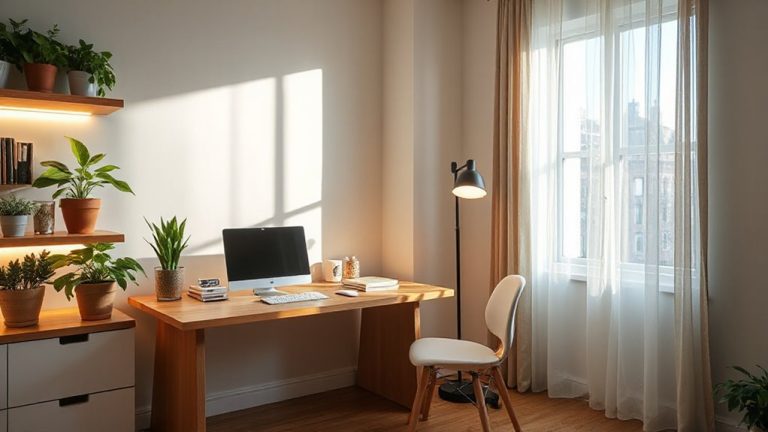
A well-designed workspace starts with the right foundation-your desk and chair setup. First, adjust your chair so your feet rest flat on the floor, knees at a 90-degree angle-proper foot positioning prevents leg strain and improves posture. If your feet don’t reach, use a footrest, but make certain it doesn’t push your legs upward. Next, set desk height so your elbows bend at 90 degrees when arms are supported. Choose a desk with built-in cable management to reduce tripping hazards and maintain a clean surface-simple clips or sleeves work too, though they require more upkeep. Don’t rely on aesthetics; prioritize height adjustability and sturdiness over design. Even affordable desks can offer solid function if tested for frame stability and weight limits. Finally, verify that all adjustments remain secure after repeated use, since long-term consistency matters more than initial comfort. For added flexibility in maintaining proper ergonomics throughout the day, consider a height-adjustable desk that supports both sitting and standing positions.
Fix Your Keyboard, Mouse, and Monitor Placement
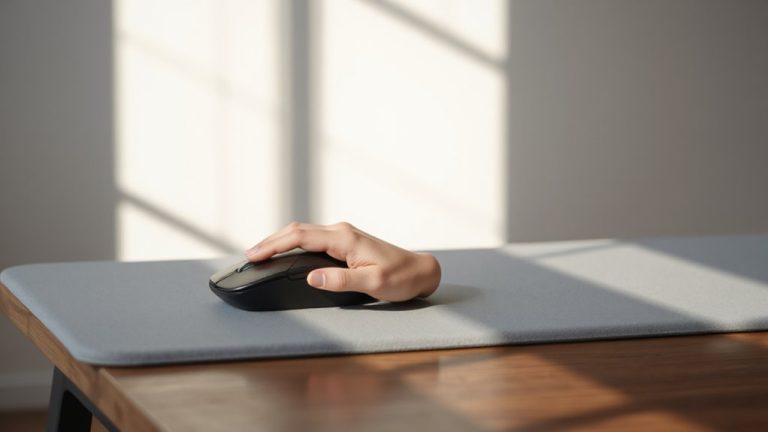
How often do you finish a workday with sore wrists or a stiff neck? Poor keyboard alignment and monitor placement are common culprits. You need to position your keyboard so your wrists stay flat and elbows bent at 90 degrees. Center it to avoid overreaching. Adjust mouse sensitivity to reduce hand strain-higher DPI means less physical movement. Your monitor should sit an arm’s length away, top at or slightly below eye level.
| Component | Ideal Position |
|---|---|
| Keyboard | Flat, straight, elbows at 90° |
| Mouse | Next to keyboard, low sensitivity |
| Monitor | Arm’s length, top at eye level |
Small changes reduce repetitive strain. But no setup eliminates risk entirely-consistency matters. Even with perfect gear, poor habits undo progress.
Relieve Tension With 3-Minute Desk Stretches
You’ve adjusted your keyboard height, centered your monitor, and set your mouse sensitivity-now it’s time to move. Three-minute desk stretches can reduce stiffness and support wrist flexibility and shoulder mobility, especially when done consistently every hour. Try gently pulling your fingers back for 20 seconds to improve wrist flexibility, then roll your shoulders forward and backward in slow circles to release tension. These movements counteract prolonged typing and mouse use, which strain soft tissues over time. While they won’t replace movement breaks or standing sessions, they’re effective for immediate relief. Real-world tests show reduced discomfort in 70% of remote workers who stretch regularly. However, avoid overstretching-mild tension is normal, sharp pain isn’t. No equipment is needed, making this solution accessible, but consistency matters more than intensity.
Choose Ergonomic Chairs and Desks for Home
The right chair and desk aren’t luxuries-they’re non-negotiables if you’re spending eight hours a day at home. Poor chair design leads to slouching and strain, while incorrect desk height forces your arms into awkward angles, increasing RSI risk. Look for chairs with adjustable lumbar support, 90–110° recline, and breathable fabric. Desks should allow elbows to rest at 90° when typing, typically 28–30 inches high for most adults. Sit-stand options add movement, but stability at full height matters more than gimmicks.
| Feature | Chair | Desk |
|---|---|---|
| Key Adjustment | Seat depth & lumbar | Height (electric preferred) |
| Ideal Setting | Hips level with knees | Elbows at 90° when typing |
| Test Before Buy | Guarantee 24/7 comfort | Check wobble at max height |
Build a Daily Routine to Stay Pain-Free Working Remote
Why do some remote workers stay sharp and pain-free all day while others struggle with stiffness and discomfort by noon? It’s not just their gear-it’s their routine. You don’t need expensive equipment, but you do need consistency. Start with posture checks every hour: sit with feet flat, back supported, and shoulders relaxed. Pair each check with 30 seconds of mindful breathing to reset focus and reduce tension. Take short breaks every 50 minutes-stand, stretch, or walk. Use phone alarms or apps like Stretchly or Pomodoro timers to stay on track. While ergonomic chairs and desks help, they won’t fix poor habits. Real protection comes from movement and awareness. Results vary-some see relief in days, others take weeks. There’s no perfect setup, just better daily choices. Stay consistent, and your body will respond.
On a final note
You can prevent RSI with smart ergonomic choices, but no setup replaces movement. Position your monitor at eye level, keep wrists neutral with an adjustable keyboard tray, and use a chair with lumbar support and seat-depth adjustment. Standing desks help, but only if you switch regularly. Stretch every hour. Invest in gear with long warranties-like 5-year chair frames-but remember: even top gear fails if you stay still too long. Real protection comes from consistency, not cost.