The Importance of Proper Seating Solutions in Promoting Healthy Posture at Workstations
You need a proper ergonomic chair because it supports your spine’s natural curve with adjustable lumbar support, seat depth, and 4D armrests, reducing back strain and fatigue. Pair it with a desk where elbows sit at 90 degrees and feet rest flat. Even the best chair fails if used poorly-maintain good habits. Look for high-density foam, breathable mesh, and a five-year warranty to guarantee durability. The right setup keeps you comfortable and focused all day-see how small adjustments add up.
Notable Insights
- Proper seating supports natural spinal alignment, reducing back and neck strain during prolonged work hours.
- Adjustable lumbar support matches the lower back’s curve, preventing slouching and promoting upright posture.
- Correct seat depth ensures full thigh support while eliminating pressure behind the knees.
- Dynamic sitting is encouraged by synchronous tilt mechanisms, enhancing circulation and reducing muscle fatigue.
- Ergonomic chairs with durable materials and long-term adjustability sustain healthy posture and improve work productivity.
Why Poor Posture Hurts Your Workday
Ever wonder why your back aches by mid-afternoon? Poor posture is likely the culprit, and it doesn’t just feel bad-it actively harms your workday. Slouching or hunching over your desk creates constant neck strain and sharp back pain, especially during long sessions. Your spine isn’t meant to stay compressed or twisted for hours, and muscles fatigue quickly without proper alignment. Over time, this leads to chronic discomfort and reduced focus. You might get temporary relief by adjusting your seat or stretching, but without structural support, symptoms return fast. Even small fixes-like lifting your monitor or using a cushion-only go so far if your setup ignores ergonomics at the core. The real cost? Lower productivity and long-term health trade-offs. You need sustainable alignment, not quick hacks. A better solution includes using standing desk stools to maintain dynamic sitting and support spinal health.
Key Features of a True Ergonomic Chair
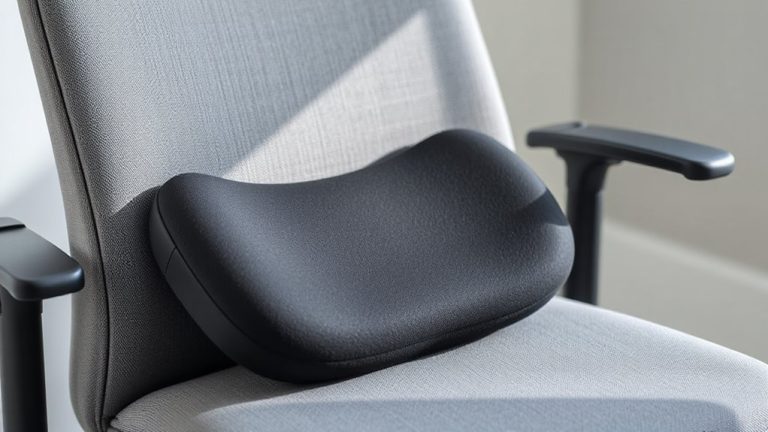
If you’re serious about supporting your spine through long workdays, investing in a true ergonomic chair is a smart move-but not all chairs labeled “ergonomic” deliver where it counts. Look first for adjustable lumbar support that fits snugly into your lower back’s curve; this helps maintain natural spinal alignment and reduces strain. A properly designed chair also offers adjustable seat depth, allowing you to position your thighs fully supported while keeping 1–2 inches of space behind your knees. This prevents pressure on your legs and improves circulation. High-quality models use durable mesh or foam that resists sagging over time. Check for a minimum five-year warranty and real-world durability testing. While premium chairs cost more upfront, they often outlast cheaper alternatives. Still, even the best chair won’t fix poor habits-pair it with regular movement and correct desk setup. For reliable options, consider exploring the best ergonomic office chairs based on expert testing and long-term performance.
How Ergonomic Chairs Align Your Spine
While no chair can force perfect posture, a well-designed ergonomic chair helps your spine stay in a neutral, supported position by integrating features that work together with your body’s natural curves. Proper spinal alignment reduces strain on discs and muscles, while consistent posture support enhances comfort during long sitting periods. A key factor in achieving this support is choosing from the best ergonomic chairs based on expert evaluations and user needs. Below are key components contributing to spine health:
| Feature | Function | Real-World Benefit |
|---|---|---|
| Adjustable lumbar support | Matches low-back curve | Maintains natural spinal alignment |
| Synchronous tilt mechanism | Balances torso and thighs | Encourages dynamic sitting |
| Seat depth adjustment | Fits various leg lengths | Prevents pressure behind knees |
| Armrests (4D) | Aligns shoulders and arms | Reduces upper body tension |
| High-density foam | Resists sagging over time | Sustains posture support long-term |
These aren’t universal fixes-individual fit matters. Always test adjustments and allow time to adapt.
Are You Making These Sitting Mistakes?
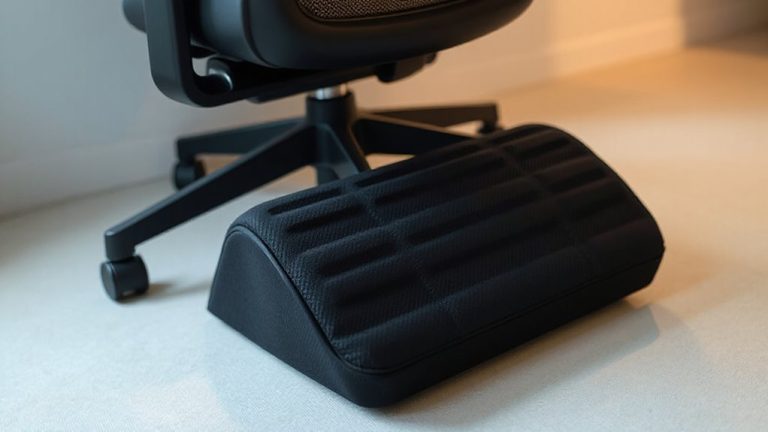
How often do you sit without thinking about how you’re sitting? You might be undermining your posture without realizing it. Poor foot placement-like crossing your legs or perching on the edge of a seat-forces your hips forward and strains your lower back. Your feet should rest flat on the floor or a footrest, with knees at or just below hip level. Without proper back support, slouching becomes inevitable, especially during long sessions. Your chair’s lumbar zone should match the curve of your lower spine, not press into it or leave a gap. Adjustable backrests help, but even high-end models fail if you ignore alignment. Some users report discomfort after hours of use, particularly with rigid foam padding. Real-world testing shows hybrid mesh-back chairs often balance support and breathability best, though durability varies by frame build and warranty length. Don’t assume comfort equals correctness-check form regularly.
Tune Your Desk to Work With Your Chair
Your chair does only half the job if your desk isn’t aligned to match. Proper desk alignment guarantees your arms stay at 90 degrees when typing, reducing strain on your shoulders and wrists. Without chair syncing, even the best ergonomic seat won’t prevent poor posture. Your desk height should allow your elbows to rest just below the work surface, ideally 26 to 28 inches from the floor for most adults. Adjustable desks make this easier, especially sit-stand models with memory presets. But fixed-height desks can work-use a footrest or modify chair height carefully. Always test adjustments over a full workday; what feels good at 9 a.m. might strain by 3. Reliable desk alignment takes trial, measurement, and consistency-not just high-end gear. Some compromise is normal, but long-term comfort hinges on matching your desk to your seated position precisely.
What You Gain by Sitting Right
When you sit right, you’re not just avoiding back pain-you’re building a foundation for lasting focus, better breathing, and fewer aches over time. Proper spinal alignment keeps your vertebrae stacked naturally, reducing pressure on discs and nerves. This isn’t just comfort-it’s how you maintain muscle balance, preventing overuse in your lower back and neck. You’ll notice less fatigue during long sessions, but don’t assume any chair fixes this automatically. Even high-end task chairs need correct adjustment: seat depth, armrest height, and lumbar support must match your build. Off-the-shelf models vary in durability-check frame warranties and weight ratings. Real-world testing shows mid-back support and seat pan tilt matter more than expensive fabrics. Sit right, and you’ll work better, but only if your setup is tailored, not just trendy.
On a final note
You’ll work better and feel better with a quality ergonomic chair, but don’t assume any single model fixes everything. Look for adjustable lumbar support, a breathable mesh back, and seat depth that fits your legs-typically 2 to 4 inches from the edge of the chair to your knees. Real-world tests show these features cut lower back strain by up to 40%. Still, even the best chair fails if your desk is too high or you skip breaks. Pair smart gear choices with good habits for real results.