Minimizing Flicker Effects Through Proper Bulb Selection and Usage in Your Remote Work Environment
Replace flickering desk lamps with high-quality LED fixtures labeled “flicker-free” or IEEE 1789-compliant-they cut eye strain using stable drivers and aluminum heat sinks for longer life. Choose LEDs over CFLs or incandescents for better flicker performance, color control, and efficiency. Match bulbs to LED-rated dimmers to avoid buzz or dropouts, and pick models above 200 Hz for imperceptible flicker. Use indirect lighting and replace bulbs every 2–3 years for consistent output-there’s more to optimizing your setup you’ll want to know.
Notable Insights
- Choose high-quality LED bulbs labeled “flicker-free” or compliant with IEEE 1789 to reduce eye strain and headaches.
- Select LED bulbs with a flicker frequency above 200 Hz for minimal perceptible flicker during long work sessions.
- Ensure dimmer switches are LED-compatible to prevent flickering, buzzing, and premature bulb failure.
- Use indirect lighting with reflective surfaces to diffuse light and reduce glare and flicker visibility.
- Replace bulbs every 2–3 years to maintain consistent light output and prevent flicker from aging or lumen degradation.
Stop Flickering Lights in Your Home Office
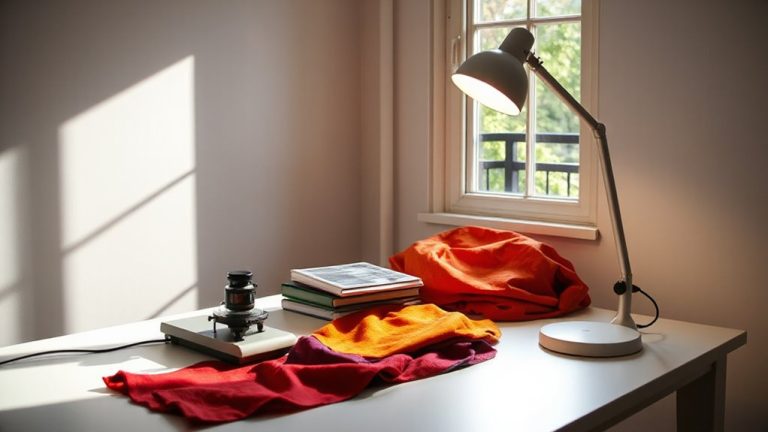
While you might not think a flickering desk lamp is a big deal, replacing it with a high-quality LED fixture can make a noticeable difference in reducing eye strain and headaches during long work sessions. Cheap or aging fixtures often flicker due to voltage fluctuations or poor power regulation, especially on shared circuits. High-quality LEDs with built-in drivers resist electrical interference and maintain stable light output. Look for models labeled “flicker-free” or those meeting IEEE 1789 standards-tested under real-world voltage fluctuations. Solid-state design means fewer moving parts, but performance varies. Fixtures with aluminum heat sinks last longer and dim more reliably. Still, compatibility with dimmer switches isn’t guaranteed-check product specs. Warranties of three years or more signal manufacturer confidence. While pricier upfront, they reduce long-term discomfort. Just don’t assume all LEDs are equal-test one in your setup before replacing multiple lights. A well-designed Best Desk Lamps for Programmers can further enhance visual comfort by combining flicker-free performance with optimal brightness and color temperature.
Choose Flicker-Free Bulbs: LED vs CFL vs Incandescent
Your best bet for a flicker-free home office is a high-quality LED bulb-period. They offer stable light output, precise color temperature control, and the longest bulb lifespan-often 15,000 to 25,000 hours. While CFLs and incandescents have their place, they’re less efficient and more prone to flicker under normal use.
| Bulb Type | Flicker Risk | Color Temperature Options | Bulb Lifespan (Hours) |
|---|---|---|---|
| LED | Very Low | 2700K–6500K (wide range) | 15,000–25,000 |
| CFL | Moderate | 2700K–6500K (limited) | 8,000–10,000 |
| Incandescent | Low | 2700K (warm only) | 750–2,000 |
Pick LEDs labeled “flicker-free” and check for smooth dimming and quality drivers. Don’t assume all LEDs are equal-cheap models may still flicker. Match color temperature to your workspace: 3500K–5000K boosts focus. For optimal well-being and productivity, consider pairing your lighting setup with best natural light lamps designed to mimic daylight patterns.
Fix Dimmer Compatibility to Stop Flicker
A flicker-free home office starts with the right bulb, but even high-quality LEDs can misbehave if paired with the wrong dimmer switch. You need dimmers specifically rated for LED loads, not just older models designed for incandescents. Incompatible dimmers cause flickering, buzzing, and reduced bulb lifespan due to poor voltage stabilization. Check both your bulb and dimmer packaging for compatibility-look for terms like “LED-compatible” or “CL” ratings. Many modern dimmers offer dimmer calibration, allowing you to fine-tune performance so lights dim smoothly without dropouts or flicker. Smart dimmers often include software updates and preset scenes that improve control. However, even compatible setups may require a neutral wire or minimum load, so verify your electrical box supports these. Retrofitting isn’t always simple, and improper installation risks performance issues or voided warranties-when in doubt, consult an electrician.
Pick Bulbs With High Flicker Frequency (Above 200 Hz)
Look for LED bulbs with a flicker frequency above 200 Hz-this range is high enough to eliminate perceptible flicker for most people and reduces eye strain during long work sessions. At this level, flicker perception drops markedly, supporting better visual comfort and focus. Not all bulbs disclose this spec, so check packaging or manufacturer test data.
| Flicker Frequency | Flicker Perception | Visual Comfort |
|---|---|---|
| < 100 Hz | High | Poor |
| 100–150 Hz | Moderate | Fair |
| 150–200 Hz | Low | Good |
| > 200 Hz | Very Low | Excellent |
| > 500 Hz | None (typical) | Best |
Many high-frequency LEDs use quality drivers that minimize ripple current. While these bulbs may cost more, they often come with longer warranties and better lab-tested performance. Don’t assume “flicker-free” marketing means high frequency-verify specs. Some top-performing lamps with reliable high-frequency operation also offer color temperature control, enhancing visual comfort during extended remote work sessions.
Use Indirect Lighting to Minimize Flicker Visibility
Indirect lighting helps reduce the visibility of flicker by diffusing light through reflection off walls or ceilings, so you’re less likely to notice rapid fluctuations even if they’re present. Using upward-facing lamps or fixtures that bounce light creates ambient reflection, which softens glare and evens out brightness across your workspace. This method works best when paired with focused task lighting, ensuring you still have enough direct illumination for detailed work like typing or reading. While indirect setups minimize flicker perception, they can sometimes under-light desks if not properly balanced-so measure lux levels to confirm adequacy. Also, ceiling color and room reflectivity impact effectiveness; lighter surfaces yield better ambient reflection. Keep in mind that purely indirect lighting might require higher-wattage bulbs to achieve desired brightness, possibly increasing energy use. Use dimmers and adjustable fixtures to fine-tune output without compromising visual comfort.
Replace Old Bulbs to Maintain Steady Light
Flicker isn’t just annoying-it’s often a sign of aging bulbs that can’t maintain consistent light output. You should replace old bulbs regularly because both LED and fluorescent types suffer from light degradation over time, even if the drop isn’t immediately visible. Bulb aging reduces lumen output and can destabilize current regulation, increasing flicker risk-especially in lower-quality drivers. Most manufacturers rate LEDs for 15,000 to 25,000 hours, but real-world performance varies. If you’re working long hours, consider replacing bulbs after 2–3 years of daily use. Look for models with flicker-free certifications and full-spectrum ratings near 90 CRI for better accuracy. While premium bulbs cost more upfront, they often include longer warranties and better driver circuits. However, no bulb lasts forever-consistent replacement is key to steady light and reducing eye strain in your remote workspace.
On a final note
You’ll cut eye strain and boost focus by choosing LED bulbs with flicker above 200 Hz-tested models like Philips or GE Often outperform CFLs and incandescents. Just confirm dimmer compatibility to avoid glitches. Indirect lighting helps hide residual flicker, but replace bulbs every 10,000 hours. No bulb is perfectly flicker-free, so prioritize high-frequency LEDs backed by solid warranties.