Taming Excess Cable Slack With Stackable Under-Desk Loop Holders
Taming excess cable slack with stackable under-desk loop holders works well if you match them to your setup. They keep power, data, and charging lines tidy and accessible, reducing tangles and strain. Each reinforced nylon module holds up to 10 lbs and clips together without tools, fitting desks up to 2 inches thick. Use 3M VHB adhesive for tool-free mounting, but test surface compatibility first. For best results, pair them with regular sorting and slack management-there’s more to get right than just placement.
Notable Insights
- Stackable loop holders reduce cable slack and tangles under desks with tool-free, adjustable clipping.
- Use one holder per major device to manage medium-gauge cables like USB and power cords effectively.
- Install adhesive-mounted holders in under 5 minutes for renter-friendly, secure under-desk cable control.
- Group and label cables by type to speed up identification and maintain organized, slack-free connections.
- Space loop holders evenly, avoid sharp bends, and allow 1/4” gap to prevent damage and overheating.
Tangled Cables Slow You Down
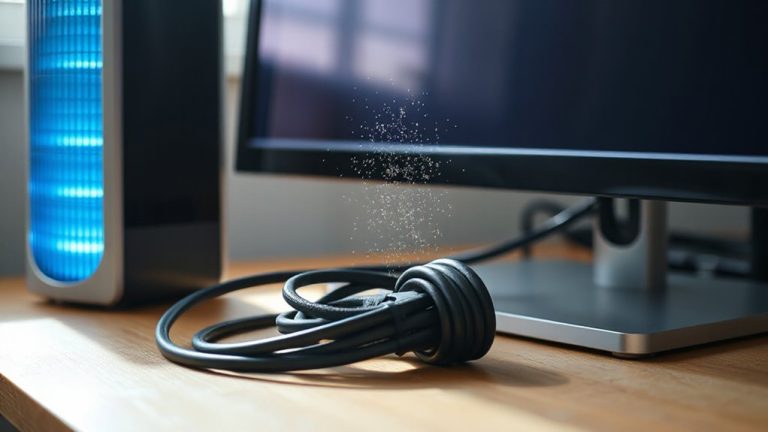
While managing a clean workspace might seem like a small detail, tangled cables under your desk can actually cut your productivity more than you’d expect. Cable clutter doesn’t just look bad-it slows you down when you’re switching devices or troubleshooting connections. Every time you untangle a knot or trace a wire, you lose focus and momentum. Improving workspace efficiency means reducing distractions, and cable management is a proven starting point. Simple fixes like zip ties or velcro straps help, but they’re often too rigid or permanent for evolving setups. You’ll want solutions that let you add or remove devices without starting over. Some under-desk organizers limit access or require tools, which defeats the purpose. The best options balance ease of use with stability, letting you adapt quickly while keeping slack under control. A well-organized setup also complements other productivity tools like best desk phone stands for a fully optimized workspace.
How Stackable Loop Holders Fix Slack for Good
Stackable loop holders solve cable slack better than most rigid or permanent fixes because they give you control without sacrificing flexibility. You can adjust spacing as needed, maintaining consistent tension control across multiple cables without over-tightening. This reduces strain on connectors and boosts cable durability over time, especially with frequent movement. Each module clips together securely, letting you expand horizontally or vertically under your desk without tools. They’re made from reinforced nylon, tested to hold up to 10 lbs per segment without sagging. But don’t overload them-exceeding capacity risks warping or detachment. They work best with medium-gauge cables like USB or power adapters, not thick extension cords. While they won’t replace full cable sleeves for large bundles, they offer a precise, reconfigurable fix for everyday clutter. Real-world use shows fewer tangles and longer cable life, provided you install them evenly and avoid sharp bends. For those seeking a cable management solution, these holders provide an effective balance of adjustability and reliability.
Choose the Right Size for Your Desk
A well-fitted under-desk loop holder keeps your workspace clean without overcommitting to a permanent setup. You’ll need to match the holder’s size to your desk dimensions-most models fit desks up to 2 inches thick, but check manufacturer specs if you’re using a thicker work surface. Stackable units offer flexibility, but overloading can strain clips or obstruct drawers. For cable length, shorter runs (under 6 feet) need fewer loops; longer cables benefit from two or more holders to prevent tangling. Aim for one holder per major device-monitor, laptop, lamp-especially if cords snake across the desk. While most kits suit standard cable management needs, oversized desks may require additional mounts for full coverage. These holders aren’t a fix for poor cable routing-plan your setup first. They work best when used with deliberate placement, not as an afterthought. Consider your Top Picks when selecting a desk that simplifies cable management from the start.
Install Loop Holders in Under 5 Minutes
If you’ve already sized your desk and picked the right loop holders, getting them installed takes less than five minutes with the right approach. The quick installation relies on adhesive-backed mounts-just peel and press firmly for 30 seconds. For most models, 3M VHB tape bonds well to clean, dry surfaces, though results vary on textured or porous materials. Position the base first, snap on the loop stack, and you’re done. This setup gives you easy access to tuck and retrieve cables without tools. While screws offer more permanence, adhesives suit renters or temporary setups. Some users report adhesion fails after six months, especially in humid climates, so check manufacturer warranties. Not all desks allow underside clearance, so verify depth before committing. Overall, it’s a low-risk upgrade that delivers immediate cable control-if applied correctly.
Sort Cables by Use: Power, Data, Charging
Cable chaos starts to shrink the moment you group your wires by function-power, data, and charging-because sorting isn’t just tidy, it’s tactical. Usage grouping lets you identify what’s essential at a glance and reduces fumbling during setup changes. Pair this with cable labeling to lock in long-term clarity, especially when multiple devices share similar-looking cords. Stackable under-desk loop holders work best when each tier holds a single category, keeping voltages and data streams physically separated and safe.
| Type | Example Devices | Label Tip |
|---|---|---|
| Power | Monitor, lamp | “240W, outlet 2” |
| Data | Keyboard, webcam | “USB 3.0, low interference” |
| Charging | Phone, headphones | “5V, unswitched” |
While color-coded ties help, labels last longer. Be sure not to overtighten loops-leave a 1/4″ gap for heat dispersion. Labeling takes 30 seconds but saves minutes every time you troubleshoot.
Adapt Your Setup Without Reorganizing
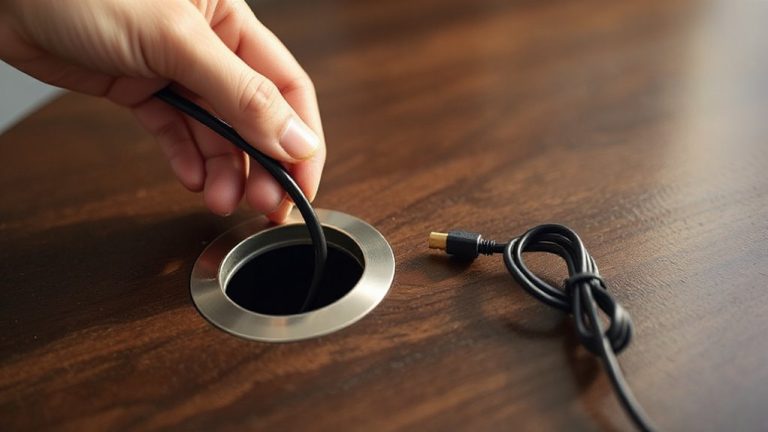
You’ve labeled, sorted, and secured your cables by function-now don’t lock yourself into a setup that can’t bend when needs change. Stackable under-desk loop holders let you adapt without full reorganization. Thanks to modular expansion, you can add or remove clips as your devices shift. That means you’re not stuck rerouting everything when you swap a monitor or add a docking station. The design supports easy cable rotation, so swapping a frayed USB-C cable or upgraded power adapter takes seconds. Just unclip, replace, and reattach-no untangling. These holders typically use strong 3M adhesive, tested for 12+ months on wood and laminate, though performance dips on textured surfaces. While they handle cables up to 6mm thick well, pack too many, and slack management suffers. Smart, but not foolproof-plan spacing wisely.
Keep Cables Tidy With These Smart Habits
While organizing your cables might seem like a one-time fix, staying on top of clutter requires consistent, simple habits that prevent tangles before they start. You should label each cable clearly-cable labeling takes seconds but saves time when troubleshooting or swapping devices. Use waterproof labels or color-coded tags to avoid fading or confusion. Pair this with weekly routine maintenance: spend five minutes checking for slack, relooping excess, and disconnecting unused cords. Velcro ties help, but don’t overtighten-leave room for movement to avoid fraying. Stackable under-desk loop holders work best when you update them as gear changes. They’re durable, with reinforced ABS plastic, but overcrowding reduces airflow and strain relief. Stay disciplined, and you’ll cut downtime and wear. While not flashy, these habits extend cable life and keep your workspace responsive, not reactive. Results? Cleaner setups, fewer faults. Just don’t assume gear alone will maintain order-your habits are the real fix.
On a final note
You’ll cut cable clutter fast with stackable loop holders-they snap under desks in seconds using strong adhesive. Their modular design lets you add loops as needed, managing thick power bundles or thin data cords cleanly. Most hold up to 15 lbs, and brands like J Channel back them with 3-year warranties. Just be sure your desk edge clears monitor arms; the clips add 1.5 inches. Test adhesion on laminate first-porous surfaces reduce grip.