Creating a Focal Point in Your Workspace to Enhance Focus and Engagement
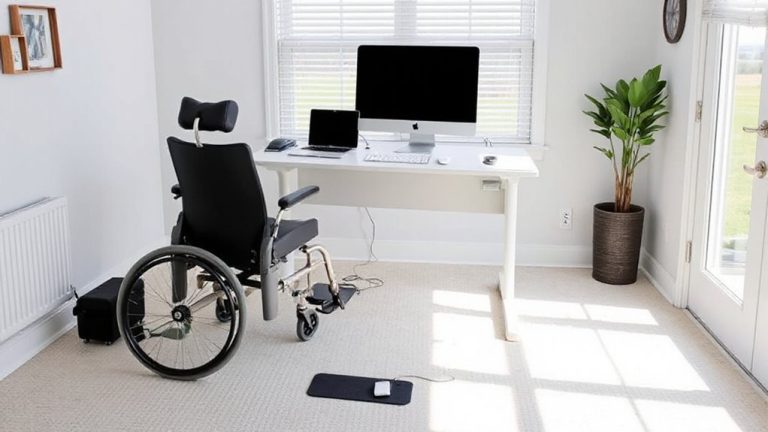
You should create a single visual anchor at your desk-like a monitor riser, framed print, or potted plant-to reduce clutter and boost focus by giving your eyes a resting point. Match it to your work style: minimalists prefer sleek risers, creatives thrive with bold art. Position it centered and at eye level. Use matte finishes to cut glare, and place your desk perpendicular to windows for balanced light. Add a snake plant or pothos for clean air and calm. Rotate the focal item monthly to keep energy fresh-and discover how small changes can redefine your daily focus.
Notable Insights
- Choose one strong visual anchor, like a monitor riser or simple art, to reduce clutter and improve concentration.
- Align your focal point with your work style-use bold creativity boards or minimalist designs based on your focus needs.
- Position your desk perpendicular to windows and add low-maintenance plants to enhance natural light and mental clarity.
- Select one or two meaningful personal items, such as photos or souvenirs, to inspire comfort without causing distraction.
- Place the focal point at eye level and center it in your line of sight for maximum engagement and visual rest.
Give Your Desk a Focal Point for Better Focus
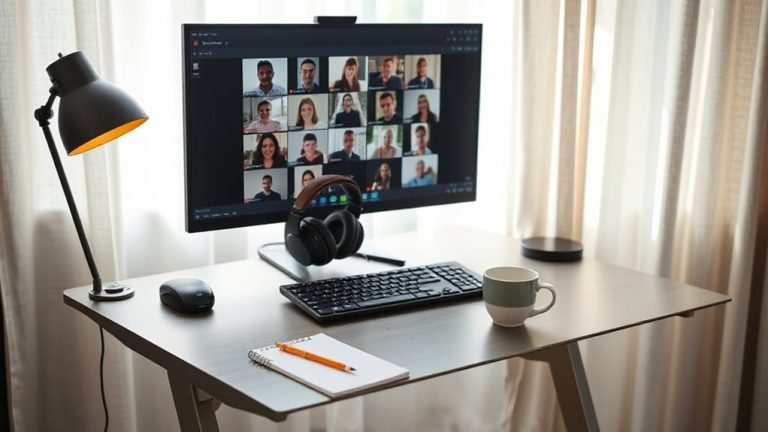
A clear focal point on your desk isn’t just about looks-it helps direct your attention and can improve concentration during long work sessions. You’re better off choosing one strong visual anchor, like a monitor riser with clean lines or a simple framed print, to create desk harmony. This anchor reduces visual clutter and gives your eyes a natural resting point between tasks. But don’t overdo it-too many items compete for attention and worsen focus. A well-placed lamp or plant can work, but only if it’s positioned deliberately and doesn’t encroach on workspace. Stick to neutral colors or matte finishes to minimize glare. Remember, lighting contrast matters: a bright object in a dim corner strains your eyes. Test placements over a few days. What feels balanced now might feel off after real use. Keep adjustments small, intentional, and focused on function. For enhanced ergonomics and aesthetics, consider a monitor riser with storage to elevate your screen and organize essentials beneath.
Match Your Focal Point to Your Work Style
Why should your desk’s focal point look the same as everyone else’s? It shouldn’t-your work style is unique, and your setup should reflect that. If you thrive on creativity, a bold piece of art or an open vision board might boost engagement, supporting both task alignment and style integration. But if you focus best in minimal spaces, a sleek monitor riser with clean lines keeps distractions low while adding structure. Matching your focal point to how you work guarantees it enhances, not interrupts, your flow. A standing desk with an integrated cable tray? Great for active workers who switch postures. But if you’re mostly seated, a fixed-height desk with a dedicated space for a secondary screen may serve better. Just remember: what works for one person’s task alignment might clash with another’s. Prioritize function, but don’t ignore personal style integration-it’s your space, not a showroom. A well-chosen best monitor stands can elevate both ergonomics and aesthetics to support your ideal work environment.
Add Plants and Use Natural Light
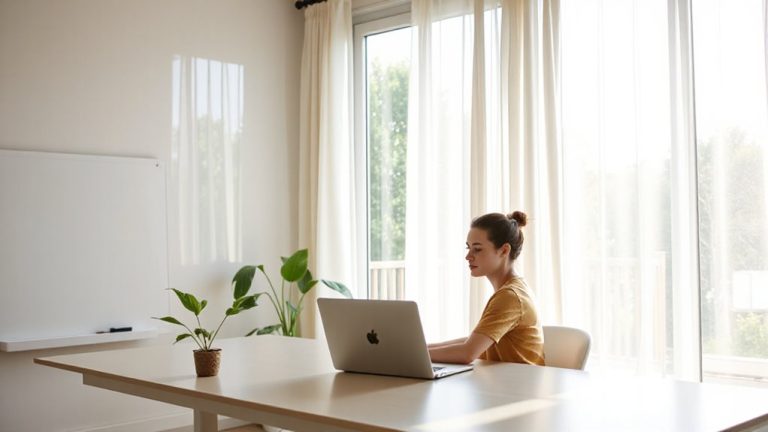
When you’re aiming to boost focus and well-being in your workspace, bringing in plants and maximizing natural light can make a measurable difference-but only if done with intent. Biophilic design isn’t just decorative; studies show measurable improvements in concentration and reduced mental fatigue when greenery is placed within your line of sight. Position low-maintenance plants like snake or pothos near windows to filter light and clean indoor air. Natural light supports circadian lighting rhythms, helping regulate alertness and sleep-so align your desk perpendicular to a window to avoid glare while maximizing daylight exposure. But be realistic: if your space lacks windows, invest in tunable LED fixtures that mimic daylight cycles. Avoid overcrowding surfaces; too many plants create visual noise that undermines focus. And guarantee lighting solutions offer adjustable color temperatures, ideally 3000K–5000K, for balanced daily exposure. For compact spaces, consider best desk succulents that thrive in limited light and require minimal care.
Choose Inspiring, Personal Items
Your workspace shouldn’t just be functional-it should reflect the person working in it. Choose inspiring, personal items that ground you, like meaningful objects from travels or gifts from loved ones. These pieces can spark motivation and comfort during long work sessions. A framed photo, a souvenir, or a handwritten note ties your space to cherished memories, making it uniquely yours. Just keep the selection intentional-too many items create clutter, which distracts more than it inspires. Stick to one or two well-placed pieces that fit your desk’s scale and layout. Avoid heavy or oversized decor that crowds your surface or interferes with ergonomics. Test how each item feels after a full workday; if it pulls focus or feels outdated, rotate it out. Personalization helps engagement, but only when balanced with practicality and clean design.
Place It Where You’ll See It Most
While it’s tempting to tuck meaningful items off to the side, placing your focal point where you’ll naturally glance most-like centered just above your monitor or aligned with your dominant eye line-keeps it in your field of view without forcing you to shift posture. You want this item at eye level so it acts as a true visual anchor, not a distraction. Positioning matters: too high or low strains your neck over time. A centered, eye-level spot guarantees quick, effortless engagement throughout the day. Mounting a small shelf or using a monitor riser with display space can help achieve this. But don’t assume bigger is better-a modest item often works best. Overly large or bright pieces pull attention too hard, breaking focus. Test placement by sitting in your usual spot and glancing up naturally. Adjust until the item enters view smoothly, enhancing awareness without stealing attention.
Switch It Up to Stay Motivated
Why settle into a routine that dulls your drive? Small changes like rearrange furniture or update decor can reset your focus and keep motivation sharp. A fresh layout improves flow, reduces mental fatigue, and gives your focal point new emphasis. But don’t overhaul everything-too much change can distract. Instead, rotate elements on a monthly cycle.
| Change Type | Time Required | Impact on Focus |
|---|---|---|
| Rearrange furniture | 20–30 min | High |
| Update decor | 10–15 min | Medium |
| Swap lighting | 5–10 min | Low–Medium |
| Reposition focal item | 5 min | High |
| Add plant | 10 min | Medium |
These tweaks require minimal effort but yield measurable benefits in engagement. Just make certain changes don’t interfere with cable management or ergonomic alignment. Periodic updates help, but consistency in core layout supports long-term productivity.
On a final note
You should give your desk a clear focal point-it sharpens focus and reduces mental clutter. Anchor it with a plant near natural light or a personal item that inspires steady work. Position it just off-center, within your direct line of sight, to avoid neck strain. Just don’t overdo it; too much visual stimulus can backfire. Rotate elements monthly to sustain engagement without distraction. Keep it simple, functional, and true to your workflow.