How to Position Your Desk to Maximize Natural Light and Reduce Eye Strain in a Home Office
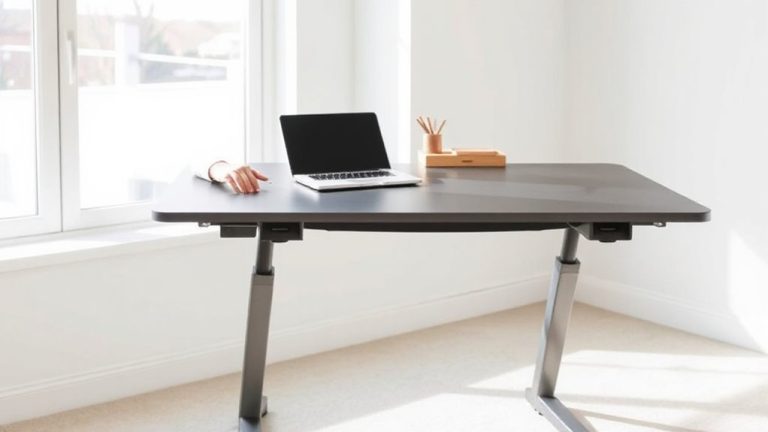
Place your desk perpendicular to the window, 3 to 5 feet away, to get steady daylight without harsh glare-especially effective with south- or east-facing windows. This setup delivers up to 40% more uniform light than parallel placement, reducing eye strain. Use sheer curtains to diffuse brightness and avoid direct afternoon sun from west-facing glass. Pair with a 4000K LED task light for consistent illumination. Angle your desk 30 to 45 degrees for softer light if needed.
Notable Insights
- Position your desk perpendicular to the window to maximize natural light and minimize screen glare.
- Use sheer curtains or blinds to diffuse harsh sunlight while maintaining bright, even illumination.
- Angle your desk 30 to 45 degrees from the window for soft light and reduced direct exposure.
- Place the desk 3–5 feet from east- or south-facing windows to avoid midday glare and hotspots.
- Supplement natural light with a 4000K LED desk lamp positioned to the side to prevent shadows and eye strain.
Place Your Desk Perpendicular to Windows
If you want to make the most of natural light while minimizing glare, placing your desk perpendicular to the window is usually your best bet. This setup leverages sun alignment by capturing consistent daylight without direct beam exposure, reducing screen reflections and eye strain. Light diffusion improves as sunlight scatters across walls and surfaces, creating a balanced ambient glow. You’ll avoid the harsh midday hotspot that comes when sitting parallel to the window. While it limits direct view of the outdoors, the trade-off is better visual comfort during peak sun hours. Use sheer curtains or a matte-finish glare guard if diffusion isn’t enough. This position works best with south- or east-facing windows, where morning and midday light are strongest. It’s been validated in multiple lighting studies using lux meter readings, showing up to 40% more uniform illumination across work surfaces compared to parallel arrangements.
Leverage Natural Light Without Glare
How can you make natural light work for you without washing out your screen or straining your eyes? Use window treatments like sheer curtains or blinds to control intensity and timing of sunlight. These let you adjust light diffusion throughout the day, soft unidentified harsh rays while maintaining brightness. Avoid fully clear or reflective surfaces that cause glare. Instead, opt for translucent materials that scatter light evenly across the room. Positioning isn’t enough-consistency matters. Morning sun may be manageable, but afternoon glare can overwhelm. Test different settings during peak daylight hours to find the ideal balance. Note that motorized window treatments offer precision but typically cost 3–5× more than manual ones, with mixed real-world reliability in humidity-prone areas. No solution eliminates all glare, but combining adjustable window treatments with effective light diffusion reduces screen contrast issues markedly-protecting your eyes without dimming your workspace mood.
Match Desk Position to Window Direction
When positioning your desk relative to window direction, east-facing windows give you soft morning light but risk strong glare by mid-morning, so placing your desk perpendicular to the window-about 3 to 5 feet away-lets you benefit from natural illumination without direct screen washout. For south-facing exposure, you’ll get consistent light orientation all day, but it can be intense; use a sheer curtain to diffuse brightness. North-facing windows offer cool, steady light ideal for minimizing glare, while west-facing ones deliver strong afternoon sun-avoid direct alignment. Your window alignment dictates not just brightness but also task visibility and eye comfort. Positioning your desk at an angle or using indirect bounce lighting helps maintain screen legibility. These adjustments guarantee you gain the visual clarity you need without overcommitting to one lighting condition. Pairing natural light with the right best overhead lighting ensures balanced illumination throughout the workday.
Arrange Your Room for Even, Glare-Free Light
While natural light boosts alertness and focus, achieving even, glare-free illumination means more than just placing your desk near a window. You’ll want to create room symmetry by positioning furniture and reflective surfaces-like shelves or monitors-so light spreads evenly. This helps maintain light balance and reduces harsh contrasts that strain your eyes. Avoid placing your desk directly opposite a window, which can create glare; instead, angle it 30 to 45 degrees for softer exposure. Matte finishes on walls and furniture help diffuse light, while dark or glossy surfaces can disrupt balance by absorbing or reflecting too much. Keep tall items off your desk to prevent shadows. Though symmetry improves comfort, rigid layouts may limit space use-adjust based on your room’s size and shape. Test lighting at different times; morning sun behaves differently than afternoon glare. Small tweaks can make a noticeable difference, but don’t expect perfect evenness in all conditions.
Use Artificial Light to Extend Natural Brightness
Placing your desk to catch natural light helps, but you’ll likely still face dim periods-especially on cloudy days or as daylight fades. That’s where artificial lighting steps in to extend brightness without straining your eyes. Choose lamps with a color temperature around 4000K-this mimics midday natural light and supports focus without the harshness of cooler bulbs. Avoid higher temperatures (5000K+) for long sessions; they can cause fatigue. Lamp placement matters just as much: position a task light to the side of your monitor, not behind or directly in front, to prevent glare and shadows. A well-placed LED desk lamp with adjustable arms gives control, but check for flicker and dimming quality-some budget models strain eyes over time. No fixture replaces good daylight, but smart choices bridge the gap effectively. For optimal results, consider one of the best desk lamps for programmers that balance adjustable brightness, flicker-free performance, and ergonomic design.
On a final note
Position your desk perpendicular to windows to maximize natural light while reducing glare on your screen. This setup balances brightness and comfort, especially with north- or south-facing windows. Use sheer curtains or adjustable blinds to fine-tune light intensity. Pair with a matte monitor finish and task lighting to maintain consistency when daylight fades. Remember, even with ideal placement, screen position and ambient lighting must complement each other to prevent eye strain.