Safeguarding Wireless Keyboards and Mice by Pairing Only via Bluetooth With Trusted Devices
You should pair your wireless keyboard and mouse via Bluetooth 4.0 or higher only with trusted devices-this blocks eavesdroppers and avoids the unencrypted risks of most 2.4 GHz dongles. Bluetooth’s built-in encryption and frequency hopping reduce interference and keystroke capture, but only if paired correctly. Avoid public pairing, remove unknown devices weekly, and guarantee your computer uses Bluetooth 5.0 for better range and stability-older or budget models may still lag. A clean, private pairing process is your best defense. There’s more to getting it right than most realize.
Notable Insights
- Use Bluetooth 4.0 or higher to ensure strong encryption and protect against keystroke eavesdropping.
- Pair only with trusted devices to prevent unauthorized access and potential data interception.
- Avoid proprietary 2.4 GHz dongles that lack encryption and are vulnerable to signal spoofing.
- Regularly remove unknown paired devices to eliminate rogue input devices and reduce attack risks.
- Ensure correct Bluetooth pairing procedures to maintain end-to-end encryption and secure connections.
Why Unsecured Keyboards & Mice Are Risky
Ever wonder how something as small as a wireless mouse could pose a real threat to your computer? It’s not just about convenience-unsecured devices open the door to data interception and signal jamming. Hackers can capture every keystroke from an unencrypted keyboard or disrupt your mouse with signal jamming, leaving you blind during critical tasks. These risks are especially high with older or low-end peripherals that skip proper encryption. Bluetooth pairing helps, but only if you confirm it’s done securely with trusted devices. You’ll want peripherals using Bluetooth 4.0 or higher-they’re tested against eavesdropping and offer better range and battery life. Real-world tests show these models resist most interference. Just remember: no wireless device is 100% safe, and physical access changes everything. Always update firmware and avoid public pairings. Security isn’t guaranteed-but smart choices reduce risk dramatically.
Dangers of Proprietary Wireless Dongles
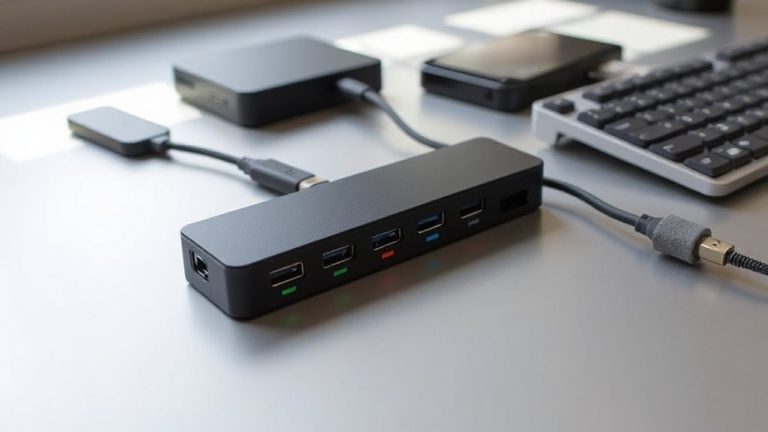
While proprietary wireless dongles often promise seamless connectivity and plug-and-play simplicity, they come with real security trade-offs you shouldn’t ignore. These dongles typically use 2.4 GHz RF signals that are easier to exploit than you might think. Without strong encryption, your keystrokes can fall victim to signal interception, letting attackers capture everything you type. Worse, many lack authentication, leaving them open to device spoofing-where a hacker pretends to be your keyboard or mouse. Unlike standardized protocols, manufacturers often keep their methods secret, which doesn’t guarantee safety and limits independent testing. Real-world studies have exposed vulnerabilities in well-known brands, proving these risks aren’t just theoretical. You may value convenience, but it’s not worth compromising your data. If you must use a dongle, pick models with verified encryption and firmware updates. Still, even those can’t match the built-in safeguards of properly configured Bluetooth.
How Bluetooth Keeps Your Typing Private
Bluetooth keeps your typing more secure than most proprietary dongles, especially when the connection uses modern encryption standards like Bluetooth 4.0 or later. It relies on strong encryption protocols that scramble your keystrokes, making them unreadable to eavesdroppers. Unlike older wireless tech, which often skips robust encryption, Bluetooth encrypts data end-to-end by default when paired correctly. This means hackers can’t easily intercept your passwords or messages. You’ll also face less signal interference because Bluetooth uses adaptive frequency hopping, switching channels rapidly to avoid crowded 2.4 GHz band noise. That boosts both security and reliability. Still, older Bluetooth versions lack newer protections, so guarantee your keyboard and device support Bluetooth 4.0 or higher. While pairing introduces slight setup effort, the privacy payoff is clear. Just remember: a secure connection only works if your devices are trusted and up to date-otherwise, even strong encryption can’t save you from endpoint risks.
Pair Your Keyboard and Mouse via Bluetooth
A solid wireless setup starts with proper pairing, and connecting your keyboard and mouse via Bluetooth is usually the most reliable way to get there. Bluetooth minimizes signal interference compared to generic 2.4GHz dongles, especially in crowded office environments with Wi-Fi and other wireless devices. You’ll often notice smoother tracking and more consistent keystrokes. Plus, Bluetooth devices typically offer better battery life-many last six months to a year on a single set of AA or AAA cells. Just don’t assume all Bluetooth gear performs the same; some budget models struggle with latency or brief dropouts. Always check reviews for real-world testing results on responsiveness and connection stability. Pair only one device at a time to avoid confusion, and make sure your computer’s Bluetooth adapter supports the latest standard, like Bluetooth 5.0 or higher, for ideal performance. It’s a small step that makes a noticeable difference.
Remove Unknown or Suspicious Devices
How often do you check which devices are actually connected to your computer? You should regularly review paired Bluetooth devices to remove unknown or suspicious ones. Unrecognized devices might compromise device authentication, leaving your system vulnerable to eavesdropping or unauthorized input. Even worse, rogue devices can cause signal interference, leading to lag or unresponsive keyboards and mice. Bluetooth connections aren’t always secure by default, especially if pairing occurs in crowded areas like coffee shops or shared offices. Deleting unused or unrecognized devices reduces attack surface and improves connection stability. Most operating systems let you view and remove paired devices in Bluetooth settings-do this weekly if you work in public spaces. While it’s rare for consumer-grade gear to suffer direct breaches, poor device authentication practices increase risk. Regular cleanups are simple, free, and effective-just don’t forget to re-pair your own trusted gear afterward.
Limit Bluetooth Access to Trusted Devices
Even if you’re not in a high-risk environment, limiting Bluetooth access to only the devices you trust can considerably tighten your security posture. You should enable device authentication so only your keyboard and mouse can pair-this blocks unknown peripherals from connecting. Signal encryption guarantees data between your devices stays private, protecting keystrokes from eavesdropping. Most modern Bluetooth keyboards and mice use Bluetooth 4.0 or higher, which supports these security features, but you must activate them in your system settings. Keep in mind, enforcing strict pairing may slightly increase connection setup time, especially when switching between devices. Some budget peripherals don’t implement full encryption, so check product specs for Bluetooth SIG certification. You’ll trade minor convenience for meaningful protection, particularly if you use sensitive accounts or handle personal data regularly. Regularly audit paired devices to maintain control.
Never Pair in Public or Shared Spaces
Skip pairing your keyboard or mouse in coffee shops, airports, or shared workspaces-those moments invite security risks you can’t see. Public exposure makes your device discoverable to nearby attackers who might intercept pairing signals or inject malicious input. Bluetooth signals, especially older versions like 4.2 and earlier, lack strong encryption during setup, leaving you vulnerable. Shared interference from other wireless devices also increases connection drops, making pairing unreliable. Even with Bluetooth 5.0 or later, which offers better security and range, the public environment remains unsafe. Always pair at home or in private, controlled spaces where you control the wireless environment. That way, you reduce exposure and guarantee stable, encrypted connections from the start. While it’s convenient to set up gear on the go, the trade-off in security isn’t worth it.
On a final note
You should pair your keyboard and mouse via Bluetooth only with trusted devices-it’s safer than using unsecured proprietary dongles that can be hacked from across a room. Bluetooth uses encryption, making eavesdropping far harder. But don’t skip verifying device authenticity during pairing, and never connect in public areas. Remember, convenience trades off with security; always remove unknown paired devices and limit access to what you trust.