How to Conduct a Physical Security Risk Assessment of Your Home Office Space
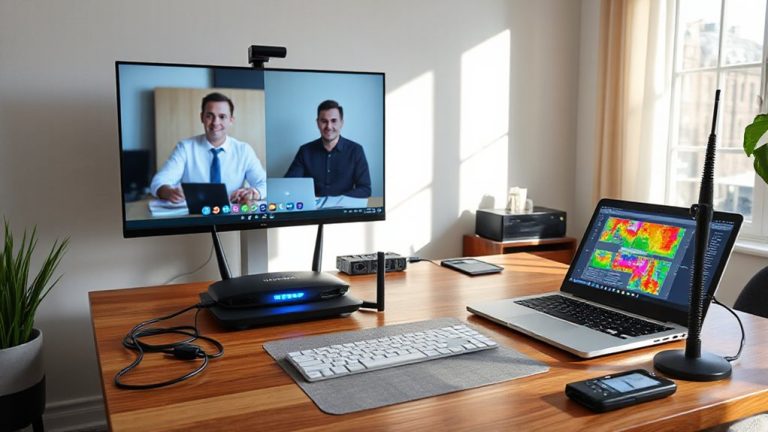
Start by locking your laptop and monitor with cable locks if they have security slots-most deter casual theft but won’t stop determined thieves. Pair this with TPM-based encryption like BitLocker to protect data if hardware is taken. Store sensitive documents in a UL-rated, locked steel cabinet and keep digital copies encrypted. Check doors and windows: use solid-core doors, 3-inch screws in strike plates, security pins on exterior-hinged windows, and motion-sensing LED floodlights (800+ lumens) to reduce blind spots - real cameras with night vision beat fake ones every time, especially near ground-floor access points - you’ll also want to shield your router in a locked enclosure to prevent tampering.
Notable Insights
- Inspect doors and frames for solid construction and reinforce with long screws and deadbolts to resist forced entry.
- Evaluate windows for strong locks, intact seals, and consider security pins or supplemental bolts to prevent tampering.
- Secure computing devices using cable locks and enable TPM-based encryption like BitLocker to protect against theft.
- Store sensitive documents in UL-rated, locked filing cabinets and maintain encrypted digital copies to reduce physical exposure.
- Install motion-activated lighting, perimeter illumination, and monitored CCTV cameras to deter intruders and improve visibility.
Secure Your Devices From Theft or Tampering
You’ll want to lock down your devices with real hardware security-cable locks, locking drawers, or secure mounts-because even basic gear like a Kensington lock can stop opportunistic theft in shared or accessible spaces. Cable locks aren’t foolproof, but they deter quick grabs, especially in homes with guests or roommates. Pair them with device encryption so stolen gear doesn’t become a data breach. If your laptop supports TPM-based encryption like BitLocker or FileVault, enable it-this adds a critical layer if hardware falls into the wrong hands. Note: cable locks work best on laptops, monitors, or docking stations with standard security slots. They’re not effective on ultra-slim devices lacking anchor points. Don’t rely on software alone-physical tampering can bypass login screens. While no solution is perfect, combining cable locks and device encryption gives solid baseline protection.
Lock Down Sensitive Paperwork and Storage
A locked filing cabinet with a solid internal lock-not a flimsy sliding bolt-is essential for securing sensitive paperwork like tax documents, contracts, or printed passwords. Opt for steel construction with a UL-rated lock; these resist tampering better than basic models. Store only what’s necessary, and cross-reference digital copies protected with file encryption to reduce physical exposure. If multiple people access the space, maintain access logs-either digital or handwritten-to track who retrieves documents and when. This adds accountability and helps spot irregularities. Avoid leaving files out overnight or during deliveries. Consider fire-resistant cabinets (rated 1/2-hour or more) for added protection, though they’re heavier and cost more. Remember, physical security fails when habits lag-no lock helps if it’s left open. Balance convenience and safety: a well-organized system with clear rules works best over time. Some ergonomic seating options, like a cross-legged sitting chair, can improve posture and comfort during long security review sessions.
Check All Doors and Entry Points for Weaknesses
Start with the main entry doors-they’re the most obvious target, so they need the strongest defense. You should evaluate door materials: solid core or steel doors resist forcing better than hollow wood. Check the frame too-a weak jamb can fail even with a good lock. Entry frequency matters; doors used often wear faster, so inspect hinges, latches, and strike plates regularly. High-traffic entries may need reinforced hardware or closer monitoring. Use deadbolts with at least a 1-inch throw and guarantee they extend into a secured strike plate with 3-inch screws. Don’t overlook side or garage-access doors-they’re common weak points. Test each door under real-world conditions: push, pull, and wiggle to find play or misalignment. While sturdier materials and hardware improve security, they’re only effective if properly installed and maintained. Balance durability with usability based on daily access needs.
Identify Unsecured Windows and Exterior Access
Many intrusions occur through unsecured windows or overlooked exterior access points, making them critical to assess with the same rigor as doors. You should check every window for strong locks, intact window seals, and signs of easy forced entry. Windows with weak latches or single-pane glass are especially vulnerable. If your windows have exterior hinges, make sure they can’t be lifted or tampered with from the outside-consider adding security pins. Sliding windows and French-style types often lack robust internal locking mechanisms, so retrofitting with supplemental slide bolts improves protection. Test seals annually, as cracked or degraded ones compromise both security and insulation. While upgrading to laminated glass or impact-resistant frames offers better defense, it’s often cost-prohibitive. Most standard residential models, even those with decent warranties, still require supplementary measures. Don’t assume factory hardware is enough-real-world testing shows many fail under modest pressure.
Use Lighting to Deter Unauthorized Access
Darkness invites risk-strategic lighting cuts it off at the source. You should install motion lighting around entry points and dark corners where intruders might hide. These sensors detect body heat and movement, triggering bright lights that startle and expose anyone approaching. Perimeter illumination, like LED floodlights or path fixtures, keeps outer zones visible and reduces shadows. Use lights with adjustable sensitivity and timers to avoid false alarms from pets or passing cars. Look for weather-resistant models with at least a 5-year warranty and 800+ lumens for reliable output. While effective, keep in mind that poor placement can create glare or light trespass. Overlit areas may also encourage dependency, making you less alert. Pair lighting with other physical safeguards-don’t rely on it alone. Test monthly, clean lenses quarterly, and replace units failing in under three years.
Protect Your Router and Network Hardware
A locked door and bright lights won’t help if your network hardware is sitting exposed on a shelf near a window or within reach of a visitor. You need to physically secure your router and modem-ideally in a locked cabinet or closet, away from entry points. Tampering or unauthorized access can bypass even strong network encryption. Keep firmware updates current; outdated firmware leaves known vulnerabilities unpatched, increasing risk of remote exploitation. Use WPA3 encryption if your router supports it, or WPA2 as a minimum. Avoid placing hardware in shared or visible areas where guests might tamper with cables or reset buttons. While metal enclosures help shield signals and add protection, make certain ventilation to prevent overheating. Remember: physical access often means full access. Relying solely on digital safeguards fails if the hardware itself isn’t secured. A small investment in placement and maintenance greatly tightens your overall defense.
Install Visible Security Measures as Deterrents
Deterrence starts with what intruders can see. Installing visible security measures like outdoor-rated CCTV cameras and monitored alarm systems sends a clear message: your home office isn’t an easy target. Place cameras at entry points-doorways, ground-floor windows-where they’re noticeable but out of reach, ideally with night vision and motion detection. Pair them with visible alarm system decals and window stickers; even basic systems reduce break-in risks. But don’t rely on looks alone-fake cameras backfire and erode trust. Real devices must record reliably, store footage securely, and ideally offer remote alerts. Wired systems often outperform battery-powered models in stability. Remember, visibility helps, but only if the tech works when tested. Install with care, maintain regularly, and confirm monitoring includes 24/7 response. For optimal results, consider the best home office security cameras based on performance, durability, and ease of integration with existing systems.
On a final note
You should lock your home office devices and sensitive files-use cable locks for laptops and a fireproof safe for documents. Reinforce doors with deadbolts and check windows for easy access. Motion-sensor lights help, but don’t rely on them alone. A locked cabinet protects your router and network gear. Visible cameras or signs can deter intruders, yet no setup is foolproof. Balance security with convenience, and update protections regularly based on your risks.