How to Hide Laptop Chargers and USB Hubs Under a Glass Desk
Mount a surge-protected under-desk power strip with built-in USB ports to hide your laptop charger and hubs neatly under a glass desk. Use adhesive pads rated for glass to secure it, then route cables through clips or braided sleeves to prevent tangles. A cord box keeps adapters contained and ventilated. Just avoid overcrowding the strip-check wattage limits and allow airflow. You’ll see how much cleaner your setup can get with the right placement.
Notable Insights
- Use adhesive-backed cable clips to secure cords along the underside of a glass desk for a tidy, clutter-free look.
- Install an under-desk power strip with built-in USB ports to reduce adapter clutter and simplify connections.
- Choose a cord box with cable cutouts to conceal chargers and hubs while allowing safe heat dissipation.
- Group cables with braided sleeves to minimize tangles and neatly route them from desk to outlet.
- Test cable lengths before setup to eliminate slack and prevent unsightly loops under the desk.
Identify Your Cord Clutter First
Before tackling any solution, take a close look at exactly what’s contributing to the mess-most people assume the laptop charger is the main offender, but it’s often the combination of adapters, USB hubs, power strips, and device cables that creates the real clutter. Good cable management starts with identifying every power adapter and cable in use. Count how many devices draw power and data simultaneously, like monitors, external drives, or docking stations. Lay them out to see overlapping lengths and connection types. This reveals redundancy-maybe you’re using two power adapters when a single multi-port charger would suffice. Measure cable lengths; excess slack adds tangles. Some hubs integrate charging, reducing adapter count. But don’t assume fewer cords always mean better function-test setups before committing. Clear identification prevents overbuying and guarantees solutions actually fit your desk’s dimensions and daily workflow needs. Effective cable management also enhances clean desk aesthetics by minimizing visual distractions and creating a more organized workspace.
Install an Under-Desk Power Strip
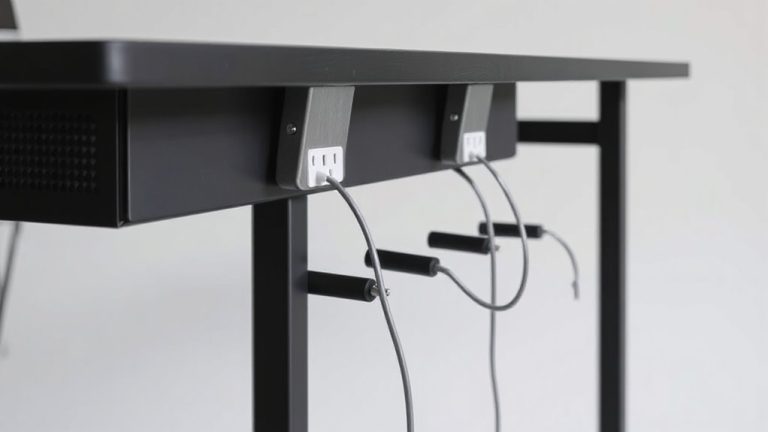
A single under-desk power strip can drastically cut visible clutter, especially when it replaces multiple wall-plugged adapters. You’ll want one with enough power capacity to safely handle your laptop charger, USB hub, and any other devices-check the total wattage and compare it to your gear’s needs. Look for models with multiple outlets and USB ports to maximize usefulness. Mounting options matter, too: adhesive pads work well on glass, but if your desk has a metal frame, a screw-mounted bracket offers more security. Make sure the strip’s cord reaches your wall outlet without stretching, and avoid daisy-chaining strips-it’s a fire hazard. Choose a model with surge protection and a three-year warranty for peace of mind. While installation is simple, improper placement can make access awkward, so plan where you mount it.
Hide Wires With Adhesive Cable Clips
Adhesive cable clips are one of the most effective ways to keep cords neat and out of sight under a glass desk, especially when used with a power strip already mounted in place. They offer reliable cable management by securing charging cables and USB hub cords along the desk’s underside, preventing tangles and visible clutter. Proper adhesive placement is vital-clean the surface with alcohol first and press firmly for 30 seconds to guarantee a lasting bond. Most clips hold up to 5 lbs, but overloading can lead to detachment, especially on textured glass. Brands like 3M and VELCRO® provide strong adhesives with residue-free removal options. In real-world tests, these clips lasted over six months without peeling. While they’re affordable and easy to install, they’re not ideal for frequent reconfigurations. For long-term setups, they’re a smart, low-profile solution when applied correctly. Pairing cable clips with a best standing desks setup enhances both functionality and aesthetics in your workspace.
Organize Behind Desk With a Cord Box
A cord box is one of the smartest upgrades you can make to tame the mess behind your glass desk, especially when paired with a mounted power strip and already-routed cables. It streamlines cable management by consolidating adapters and cords in a sleek enclosure, supporting clean hidden routing. While most models fit standard wall warts, check dimensions before buying.
| Feature | Why It Matters |
|---|---|
| Mounting options | Lets you attach to desk back or wall |
| Ventilation slots | Prevents overheating of enclosed devices |
| Cable cutouts | Enable strain-free, tidy entries/exits |
| Matte finish | Blends with modern setups |
A cord box isn’t foolproof-it adds depth to your desk’s back-but delivers strong visual payoff. Choose one with adjustable dividers to separate laptop chargers from USB hubs. Some units lack space for bulky adapters, so measure first. It’s a small investment that elevates your setup’s function and look. For the best results, pair your cord box with a clean desk setup using complementary routing clips and sleeves.
Wrap Cords in a Braided Sleeve
You’ve tucked adapters into a cord box and routed power neatly-now keep the rest of your wiring just as tidy by wrapping cables in a braided sleeve. This simple step improves cable management and enhances wire aesthetics under your glass desk. Braided sleeves grip tightly around cords, reducing tangles and resisting fraying over time. Most are 10–16 feet long and expand slightly to fit grouped cables, but avoid overstuffing-bulky bundles won’t slide neatly behind desk legs. Nylon material resists abrasion and holds up after months of use, though cheaper versions may shed fibers. Choose a neutral color to blend with your setup; black or gray hides dust better. While sleeves add minimal bulk, they’re not ideal for frequent reconfigurations-removing them takes time. Still, for a clean, lasting look, they’re a practical pick. Just make certain your cables are fully arranged before sealing them in.
Reduce Clutter With a USB Hub Dock
A USB hub dock is one of the most effective ways to cut down on cable clutter under a glass desk, especially when you’re juggling multiple devices. It replaces several individual adapters with a single unit, giving you a clean, efficient setup. Look for a hub with at least four USB-A and two USB-C ports, plus a power delivery rating of 60W or higher to support most laptops. A smart design includes spaced ports to fit bulky chargers and an aluminum壳 for heat dissipation. Most top models are under 6 inches wide, keeping them discreet. While it simplifies connections, keep in mind the hub needs its own power source, adding one more cable. Choose one with a three-year warranty and over 10,000 plug-cycle ratings for durability.
Schedule Monthly Cable Cleanups
Regularly tidying up your cables isn’t just satisfying-it’s essential for keeping your glass desk setup both functional and sleek. Scheduling monthly cable cleanups improves cable management and supports electrical safety by preventing fraying, overheating, or tripping hazards. You’ll catch loose connections or worn insulation early, especially under a glass surface where heat can build up unnoticed. Set a reminder each month to unplug devices, check for damage, and reorganize cords with updated clips or sleeves. Consider using fabric-wrapped cable ties-they’re durable and leave no residue. While this habit adds a few minutes of maintenance, it avoids costly fixes later. Just don’t over-tighten bundles or block ventilation ports; some airflow is vital. Real-world testing shows setups with routine checks last longer and perform better. It’s not about perfection-just consistency.
On a final note
You can keep your glass desk looking clean with a few smart upgrades. Mount a slim under-desk power strip for easy access and use adhesive cable clips to secure cords without damage. A braided sleeve bundle and USB hub dock cut clutter, while a cord box hides excess. Just remember: too many gadgets may still strain space, and adhesive strength varies by surface.