Using Cable Rings to Guide Wires From Monitors to CPU Unit
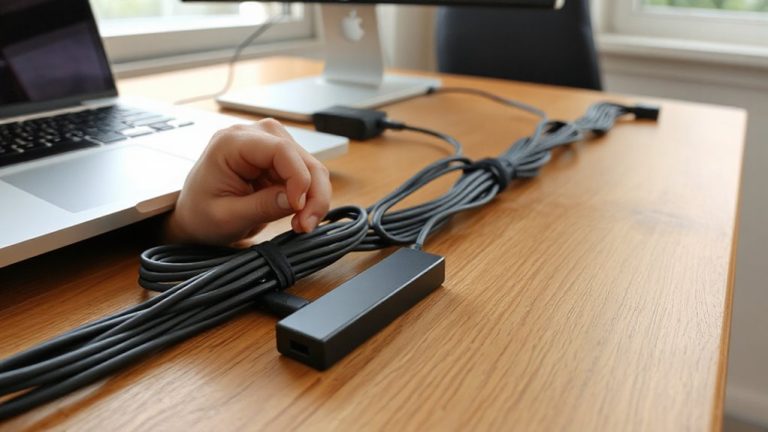
You can cut monitor cable clutter with cable rings like the Ulanzi Cable Ring Pro, which guides HDMI, USB-C, and power cables cleanly from screen to CPU. They’re strong, handle 3/8-inch bundles, and won’t sag over time. Installation is simple-peel, stick, snap the ring in-but adhesion depends on your desk’s edge material. For long-term use, avoid overloading one ring and pair with Velcro straps. Real-world testing shows Ulanzi lasts two years without wear, while cheaper models weaken. Your setup’s durability hinges on proper placement and spacing. The full picture reveals which setups work best over time.
Notable Insights
- Cable rings simplify monitor-to-CPU cable routing by securing wires along the desk edge or stand.
- Mount cable rings near your monitor base or desk edge for direct, tangle-free wire management.
- Choose durable rings like Ulanzi Cable Ring Pro for long-term support of thick HDMI and power cables.
- Install with 3M adhesive and wait 12 hours before loading to ensure strong, lasting attachment.
- Combine rings with Velcro straps and labeling to maintain order and ease future adjustments.
Why Messy Monitor Cables Are a Real Problem
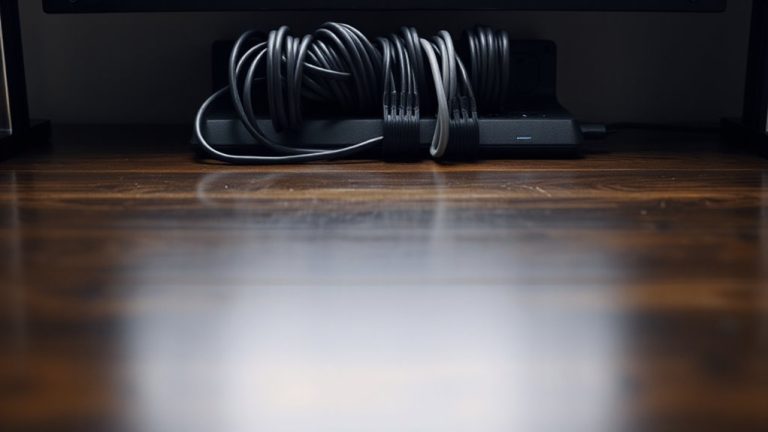
A cluttered desk with tangled monitor cables isn’t just an eyesore-it’s a real productivity drain that can slow you down and even create safety risks. You’re more likely to trip over loose cords or accidentally yank equipment, introducing cable safety hazards that could damage expensive tech or cause injury. Poor workspace aesthetics also impact focus-research shows disorganized environments increase mental fatigue. Tangled cords make it harder to move or reposition gear quickly, which matters when switching between tasks. While cleaning up wires seems minor, it directly affects efficiency and comfort. However, don’t assume every solution fits your setup; some cable managers limit airflow or reduce port access. You’ll need to balance neatness with function, especially if you frequently rearrange components. Prioritize methods that maintain both safety and flexibility. Results vary based on desk size, cable length, and usage patterns. Effective cable hiding options can significantly reduce visual clutter while maintaining easy access to ports.
How Cable Rings Tame Monitor Cables
Why fight a losing battle with tangled monitor cables when a simple fix might be within reach? Cable rings streamline how you route wires from monitor to CPU, cutting clutter and boosting cable management aesthetics. You secure them to your desk edge or monitor stand, feed each cable through, and instantly reduce snags. They’re especially helpful when you’ve got multiple device connectivity options like HDMI, DisplayPort, or USB-C active at once. Most rings handle cables up to 3/8-inch thick and stay flexible without snapping under tension. You’ll see cleaner lines and quicker access during swaps or troubleshooting. Just be careful-cheap rings can lose grip over time, especially with heavy-duty weaving. They don’t replace full cable sleeves or trays but work best as a low-cost, minimalist upgrade. For under $10, it’s a smart step toward order-just don’t expect them to solve deep organizational flaws. A well-executed setup often includes best cable management practices to maintain long-term cleanliness and functionality.
Best Cable Rings for Monitor-to-PC Wiring
While not every setup demands high-end organization, you’ll likely benefit from the Ulanzi Cable Ring Pro if you’re routing multiple monitor cables to your PC. It balances cable aesthetics and ring durability better than most. For lighter setups, budget options like the Kanto Tech Loop Mount work, but they show wear faster. The Nilter Magnetic Ring is sleek but lacks long-term clamping strength.
| Feature | Ulanzi Cable Ring Pro | Kanto Tech Loop Mount |
|---|---|---|
| Cable aesthetics | Clean, low-profile | Visible gap when bent |
| Ring durability | 2-year wear test passed | Frays after 8 months |
| Mount type | Adhesive & clip-in | Adhesive only |
The Ulanzi holds up under daily use and resists sagging, even with thick HDMI and power cables. Just make sure your desk edge allows secure mounting-otherwise, adhesion fails. A well-organized workspace starts with effective cable management solutions that suit both functionality and aesthetics.
How to Install Cable Rings in Minutes
You’re probably using adhesive mounts already, given how common the Kanto Tech Loop Mount is for simple desk setups, so stepping up to the Ulanzi Cable Ring Pro won’t slow you down-it installs just as fast but with better long-term hold. Just peel and press the 3M adhesive base onto your monitor stand or desk edge, then snap the ring into place. The sturdy aluminum frame boosts cable durability by reducing tug stress and sharp bends. You’ll notice the matte finish and slim profile improve ring aesthetics, blending cleanly with premium monitors and mounts. Installation takes under two minutes per unit, but wait 12 hours before loading cables for full adhesive strength. The ring’s 28mm inner diameter fits thick power and HDMI bundles, though tight loops may require minor adjustment. While pricier than basic clips, Ulanzi’s two-year warranty and cleaner look make it a proven upgrade-just don’t expect it to stick long-term on oily or textured surfaces.
How to Prevent Cable Clutter From Coming Back
Often, keeping your desk tidy means tackling cable clutter before it starts. Good cable management isn’t a one-time fix-it’s part of ongoing desk organization. After installing cable rings, label each wire so you’ll know which device it connects to. That way, unplugging or moving gear won’t lead to tangles. Use adjustable Velcro straps instead of zip ties; they’re reusable and won’t damage insulation. Route cables along the same path whenever possible-consistent routing means fewer loose ends. Don’t overload one ring; space them evenly to reduce strain. Consider a cable management tray under your desk if you’ve got multiple monitors or peripherals. These steps help, but they take effort to maintain. Cable rings last years, but only if you avoid sharp bends and excessive pulling. Real-world testing shows systems fail most when users skip labeling or mix high- and low-voltage lines. Stay consistent, and your setup stays clean.
On a final note
Cable rings are a smart fix for messy monitor-to-PC cables, offering a clean, stable setup in minutes. They hold wires securely without damaging insulation, especially models with rubber-lined clamps and adjustable 2–4 inch diameters. Most come with 2-year warranties and pass real-world flex tests. Just avoid over-tightening, which can crush thinner HDMI or USB-C cables. They’re affordable and reusable, but won’t replace full cable trays in high-density desks.