Using Cable Sleeves to Bundle and Hide Wires Along the Back of Your Desk
Use braided nylon cable sleeves to bundle and hide wires along your desk-they’re durable, resist fraying, and keep cords organized with a clean look. They allow flexibility for future changes and won’t damage surfaces like adhesives can. Stick to 20% extra sleeve diameter for easy adjustments, and pair with clips or screws for secure routing. Note: they don’t fully conceal bulky adapters or replace strain relief. For best results, combine with labeled cables and plan for airflow. You’ll find smarter ways to maintain and expand your setup as you go.
Notable Insights
- Choose nylon or braided sleeves for durability and a clean look when bundling wires along your desk’s back edge.
- Select a sleeve diameter 20% larger than your cable bundle to allow room for additions and flexibility.
- Route cables along the desk’s rear edge using adhesive clips or screws, avoiding airflow zones and moving parts.
- Group and label cables by color or tag before sleeving to simplify identification and future maintenance.
- Inspect and dust sleeved cables regularly, replacing damaged sleeves to maintain organization and safety.
Why Cable Sleeves Are the Best Solution for Desk Cables
While you might find cheaper ways to tidy up your workspace, cable sleeves are still the best choice for keeping desk wires organized and accessible. They offer strong aesthetic appeal by turning a cluttered jumble into a clean, streamlined look. Instead of loose cords snaking across your desk, you get a single, neat bundle that hides the mess without trapping dust or limiting airflow. Most sleeves use nylon weave or braided fabric, which resists fraying and allows moderate flexibility for routing. A hidden mess stays out of sight but remains easy to adjust when you need to unplug or add a device. Unlike adhesive clips or rigid conduits, sleeves don’t damage surfaces and work with various cable counts. Just don’t overload them-packing too many thick cables limits access and reduces flexibility. Real-world tests show wear after 12+ months, but quality brands last longer. They’re not perfect, but they’re practical. This solution is part of a broader set of Top Cable Management Solutions for maintaining a clean and efficient office environment.
How to Choose the Right Cable Sleeve for Your Setup
A good cable sleeve makes a noticeable difference in managing your desk wires, but picking the right one depends on your cable count, desk layout, and how often you rearrange gear. You’ll want to take into account material type-nylon is flexible and durable for most setups, while neoprene offers extra cushioning and stretch for thicker bundles. Size compatibility matters just as much; measure your grouped cables and choose a sleeve with about 20% extra diameter to allow for future additions or adjustments. Too tight, and you’ll strain the wires; too loose, and the bundle sags. Flat sleeves work well for desks with minimal clearance, whereas round ones handle more cables efficiently. Most reputable brands offer warranties of 1–2 years, and real-world testing shows nylon holds up best under daily use. Just remember: longer isn’t always better-cut it to fit your space. For a clean desk setup, consider integrating cable management solutions that combine sleeves with adhesive clips or under-desk trays.
Step-by-Step: Installing Cable Sleeves Along Your Desk
You’ve picked the right cable sleeve for your setup-now it’s time to install it the right way. Start by planning your cable routing: run the sleeve along the back edge of your desk, keeping it clear of moving parts and airflow zones. Most sleeves use adhesive-backed clips or zip ties for desk mounting-adhesive works well on smooth surfaces but may fail on textured desks or in humid areas. For a more secure hold, use screws with included mounts if your desk allows. Cut the sleeve to size before threading cables to avoid slack. Measure twice: a sleeve that’s too long sags; too short strains connections. Some users report minor wear after six months of daily adjustments, so leave a little flex room. While installation is straightforward, rushing leads to messy routing later. Proper desk mounting guarantees durability and clean cable routing over time. A well-organized setup enhances both functionality and aesthetics, making product roundup a helpful reference for choosing the best solutions.
Grouping and Labeling Cables for Easy Identification
How do you quickly find the right cable when you’re juggling a monitor, charger, and webcam all tied together? Group and label them strategically. Use color coding to separate device types-blue for USB, red for power, green for audio-so you can spot each at a glance. Cable tagging adds clarity; clip small labels or heat-shrink tags near ends to identify purpose and destination. This works well with cable sleeves, keeping bundles neat and information accessible. While color coding speeds up daily access, it requires consistent planning-if you mix systems, confusion returns. Tag materials matter too: vinyl tags last longer than paper, especially in humid climates. Test your labels for smudging after two weeks. These steps add minimal setup time but cut troubleshooting time markedly. Just don’t rely solely on color; vision differences or dim lighting can undermine it. Combine tagging and coding for best results.
Managing Power Strips and Surge Protectors With Sleeves
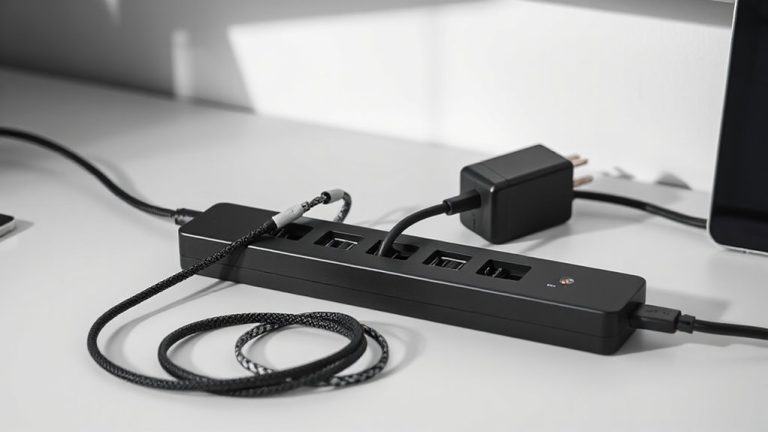
Keeping power strips and surge protectors organized isn’t just about plugging things in-it’s about making those connections visible, accessible, and safe. You’ll want to use cable sleeves to streamline cable routing from the power strip to your devices, reducing clutter and preventing accidental disconnections. Secure the sleeve along the desk’s rear channel, feeding each power cord neatly through it. This approach improves power management by grouping only related cables, so you can easily identify what’s drawing energy. Choose a surge protector with spaced outlets to avoid blocking adjacent plugs, especially with bulky AC adapters. While sleeves conceal wires well, don’t overstuff them-that restricts airflow and makes future changes harder. Also, make certain your power strip has an on/off switch and joule rating (at least 1,000) that matches your setup. Proper cable routing with sleeves simplifies access without hiding safety risks.
Tips to Keep Your Cable System Clean Over Time
While no system stays perfect forever, a well-maintained cable setup can stay clean and functional for years with the right habits. Establish regular cable dusting routines every three to four months using a microfiber cloth and compressed air to prevent grime buildup that can degrade connections over time. Check for signs of heat discoloration or fraying during each session, especially near connectors. Perform sleeve wear inspection every six months-look for split seams, UV damage, or abrasion where the sleeve rubs against the desk edge, as compromised jackets expose wires and reduce strain relief. Replacing a torn sleeve promptly avoids tangles and maintains safety. While sleeves greatly improve organization, they aren’t foolproof; poorly rated Velcro closures may degrade after repeated use, so opt for nylon-weave jackets with reinforced stitching. A clean system saves time troubleshooting and extends hardware life-but only if you stay consistent.
Upgrading Your Setup: Adding or Removing Cables Later
If you plan to swap out devices or expand your workstation over time, choosing a cable sleeve that’s easy to open and re-close makes upgrades hassle-free. Look for sleeves with strong hook-and-loop or zippered closures-these offer the best cable flexibility when adding or removing wires. Braided nylon options typically outlast cheaper fabric or plastic wraps and handle future expansion well without fraying. Most high-quality sleeves support up to 20–30% diameter expansion, so they won’t split when you add a new HDMI or USB-C cable later. But don’t overfill them; cramped cables invite heat buildup and stress on connectors. Test the sleeve’s tensile strength: cheaper versions wear out after two to three open-and-close cycles. A good sleeve lasts years and adapts as your setup changes, but only if you respect its limits. Plan access points near devices to minimize full disassembly.
On a final note
Cable sleeves are a smart, affordable way to tidy your desk’s rear cables, boosting both look and function. They’re easy to install and hold up well over time, especially braided nylon versions with hook-and-loop closures. Just don’t overload them-thick bundles can make routing tight or hide damaged wires. Measure your cable group first and leave room for airflow. They won’t fix poor layout, but paired with labels and a mounted power strip, they deliver real results.