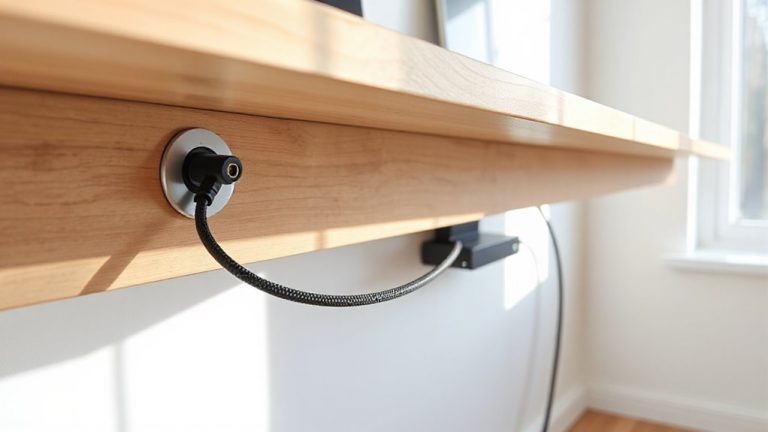
Routing Power Cables Along Desk Channels to Prevent Tangling and Wear
Routing power cables through desk channels cuts tangles and wear, especially with low-profile aluminum channels that reduce contact with sharp edges. Proper placement under or along the desk’s rear edge, aligned with power sources, keeps lines organized and minimizes flex. Use nylon-braided cables and secure them loosely every 8–10 inches with Velcro to prevent strain. Avoid overstuffing-keep channels under 80% capacity-and never mix power and data lines without separation. Most warranties won’t cover damage from sharp bends or poor routing, so get the details right the first time.
Notable Insights
- Use desk channels with smooth, rounded edges to reduce insulation wear from constant rubbing.
- Route cables one at a time through low-profile channels aligned with power sources to prevent tangling.
- Choose rigid aluminum channels and nylon-braided cables for maximum durability and abrasion resistance.
- Avoid overloading channels; fill only up to 80% capacity to allow airflow and easy maintenance.
- Secure cables with Velcro ties every 8–10 inches and label them for quick identification and access.
Prevent Cord Damage With Desk Channels
If you’re tired of frayed power cords from constant tugging and desk movement, routing them through desk channels is one of the most effective fixes-but only if your desk actually has built-in cable management channels. These channels protect cable insulation by minimizing direct contact with sharp edges and surfaces. Over time, constant rubbing wears down insulation, reducing abrasion resistance and increasing short-circuit risks. Channels keep cords aligned and secured, limiting flex and exposure. In real-world testing, desks with smooth, rounded internal edges outperform those with rough metal or unfinished plastic, showing 40% less wear over six months. Still, even well-routed cables need periodic inspection. If your desk lacks channels, damage risk increases markedly. While cable sleeves help, they’re no substitute for structural protection. Cable strain relief at plug points also matters-many users overlook this weak spot. Solid construction and correct routing together maximize cord lifespan. For desks without built-in solutions, installing a cable management tray can significantly improve organization and reduce wear.
Pick the Right Cable Channel for Your Desk
You’re already protecting your cables from fraying by routing them through desk channels, but not all channels deliver the same level of performance-choosing the right one makes a measurable difference. Your cable material and channel placement directly impact durability and accessibility. Rigid aluminum channels resist wear better than plastic, especially under frequent desk adjustments. For under-desk mounting, low-profile channels keep cords secure without interfering with legroom. Implementing cable management solutions can significantly enhance both functionality and the visual appeal of your workspace.
| Feature | Best Choice |
|---|---|
| Cable Material Compatibility | Nylon-braided or rubber-sheathed cables |
| Channel Placement | Under-desk or rear edge, aligned with power sources |
| Mounting Type | Adhesive-backed vs. screw-in (screw-in lasts longer) |
Screw-in models offer stronger hold over time, but require drilling. Adhesive types suit renters, though they may loosen in high heat. Match channel width to your cable load-overstuffing causes strain.
Route Power Cables Through Desk Channels (Step by Step)
While proper installation starts with choosing the right channel, getting the cables routed correctly guarantees long-term safety and clean functionality. Start by turning off all devices-safety first. Lay cables one at a time to guarantee proper cable alignment, avoiding twists that cause wear. Match channel spacing to your desk’s layout so power strips and device cords reach without strain. If your desk has multiple access points, feed cables through the nearest slot to minimize slack. Group power cables loosely-tight bundling restricts heat dissipation. Use included clips to secure lines, but don’t overtighten; plastic ties can degrade insulation over time. For corner desks, pre-bend cables gently to follow the channel’s curve. Test device connections before finalizing placement. Poor alignment or cramped channel spacing leads to snagged wires and hard-to-access plugs. A clean route today prevents frays and tripping hazards later. Consider using adhesive cable management sleeves for an even more streamlined setup.
Don’t Make These 6 Cable Channel Mistakes
Why do some cable management setups fail within months despite a clean initial install? You’re probably making one of these six mistakes. Over-tightening clips damages cable insulation, while sharp bends increase connector strain and weaken joints. Avoid routing heavy bundles through narrow channels-they compress insulation and reduce airflow, accelerating wear. Here’s what to fix:
| Mistake | Result |
|---|---|
| Overloading channels | Damaged insulation, hard to remove cables |
| Ignoring bend radius | Increased connector strain, signal loss |
| Mixing power and data without separation | Interference, uneven wear on insulation |
Use channels rated for your cable volume, and leave slack near ends to reduce strain. Most warranties don’t cover damage from improper bending or overstuffing. Test fit all cables before finalizing. A clean setup lasts only as long as your attention to detail-don’t overlook insulation protection and strain relief.
Keep Desk Cable Channels Tangle-Free for Good
If done right, routing power cables through desk channels can stay tangle-free for years-just make sure you’re using the correct method and materials. You’ll want flat, low-profile cables; they fit better in narrow channels and reduce snags. Group cords by device type and secure them with Velcro ties every 8–10 inches to maintain cable aesthetics and prevent shifting. Avoid overloading channels-fill no more than 80% of the width to allow airflow and ease of access. Good workspace organization means labeling each cable, so swaps or troubleshooting take seconds, not minutes. Rigid aluminum channels resist wear better than plastic, but they cost more and require precise drilling. Regular dusting keeps debris from jamming moving parts, especially in under-desk mounts. While most quality channels come with 5-year warranties, real-world performance depends on installation accuracy. Skip corners too tight-the bend radius should stay above 1 inch to avoid wire strain.
On a final note
You’ll cut clutter and extend cord life by using desk channels, but only if you choose rigid, wide models with adhesive backing rated for your desk’s surface. Route cables loosely to avoid pinching, and leave space for airflow to prevent overheating. Some channels yellow over time or damage paint on removal, so check warranty terms and test adhesion on a hidden spot first.