Selecting Corner Desks That Still Allow Proper Elbow-Wall Clearance
You need at least 25 inches of elbow-to-wall clearance when seated to avoid strain and maintain circulation-measure from your elbow to the wall with your chair pulled in. Choose L-shaped desks with 24-inch depth and a curved front edge to prevent collisions. Steel frames offer durability, while built-in cable management keeps your space functional. Even compact designs can fail if the return is too shallow, so verify clearance in person-your posture depends on it.
Notable Insights
- Ensure at least 25 inches of elbow-to-wall clearance by measuring from seated position with chair pulled in.
- Choose L-shaped desks with 20–24 inches depth to balance ergonomic space and room fit.
- Prioritize desks with a curved front edge and padding to reduce obstruction and improve comfort.
- Verify minimum 2 inches clearance between elbows and wall during typing to prevent posture strain.
- Opt for sturdy builds with cable management to maintain clear space and support long-term use.
Why You Need Elbow Room at Your Corner Desk
A lot of corner desks fall short when it comes to elbow space, and that’s a dealbreaker if you plan to work for hours. You need enough room so your arms aren’t pinned, or you’ll wreck your ergonomic posture and restrict arm circulation. When elbows dig into tight corners, shoulders hunch, and blood flow suffers-leading to numbness and fatigue. A proper setup lets your arms hang naturally at 90 degrees, supporting typing comfort and long-term health. Desks with at least 24 inches of depth in the corner zone typically work best. Look for L-shaped models tested for workspace usability, not just size. Keep in mind: wider isn’t always better if it crowds your room. Clearance matters more than sheer dimensions. Solid steel frames help maintain stability when leaning, but always verify weight limits. There’s a real trade-off between compact design and usable space-prioritize function. For small spaces, choosing one of the best corner desks for small spaces can make a significant difference in both comfort and efficiency.
How to Measure Elbow-to-Wall Clearance for a Corner Desk
With your chair pulled up to the corner, measure from your elbow straight back to the wall behind you-this is the clearance you actually need for comfortable typing. That wall distance should be at least 25 inches to prevent shoulder strain and allow full arm reach during extended work sessions. Use a tape measure while sitting in your usual posture, since leaning forward or back alters results. Most people underestimate how much space their arms need, especially when using a keyboard or mouse. Keep in mind that wall distance varies based on chair height, desk depth, and seating position. A corner desk with a shallow return might save space but limit arm reach. Don’t rely on manufacturer specs alone-test the setup in person if possible. Accurate measurement prevents discomfort later, even if it means adjusting room layout. Comfort isn’t guaranteed; it’s designed. For more tailored suggestions, explore our Best Home Office Desks roundup to find models that support proper ergonomics.
Pick a Corner Desk Shape That Maximizes Space
You’ve measured your elbow-to-wall clearance, so now it’s time to choose a corner desk shape that actually uses the space you’ve got. The L shaped design is usually your best bet-it fits snugly into corners and gives you room for a monitor, keyboard, and some paperwork without crowding. If your room allows, try a diagonal placement; it opens up floor space and improves traffic flow, especially in smaller rooms. Just make sure the extended arm of the desk doesn’t block doors or pathways. Keep in mind that while an L shaped design maximizes surface area, its depth (typically 20–24 inches) can limit larger monitor setups. Diagonal placement also means you’ll need to check cable reach and power strip access. Always confirm the desk’s build quality-steel frames last longer than particleboard. Measure twice, buy once.
How to Position Your Corner Desk for Armroom
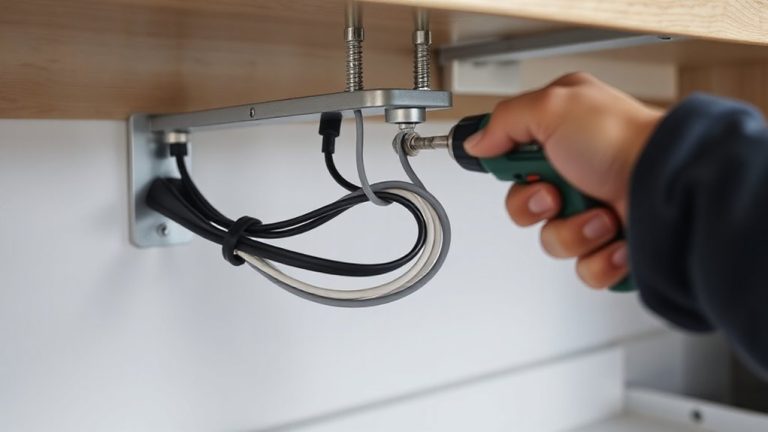
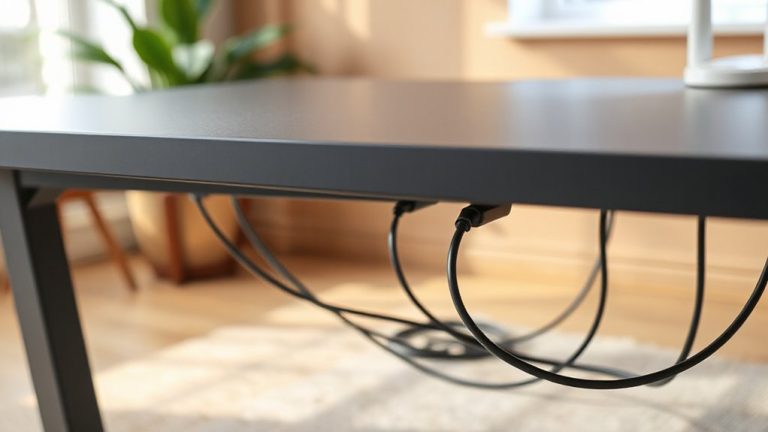
While ergonomics often focus on chair height and screen level, how you position your corner desk can make or break your armroom-and poor placement forces you into hunched or stretched postures that lead to fatigue. You should set the desk so your elbows clear the wall by at least 2 inches when typing, letting your arms stay relaxed at 90 degrees. Angle your keyboard tray slightly inward if possible, since that boosts reach without pulling you forward. Good monitor placement matters too: center your main screen at eye level, about an arm’s length away, to prevent neck strain. Keep cables tidy with built-in cable management to avoid snagging and maintain clean access behind the desk. Don’t let cords limit how close you sit. Remember, ideal positioning depends on your body size and room layout-what works in testing may need adjusting at home.
Desk Features That Prevent Wall Collisions
If you’re setting up a corner desk in a tight stringstream, choosing one with a curved front edge can greatly reduce the risk of bumping into walls during use-look for models with a radius of at least 10 inches on the corner to allow smooth arm movement and chair swiveling. Desk padding along the edges adds comfort and helps prevent minor injuries during long work sessions. Integrated cable management systems keep cords organized and pulled away from the wall, reducing clutter and minimizing strain on ports and devices. However, be cautious with ultra-thin designs-some prioritize looks over function and lack built-in grommets or channels, making setup harder than necessary. Sturdy L-shaped desks with rounded fronts and tested weight limits of 150+ pounds offer reliable performance. Check warranty terms, too; longer coverage often signals better build quality. A well-chosen L-shaped desk can transform your productivity and comfort, especially when selecting from the best L-shaped desks based on stability, size, and user reviews.
Space-Saving Corner Desks That Still Give Elbow Room
A well-designed corner desk can balance compact footprints with generous workspace, letting you make the most of unused nooks without sacrificing comfort. The right corner design gives you space to type and write while keeping your elbows clear of the wall. Your desk orientation plays a key role-L-shaped models facing outward often offer better reach than diagonal fits. Below are three space-saving options with tested elbow clearance:
| Model | Depth (in) | Clearance Tip |
|---|---|---|
| L-shaped Compact | 36 | Best for right-angle corners |
| Curved Corner | 32 | Sweeping edge aids arm movement |
| Adjustable Wing | 38 | Customize span based on posture |
Choose depth with elbow room in mind, and confirm measurements match your wall setup. Even compact designs can hinder movement if desk orientation ignores seated reach.
On a final note
You’ll want at least 18 inches from elbow to wall when seated-a non-negotiable for comfort during long work hours. Corner L-desks with open right or left returns often provide better clearance than peninsula styles. Test desk depth; 24–30 inches typically works best. Prioritize rounded corners and offset legs to avoid collisions. Remember, wider isn’t always better-measuring your space and chair swing is essential. Some models sacrifice storage for roominess, so balance features accordingly.