Diagnosing Flicker-Free Backlight Systems for Sensitive Vision Types
You’re likely safer using a flicker-free display with DC dimming, especially if you’re sensitive to eye strain. These monitors avoid the rapid backlight pulsing of PWM-even at low brightness-cutting down headaches and fatigue. Look for TÜV Rheinland Flicker-Free certification to confirm performance. Keep in mind, some models may show slight color shifts or reduced contrast. For reliable results, test screens at under 50% brightness. Your next screen choice could make a real difference.
Notable Insights
- Use a phone camera to detect rolling dark bands on screen, especially below 50% brightness, indicating PWM flicker.
- Confirm true flicker-free performance only with TÜV Rheinland Flicker-Free certified monitors for sensitive vision.
- Prefer DC dimming over PWM, as it eliminates rapid backlight pulsing that can cause eye strain.
- Low-frequency PWM (<1,000 Hz) is more likely to trigger headaches and visual fatigue in sensitive individuals.
- Ensure consistent DC dimming across all brightness levels to avoid flicker and maintain visual comfort.
What Is Screen Flicker and Why It Hurts Your Eyes?
Ever wonder why your eyes feel strained after hours in front of a monitor? Screen flicker-rapid, invisible pulses in backlighting-could be the culprit. Even if you don’t see it, your brain detects it, leading to fatigue and headaches. Blue light worsens this, disrupting sleep and increasing discomfort, especially in low-light settings. A higher refresh rate doesn’t fix flicker, but stable backlight systems paired with smooth refresh rates (like 75Hz or above) reduce strain. Flicker-free tech, such as DC dimming, minimizes brightness fluctuations, but not all panels use it. Some budget models falsely advertise “eye care” without addressing real flicker. Real-world testing with high-speed cameras confirms which screens truly perform. Look for certifications like TÜV Rheinland Flicker-Free, but verify claims-specs can mislead. Warranty periods and third-party lab results add confidence, but always weigh performance against cost.
PWM Vs. DC Dimming: Which Causes More Eye Strain?
Why does one dimming method feel easier on your eyes than another? Because not all dimming methods treat light the same way. PWM (Pulse Width Modulation) rapidly turns the backlight on and off, relying on flicker frequency to control brightness. If that frequency is too low-under 1,000 Hz-you’re likely to experience eye strain, especially in dim rooms. DC dimming adjusts voltage instead, eliminating flicker entirely, making it easier on sensitive eyes. Most experts agree DC dimming causes less eye strain than low-frequency PWM. But some cheaper DC implementations can introduce color shifts or noise. High-end monitors often pair DC dimming with anti-flicker certifications like TÜV Rheinland, offering stronger protection. You’ll want to check reviews that test real-world performance, not just specs. While DC dimming is generally better, the quality of implementation matters just as much as the method itself.
How Do Flicker-Free Screens Work?
| Feature | Flicker-Free Screen |
|---|---|
| Dimming Method | DC with continuous voltage |
| Backlight Stabilization | Yes |
| Eye Strain Risk | Lower |
| Brightness Precision | Slightly reduced at low levels |
| Ideal Use | Office work, sensitive vision |
While flicker-free tech helps, some models sacrifice slight brightness control for comfort. Look for TÜV Rheinland certification and test viewing at varied brightness. Not all “eye-care” labels mean true flicker-free performance-verify specifications carefully.
How to Test Your Screen for Hidden Flicker at Home?
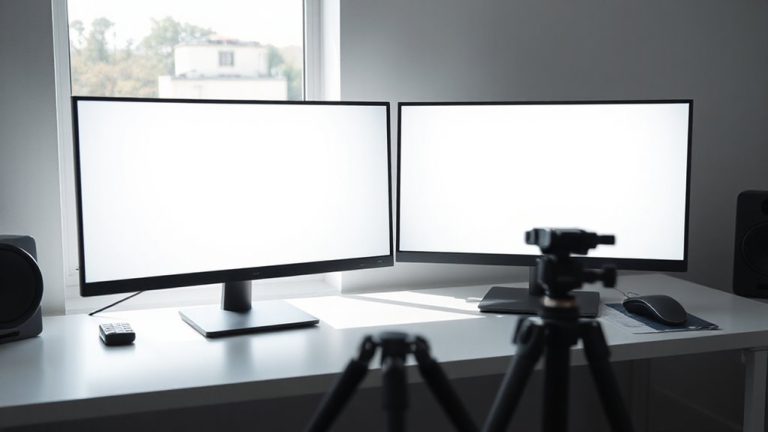
Can your eyes really trust what they see on your screen? You might not notice flicker, but your brain could still react to it. Try the camera test: use your phone to record your screen at different brightness levels. If you spot rolling dark bands, that’s flicker. Lower screen brightness often makes it worse, especially on LED-backlit displays. Adjust ambient lighting to reduce glare and ease eye strain, but remember-good lighting won’t fix a flickering backlight. This method isn’t lab-grade, but it’s a solid first check. Keep in mind, some screens only flicker below 50% brightness, so test across the range. While results vary by device quality, consistent banding means your monitor likely uses PWM dimming. If you’re sensitive, those findings matter-even if the flicker seems minor. Trust the test more than your eyes here.
What Makes a Monitor Truly Flicker-Free?
You’ve probably used your phone’s camera to catch flicker on your screen, and while that test reveals PWM dimming in many monitors, spotting the problem isn’t the same as solving it. A truly flicker-free monitor uses DC dimming, which maintains backlight stability across all brightness levels-no rapid pulsing. Look for a solid Monitor certification like TÜV Rheinland’s Flicker-Free label, as it confirms lab-tested performance, not just marketing claims. These monitors eliminate eye strain for most users, but remember: certified models sometimes sacrifice deep black levels or include glossy finishes that increase glare. While backlight stability helps visual comfort, it doesn’t guarantee better color accuracy or viewing angles. So, check full specs and independent reviews. High-end office models often balance flicker-free operation with adjustability and matte panels, but they can be pricier. You’re paying for verifiable performance-just confirm it fits your workspace needs before committing.
Who Benefits Most From Flicker-Free Displays?
Who actually gains the most from switching to a flicker-free display? You do-if you spend hours in front of a screen and notice eye strain or fatigue. People with light sensitivity, migraines, or neurological conditions like epilepsy often see real benefits. Flicker-free tech eliminates the rapid, invisible backlight pulsing common in PWM-dimmed screens, leading to reduced headaches and improved concentration over time. Studies and user trials show measurable drops in visual discomfort, especially under low brightness. Still, not all “flicker-free” labels are equal-look for DC dimming and certifications like TÜV Rheinland’s Low Blue Light or Flicker-Free standard. While high refresh rates and matte finishes help, they don’t replace true flicker elimination. The best models combine stable backlighting with solid build quality, three-year warranties, and real-world tested performance. Just remember: comfort isn’t guaranteed. Individual responses vary, and ergonomic setup matters just as much as the panel itself.
On a final note
You should get a flicker-free monitor if you spend long hours at your desk, especially if you’re sensitive to screen strain. Look for certified flicker-free models using DC dimming-they prevent headaches better than PWM-based screens. Test your current display with a phone camera to spot flicker. Just remember, “flicker-free” doesn’t mean perfect ergonomics; pair it with proper brightness and breaks to really protect your eyes.