Donating Functional But Obsolete Cords to Local Schools or Makerspaces
You can donate obsolete cords to local schools or makerspaces, but only if they’re tested and matched to real needs. USB-C, HDMI, and Ethernet cables are most useful; VGA or old USB-B cords may still work for printers or repair labs. Always contact tech coordinators first-unannounced drops create clutter. Clean cables with isopropyl alcohol, test for continuity and power, and label them. Makerspaces often want broken cords for parts. A little prep guarantees your donation actually helps. There’s a smarter way to give them meaning.
Notable Insights
- Contact school tech coordinators first to confirm if obsolete cables like VGA or older USB types are still in use.
- Prioritize donating functional cables with common connectors such as HDMI, USB-A, and Ethernet, even if not cutting-edge.
- Test and clean all cords, labeling them clearly to ensure schools or makerspaces can use them safely.
- Consider makerspaces for obsolete cables-they often repurpose old wires for prototyping or repair education.
- Avoid unannounced drop-offs; coordinate donations to prevent clutter and ensure accepted items align with program needs.
Find Schools That Need Donated Cords
While some schools have steady budgets for tech supplies, you’ll likely find many nearby programs willing to accept donated cords-especially if they’re teaching STEM, robotics, or computer science. Your school outreach can make a real difference, but success depends on matching what you have with what they actually need. Cable compatibility is critical-mismatched connectors or outdated standards like VGA or serial cables may be useless, even if functional. Always contact tech coordinators first to confirm accepted types. Many schools now rely on USB-C, HDMI, or Ethernet, so older peripherals require verification. Avoid dropping off without communication; structured donation plans prevent clutter and guarantee usability. While enthusiasm helps, respect their constraints-what works in your home office may not suit a classroom. Prioritize relevance over volume to make your contribution truly effective.
Know Which Cords Are Most Useful (And Why)
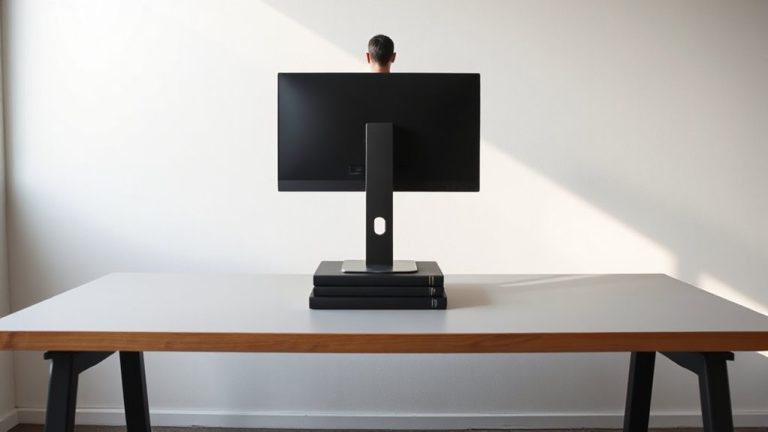
Your donation’s impact starts with choosing the right cords-focus on versatile, durable USB-C and HDMI cables, since most schools now use devices that rely on these standards. USB-C supports data, power delivery, and video on a single cable, which simplifies classroom tech setups. HDMI guarantees reliable high-definition video for projectors and displays. While power adapters are less often requested, functional ones for common Chromebook or laptop models are still useful. Avoid obsolete serial connectors-few modern devices support them, making those cables low-value. Stick to cables under six feet for better signal integrity and easier storage. Prioritize cords with reinforced stress points and nylon braiding; they survive heavy use. Don’t include frayed or stiff cables-school techs will discard them. Your careful selection guarantees time and budget get spent on teaching, not troubleshooting. A portable standing desk can also enhance classroom ergonomics when paired with donated technology.
See How Classrooms Actually Use Old Cables
How do schools actually make use of the cables you’re considering donating? Teachers turn old cords into tools for cable creativity and classroom innovation every day. They repurpose VGA and HDMI cables for aging projectors still in service, use USB-A to USB-B cords for classroom printers, and adapt older charging cables for science lab devices. In makerspaces, students strip cables for parts, build custom connectors, or integrate them into robotics prototypes. These real-world applications emphasize function over form, where working gear-no matter how outdated-fuels hands-on learning. You’ll often find teachers bundling mismatched cords for student-led repair challenges or using them in engineering design tasks. Still, not every cable fits today’s needs-some tech is too obsolete to justify classroom space. But when your donation aligns with a teacher’s scavenger inventory, it supports practical problem-solving without straining tight budgets.
Clean and Test Cords Before Donating
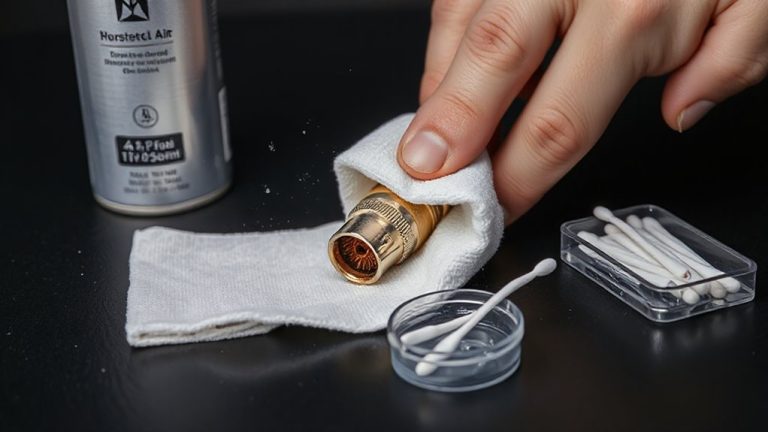
Teachers already put old cables to work in creative, functional ways, but before handing over your surplus cords, take a few minutes to clean and test them-this small effort guarantees they’ll be useful, not frustration. Cable safety is critical: frayed wires, cracked connectors, or bent pins can damage devices or create hazards. Inspect each cord thoroughly, and use a multimeter or simple continuity tester to confirm signal integrity. For USB or Ethernet cables, plug them into working devices to verify data transfer and power delivery. Wipe down jackets with isopropyl alcohol to make certain donation hygiene-dust and grime accumulate fast in classrooms. Avoid donating cables with corrosion, stiffness, or loose ends, even if they seem to work intermittently. Label tested cords clearly, separating functional from faulty. Your diligence saves teachers time and makes certain donated gear supports real learning-because a clean, verified cord is more valuable than ten untested ones.
No Local Takers? Try These Alternatives
What if there’s no school or makerspace nearby collecting cables? You still have solid options. First, try online marketplaces like eBay or Craigslist-people often need older cords for legacy devices, and you might recoup some value. Be honest about wear and test each cord before shipping. Prices vary, but niche cords (like Mini-DIN or serial cables) can fetch $5–$15. Alternatively, check local electronics recycling programs. Many accept outdated cables for responsible disposal, preventing e-waste and recovering materials. Some retailers, like Best Buy, offer drop-off bins with verified recycling partners. Just remove any personal adapters or proprietary ends that limit reuse. While selling takes effort and recycling won’t earn cash, both beat trashing functional gear. Neither option is perfect-marketplaces demand time, and recyclers don’t return usable parts-but they’re practical when donation isn’t possible. A neat workspace starts with smart solutions, and using cable management solutions can help keep newly acquired or retained cords organized.
Start a Neighborhood Cord-Donation Drive
Even if no nearby schools or makerspaces are collecting cables, you’re not out of options-organizing a neighborhood cord-donation drive can put unused cords into hands that need them. Start by drafting clear organizing flyers to post in local cafes, libraries, and online groups; these should list accepted items like HDMI, USB-A to USB-C, Ethernet, and power adapter cords that are intact and test functional. Effective volunteer coordination guarantees collection points are staffed and sorting happens efficiently. Set a drop-off date and location, like a community center lobby or church hall, and assign roles in advance. Be upfront: this takes time and space most won’t have, and damaged or frayed cords must be excluded. While not every neighborhood can pull this off, successful drives often redistribute hundreds of usable cords-just don’t expect high turnout without consistent outreach and follow-through.
Yes, Your Old Cords Are Still Useful
That tangled drawer full of old cords? Yeah, they’re still useful. Many older cables work just fine in classrooms and makerspaces, especially where budget matters. Cable reuse cuts e-waste and supports tech recycling without sacrificing function. USB-B, VGA, even old Ethernet cables often power projectors, 3D printers, or desktop rigs in schools. Just because your laptop’s new doesn’t mean those legacy ports vanished everywhere. Functional cords reduce costs for educators and students alike. But-and this is important-only donate working ones. Frayed insulation, bent pins, or loose connections create more hassle than help. Test each cable first: plug in and verify signal transfer or charging. Avoid outdated standards like serial or coax if the school hasn’t used them in years. Stick to common types. Label them clearly. Your “junk” could spark a student’s next project-provided it’s safe, tested, and actually compatible.
On a final note
Yes, your old cords are still useful-donating them helps schools stretch tight budgets. Many classrooms need USB-A to USB-B, HDMI, or VGA cables for older projectors and lab equipment. Test each cord with a multimeter or device before giving; frayed shielding or bent pins mean recycle, not donate. Label types clearly. If no local takers, consider nonprofit refurbishers. Just don’t expect tax receipts or guarantees they’ll last five years.