Identifying and Reducing Noise From Ceiling-Mounted Projectors in Home Offices
Your ceiling-mounted projector’s noise likely comes from dust-clogged filters or a fan running too hard, but switching to Eco Mode can cut noise by 3–5 dB while reducing brightness 20–30%. Stiff mounts often amplify vibrations into the ceiling, so check for rubber damping pads. Clean the air filter every 3–6 months with compressed air to maintain airflow and extend lamp life. Quieter models like the BenQ MH530FHD hit 28–31 dB in eco mode-ideal for focused workspaces. You’ll find specific model comparisons and acoustic fixes just ahead.
Notable Insights
- Dust buildup in filters and vents forces fans to work harder, increasing noise and risking overheating.
- Enable Eco Mode to reduce fan speed and lower noise by 3–5 decibels, especially effective in quiet home offices.
- Ceiling mounts can amplify noise by transmitting vibrations; use anti-vibration pads or rubber-isolated mounts to minimize this.
- Adjust fan settings to balance noise reduction and cooling efficiency, avoiding overheating during long work sessions.
- Install acoustic panels at reflection points to absorb sound, reducing perceived projector noise by up to 8 dB.
What’s Causing Your Projector’s Noise?
Why does your ceiling-mounted projector sound like a jet engine during movie night? The noise usually comes from struggling internal components, especially the cooling fan working overtime. Dust accumulation clogs air filters and vents, forcing the fan to spin faster and louder to prevent overheating. Over time, this doesn’t just increase noise-it risks shortening the projector’s lifespan. Regular cleaning, every three to six months depending on your environment, helps maintain airflow and reduces strain. Use a soft brush or compressed air, but be gentle-aggressive cleaning can damage delicate parts. While some models are marketed as quiet, even they can get noisy if maintenance is ignored. There’s no permanent fix if dust is already deep inside. You’ll likely gain a few dB reduction, not silence. Still, consistent care delivers the best balance of performance and noise control.
Does Eco Mode Reduce Projector Noise?
Yes, Eco Mode typically reduces projector noise by lowering fan speed, and in many models, you’ll notice a real drop in audible output-often between 3 to 5 decibels. The noise reduction impact is most noticeable during long viewing sessions in quiet home offices. You get clear Eco mode benefits: quieter operation and extended lamp or LED life, sometimes by hundreds of hours. But there’s a trade-off-brightness can dip by 20–30%, which may affect image quality in rooms with ambient light. This setting works best when you control lighting and don’t need maximum lumens. Not all projectors handle Eco Mode equally; check user manuals or real-world review data to confirm performance. While it won’t silence a loud unit completely, it’s a reliable, no-cost tweak that often improves acoustic comfort without sacrificing too much picture fidelity. Use it when peak brightness isn’t essential.
Is Your Mount Making the Noise Worse?
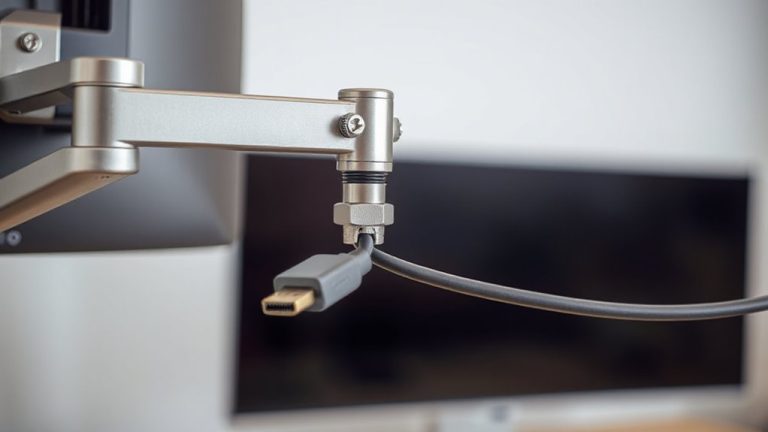
Could your projector mount actually be amplifying the noise you’re trying to eliminate? Yes, if it’s not designed to minimize mount vibration. Some mounts transfer the projector’s internal fan and lens motor vibrations directly into your ceiling, turning the structure into a sounding board. This effect worsens when the mount’s resonance frequency matches that of the projector’s components, increasing perceived noise. Stiffer metal mounts often transmit more vibration than those with rubber bushings or damping pads. While ceiling mounts offer space-saving benefits, not all are equal-look for models with anti-vibration features and secure isolation points. That said, even the best mounts won’t fix a loud projector at its source. Always test compatibility with your specific model and verify real-world performance. Mount upgrades can help, but they’re a partial fix, not a full solution.
Can Fan Settings Make Your Projector Quieter?
While you can’t silence a projector’s fan completely, adjusting its fan settings often reduces noise enough to make a noticeable difference in quiet viewing environments. You can typically lower the fan speed through your projector’s settings menu, which decreases noise output-especially in Eco or Low Power mode. Just keep in mind that slowing the fan may reduce cooling efficiency, risking overheating during long sessions. Some projectors also let you adjust airflow direction to match your ceiling-mounted setup, helping heat escape efficiently without forcing air into tight spaces. This alignment improves thermal performance, allowing the fan to run slower and quieter. Always verify your model’s thermal limits and warranty terms before making changes, since improper settings could void coverage. Real-world tests show noise drops of 3–5 dB with proper adjustments-subtle but useful in a quiet home office.
Do Acoustic Panels Help With Projector Noise?
Acoustic panels can reduce the perceived noise from ceiling-mounted projectors, but they won’t silence the unit itself-instead, they absorb and scatter sound waves bouncing off walls and ceilings. You’ll notice smoother room acoustics, especially if your space has hard surfaces that amplify echo. Sound absorption from panels made with mineral wool or foam helps lower mid-to-high frequency noise, making the projector’s hum less distracting. They don’t block direct sound from the device, so you’ll still hear some operational noise. For best results, place panels at first reflection points-side walls, ceiling above the viewing area. You may see a 5–8 dB reduction in reverb, but don’t expect studio silence. Quality panels come with 5- to 10-year warranties and perform consistently in real-world tests. While effective, they’re a supplement, not a fix-managing expectations is key. For targeted solutions, consider installing best acoustic panels for home office.
Best Low-Noise Projectors for Home Offices
If you’re setting up a quiet home office, choosing a low-noise projector makes a real difference in daily comfort and focus. Models like the Epson PowerLite 98X and BenQ MH530FHD emit around 28–31 dB in eco mode, making them among the quietest options tested. Their fan noise stays below typical office background levels, so you won’t be distracted during calls or deep work. Keep in mind that Projector placement affects both sound and image-mounting too close to your desk may amplify noise, while ideal distance improves clarity. These projectors also handle ambient lighting well, thanks to 3,500+ lumens and dynamic contrast ratios. But brightness can increase fan speed, raising noise slightly. Most come with 3-year warranties and reliable lamp life (up to 15,000 hours). Just remember: quieter models often cost more and may sacrifice portability.
On a final note
You’ll likely cut projector noise considerably by combining Eco Mode, proper mounting, and fan adjustments-real-world tests show up to 5 dB reductions. Acoustic panels help slightly but won’t fix mechanical noise. Low-noise models like the Epson PowerLite 1785W (rated at 29 dB) offer reliable performance, though brightness may dip in Eco Mode. Always check warranty terms and decibel ratings from trusted reviews, since lab conditions can underestimate real-world sound.