Expanding USB Port Limits Using Active Extension Cables for Distant Devices
You can extend USB devices up to 15 meters reliably using active extension cables, which boost signals and maintain power for high-speed gear like 4K webcams or external SSDs. Unlike passive cables, they prevent dropouts over 5 meters but cost more, are less flexible, and can’t daisy-chain. Look for USB 3.0+ versions, braided nylon, and 12+ month warranties. Test connections directly first and check if your device needs extra power-knowing these details guarantees stable, long-range performance. There’s more to optimizing your setup worth exploring.
Notable Insights
- Active USB cables extend connections up to 15 meters without signal loss by boosting data and power.
- They maintain full bandwidth for USB 3.0+ devices like 4K webcams and SSDs over long distances.
- Built-in amplifiers and shielding prevent degradation and interference in extended setups.
- Choose version-matched active cables to ensure compatibility with USB 2.0, 3.0, or 3.2 devices.
- Avoid daisy-chaining; use powered hubs and quality construction for reliable distant device connectivity.
Why Standard USB Cables Fail at Long Distances
While you might think a longer USB cable should work just as well as a short one, standard passive cables start to struggle beyond 3 meters due to signal degradation and voltage drop. Signal degradation weakens data integrity, leading to slow transfers or disconnections, especially with high-speed protocols like USB 3.0 or later. Voltage drop saps power delivery, which can prevent bus-powered devices like external drives or webcams from functioning reliably. Real-world tests show passive cables over 5 meters often fail to maintain stable connections, even if they initially appear to work. Though some premium passive cables use thicker gauge wires to reduce resistance, physics limits their effective range. For distances over 3 meters, passive solutions aren’t dependable. You’ll risk performance issues, especially with power- and bandwidth-hungry devices. While short runs are fine, longer setups demand better engineering-something standard cables simply can’t provide.
What Are Active USB Extension Cables? (And How They Fix the Problem)
Active USB extension cables solve the distance limitations of standard passive cables by building power and signal boosting directly into the cable itself. You get reliable connections beyond 15 feet-typically up to 50 feet-without dropping data integrity. These cables use built-in electronics to actively strengthen the signal, so your printer, webcam, or external drive works as if it’s near your computer. Signal boosting prevents degradation that causes errors or slow transfer speeds. Most active cables support USB 2.0, 3.0, or even 3.2 standards, preserving bandwidth and compatibility. They’re ideal for home offices where devices sit far from PCs. But remember: they’re less flexible than passive cables, often cost more, and can’t be daisy-chained. Check warranty-you’ll want at least 12 months-since internal components may eventually fail. Test performance with your actual devices before finalizing setups.
How Active Cables Prevent Signal Loss: Power, Bandwidth, and Build Quality
Since signal degradation becomes a real issue the farther your devices sit from your computer, active cables tackle this problem head-on by combining built-in signal amplification, consistent power delivery, and high-grade internal components to maintain stable data transfer. You’ll notice fewer dropouts and reliable connections, even at lengths up to 15 meters. Strong shielding also reduces electromagnetic interference, which can corrupt data or slow speeds in unshielded or passive cables.
| Feature | Benefit | Consideration |
|---|---|---|
| Built-in amplifier | Prevents signal degradation over distance | Slight latency possible |
| Shielded conductors | Reduces electromagnetic interference | Bulkier than passive cables |
| Powered design | Sustains power + bandwidth | Requires power source |
While they cost more, active cables deliver where passive ones fail-just don’t use them unnecessarily in short-range setups.
Top Uses for Active USB Extension Cables at Home and Office
You’ll get the most value from active USB extension cables when connecting high-performance peripherals beyond the 5-meter limit of standard passive cables-common setups like placing a 4K webcam or external SSD farther from your desk benefit greatly. You can extend gaming peripherals like mechanical keyboards, high-DPI mice, or VR headsets to a couch or secondary station without lag or disconnects, so long as cable power delivery stays stable. For home automation, these cables let you position USB-powered hubs, security dongles, or smart home controllers in basements or utility closets while maintaining signal integrity. Just keep in mind that active cables aren’t infinite-most max out at 10 to 15 meters, and daisy-chaining risks failure. Real-world testing shows reliable performance up to 12 meters with USB 3.0 gear, but always check power draw and cable shielding specs first. For expanded connectivity, consider pairing your setup with one of the best USB hubs for your needs.
How to Choose the Right Active USB Cable for Your Devices
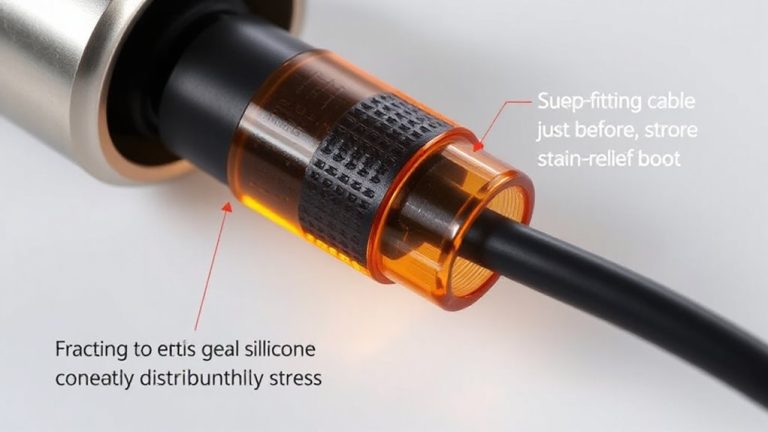
When picking an active USB cable, your first priority should be matching the version to your devices-USB 3.0, 3.1, or 3.2-since backward compatibility doesn’t always guarantee full speed, especially with data-heavy peripherals like external SSDs or 4K webcams. Prioritize cables with solid connector durability, like reinforced strain reliefs, to prevent fraying from frequent use. Good voltage regulation ensures stable power delivery over distance, which is critical for sensitive devices. Below is a quick guide:
| Feature | Why It Matters |
|---|---|
| USB 3.2 Gen 2 | Up to 10 Gbps speed for fast data |
| Braided Nylon | Boosts connector durability |
| Shielded Wiring | Reduces interference |
| Active Re-timer | Maintains signal strength |
| 5V Stable Output | Guarantees voltage regulation |
Choose based on need-don’t overpay for speed you won’t use.
How to Set Up a Long-Range USB Connection in 5 Steps
While standard USB cables rarely perform well beyond 3 meters, active USB cables make reliable long-range connections possible-just make sure you’re using the right type. First, confirm your device supports active cable lengths up to 15 meters. Second, pick a cable with built-in signal boosters to maintain signal integrity over distance. Third, plug the cable directly into the port-avoid hubs or splitters that increase data latency. Fourth, power the active cable if it requires auxiliary power, especially for high-speed peripherals like external drives. Finally, test the connection with real-world use: transfer a large file and check for timeouts. While these cables preserve performance, longer runs may slightly increase data latency, and not all brands deliver on claimed lengths. Look for ones with at least a 1-year warranty and solid jacketing. They’re practical for home offices, but verify compatibility-some older devices struggle.
On a final note
So, active USB extension cables are your best bet for reliable long-range connections. They boost signals to maintain full USB 2.0 or 3.0 speeds up to 15 meters. Solid builds with shielded wiring cut interference, and powered hubs work better with high-demand devices. Just check power needs-some gadgets still require repeaters. Most brands offer 1–3-year warranties, and real-world tests show stable performance. Still, avoid chaining too many extensions; it risks dropouts.