Improving Cable Signal Degradation Issues in Long-Distance Network Connections at Work
Use 75-ohm coaxial or Cat6 cables with bare copper conductors to cut signal loss over long office runs-they handle distances beyond 50 feet better than cheap alternatives and match premium brands in real-world tests. Add a commercial-grade repeater for runs over 100 feet, but don’t stack more than two to avoid latency. For distances over 100 meters, fiber optic is your best bet: it’s immune to interference and supports 10 Gbps, though transceivers add cost. You’ll want to know how installation choices and testing can make or break performance.
Notable Insights
- Use 75-ohm coaxial or Cat6 cables with bare copper conductors to minimize signal loss over long distances.
- Install signal repeaters every 100 feet to amplify weak signals, avoiding more than two to limit latency.
- Upgrade to fiber optic cabling for runs over 100 meters to eliminate electromagnetic interference and maintain high bandwidth.
- Follow proper installation practices, including minimum bend radii and cable support every 3–5 feet, to prevent physical damage.
- Test connections with calibrated tools like time-domain reflectometers to identify and fix degradation from poor terminations or corrosion.
Fix Signal Degradation With the Right Cable Type
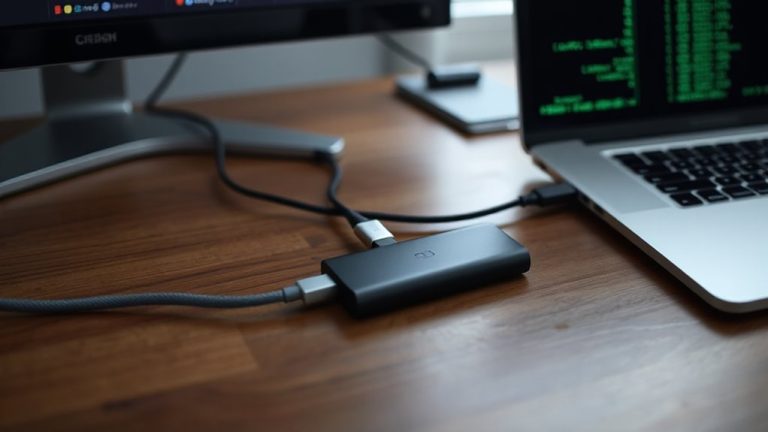
While not every cable issue calls for a full upgrade, switching to the right type can genuinely fix signal degradation if you’re dealing with consistent dropouts or weak reception. Choosing a cable with proper cable impedance-typically 75 ohms for video and 100 ohms for data-ensures compatibility and minimizes reflections that distort signals. Lower-quality cables often worsen signal attenuation, especially over runs longer than 50 feet, leading to lag or loss. High-grade coaxial or Cat6 cables reduce this loss thanks to better shielding and consistent conductor thickness. You’ll see real gains in reliability, but only if the rest of your setup matches the cable’s specs. Don’t overspend on ultra-premium brands-they rarely outperform solid mid-tier options in independent tests. Always check warranty length and conductor material; bare copper beats copper-clad aluminum. Results vary by environment, so test any new cable under actual load. For long-distance data connections, consider Cat6 ethernet cables for improved performance and reduced crosstalk.
Boost Long-Distance Signals With Repeaters and Extenders
One reliable way to maintain strong signal quality over long cable runs is by using a repeater or extender, especially when your setup spans more than 100 feet. These devices provide signal amplification, boosting weakened data pulses so they arrive clearly at the destination. Good models also include active noise reduction, filtering out electromagnetic interference that degrades performance. You’ll notice fewer dropouts and consistent speeds, particularly with Cat6 or higher cables. However, repeaters add a point of failure and require power, so placement near an outlet matters. Most commercial-grade extenders come with 3-year warranties and work reliably in environments tested up to 300 feet. While they won’t fix poor cabling, they’re a smart mid-tier fix when rewiring isn’t feasible. Just don’t stack more than two-each added unit increases latency slightly. For wireless applications, consider a best Wi-Fi extender to ensure seamless coverage throughout large office spaces.
Switch to Fiber Optic for Runs Over 100 Meters
If your cable run exceeds 100 meters, switching to fiber optic is the best way to maintain signal integrity without the lag or loss common in copper lines. The fiber advantages go beyond distance-immune to electromagnetic interference and crosstalk, it guarantees clean data transfer even in electrically noisy workspaces. You also gain massive Bandwidth capacity, supporting 10 Gbps or more over kilometers, not meters, which future-proofs your network for high-demand apps like video conferencing or large file transfers. Plus, fiber doesn’t carry electrical current, making it safer across buildings with varying ground potentials. But don’t overlook the downsides: fiber transceivers and switches cost more upfront, and connectors demand precise alignment, increasing installation sensitivity. While it’s low-loss and highly reliable once live, repairs are trickier than with copper. Test your endpoints with certified gear, confirm compatibility with your existing network hardware, and expect a solid, long-term return if your runs are long and uptime is critical.
Prevent Loss During Installation: Route Cables Right
Since how you route your cables directly affects signal strength and longevity, running them with care during installation can prevent unnecessary loss and future headaches. You should avoid excessive cable tension-pulling too hard stretches conductors and weakens performance. Keep pulls smooth and use cable lubricants in long conduit runs. Also, never bend cables tighter than their minimum bending radius, usually 8–10 times the cable diameter; sharper bends distort internal structure and increase loss, especially in fiber. Use sweeping inner corners on raceways and avoid sharp edges on trays. Support cables every 3–5 feet to prevent sagging and stress. Remember, a clean, thoughtful path today reduces faults and maintenance later. While careful routing takes extra time, the payoff is reliable, high-performance connections over years. Just don’t rely on perfect installation to fix low-grade cables-quality and technique both matter.
Measure Signal Strength With These Testing Tools
How do you really know your cabling performs if you’re not testing it? Signal testing isn’t optional-it’s essential for spotting degradation before it disrupts your network. You’ll need reliable tools like a digital multimeter or a time-domain reflectometer to measure signal strength accurately. These devices help identify weak spots across long cable runs, especially in commercial environments where performance matters. But here’s the catch: even the best tools give flawed results without regular tool calibration. Skipping calibration leads to false readings, so stick to the manufacturer’s schedule. Don’t assume cheaper models save you time or money-they often lack precision and durable warranties. High-end testers cost more, but their accuracy and long-term reliability are worth it. Always verify specs like frequency range and output power to match your cabling standard. Proper signal testing gives confidence, not guesswork, in your network’s strength.
Diagnose Slow or Dropped Long-Distance Connections
Why does your connection crawl or cut out when running data over long cable distances? Signal degradation builds over length, especially if you don’t check connectors or inspect shielding. Poorly terminated ends or corroded contacts increase resistance and invite interference. Damaged or thin shielding fails to block EMI from fluorescent lights, motors, or nearby power lines-common in office environments. You’ll see packet loss or speed drops, particularly past 100 meters on standard Cat6. Start by examining each connection point; even a slightly loose RJ45 plug can cause intermittent faults. Use a cable tester to verify continuity and shielding integrity. Remember, solid performance over distance depends more on installation quality than cable grade. While higher-category cables offer headroom, they won’t fix physical layer issues. Check connectors, inspect shielding-don’t assume the cable alone is to blame.
Avoid Common Installation Mistakes That Weaken Signals
Running cables the wrong way through walls or along conduits can wreck your signal just as easily as a frayed wire. You’re better off planning routes carefully to maintain cable shielding and preserve connector quality. Sharp bends, electromagnetic interference, and poor support all degrade performance over time. Avoid these issues with intentional placement and high-grade materials. For long-distance runs requiring consistent throughput, consider using Cat 6 cables designed for high-speed reliability.
| Mistake | Effect on Signal | Solution |
|---|---|---|
| Tight cable bends | Increased attenuation | Maintain 4-inch bend radius |
| Running near power lines | EMI interference | Use shielded (STP) cables |
| Cheap connectors | Poor connector quality | Use gold-plated RJ45 ends |
| Loose mounting | Physical stress & slack | Secure with proper clips |
Even with solid cable shielding, improper installation undermines reliability. You’ll get better long-term results by pairing durable components with disciplined setup-just don’t expect perfection in electrically noisy environments.
On a final note
You can fix long-distance cable signal issues, but success depends on your setup. Use Cat6 or fiber optic cables for runs over 100 meters-fiber avoids electromagnetic interference entirely. Repeaters boost signals, but test with a TDR or cable tester first to confirm loss points. Proper routing avoids bends and pinching that degrade performance. While upgrades help, they require careful installation. No solution works perfectly if cables are damaged or poorly grounded, so check connections and environmental factors before investing.