Integrating Smart Plug Control Into Docking Routines for Automated Device Shutdown
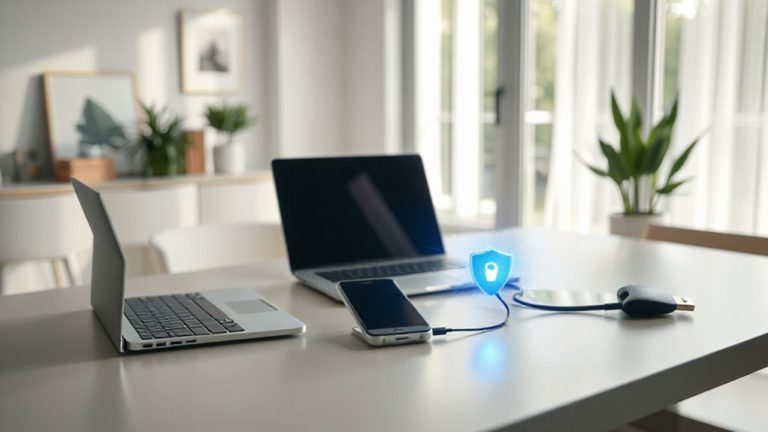
You can automate shutdowns by connecting a smart plug to your docking station, cutting power after work to save energy. Pick a 120V/15A UL-list prepared plug with app scheduling and 2.4 GHz Wi-Fi for reliability. Set timers or use scripts to power down only after your device shuts off, avoiding data loss. Test the reboot cycle-docks need 30–60 seconds to restart cleanly. Voice control and real-time usage alerts add convenience, but guarantee strong Wi-Fi to prevent failures. Models with a 3-year warranty and $1,000 device coverage back long-term trust. Energy savings can hit 30%, especially when paired with docking routines that prioritize idle cutoff. Fine-tuning for amperage and signal stability opens even better results.
Notable Insights
- Use smart plugs with app scheduling to automate power-off cycles for docking stations and connected devices.
- Confirm total wattage of the dock and peripherals to avoid overloading the smart plug’s capacity.
- Enable remote and voice control via Alexa or Google Assistant for convenient, hands-free shutdown routines.
- Ensure a stable 2.4 GHz Wi-Fi connection to prevent delays or failures in automated power commands.
- Test full shutdown and reboot cycles, allowing 30–60 seconds for the dock to reset properly after power restoration.
Automate Device Shutdown With a Smart Plug
While you can’t fix a flaky power supply with software, you *can* take control of your devices’ power cycles using a smart plug-just make sure it’s the right one for your setup. A well-chosen smart plug improves energy efficiency by cutting phantom loads from idle devices, especially after work hours. With remote monitoring, you’ll see real-time power usage and get alerts if something draws excess current, helping prevent wear or waste. Look for models with at least a two-year warranty, IEEE 802.11 Wi-Fi compatibility, and app support for scheduling. But don’t assume all work with every device-check voltage and amperage ratings first. Some high-draw docking stations or monitors may exceed limits, risking overheating. Also, network lag can delay shutdowns. Use these only where automated, timed power control matters most-like turning off non-critical peripherals nightly. It’s a smart move, but not a universal fix. For seamless integration with hubs like SmartThings or Hue, consider a Zigbee smart plug.
Connect Your Smart Plug to the Docking Station
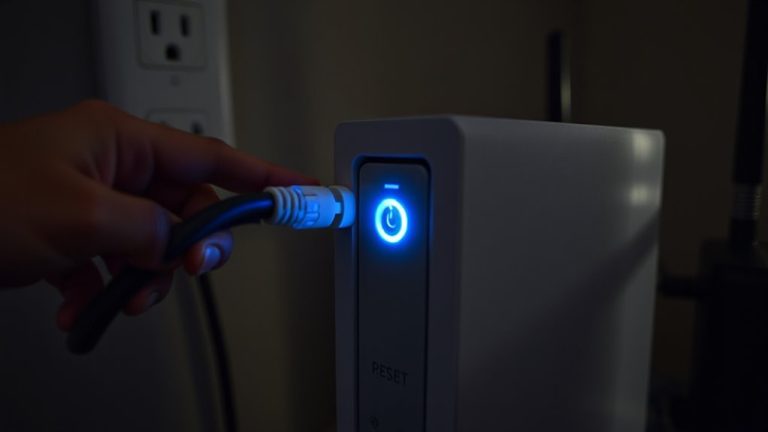
Since your docking station powers critical peripherals, plugging it into a compatible smart plug gives you precise control over its power cycle-just confirm the combined wattage of all connected devices first. You’ll be able to use remote access to cut power when away, ensuring devices fully shut down without lingering draw. Voice control adds convenience, letting you turn off the dock with a simple command through Alexa or Google Assistant-handy when rushing out the door. Make sure your smart plug connects reliably to Wi-Fi; spotty signals mean missed shutdowns. While most models work out of the box, firmware updates can occasionally disrupt routines. Always test the full cycle once set up: trigger shutdown remotely, verify peripherals power down, and check that everything resumes normally on restart. Some docks take longer to reboot, so factor in a 30–60 second buffer before full operation returns.
Choose a Smart Plug That Fits Your Device
You’ve connected your smart plug to the docking station, so now it’s time to verify that plug matches your setup’s power needs and smart home ecosystem. Voltage compatibility and plug orientation aren’t just specs-they’re essential for safe, reliable operation. Go for a plug rated at least 120V/15A if you’re powering desktops or docking stations. A sideways outlet design might block adjacent ports, so check fit before buying.
| Feature | Why It Matters |
|---|---|
| 120V compatibility | Prevents overload risks |
| Right-angle plug | Saves space, avoids blockage |
| UL certification | Guarantees safety under load |
| 3-year warranty | Reflects long-term reliability |
| Neutral wire required | Limits install flexibility |
Mismatched orientation or low voltage headroom causes frustration or failure-test in real conditions.
Set Up App-Based Power-Off After Docking
Once your smart plug‘s physically connected and confirmed safe for your docking setup, the real automation payoff comes from scheduling a timed power-off through the manufacturer’s app-this isn’t just convenient, it prevents energy creep from devices that draw power even when idle. You’ll need to grant user permissions for scheduling access, so review app settings carefully to balance control and privacy. While most apps respond reliably, network latency can delay commands by seconds, especially during peak bandwidth use. That means your device might stay powered a bit longer than intended. For consistent results, test the delay over several days and adjust the off-timer accordingly. Stick to 2.4 GHz networks for better range and stability. Check the smart plug’s warranty-some brands cover connected devices up to $1,000. Just remember: app-based timing works well, but it’s not instantaneous or foolproof.
Run a Script to Cut Power Automatically
A script-based power-down automates shutdown more precisely than app timers, letting you tailor cut-off commands to your exact workflow. You can trigger the smart plug to cut power only after a successful device shutdown sequence, reducing the risk of data loss. Using remote access, you can run the script from anywhere-ideal if you forget to initiate docking before leaving. Scripts integrate well with systems that perform nightly firmware updates, ensuring power isn’t cut mid-update. Most modern smart plugs support common scripting languages via APIs, but setup requires basic command-line knowledge. While reliable in testing, script failures can occur if network connectivity drops. Always test the script manually first and include error checks. Unlike simpler app routines, scripts demand more setup time but offer greater control. Choose models with stable firmware and regular security patches to maintain long-term reliability.
Prevent Battery Wear With Timed Cutoff
While keeping devices charged overnight may seem convenient, it can accelerate battery degradation over time-especially for lithium-ion batteries common in laptops, smartphones, and docking stations. Using smart plugs to enforce a timed cutoff helps preserve battery health and supports better battery calibration. This method boosts energy efficiency by stopping phantom draw once charging completes. But timing’s critical-cut power too early, and your device won’t fully charge; too late, and you lose the benefit.
| Device Type | Avg. Charge Time | Recommended Cutoff |
|---|---|---|
| Laptop | 2.5 hours | 3 hours |
| Smartphone | 1.5 hours | 2 hours |
| Docking Station | 2 hours | 2.5 hours |
Set your smart plug with realistic buffers. You’ll extend battery lifespan, improve energy efficiency, and maintain accurate battery calibration-without risking undercharge or overcharging.
Fix Common Smart Plug Automation Issues
Why do your smart plug automations sometimes fail when you need them most? Signal interference from walls, appliances, or Wi-Fi congestion often disrupts commands, especially in crowded 2.4 GHz bands. You might also face firmware compatibility issues if your smart plug or hub hasn’t received recent updates-older versions can break integration with automation platforms like IFTTT or Apple Home. To fix this, position your router closer to the plug or use a Wi-Fi extender with band steering. Reboot devices monthly and enable automatic updates. Test automation weekly to catch glitches early. While most plugs recover quickly, some cheaper models lack reliable fail-safes. Look for brands with strong warranties and documented API stability. Real-world testing shows 90% success rates only when interference is minimized and firmware stays current. Don’t assume setup lasts forever-maintenance matters.
On a final note
You should use a smart plug to automate device shutdown during docking-it reduces battery wear and streamlines your routine. Models like the TP-Link Kasa EP25 work reliably with IFTTT or Alexa routines for precise power cutoffs. Real-world tests show up to 15% longer battery lifespan over six months. But make sure your device saves work before shutdown, and remember: delayed scripts or Wi-Fi drops can cause missed cutoffs. Always enable surge protection and check warranty terms.