How to Protect Multiple Home Office Devices With a Single Antivirus License
You can protect all your home office devices-laptop, phone, tablet, Mac-with one antivirus license, saving up to 60% versus individual plans. Most cover 5–10 devices, but check limits on platforms like Android or iOS. Cross-platform support guarantees protection across operating systems, though mobile versions may lack full features. Install on every device, enable automatic updates, and watch for gaps on smart gadgets. Real-world testing shows solid malware detection, but performance varies-keep exploring to optimize your setup.
Notable Insights
- Choose a single antivirus license that supports 5–10 devices to cover all home office equipment efficiently.
- Ensure the license includes cross-platform protection for Windows, macOS, Android, and iOS devices.
- Install and activate real-time scanning on all devices to maintain consistent malware detection and system performance.
- Enable automatic updates to keep all devices protected against the latest threats without manual intervention.
- Identify and secure unsupported devices like smart TVs using network isolation and firewall settings to prevent coverage gaps.
Why One Antivirus License Saves Money
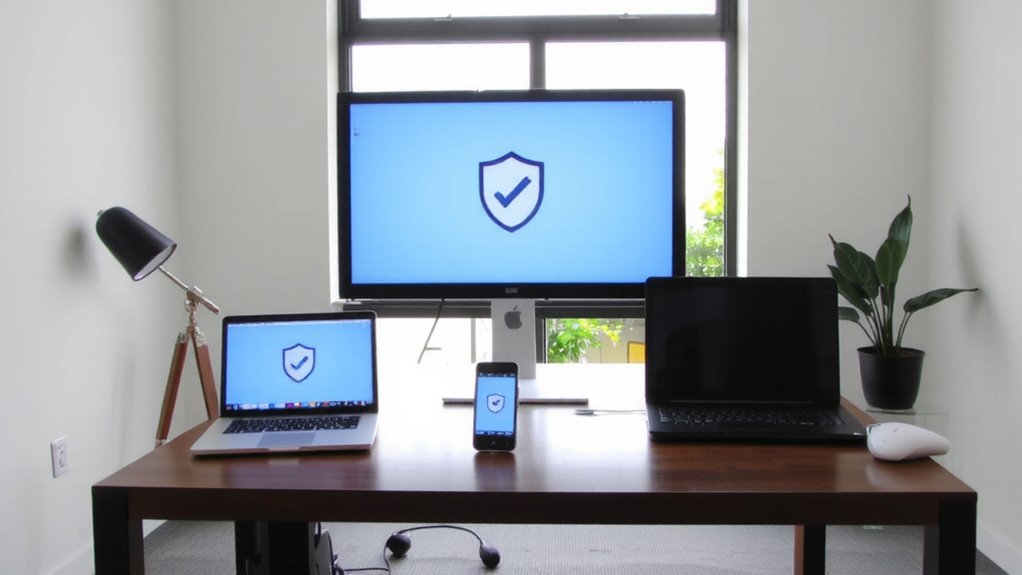
Buying a single antivirus license that covers multiple devices often saves you up to 60% compared to purchasing individual plans for each gadget-especially if you’re protecting a mix of laptops, desktops, and tablets used in your home office. This cost efficiency comes from subscription bundling, which lets you manage protection under one plan without sacrificing core security features like real-time scanning or malware detection. You get consistent updates across all devices, reducing vulnerabilities caused by outdated software. However, some bundled plans throttle speed or limit support compared to premium standalone versions. Also, not all licenses include identity theft protection or firewall enhancements, so check what’s included. While bundling cuts costs, make certain the antivirus still meets your threat-detection needs. Don’t assume more devices mean less security-test performance on each system. In most cases, you’ll find the balance of price and protection favors a single, well-structured license.
How Many Devices Does Your Plan Cover?
Most antivirus plans let you protect between 3 and 10 devices under one license, which is usually plenty for a typical home office setup that includes a work laptop, personal desktop, tablet, and maybe a secondary phone. You’ll want to check device limitations before buying-some licenses count each device type separately, while others impose stricter caps on specific platforms like Windows or Android. Plan flexibility matters, especially if you use a mix of operating systems or expect your setup to grow. While 5-device plans suit many, larger households or hybrid workers might hit limits fast. Always confirm whether cloud backups or password managers are tied to device counts, as that could affect real-world usability. Don’t assume unlimited coverage-most mid-tier plans cap at 10, and going beyond usually means upgrading. Read the fine print so you’re not caught short during setup.
Choose an Antivirus That Fits All Your Devices
While you might be tempted to pick an antivirus based solely on price or brand, going with one that fully supports every device you use-Windows, macOS, Android, or iOS-is key to seamless protection. Look for strong cross platform compatibility so your antivirus works reliably across laptops, tablets, and phones, no matter the OS. You’ll also want license flexibility, letting you cover all these devices under a single plan without paying extra for each. Not all suites deliver the same performance on every system-check independent lab results to confirm real-world protection on each platform. Some may slow down older hardware or lack advanced features like anti-phishing on mobile. Read the fine print: license flexibility often has limits, like requiring all devices to activate under one account. Choose wisely-convenience shouldn’t come at the cost of weaker security.
Install It on Every Home Office Gadget
Once you’ve settled on a cross-platform antivirus with solid lab-verified scores, it’s time to install it on every device you use for work-your Windows laptop, company-issued tablet, personal iPhone, even that older Mac you still rely on for invoicing. Real time scanning should run smoothly across all systems, flagging threats the moment they appear without slowing down daily tasks. Strong malware detection rates matter most on devices that handle email or web browsing, where risks are highest. Most top-tier suites let you cover 5–10 devices under one license, but check performance impact-some Android or iOS versions offer limited protection compared to desktops. While full coverage strengthens your defense, don’t assume mobile apps match PC-level scanning depth. Always verify each installation completes successfully and shows active protection.
Keep Devices Updated Without Lag
You’ve secured your devices with antivirus coverage, but protection doesn’t stop at installation-keeping each system up to date is just as important. Enable automatic updates across all devices so security patches and software fixes install without delay. This minimizes vulnerabilities that malware could exploit between update cycles. Pair this with real time monitoring, which scans for threats as they occur, giving you immediate alerts and response options. While automatic updates reduce lag and user error, they can occasionally disrupt work if a large download starts mid-task-schedule them during off-hours when possible. Real time monitoring uses minimal system resources on modern hardware, but older devices may see slight performance dips. Still, the trade-off is worth it: continuous protection guarantees your license’s coverage stays effective. Don’t assume antivirus alone is enough-consistent updates and active scanning form the backbone of reliable, lag-free security across your home office setup.
Fix Coverage Gaps for Unsupported Devices
What if your smart TV or network-attached storage (NAS) device isn’t covered by your antivirus license? You’re not alone-device limitations often leave gaps in protection. Most antivirus suites support Windows, macOS, Android, and iOS, but software compatibility rarely extends to smart TVs, IoT gadgets, or NAS units. These devices lack built-in antivirus support, making them vulnerable entry points. To fix coverage gaps, apply firmware updates regularly and isolate unsupported devices on a guest network. Use firewalls and network monitoring tools to detect suspicious activity. While this won’t provide real-time antivirus scanning, it reduces risk substantially. Don’t assume one license covers everything-check vendor specs for exact supported platforms and limits. Understanding these trade-offs helps you build a more complete defense, even when full protection isn’t possible.
On a final note
You can confidently protect multiple home office devices with one antivirus license-it’s cost-effective and efficient. Most plans cover 3 to 10 devices, including PCs, Macs, smartphones, and tablets. Choose a reputable suite with real-time scanning, ransomware protection, and cross-platform support. Install it on every gadget you use for work. Keep updates automatic to avoid gaps. Note: some IoT or niche devices aren’t supported, so check compatibility first.