Navigating ADHD Challenges in Home-Based Work Environments
Working from home can worsen ADHD symptoms due to unstructured days and endless distractions, but you can regain focus with intentional design. Set up a quiet workspace with 5000K LED lighting at 400–500 lux, reduce clutter using labeled containers, and block distractions with over-ear headphones. Use time blocking and buffer periods to manage energy, not just productivity apps. Just remember, no gadget fixes executive function alone-consistency matters most if you want real results.
Notable Insights
- Create a dedicated workspace to establish clear physical and mental boundaries between work and rest.
- Use time blocking with buffer periods to manage focus and prevent schedule collapse.
- Optimize lighting with 5000K cool-white LEDs at 400–500 lux to enhance alertness and reduce eye strain.
- Reduce distractions by organizing clutter, using labeled containers, and enabling “Do Not Disturb” on devices.
- Support emotional regulation and task initiation with structured routines and tested ADHD productivity apps.
How Working From Home Triggers ADHD Symptoms
Why does working from home often make ADHD symptoms feel worse? Because without structure, distractions multiply and your brain struggles with emotional regulation. You might go from starting your day with energy to sudden task paralysis by mid-morning, stuck staring at a screen, unable to begin even simple assignments. The lack of external deadlines or immediate accountability deepens this cycle. While some claim productivity tools or ergonomic gear fix everything, most don’t address core executive function gaps. Noise-canceling headphones help block distractions, but only if used with clear routines. Standing desks offer slight focus boosts, yet without intentional scheduling, they’re just furniture. Improving emotional regulation means designing systems-not buying gadgets. Task paralysis won’t vanish with a new chair, but consistent time-blocking and body-doubling might reduce its grip. Real progress comes from behavioral strategy, not equipment upgrades.
Design an ADHD-Friendly Workspace for Focus
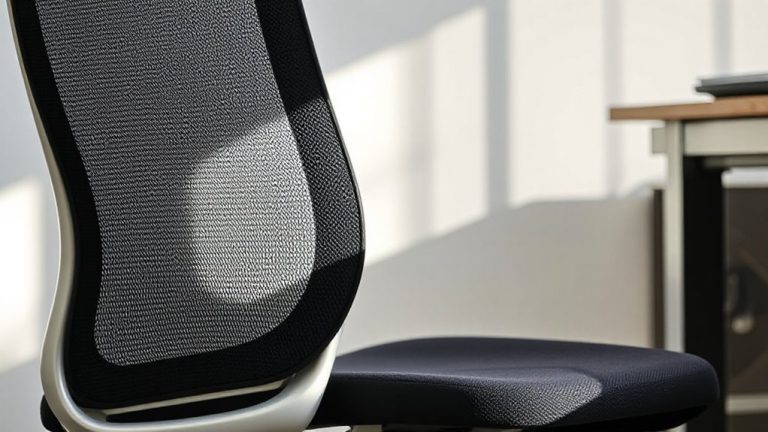
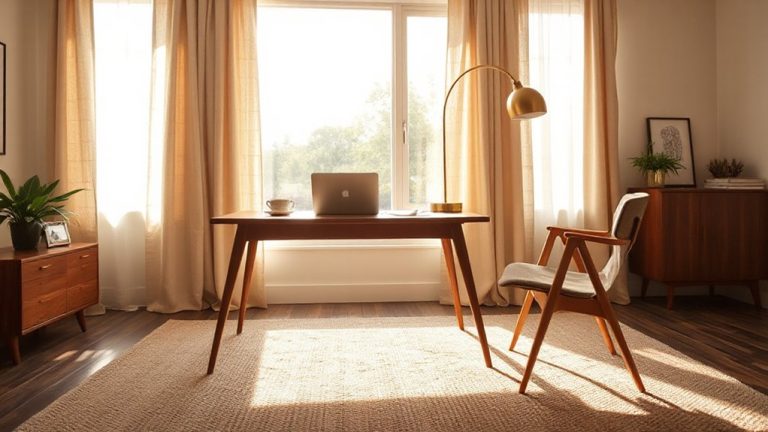
While simply clearing a corner of your living room won’t solve focus issues, building a dedicated workspace with intentional design can meaningfully reduce ADHD-related distractions-if done right. Prioritize an ergonomic setup: a chair with lumbar support and a desk at elbow height reduces physical restlessness and helps maintain focus. Pair it with lighting optimization-use adjustable, bright LED task lights at 400–500 lux to minimize eye strain, but avoid glare. Position lighting slightly behind or to the side to prevent shadows. Neutral or cool-white color temperatures (5000K) boost alertness better than warm tones. Matte finishes on surfaces cut reflections. While high-end gear often includes warranties (e.g., 5–10 years for ergonomic chairs), budget models can work if tested for stability and adjustability. Real-world trials show that even small tweaks-like raising your monitor to eye level-can improve attention spans, but no setup replaces consistent routines. Choosing one of the best ergonomic office chairs can significantly enhance comfort and posture during long work sessions.
Create Clear Physical and Time Boundaries
Your home workspace thrives best when physical and time boundaries are clearly defined-without them, even the most ergonomic desk setup can’t curb distraction. You need dedicated space and scheduled limits to support focus. Use room dividers or furniture placement to mark work areas, helping your brain recognize when it’s time to shift modes. These mental shifts matter-without them, work bleeds into rest. Set start and end times, then stick to them. Alarms and door closures can signal shifts just as they do in offices. Pair this with personal routines like a morning walk or shutdown ritual to reinforce separation. Avoid using beds or couches for work; they weaken boundaries. Even small spaces benefit from visual cues like a lamp that’s only on during work. While consistency helps, rigid rules may backfire-adjust based on energy levels. Boundaries aren’t about perfection; they’re about creating reliable structure. An L-shaped desk can enhance this structure by providing a designated, spacious surface that supports both focus and organization.
Use ADHD-Friendly Time Management Hacks
Setting clear boundaries helps contain work physically and temporally, but managing time actively is what keeps you moving through the day without burning out or zoning out. Time blocking gives your schedule bones-literally assigning work to set windows, like 9–10 a.m. for emails or 1–2 p.m. for calls. It works, but only if you build in buffer time; rigid blocks often collapse under real-world delays. Pair this with task batching-grouping similar actions like answering messages or making invoices-to reduce mental switching costs. Batching sharpens focus and cuts fatigue, but overload a batch and you’ll hit attention fatigue fast. Use a simple timer and digital calendar with audible alerts to stay on track. These hacks aren’t magic, and they demand daily tweaking. Yet when matched to your energy peaks, time blocking and task batching can turn scattered effort into measurable progress-without needing special gear or apps.
Cut Out ADHD Distractions in Your Environment
| Distraction | Fix |
|---|---|
| Visual clutter | Use labeled containers |
| Background noise | Wear over-ear headphones |
| Phone pings | Enable “Do Not Disturb” |
| Messy cords | Apply cable clips or sleeves |
These changes help-but they’re not magic. Some tools, like certain noise-canceling models, cost over $100 and last 2–3 years with daily use. Others, like tray organizers, cost under $20 but may lack durability. Test solutions slowly to see what sticks. For managing tangled wires effectively, consider using cable management sleeves to maintain a clean and organized workspace.
Use ADHD Productivity Apps to Stay on Track Automatically
Tackling distractions at your desk sets the foundation, but maintaining momentum during the workday often requires more than a tidy space. You need tools that actively support your focus and follow-through. ADHD productivity apps can help through task automation and focus tracking, reducing the mental load of remembering what to do and when. Apps like Todoist or TickTick let you schedule recurring tasks automatically, so you’re not starting from zero each day. Built-in timers and focus tracking features, such as time-blocking or Pomodoro tracking, provide real-time feedback on your attention patterns. You’ll see exactly how long you spend on tasks, helping you adjust routines realistically. Yet, not all apps work the same-some sync across devices; others don’t. Over-reliance can backfire if alerts become noise. Commit to testing one app for at least two weeks, adjusting settings to match your rhythm, not someone else’s.
On a final note
You can succeed working from home with ADHD, but it demands smart setup and consistent habits. Design a dedicated workspace with minimal distractions, use apps like Focus@Will or Forest to sustain attention, and stick to time-blocking methods. A standing desk or ergonomic chair may help, but they’re not magic fixes-results depend on routine. Real gains come from pairing reliable tools with honest adjustments, not perfect gear.