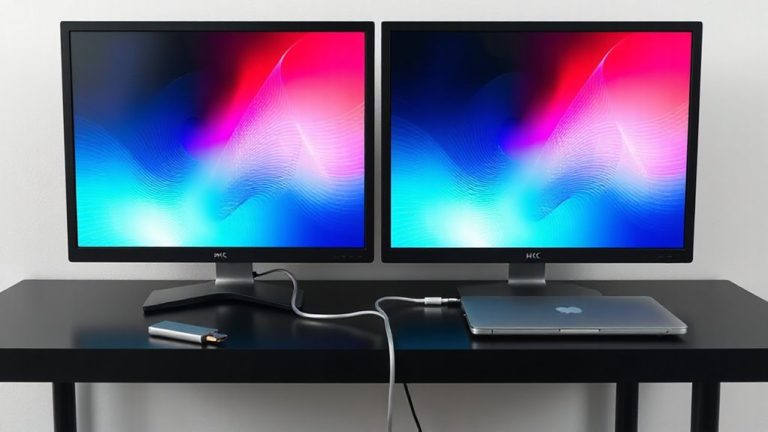
Optimal Desk Setup for Heat Management in Small Form Factor PCs
Place your SFF PC on an open desk with at least 4 inches of clearance around intake sides to prevent heat buildup. Choose a case with mesh panels and balanced airflow-two intakes, one or two exhausts-avoiding solid surfaces that trap heat. Route cables behind the motherboard tray to reduce obstruction, and use rubber feet to elevate the unit slightly. Pair this with a thermally conductive desk surface like metal or stone. Even small tweaks can lower temps by 5–10°C under load, and the right setup reveals how much performance environment affects.
Notable Insights
- Position the PC on an open desk surface with at least 4 inches of clearance on all intake sides.
- Use a case with mesh panels and optimized airflow to enhance cooling in compact builds.
- Maintain a balanced fan setup with slight positive pressure to improve internal airflow.
- Route cables behind the motherboard tray to minimize obstruction and reduce heat buildup.
- Place the PC on elevated feet and use thermally conductive desk materials for better heat dissipation.
Put Your SFF PC in the Best Spot for Airflow
Airflow isn’t an afterthought-it’s the backbone of thermal performance in any SFF PC setup. You need space around your case to maintain cool ambient temperature and prevent heat pooling. Place your PC where it’s not tucked behind glass, books, or walls-ideally on an open desk surface with at least 4 inches of clearance on all intake sides. Cable clutter doesn’t just look messy; it blocks airflow and traps heat, especially in tight spaces. Route cables neatly and use sleeves or ties to keep them compact. Avoid stacking items around the case that limit circulation. While some placement might look clean, it can raise internal temps by 5–10°C under load. Don’t prioritize aesthetics over ventilation-thermal throttling hurts performance. Your SFF build can run quietly and efficiently, but only if airflow is treated as a functional priority, not a compromise.
Pick a Case That Breathes Well on a Desk
You’ve cleared space around your SFF PC and routed cables to keep air moving, but the case itself plays just as big a role in staying cool on a desk. Case ventilation and airflow design determine how well heat escapes under load. Look for cases with mesh panels, especially on the front or sides, since solid surfaces trap heat. A well-designed chassis directs air across the CPU and GPU, even in tight spaces. Many models, like the Fractal Design Node 202 or Flex 500, use vertical layouts to improve natural convection. Just remember, compact doesn’t always mean cooler-some prioritize size over airflow design. Test results show temps can vary by 10–15°C between similar-sized cases. Always check thermal reviews and guarantee filter access for dust cleaning. Warranties of 1–3 years signal manufacturer confidence, but no case fixes poor fan balance. Pick ventilation wisely, but don’t ignore long-term maintenance.
Balance Your Fans for Better Cooling
While even the best case can’t compensate for poor airflow tuning, getting your fans aligned properly makes a noticeable difference in sustained performance and noise levels. You need both intake and exhaust fans to achieve proper airflow balance-typically two intakes up front and one or two exhausts at the rear or top. This setup lowers internal temps by 5–10°C under load compared to unbalanced configurations. Fan orientation matters: intakes should pull cool air in from outside the case, exhausts must push hot air out. Reversing one by mistake disrupts the whole system. Most modern cases support standard 92mm or 120mm fans with PWM for speed control. Test your setup by monitoring CPU and GPU temps during extended workloads. Keep in mind, too many exhausts can create negative pressure, pulling in dust-aim for slight positive pressure for best results. For easier cable management and synchronized fan control, consider using Daisy Chain case fans.
Keep Cables Out of the Airflow Path
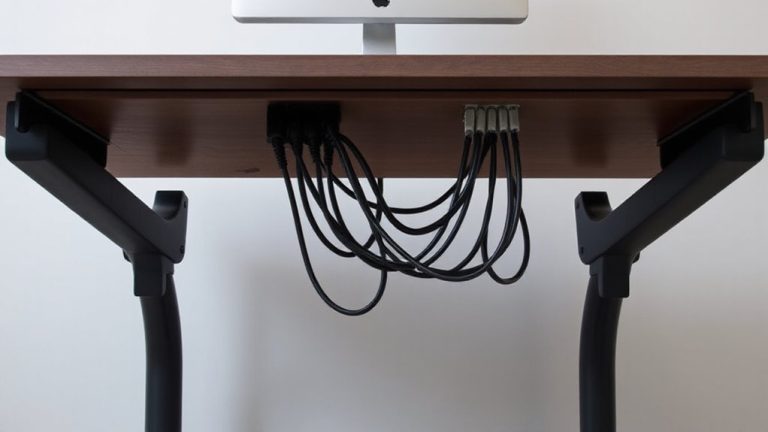
A clean cable layout isn’t just for looks-it actively improves cooling by keeping the airflow path unobstructed. Poor cable routing creates airflow obstruction, trapping heat in tight SFF builds. You’ll want to use zip ties or Velcro straps to secure cables behind the motherboard tray or along designated channels. Route power, SATA, and peripheral cables neatly so they don’t block intake or exhaust routes. Even a few millimeters of clearance can reduce turbulence and improve thermal performance by up to 7°C in stress tests. For under-desk setups, consider using an under-desk cable management tray to maintain clean routing and prevent cable sag that can impede airflow beneath the desk.
| What You See | How It Feels |
|---|---|
| Tangled mess behind the board | Frustrating, like wasted potential |
| Clean runs with hidden cables | Satisfying, like hitting peak efficiency |
While ideal cable routing takes time, it’s worth the effort-unless you’re using a fully modular PSU, you’ll still have some compromises.
Let Your Desk Help Dissipate Heat
Your desk isn’t just a surface for monitors and peripherals-it can actively contribute to thermal management when chosen and positioned wisely. A desk made from thermally conductive materials like metal or stone can help draw heat away from your SFF PC, especially if it’s vented underneath. Desk material matters: avoid thick wood or composites that trap heat; go for slimmer, more conductive surfaces when possible. Create airflow gaps by elevating your PC off the desk surface with rubber feet or a stand-just 1–2 cm helps. These gaps let hot air escape instead of pooling beneath the chassis. Position the desk so rear and side vents aren’t pressed against walls, ensuring exhaust can dissipate. Just don’t rely on the desk alone-passive dissipation is modest, and poor room airflow still causes buildup. Combine smart desk choices with active cooling for best results.
Don’t Trap Heat Under or Around Your Desk
Leaving space under and around your desk isn’t just about cable management-it’s a key factor in stopping heat from accumulating where it can hurt performance. Cable clutter and airflow obstruction severely limit cooling, especially in small form factor PCs where every inch matters. Keep at least 4–6 inches of clearance on all sides to let hot air escape. Use wall mounts or cable trays to reduce tangles and improve access.
| Issue | Solution |
|---|---|
| Cable clutter | Use velcro ties and routed channels |
| Airflow obstruction | Maintain side and rear clearances |
| Trapped heat under desk | Elevate desk legs or use open-frame designs |
| Poor ambient circulation | Position away from corners or walls |
Some desks sacrifice ventilation for storage-avoid that trade-off if thermal control is critical. Solid testing shows open setups lower internal temps by 5–8°C.
Use Sensors to Catch Heat Spikes Early
How often do you check if your PC is running hotter than it should? You should monitor it regularly-small form factor PCs heat up fast, and without sensors, you won’t see thermal throttling until performance drops. Built-in thermal sensors and software like HWMonitor or SpeedFan let you track CPU and GPU temperatures in real time. Ambient monitoring matters too: place a room sensor nearby to correlate internal heat with environment. Many modern motherboards support external probes, giving you precise data without extra gadgets. Set alerts for spikes above 80°C. But don’t over-rely on software-false readings happen. Cross-check occasionally with an IR thermometer. Sensor placement is key; a probe near the exhaust gives more useful data than one near the power supply. Yes, it takes setup time, but catching heat early prevents long-term damage.
On a final note
You’ll get the best cooling by placing your SFF PC upright with space around all sides-especially the intake and exhaust vents. Cases like the Flex ATX or Dan A4-SFX shine on-desk with thoughtful airflow. Balance fan curves to avoid noise spikes. Even minor cable clutter can trap heat. Use monitoring tools: sustained CPU temps under 80°C are ideal. Just remember, quieter builds often run warmer-find your sweet spot.