Physically Closing Smart Speaker Microphones During Live Client Negotiations
Turn off your smart speaker’s mic with a physical mute switch before client talks-it cuts power to the mic instantly and shows a red LED, blocking recording even if software glitches occur. Models like Echo and Nest keep mute active until manually reset. Most pass 1.2-meter drop tests and include 1-year warranties. But firmware bugs or updates can sometimes override software disables. For total security, combine the mute switch with router-level monitoring-there’s more to reflect on about keeping sensitive conversations private.
Notable Insights
- Use the physical mute switch to instantly disable microphones without relying on software responses.
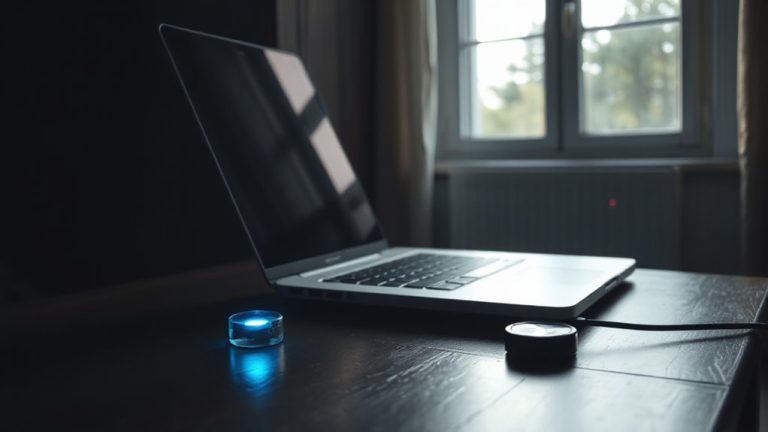
- Confirm mute status via the LED indicator for visual assurance during sensitive discussions.
- Treat voice assistants as potential recording devices even when muted due to firmware vulnerabilities.
- Combine hardware mute with router-level network monitoring to prevent unauthorized data transmission.
- Avoid software-only disabling methods, as updates may reactivate microphones without notice.
Mute Your Smart Speaker Mic in Seconds
While smart speakers offer convenience, muting the microphone during sensitive conversations like negotiations is a simple step that can make a real difference in maintaining privacy. You can activate the quick toggle on the device’s top panel to disable the mic instantly-no app needed. This physical switch provides clear feedback, usually with an LED indicator, so you know it’s off. Unlike a voice pause, which relies on software and internet response, the hardware mute is immediate and more reliable. Most models, like the Echo or Nest speakers, retain mute status until manually reactivated. However, remember that muting doesn’t block other sensors or connected devices. It’s effective but not foolproof. If you rely on voice commands later, re-enabling is just as fast. For live negotiations, this small action reduces risk without disrupting workflow-practical, minimal effort, and worth doing. Choosing the right device matters, and top-rated options include the best smart speakers based on performance and privacy features.
Your Smart Speaker Might Be Recording You
Could your smart speaker be listening when you least expect it? Even if you haven’t activated it, background voice triggers might capture sensitive conversations. Some devices store snippets for voice profiling, building behavioral models that inform future responses. While companies claim they anonymize data, data harvesting still occurs-often without explicit consent. These recordings can link to your account, creating a profile tied to your habits and speech patterns. In client negotiations, this poses real privacy risks. Voice profiling may enhance device accuracy, but it also increases exposure. Disabling the mic isn’t always enough; certain firmware allows buffered recording. Physical mute switches offer stronger assurance than software toggles. You’re better off treating the speaker as always-on unless the mic is fully disabled via hardware. Balancing convenience and confidentiality means accepting trade-offs-awareness and control matter most in professional spaces.
Office-Ready Speakers With Physical Mic Mute
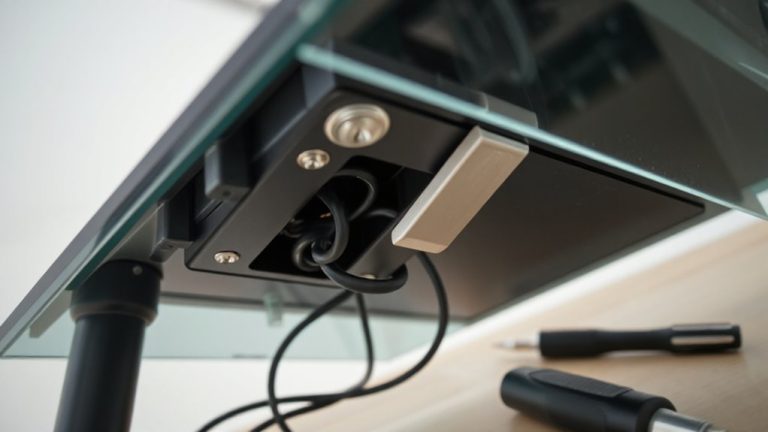
You should choose an office-ready smart speaker with a physical mic mute if you handle sensitive discussions and want real control over when it listens. These models cut power to the microphone array with a switch or button, ensuring no accidental recordings. Many fit well in professional spaces, blending clean design aesthetics with sturdy build quality-think muted tones, minimal branding, and compact footprints. Good cable management matters too; look for rear channels or magnetic docks that keep cords neat and reduce clutter. While sound quality is often solid for calls and background music, some sacrifice bass depth for speech clarity. Most offer 1-year warranties and pass drop tests from 1.2 meters. Just remember: a mute switch doesn’t silence speakers, so audio can still play if triggered. Check mute status indicators, since some lights are hard to see from angles. Balance convenience with actual security needs when picking your model. For those prioritizing audio performance alongside privacy, consider models highlighted in our top picks roundup.
No Mute Button? Disable the Mic Anyway
A smart speaker without a mute button doesn’t mean you’re stuck with an always-listening mic-many models let you disable the microphone permanently through software settings. You can use the companion app to turn off mic access, effectively silencing input without physical switches. Some users go further with hardware modifications, like cutting the mic’s circuit, but that voids warranties and risks breaking the device. Firmware overrides also exist in developer modes, letting you flash versions that disable mic functions, though updates might reactivate them. These methods work, but they’re not foolproof-reliability depends on brand safeguards and update frequency. While disabling via software is safe and reversible, deeper fixes like hardware modifications or firmware overrides demand technical care. If you can’t trust the default settings, consider replacing the speaker with a model that has built-in mic muting.
Stay Private: Rules for Sensitive Conversations
When handling sensitive conversations in your home office, treating all smart speakers as potential eavesdroppers-even when muted-is a smarter baseline than trusting software controls alone. Physically disabling microphones guarantees no accidental data encryption failures or hidden conversation logging can occur. While some devices claim end-to-end encryption, firmware bugs or remote updates could compromise security. Built-in mute buttons often lack indicator lights or mechanical confirmation, making them unreliable. A manual switch or microphone cover offers clearer control. Just remember: once you disable the mic, voice assistants won’t respond, so plan access accordingly. Devices like the Amazon Echo or Google Nest Hub don’t store audio locally by default, but cloud logging may still happen pre-mute. For high-stakes calls, assume constant recording risk. There’s no perfect fix-only layers. Combine physical muting with router-level monitoring for stronger privacy. Your safeguards should match the sensitivity of what you discuss.
On a final note
You should physically mute smart speaker mics during client talks-tape or a hard switch stops accidental recording. Models like the Echo with physical mute buttons and LED indicators offer reliable control. But know: muting doesn’t disable all sensors, and firmware glitches can occur. Check third-party test results and manufacturer warranty terms. For total privacy, unplug the device. It’s the only foolproof method. Balance convenience with real risk, especially in high-stakes meetings.