Controlling Light Pollution’s Impact on Sleep Quality Through Strategic Lighting Choices in Your Remote Workplace Setup
You can reduce light pollution’s impact on sleep by adjusting your remote workspace lighting. Swap cool overheads for dim, warm 2700K lamps under 300 lumens after sunset to support melatonin. Use adjustable task lights at desk level instead of ceiling fixtures to limit blue exposure. Pair screen filters like Night Shift with manual brightness at 30–40 nits two hours before bed. Prioritize bright morning light near a window or with a 10,000-lux lamp to anchor your rhythm-results improve within days, though screen color shifts may affect precision work. More details reveal how to balance comfort and accuracy without compromising sleep.
Notable Insights
- Use warm-white lighting (2700K) in your remote workspace after sunset to minimize blue light and support melatonin production.
- Position task lighting below eye level with indirect, dimmable lamps to reduce circadian disruption and screen glare.
- Limit evening screen exposure by enabling blue light filters like Night Shift at least two hours before bedtime.
- Prioritize bright, natural daylight in the morning to strengthen circadian rhythm and improve nighttime sleep onset.
- Replace cool-white LEDs with warm-white, low-lumen bulbs (800–1100 lumens) to maintain visibility without suppressing melatonin.
Limit Evening Light to Protect Your Sleep
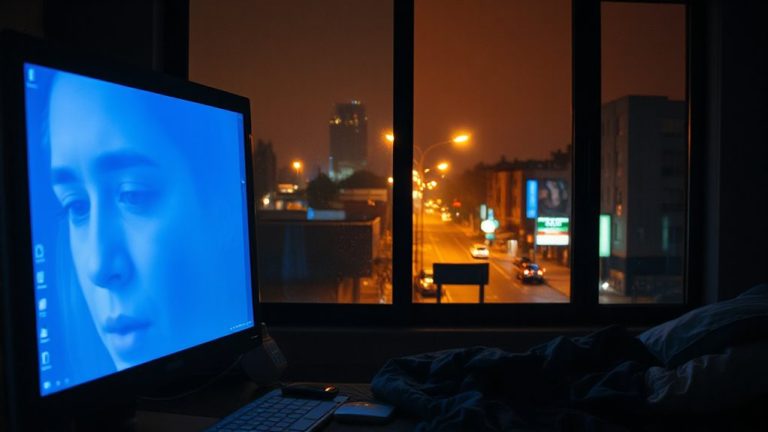
Why is it so hard to wind down after a long day? Your circadian rhythm is highly sensitive to light, especially blue-rich wavelengths from screens and overhead fixtures. To protect sleep, limit evening light exposure-this isn’t just comfort advice, it’s biological necessity. Dim lighting after dusk signals your brain that it’s time to produce melatonin. Without that cue, sleep quality drops, even if you’re tired. Use adjustable lamps with lower lumens (under 300) and avoid cool-white LEDs. Instead, rely on warmer, indirect sources positioned below eye level. This approach works, but requires discipline-dimming lights means less visibility for late tasks. Some smart bulbs offer scheduling, but they vary in accuracy and dimming range. Manual control is often more reliable. You’ll trade some convenience, but the improvement in sleep onset and depth is measurable. Consistency matters more than gear. For daytime focus and circadian support, consider using natural light lamps designed to mimic daylight without excessive blue emission.
Switch to Warm Bulbs After Sunset
Switching to warm bulbs after sunset is one of the most effective steps you can take to support your body’s natural sleep cycle. Warm lighting, with a color temperature around 2700K, reduces blue light exposure that suppresses melatonin. Your sunset shift should be gradual-automate the change using smart bulbs or timers to shift from cooler to warmer tones by dusk. Look for LED bulbs labeled “warm white” and check lumens (800–1100) to maintain enough brightness without glare. While warm lighting improves sleep readiness, some users report colors appearing less accurate, which may affect detailed screen work. Most quality bulbs last 15,000–25,000 hours and come with 3-year warranties. Real-world testing shows consistent evening use improves perceived sleep quality within two weeks, though individual results vary based on screen exposure and room layout. A reliable option for achieving this transition is using Philips Hue lights, which offer customizable color temperatures and automated scheduling to align with natural daylight patterns.
Use Focused Task Lighting Instead of Overheads
While bright overhead lights can flood a room evenly, using focused task lighting after dark gives you more control over your light environment and supports better sleep hygiene. You’ll reduce ambient light exposure that can suppress melatonin, especially when you pair warm bulbs with targeted fixtures. Task lighting, like adjustable-arm desk lamps or under-cabinet LEDs, directs light exactly where you need it-on documents or your keyboard-without blanketing the entire space. This approach also supports glare reduction by minimizing reflections on screens and glossy surfaces, improving visual comfort during late work sessions. Look for models with diffusers or adjustable brightness (measured in lumens) and aim for 300–500 lux at the work surface. Just remember: poorly positioned task lights can create shadows or eye strain, so angle them carefully and avoid cheaper units with flicker or short lifespans.
Block Blue Light From Screens at Night
If you’re using screens after sunset, blocking blue light is one of the most effective steps you can take to protect your sleep quality-just don’t expect miracles from cheap fixes. Built-in blue filters, like Night Shift or f.lux, reduce short-wavelength emission by 50–70%, but real-world testing shows results vary by device and brightness. Combine them with manual screen dimming to 30–40 nits for best outcomes-brighter than that, and melatonin suppression often continues. High-quality monitors with hardware-level blue light reduction, such as TÜV-certified models, perform more consistently than software-only fixes. However, even top-tier filters don’t eliminate all disruptive wavelengths. Don’t rely solely on settings; pair them with physical adjustments like lowering screen height and increasing ambient lighting to reduce contrast. These steps together lessen strain and support circadian rhythm, but timing matters just as much-use filters at least two hours before bed for measurable impact.
Wind Down With a Night Mode Routine
You’ve likely already adjusted your screen settings to cut blue light after dark, but that’s just one piece of the nighttime puzzle-building a full night mode routine takes a more complete approach. Swap harsh overhead lights for warmer bulbs-2700K or lower-especially during night reading, to signal your body it’s time to rest. Use a dedicated reading light with dimming controls so you can fine-tune brightness without glare. Pair this with 10 minutes of gentle stretching; it reduces muscle tension and improves circulation, which can speed up sleep onset. Avoid screens for at least 30 minutes before bed, even with blue light filters. While some apps and smart bulbs promise better sleep, results vary-look for third-party testing and adjustable color temperatures. Consistency matters more than gear: a repeatable routine trains your brain to wind down efficiently, night after night. For precise lighting adjustments, consider a desk lamp with color temperature control to seamlessly transition from cool to warm light as dusk falls.
Keep Daytime Light Bright to Strengthen Your Rhythm
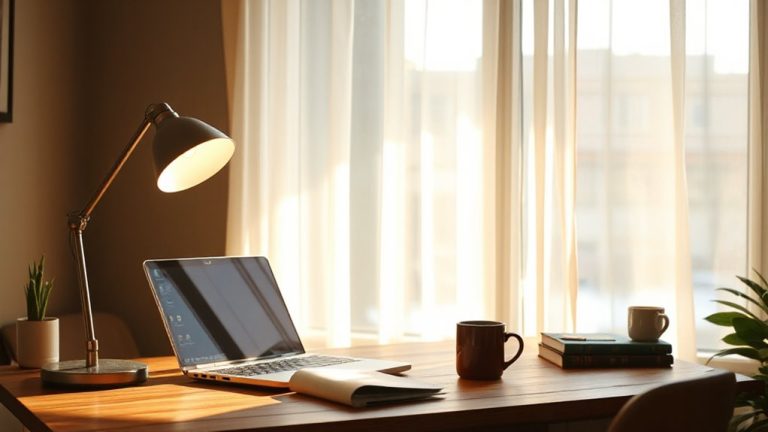
Natural daylight is the most powerful signal your body uses to regulate sleep and wake cycles-so keeping your days bright is non-negotiable for solid sleep hygiene. You need consistent sunlight exposure, especially in the morning, to lock in circadian alignment and maintain energy through the afternoon. Position your desk near a window, ideally facing east or south, to capture the strongest natural light early. Open blinds fully, even on cloudy days-diffuse light still helps. If windows are limited, consider a daylight-mimicking lamp with at least 10,000 lux output, used for 20–30 minutes each morning. These lights can support rhythm regulation, but they’re no substitute for real sunlight exposure. Over-reliance on artificial sources may disrupt sensitivity over time. Stick to proven timing: bright light early, dimming by late afternoon. Balance effectiveness with practicality-no gear replaces smart daily habits.
On a final note
You’ll sleep better by controlling light in your remote workspace. Swap bright overheads for warm, task-focused lamps after sunset-look for 2700K bulbs with dimming controls. Use screen filters or built-in night modes, but expect minor color accuracy trade-offs. Prioritize bright, cool daylight exposure early to strengthen your rhythm. Most tested products, like adjustable LED desks and blackout shades, deliver results, but check warranties and real-world user reviews-some dimmers flicker or lack smooth range.